VPN lan to lan not ping

VPN lan to lan not ping

VPN lan to lan not ping
a week ago
Tags: #VPN
Model: ER605 (TL-R605)   ER706W-4G  
Hardware Version:
Firmware Version:

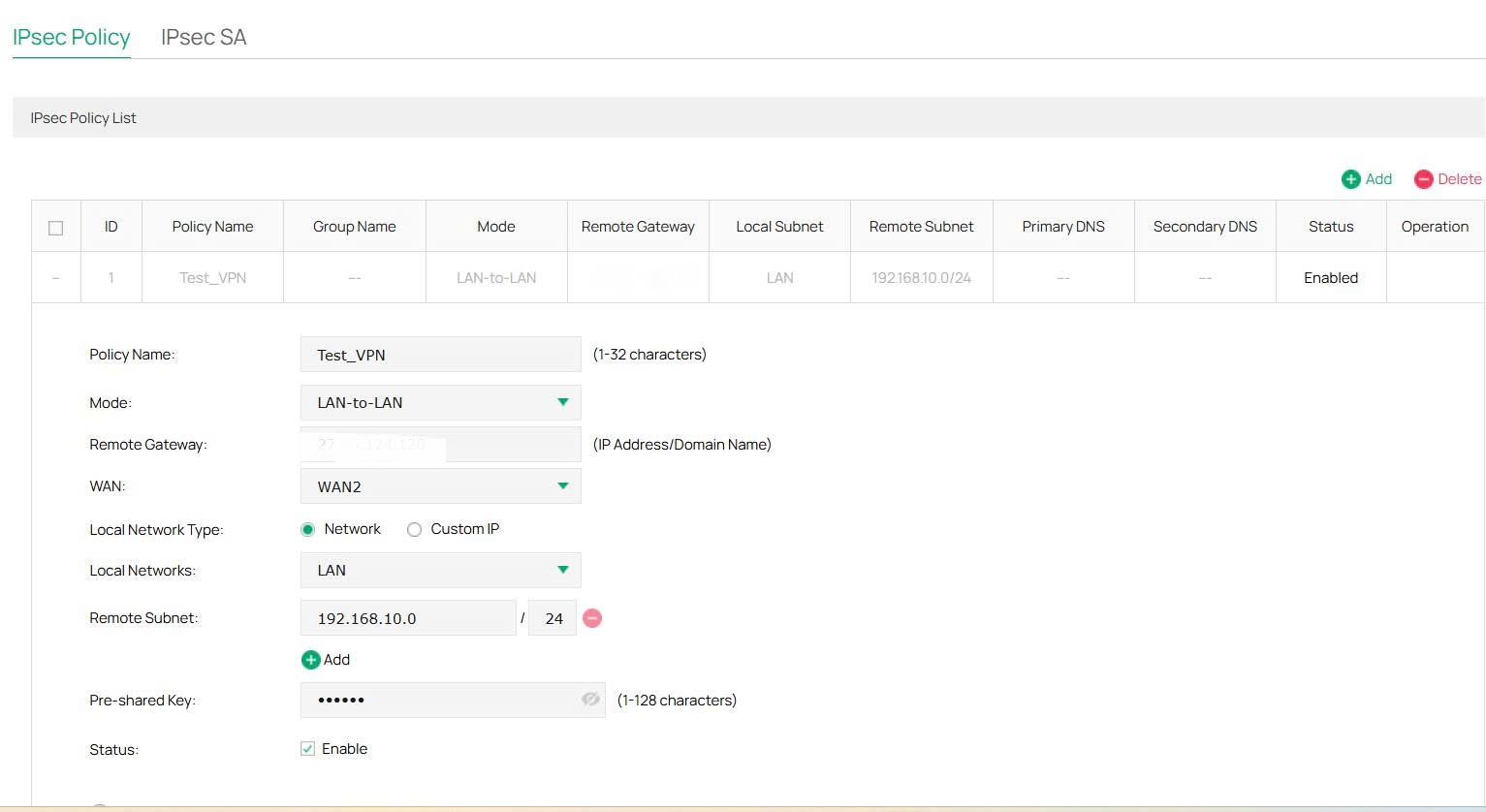
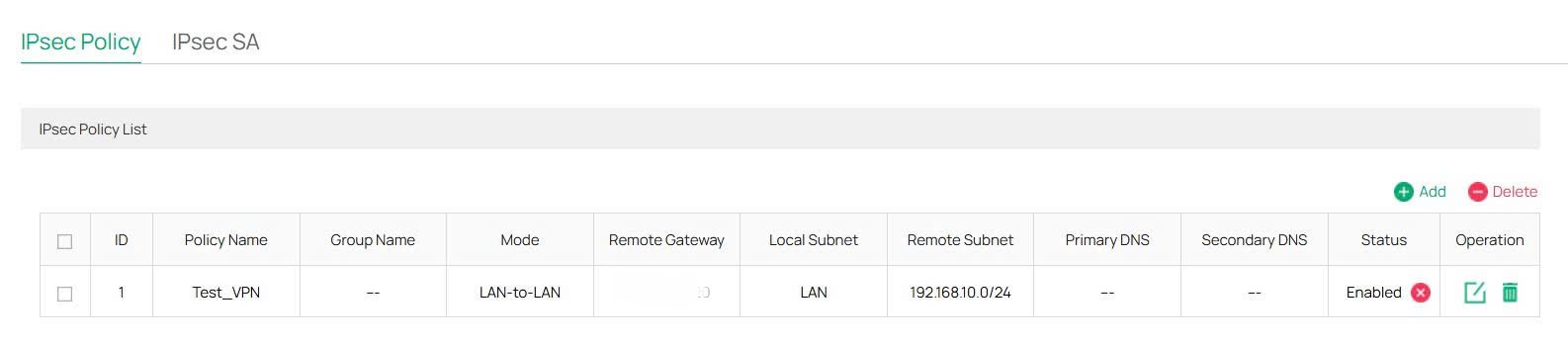
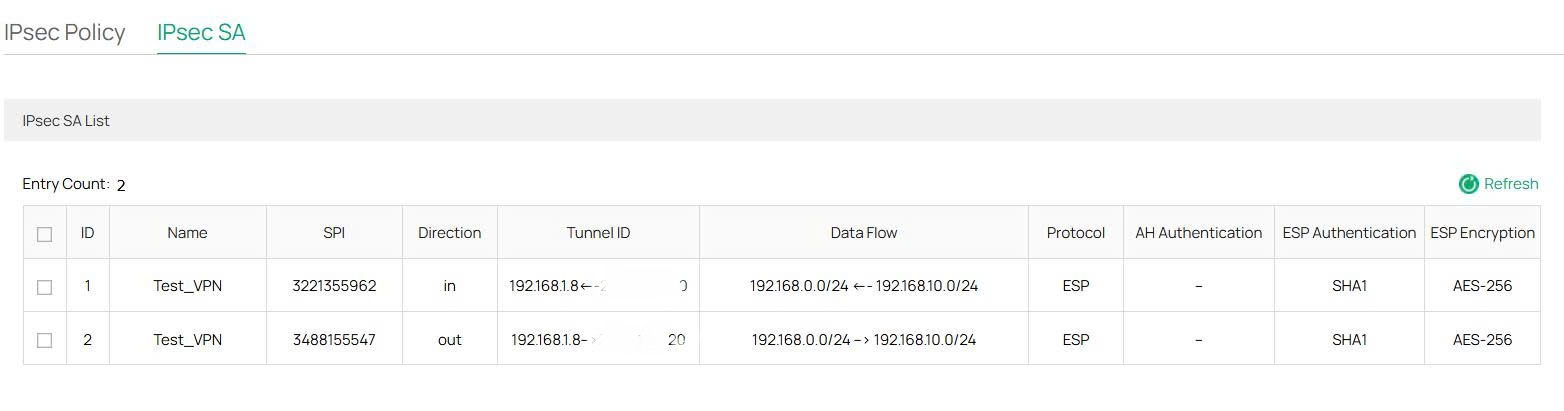
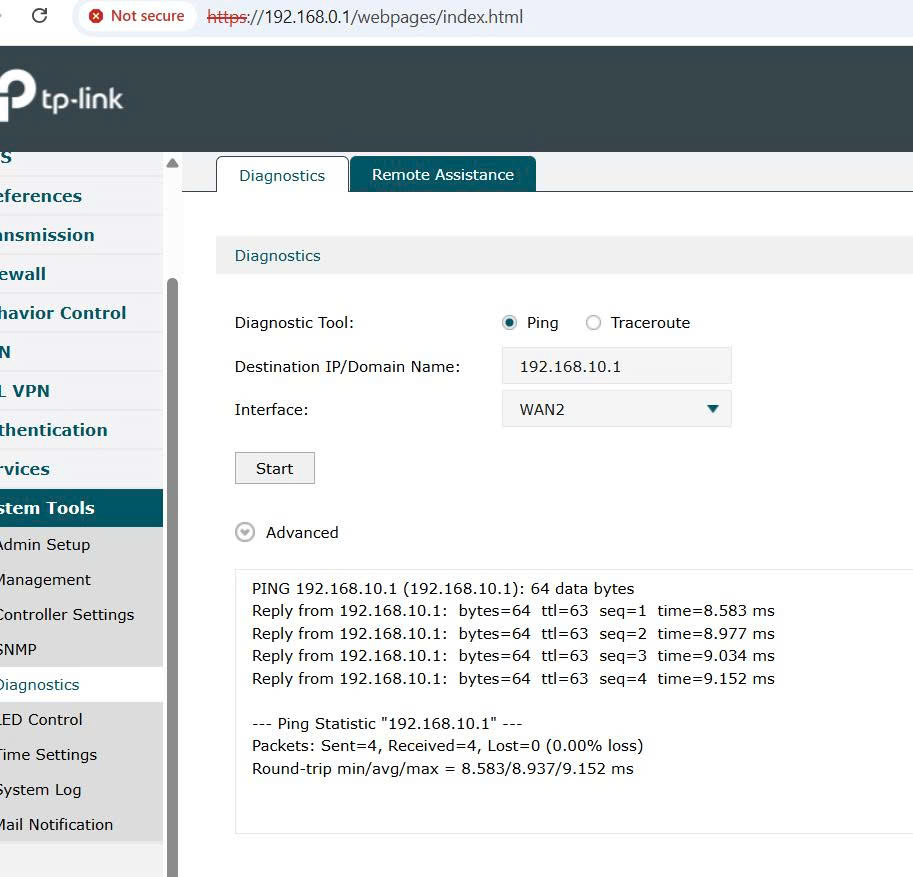
I have 2 TP-Link ER605 and ER706W-4G routers with subnets 192.168.0.0/24 and 192.168.10.0/24 configured with an IPsec VPN. Each router is behind an ISP modem, and since the WAN IP of the ER605 is not public, I am using the public IP on the modem and configuring DMZ to forward to the WAN IP of the ER605. The VPN shows as connected, but I cannot ping between the two networks in either direction. What could be the problem? When I use the built-in Diagnostics on the ER605, I can successfully ping the remote router's LAN IP, but the PCs behind them cannot ping each other. It seems the routers can talk to each other, but they aren't routing/forwarding traffic from the LAN clients into the tunnel.
0
0
#1
3 Reply
Re:VPN lan to lan not ping
a week ago

  @longnt340 Can you share your VPN setup? If the routers are in fact able to ping each other (and there aren't any other DHCP servers on either network that could be conflicting), I'd check your IPSec VPN settings again, particularly the LAN and remote network settings.

Check out our subreddit, r/Omada_Networks! Want to help test and give feedback on new products? Sign up for the US Enterprise Beta Program here! Need a ticket? Contact Technical Support
0
0
#2
Re:VPN lan to lan not ping
a week ago

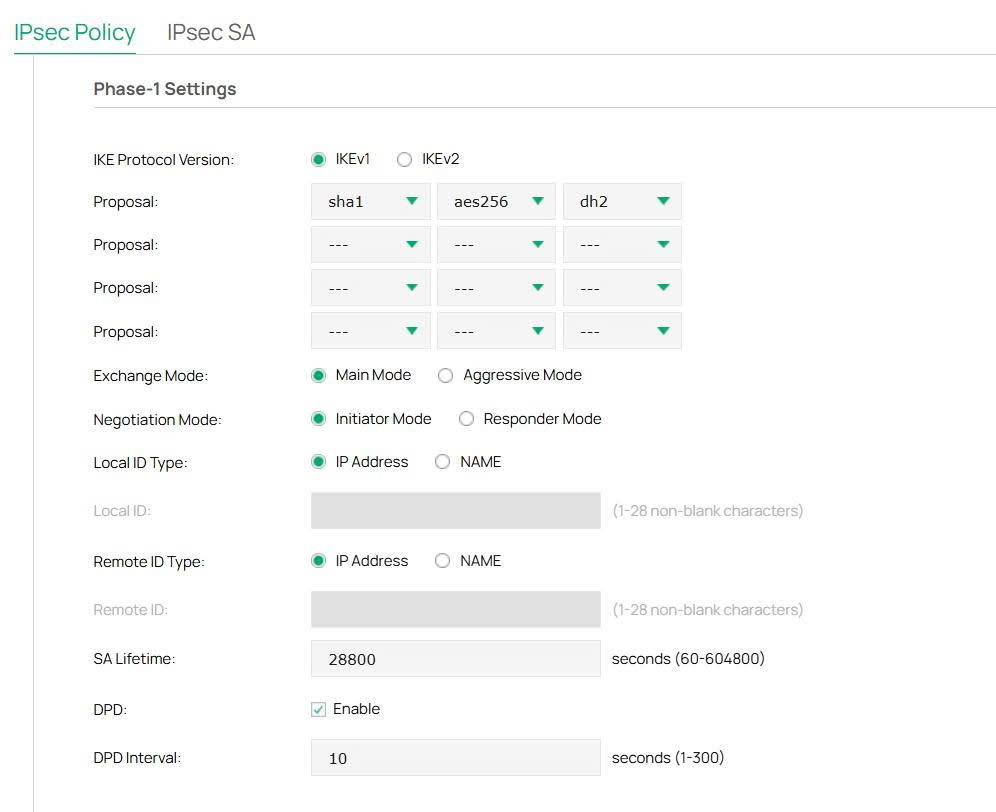
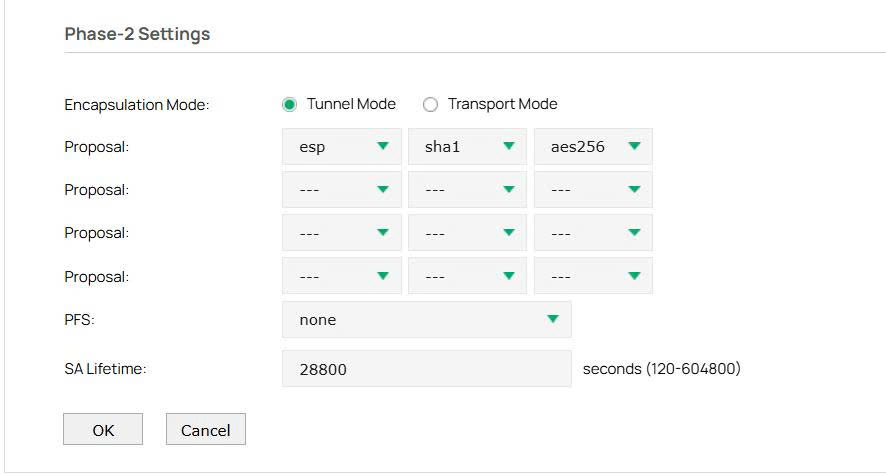
  @NeilR_M I've tried checking and changing the IPsec settings, but it doesn't seem to work. These are the settings on the router.

0
0
#3
Re:VPN lan to lan not ping
Yesterday

Hi @longnt340 


What's the entire network topology? Are the two gateways now owing a public WAN IP?

May I know what's the hardware and firmware version of the two gateway respectively?

Have you tried pinging different devices or using a different PC to ping? Does it happen on a certain device or all devices are affected?

Can you use traceroute command to trace the data?

Did you setup any ACL, firewall or other rules that might block the traffic from accessing the LAN resources?


You may try disabling firewall, anti-virus or other advanced settings on your PC.

Try navigate to gateway's GUI > Firewall > Attack Defend > Packet Anomaly Analysis and disable Block Ping from WAN.

Setup an ACL rule to allow VPN data to access the LAN.


0
0
#4