EAP225-Outdoor v3.6 Recovery

EAP225-Outdoor v3.6 Recovery

EAP225-Outdoor v3.6 Recovery
2026-04-30 21:12:55 - last edited 2026-05-09 04:00:03
Model: EAP225-Outdoor  
Hardware Version: V3
Firmware Version: 5.1.10

I have recently experienced a power outage, during the firmware update process of my EAP225-Outdoor device.  Now the device is not starting up.


I am quite ceratin, because the LED remains solid after the first flashing sequence, there is no default SSID showing (after forever), and the LAN connection (on Windows), remains at 'unidentified network'.


I am well aware that I will have to attempt a device recovery.  I am also a bit familiar with the (successful) TFTP recovery process (Ubiquiti Bullet-AC and PumpKIN).


I now want to achieve the said result with this device.

1. What is the default IP address of the device at this stage?

2. How to enter 'recovery mode'?

3. What software is needed?

4. How to prepare the firmware?

5. What is the overall procedure?


HELP!!!

 

  0      
0
#1
Options
1 Accepted Solution
Re:EAP225-Outdoor v3.6 Recovery-Solution
2026-05-09 02:24:39 - last edited 2026-05-09 04:00:03

Hi @mr-sp0ck 


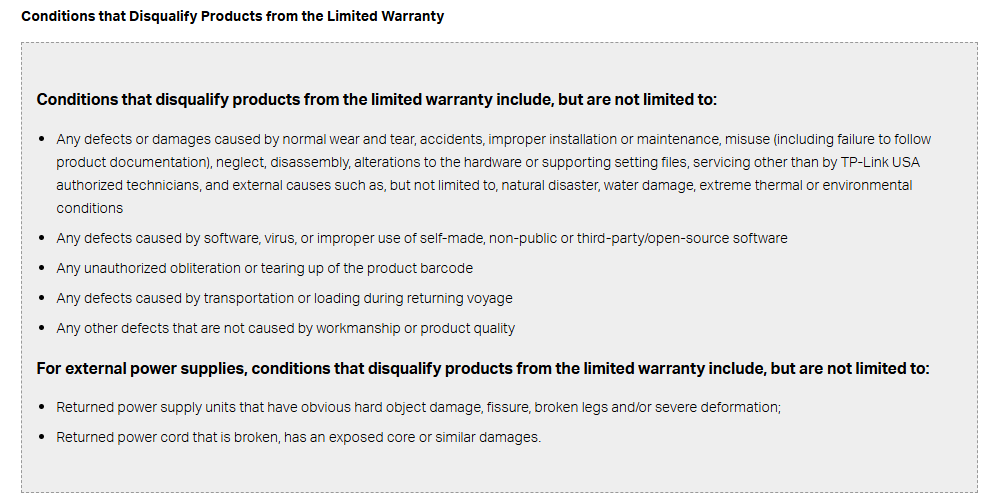
We have found the video you mentioned in Youtube. However, please note that you will not enjoy any warranty if you dissemble the product.

And we would not provide any technical support either. TP-Link Product Support - Replacement and Warranty

You can still perform the firmware recovery via Web UI.

Recommended Solution
  0  
0
#4
Options
5 Reply
Re:EAP225-Outdoor v3.6 Recovery
2026-05-01 06:54:39

Hi @mr-sp0ck 

Thanks for reaching out to TP-Link Business Forums.


You can refer to this FAQ to perform a firmware recovery: How to use the Recovery Mode to recover the firmware for EAP | TP-Link

All answers can be found within the article.

The fallback IP of the EAP is 192.168.0.254.

  0  
0
#2
Options
Re:EAP225-Outdoor v3.6 Recovery
2026-05-02 20:57:54

  @Gabriel-TP The EAP225-Outdoor v3 is not listed in the link provided.  As a matter of a fact, it is stated that not all EAP models support the recovery methods demonstrated,

However, I have seen a few tutorials on YouTube, demonstrating how to use the integrated serial console, to attempt an advanced recovery.  I guess I can officaly rest assure that this will be my last resort, after acquiring the necessary tools/hardware, that is.


I will embark on this project, merely for educational pruposes.


I will update the community, accordingly, hopefully, very soon.

  0  
0
#3
Options
Re:EAP225-Outdoor v3.6 Recovery-Solution
2026-05-09 02:24:39 - last edited 2026-05-09 04:00:03

Hi @mr-sp0ck 


We have found the video you mentioned in Youtube. However, please note that you will not enjoy any warranty if you dissemble the product.

And we would not provide any technical support either. TP-Link Product Support - Replacement and Warranty

You can still perform the firmware recovery via Web UI.

Recommended Solution
  0  
0
#4
Options
Re:EAP225-Outdoor v3.6 Recovery
22 hours ago

  @mr-sp0ck 

Same problem as me

  0  
0
#5
Options
Re:EAP225-Outdoor v3.6 Recovery
18 hours ago

  @Tetrasixa Since the terms under which I acquired the device, have rendered me void of any warranty benefits, I have concluded that, I will have to proceed to the next step, demonstrated here, after acquiring one of these.


Make careful note though, that I possess some (moderate) skills in computer engineering.

  0  
0
#6
Options