
OC200 unable to shown in omada cloud

Hi,
OC200 did not shown in Omada cloud even it state succeed.
I already try unbind my tplink id but the error "Failed to get responses from Omada Server."
Appreciate your help.
- Copy Link
- Subscribe
- Bookmark
- Report Inappropriate Content
Hi, issue has been resolved. suddenly my oc can perform unbind and then after i bind again, oc appeared in my cloud.
Thankyou
- Copy Link
- Report Inappropriate Content


Thanks for reaching out to TP-Link Business Forums.
May I know if the Cloud LED on the OC200 light up?
If you connect a PC to the OC200's ETH port, can you access network?
You may refer to this to enable Cloud Access: How to enable Cloud Access on Omada SDN controller | Omada Network Support
- Copy Link
- Report Inappropriate Content
- Copy Link
- Report Inappropriate Content
What's the Cloud Access Status on your OC200? Does it show Connected?
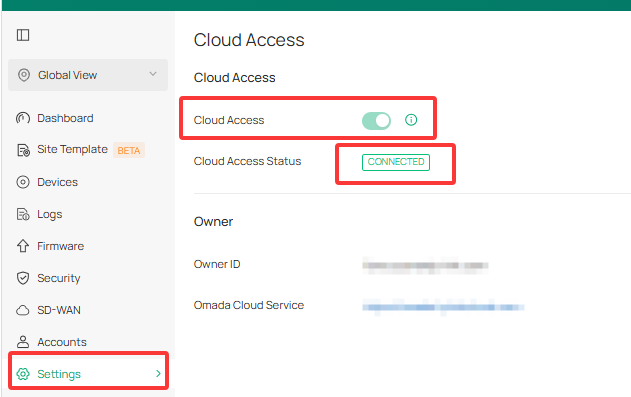
As the Cloud Access is a basic option, once your OC200 can access network, you can easily bind your TP-Link ID to it.
If the same issue occurs, could you please screenshot the error message and send it to us?
You can also try with different web browsers and change the controller DNS to 8.8.8.8 to see if that helps.
- Copy Link
- Report Inappropriate Content
Hi, issue has been resolved. suddenly my oc can perform unbind and then after i bind again, oc appeared in my cloud.
Thankyou
- Copy Link
- Report Inappropriate Content
Information
Helpful: 0
Views: 109
Replies: 4
Voters 0
No one has voted for it yet.