WiFi Calling Setup

I have iPhone 13 mini with two active eSIMs and spent 2 days trying to get Wi-Fi Calling to work using TP-Link guides and Gemini AI assistance (which gave tons of futile setup advice like UDP Session Timeout, U-APSD, Firewall rules, UPnP, DNS, etc.) — all with no luck.
Eventually, it turned out to be as simple as that:
- Disable NAT > ALG > SIP ALG (this is recommended but not required).
- Enable NAT > ALG > IPsec ALG (this is required but none of the TP-Link guides mention that).
That's all. Worth to know that it may take around ~15 seconds to get connected to ePDG on every WiFi reconnection, so you need to be patient and wait a moment to see „{Your Carrier} Wi-Fi” status change.
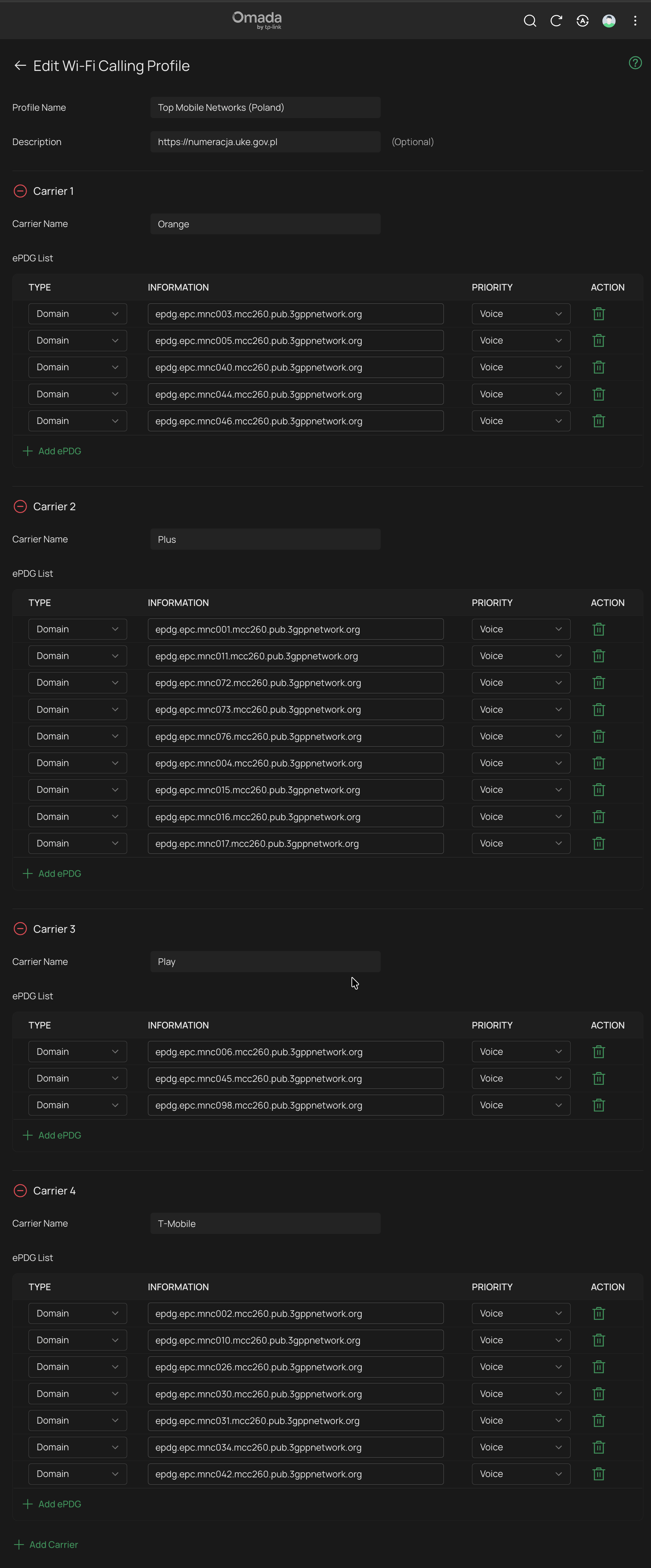
Optionally, configuring the Wi-Fi Calling Profile according to the guide How to use Wi-Fi Calling in your Omada Ecosystem gives you extra control (QoS, calls statistics and history), though it's non-obligatory (this guide definitely needs to be updated with the SIP/IPsec ALG info to be complete and useful). Be also aware that call statistics are not real-time and short calls (let's say under 1 minute) may not be captured in the history at all.