
Edit MAC filtering broken on SDN 6.2?

When using Device Config -> Gateway -> MAC Filtering to determine which LAN device is allowed to use Internet, one may add single MAC addresses (MAC address policy). Let's assume there are multiple MAC addresses done in an entry, and you want to edit the entry.
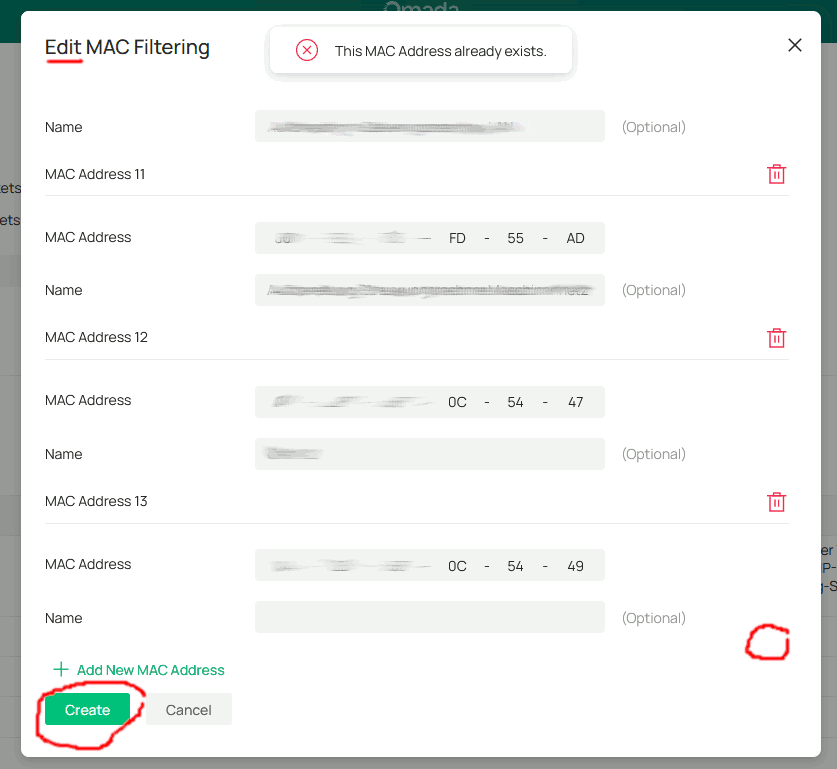
On SDN Controller 6.2.10.17 Linux (at least), the edit function seems to be broken. When trying to edit, there is no delete button for the last entry, and the former ones will not work properly exept for the first one. Also there is no "save" button, but again a "create" button. When hitting this button, no change will be saved because "This MAC address already exists". So the only way for us to edit entries is to delete and to recreate them at the moment. On earlier versions, editing entries worked fine. Can anyone confirm this behaviour?
(Wishlist: An Option to temporarily enable/disable entries)

