
Omada Client Solutions 05: Vigilance Medical Group III
 NeilR_M

Omada Client Solutions 05: Vigilance Medical Group III

This article series simulates real-world examples of network configurations completed with Omada equipment for home lab and/or business environments. Any similarities to real persons or organizations are purely coincidental.
Challenge
Vigilance Medical Group is a client for Omar that previously tasked him with setting up their wireless coverage and branch office network configuration. Due to the successful setup, they have tasked him with configuring a network for a relatively unfamiliar area to the company.
The company would like to sponsor a health and wellness event at a nearby park, with games and activities for all ages. They have rented an open field for the event and require wireless coverage throughout the venue to collect potential new patient data and securely transmit it over the internet to company servers.
Additionally, they have contracted a videographer to stream the event and create a promotional video. However, the videographer should not be able to access patient data.
Project Requirements
- The staff should be able to access all company resources from their devices when out on the field.
- The videographer should have access to the internet for streaming but should not be able to access company resources.
- The network should be able to support a live video stream of the event.
Planning
Omar first starts by designing the network, listing out the hardware he needs to accomplish the task.
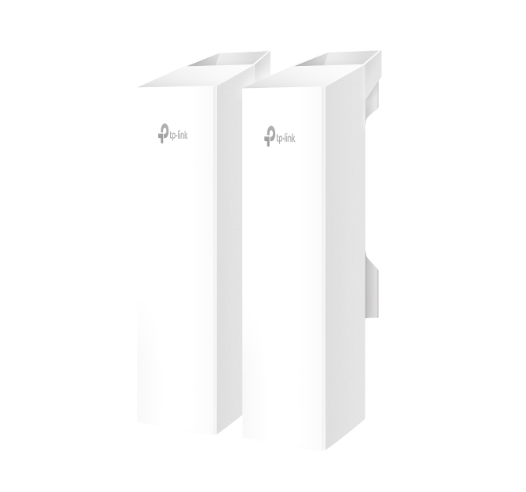
In terms of Wireless Coverage, in order to cover a wide area, he will need some form of outdoor AP. Ideally, a meshed network would ensure smooth roaming for both the staff members and the videographer. However, to ensure staff members have access to their company resources, he needs some way to connect those APs back to the main building.
He considers two separate methods of getting connectivity to the field: a 4G Gateway with a Site-to-Site VPN, and a Bridge Kit.
What are the pros and cons of both methods?
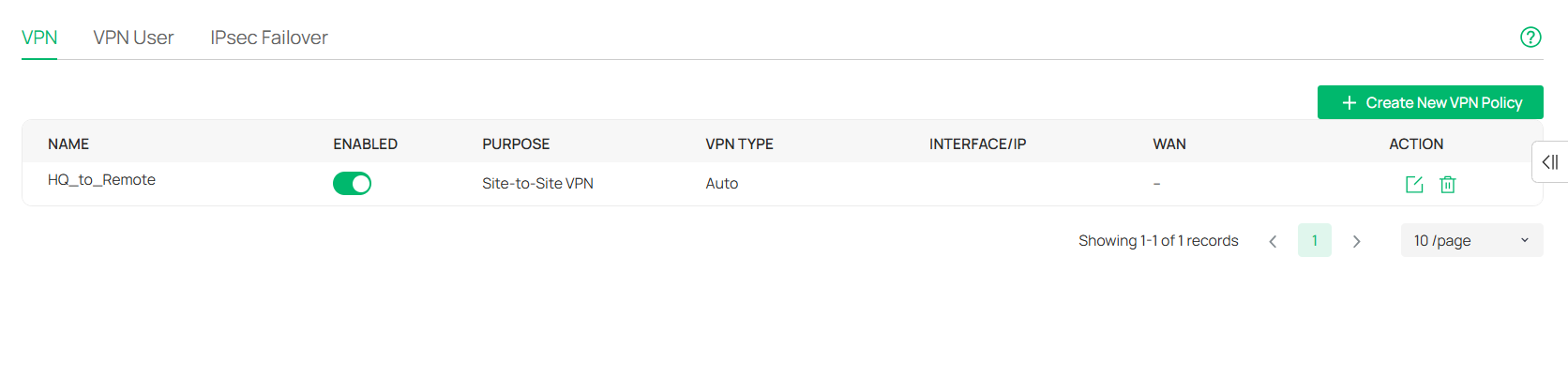
A 4G Gateway with a Site-to-Site VPN would provide ease of setup, as the network can be linked via Auto-IPSec. The network already has this system in place with the remote office.
However, the speed of a 4G Gateway is limited. On paper, speeds can reach up to 300 Mbps, but realistically, due to congestion and signal limitations, Omar would be lucky to get 100 Mbps.
Similarly, this also incurs additional costs beyond the hardware, in the form of a cellular plan.
On paper, a Bridge Kit can provide up to 867 Mbps to the main Outdoor AP, though under the same congestion and signal constraints, it will be lower. As long as power is not a concern, it should be able to provide the same signal to the downstream Outdoor AP.
 Want to see a real Bridge Kit setup in action?
Check out this video by Jordo's Tech Shack!
Omar selects the Bridge Kit and maps out a list of devices and how he would implement the network.

The gateway at Headquarters will provide network connectivity to the Main AP of the Bridge Kit. The Bridge Kit will connect the Headquarters network to the park where the event is being held. From there, the client AP will provide connectivity to the main EAP725-Outdoor via its downstream LAN ports. Finally, the park will use other EAP725-Outdoors to create a mesh network that can provide sufficient roaming coverage.
Implementation
Once the plan is approved and the hardware acquired, Omar gets to work setting up the Bridge Kit. He runs a cable from the main server room to an appropriate location that points toward the park and adopts the AP in their Omada Controller.
Next, he points the AP toward the park preparing for deployment. He next configures the SSIDs they will need for the park. As the Staff Network is already configured, he can set the EAP725-Outdoors to broadcast that SSID to ensure that the Staff are able to connect once they have arrived on-site.
He then sets out to configure the guest network for the videographer. He sets up an EAP ACL rule to block all Guest Network traffic from getting to the main network. He also ensures that there is no bandwidth limitation imposed, as that may cause performance issues for the videographer.

 Check out the FAQ here for more insight on EAP ACLs!
Once the configuration is complete, Omar sets out to test the Bridge Kit and EAP725-Outdoor connection. He first sets up the Client AP mounted on a pole and ensures that the devices are able to pair.
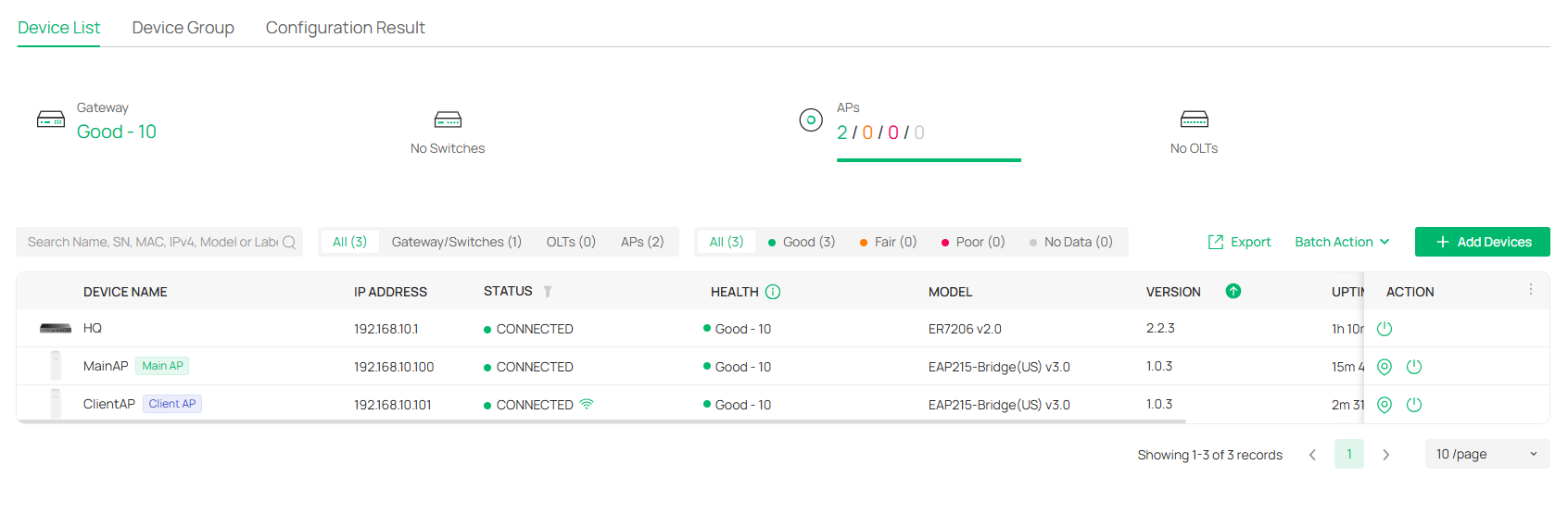
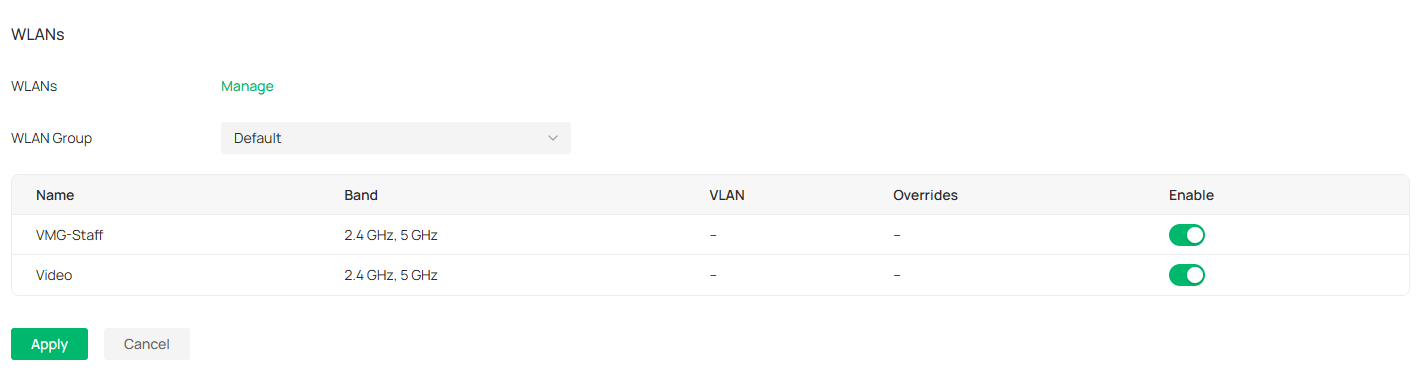
Next, he plugs the EAP725-Outdoor into the downstream LAN port of the Client AP and connects a secondary PoE adapter. After adopting the Outdoor AP into the Omada Controller, he is able to verify that the AP is broadcasting the specific SSIDs. Under Config > Wireless > WLANs, he checks to ensure the proper SSIDs are being broadcasted.
The last thing he checks is the antenna selection for the EAP725-Outdoor. Because the device has both directional and omnidirectional antennas, he sets the AP to prioritize using the omnidirectional antennas.
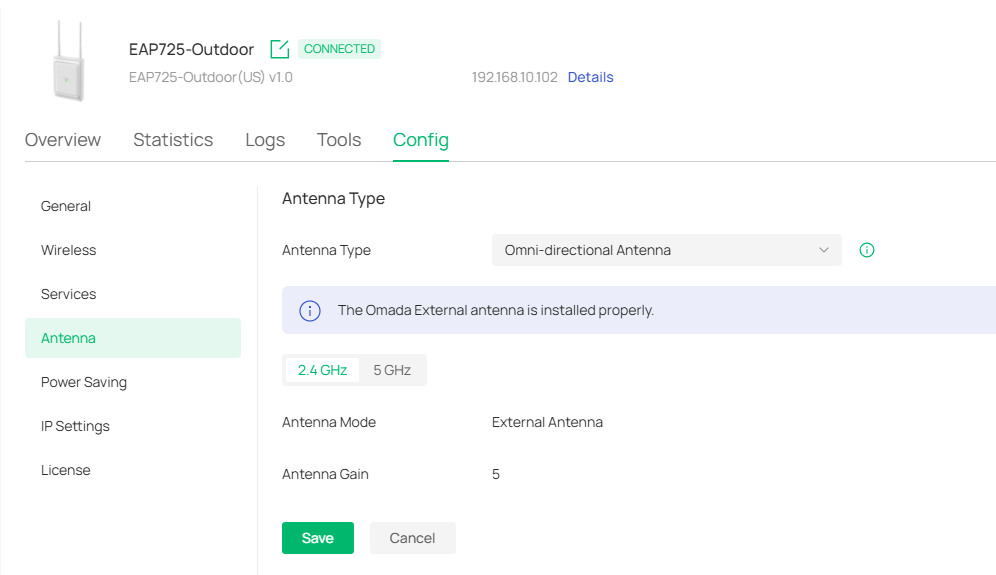
Once the EAP is adopted, Omar proceeds to mount and power the other EAPs to build the mesh from there.
Conclusions and Next Steps
The event goes off without any major issues. Omar was able to configure a Bridge Kit to get the network in the park up and running. He was able to configure the security on the networks to ensure that the experience of both the staff and the videographer was positive.
However, there may have been other ways of improving the setup, possibly with alternate hardware or configuration adjustments. How would you have handled the situation? The Community would love to hear any similar stories you have for situations as seen in this series or even other case studies. As the series involving Vigilance Medical Group closes, we also want to know what topics you would be interested in seeing covered in future articles. Feel free to let us know on the Forums or on the Official Subreddit!
Thank you for choosing Omada for your networking needs, and we hope to continue providing all of you with quality products and an excellent experience.
| Previous Article | r/Omada_Networks |