Troubleshooting SG3210XHP-M2 Ports Appear to Go Offline when Connected to SX3008F via DAC LAG

I have attached a topology and photograph below but the topology is a bit misleading. The problem started a week ago when I started using VLANs. Let me explain.
Before, the basic topology was as below, and worked well for several months.
PRIOR WORKING LAYOUT
3x ISPs <=1gb and 2.5 gb copper=> ER7412-M2 <=2.5gb copper=> SG3210X-M2 <=2x 10gb OS2 LAG=> SX3008F <=2x 10gb DAC LAG=> SG3210XHP-M2
Because I wanted to move the gateway to a rack away from the ISP modems, I created VLANs for the WANs: WAN1, WAN2, WAN3 and feed the gateway, which is now near the SG3210XHP-M2.
CURRENT PHYSICAL LAYOUT
3x ISPs <=1gb and 2.5 gb copper WAN1 WAN2 WAN3=> SG3210X-M2 <=2x 10gb OS2 LAG=> SX3008F <=2x 10gb DAC LAG=> SG3210XHP-M2 <=1gb and 2.5gb copper WAN1 WAN2 WAN3 Default=> ER7412-M2
THE PROBLEM
After configuring the VLANs and relocating the gateway, everything worked well for several days and then everything appeared to go offline. The APs stopped working and the controller reported offline. I restarted devices until things started working again. Two days ago it happened again. At that time, I noticed that the SG3210XHP-M2 showed activity on all ports but the SX3008F showed no blinking lights for the LAG ports. I restarted the SX3210-M2, SX3008F, and the SG3210XHP-M2: the network came back. Today it happened again during work hours (which was very uncool). Again the SG3210XHP-M2 showed activity on all ports but the SX3008F showed no blinking lights for the LAG ports. I resatarted the SG3210XHP-M2 and the issue was resolved. I can find nothing in any of the logs. For now, I have unplugged one of the DACs between the SX3008F and the SG3210XHP-M2 in case this is LAG-related.
How can I troubleshoot this?
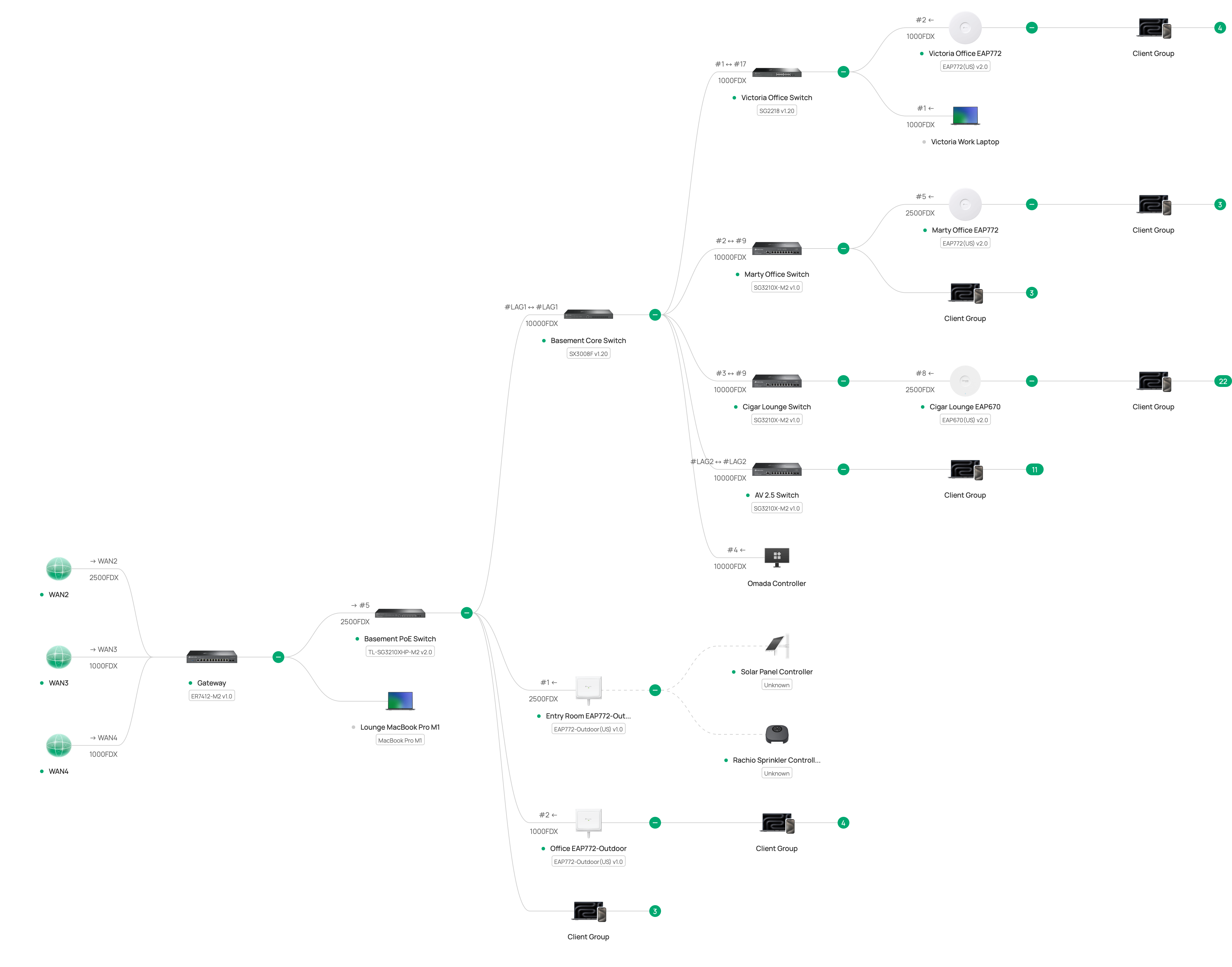
CURRENT TOPOLOGY
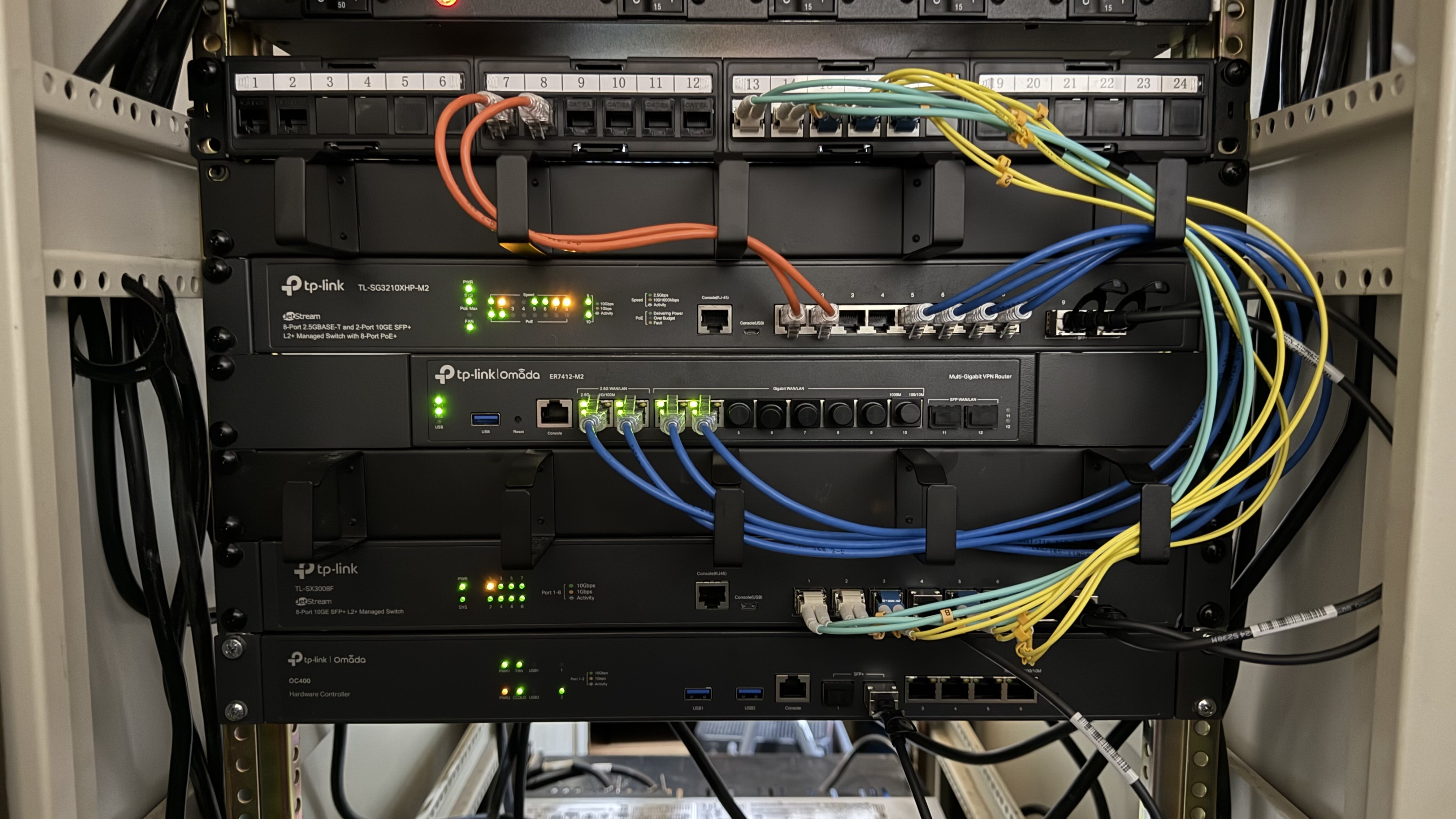
PHOTOGRAPH OF CURRENT LAYOUT