Devices are connected to router but can`t access internet

This thread has been locked for further replies. You can start a new thread to share your ideas or ask questions.

Devices are connected to router but can`t access internet

This thread has been locked for further replies. You can start a new thread to share your ideas or ask questions.

Devices are connected to router but can`t access internet
2024-06-16 09:22:15 - last edited 2024-07-10 12:14:51
Tags: #Installation #no internet
Model: Archer AX3000  
Hardware Version: V1
Firmware Version: 1.2.4 Build 20240509 rel.64683(4555)

Problem:
Some of home devices can connect to the router but can`t access to internet

Device list & connections:

1. Lenovo laptop - wireless connected (tried 2.4Ghz / 5Ghz / SmartConnect). Internet is working properly;

2. DELL gaming PC - wired connection, internet is working properly;

3. Samsung TV - wireless connected (tried 2.4Ghz / 5Ghz / SmartConnect). Has no internet. Tried wired connection - still no internet;

4. iPhone 15 - wireless connected (tried 2.4Ghz / 5Ghz / SmartConnect). Internet is working properly;

5. PlayStation 4 - wireless connected (tried 2.4Ghz / 5Ghz / SmartConnect). Has no internet. Tried wired connection - still no internet;

6. Amazon TV Stick - wireless connected (tried 2.4Ghz / 5Ghz / SmartConnect). Has no internet. 

7. SmartHome devices (vaacum cleaner, light bulbs and etc.) - wireless connected (tried 2.4Ghz / 5Ghz / SmartConnect). Has no internet. 


Tried solutions:
- Tried several factory restores;

- Tried turn off all security options;

- Tried various configurations.

- Firmware update was done ant the first launch.


Still no success.... If connecting back old Mikrotik router - everything is working fine. 


Does anybody have any solutions?



  0      
  0      
#1
Options
1 Accepted Solution
Re:Devices are connected to router but can`t access internet-Solution
2024-07-08 08:13:25 - last edited 2024-07-10 12:14:51

  @Marvin_S 


Hello, Marvin,


ISP done some works in they`re side - looks like problem is SOLVED.


Thank you !

Recommended Solution
  0  
  0  
#7
Options
7 Reply
Re:Devices are connected to router but can`t access internet
2024-06-17 08:10:56

  @Marius_Vas 


Hi, thanks for posting question here.

May I know what is your network topology? Is the TP-Link route connected to your ISP modem directly?

You may refer to this guide to change DNS for a try.

If it still does not work, it is suggested to do MAC CLONE following this article.


  0  
  0  
#2
Options
Re:Devices are connected to router but can`t access internet
2024-06-24 10:44:47

  @Marvin_S 


Hey, thanx,


May I know what is your network topology? Is the TP-Link route connected to your ISP modem directly?

Yes. In our apt. we just get the cable to plug in to router directly, ISP handling other hardware by them selves.

You may refer to this guide to change DNS for a try.

DONE - not helped, still working in the same way
 

If it still does not work, it is suggested to do MAC CLONE following this article.
DONE (cloned from old working router) - not helped, still working in the same way

  0  
  0  
#3
Options
Re:Devices are connected to router but can`t access internet
2024-06-25 01:44:14

  @Marius_Vas 


Hi, thank for your update.

1.May I know who is your ISP?

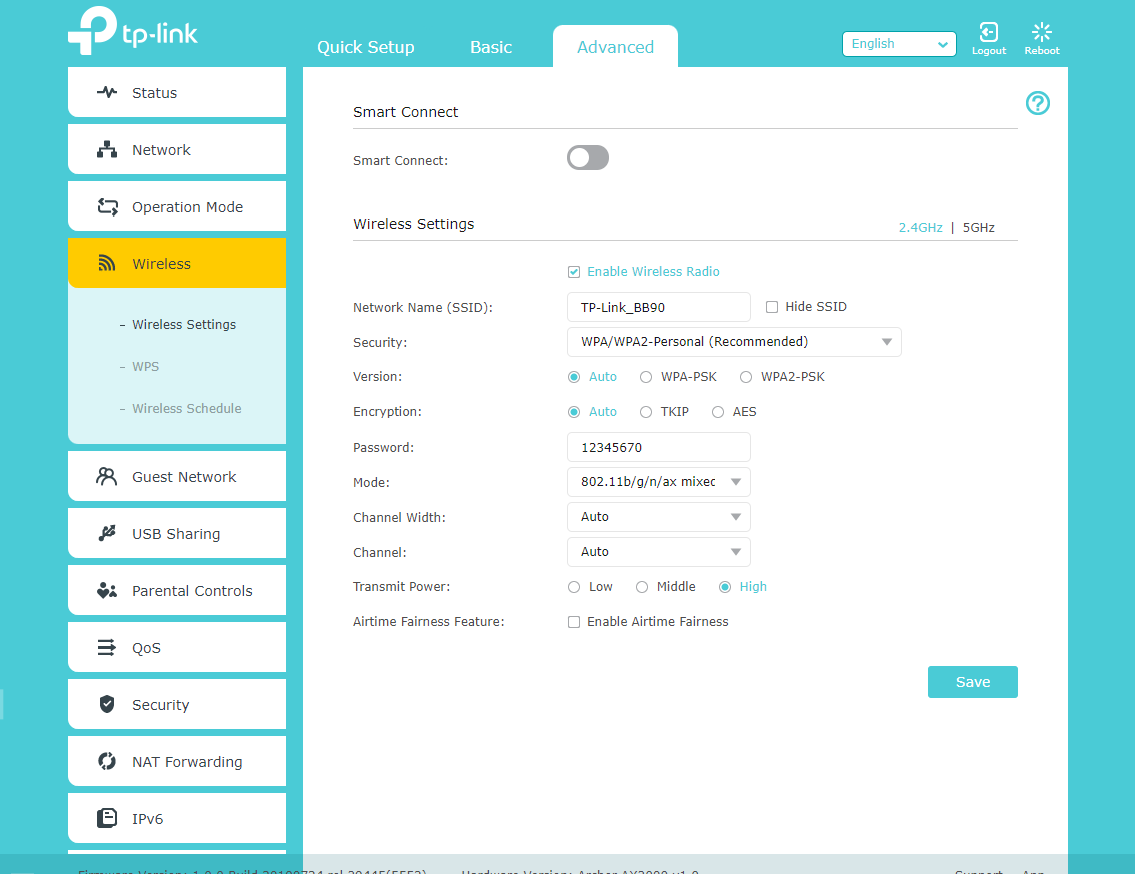
2.Please take factory reset on the router and reconfigure it again, keep different wifi names for 2.4GHz and 5GHz wifi band. (Keep other wireless settings as default.) Then please check whether some of your clients can connect to 2.4GHz wireless band.

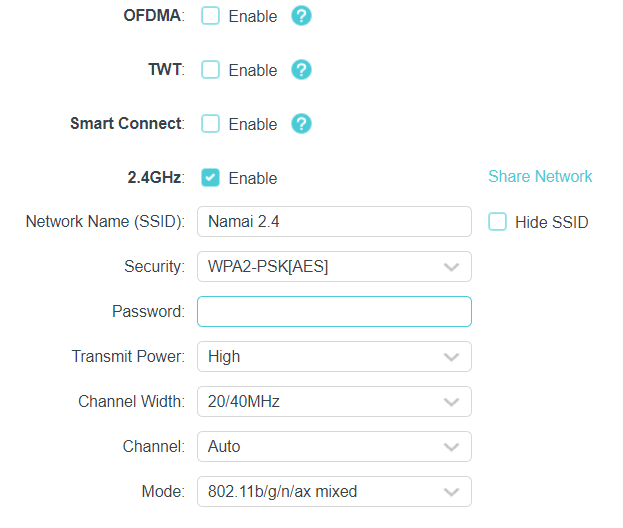
3.If it still does not help, please share the screenshots of the wireless settings of both 2.4GHz and 5GHz on the web UI page.

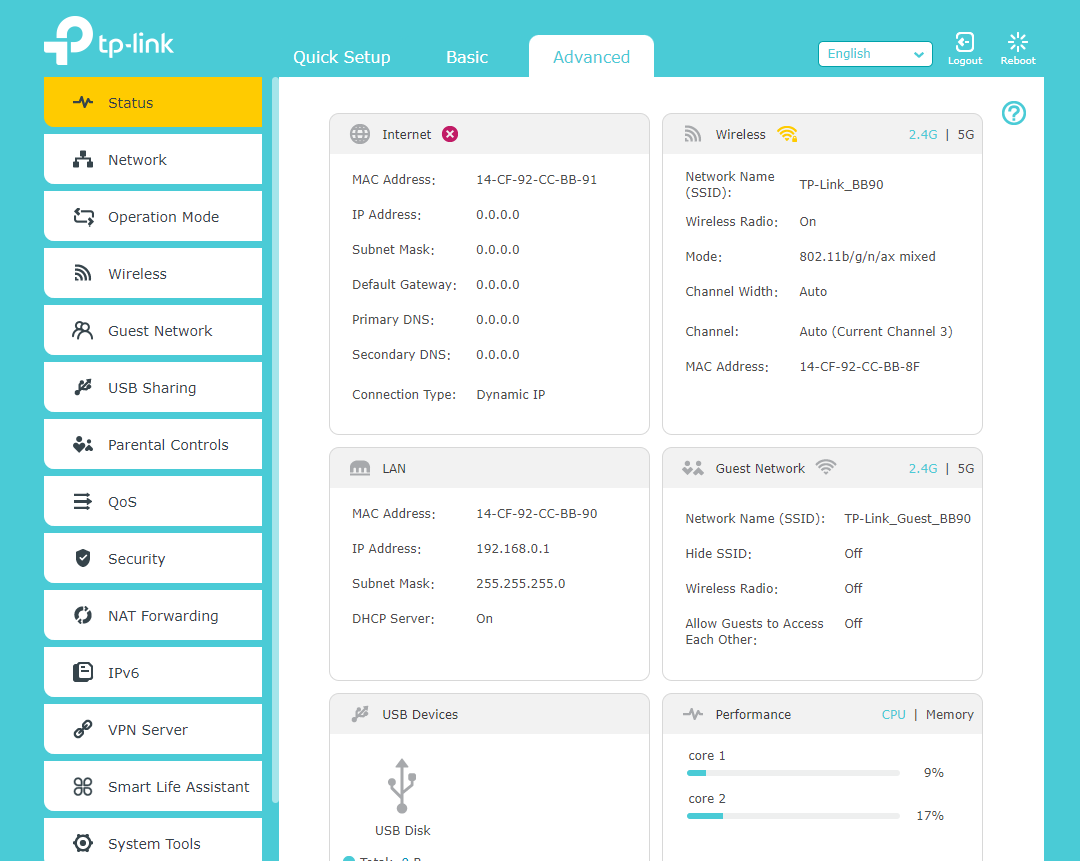
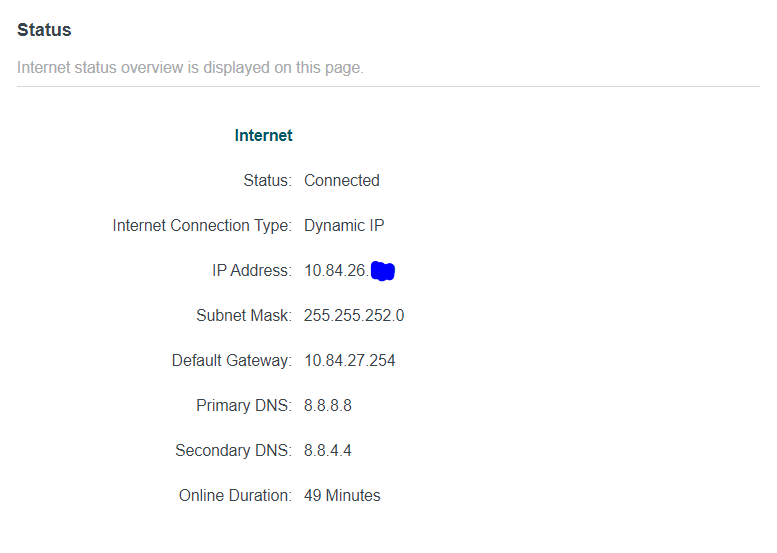
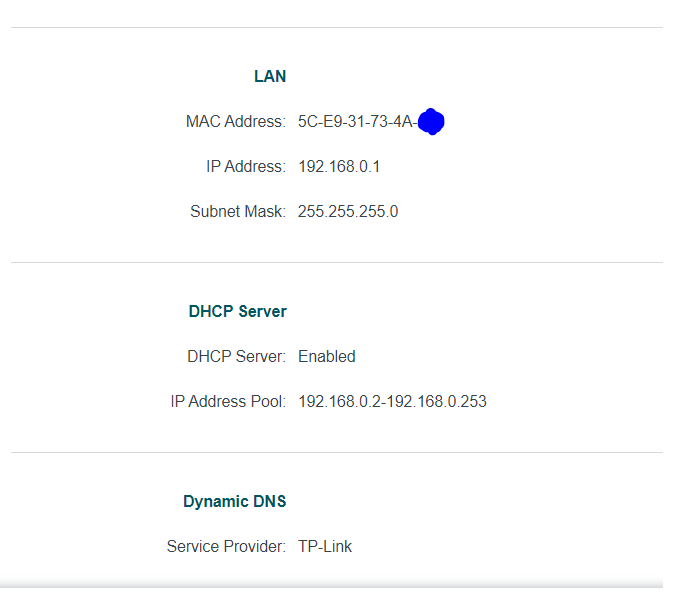
4.Please also share the screenshot of the status page.

6.Maybe Address Reservation can help for some of your clients.


  0  
  0  
#4
Options
Re:Devices are connected to router but can`t access internet
2024-07-03 20:07:40

  @Marvin_S 


Hi, Marvin,


ISP provider is "Penki Kontinentai" (Vilnius, Lithuania)


Tried to factory reset, split 2.4Ghz & 5Ghz - Not helped


My Wi-Fi configuration. I tried:
1. After factory reset default network name & password (splitted & not splitted) - not helped

2. After factory reset my Wi-Fi name & password (splitted & not splitted) - not helped

3. SmartConnect aslo - tried on/of - nothing is changing


STATUS page:


This week I will contact again with ISP - maybe they can help.


  0  
  0  
#5
Options
Re:Devices are connected to router but can`t access internet
2024-07-04 01:43:25

  @Marius_Vas 


Hi, thanks for your update.

Yes, you may also ask for some help from your ISP. According to your screenshot, it seems that the router got a private IP address from your ISP, which means there may be a device like modem working on ISP end. 

At the same time, you may refer to the troubleshooting steps below:

1. Check the IP address of the devices, and make sure they are in the same subnet by referring to this instruction.

2. Ping the IP address of the device to have a check by referring to this instruction.


  0  
  0  
#6
Options
Re:Devices are connected to router but can`t access internet-Solution
2024-07-08 08:13:25 - last edited 2024-07-10 12:14:51

  @Marvin_S 


Hello, Marvin,


ISP done some works in they`re side - looks like problem is SOLVED.


Thank you !

Recommended Solution
  0  
  0  
#7
Options
Re:Devices are connected to router but can`t access internet
2024-07-10 12:14:46

  @Marius_Vas 


Hi, thanks for your update.

Very glad to hear that your internet access issue was resolved finally!

  0  
  0  
#8
Options