
Not able to login BE900 router admin webpage
 This thread has been locked for further replies. You can start a new thread to share your ideas or ask questions.
Not able to login BE900 router admin webpage
This thread has been locked for further replies. You can start a new thread to share your ideas or ask questions.
I just purchased BE900(main router) and BE550(satelitte Router).
At first, i am able to login to the BE900 admin webpage via my macbook pc.
After finished all the settings, setup BE550 as satelittle router.
Everything looks fine at Tether APP.
But things turn to weird at admin webpage level. I am not able to login the admin web page, via 192.168.0.1.
Specially, it requires me to input the local password, i filled the password and hit Login button, then nothing happens.
Maybe first time, it ask me if need to force other client out. I clicked yes, then input the local password, press the login button, nothing happens,
It just keep at that login page...
I have tried with other mac pc and all kinds of browser... All not working...
It just stay at that login page...
Please kindly help.
- Copy Link
- Subscribe
- Bookmark
- Report Inappropriate Content
I have tried in BE900 its standalone mode, only powered, connect to its own WiFi. Still not able to get into 192.168.0.1
It is now a very expensive brick...
But i could access BE550 Without any issues. Every time i connected to BE550 and click login, it just let me in and start region settings.
Not sure if there is any tplink cloud settings which binded to BE900 but i have Checked and removed aLL the linkid binding, Especially in tether App, it keep have the old settings and could not be changed.
I think it is quite dangerous for user to try easymesh with BE900 and other easymesh campable routers. It is not that simple just set as satellite Router. Might need to check the default gateway settings, Wireless Router mode or Access point mode choice for main and satelitte Router..etx to avoid the deadlock issue to BE900.
The weird thing is it could not be restarted even after factory resetting..to BE900
Something wrong Also with the Tether App, the BE900 settings seems locked and not able be reset or changed..
- Copy Link
- Report Inappropriate Content

This should be the time to claim warranty.
A router should not break by merely trying to configure it.
If you are brave, then you could try to re-flash the firmware onto the BE900 by using the "Method 2" of this FAQ.
https://www.tp-link.com/en/support/faq/1482/
But there is no guarantee that this would actually solve the problem.
- Copy Link
- Report Inappropriate Content
Thanks for the link. I tried it twice, but the process always stops at 21%.
The progress just freezes there. I patiently waited for a long time, but nothing changed. I then opened a new tab and accessed 192.168.0.1, where it asked me for the local password. again the same result, even after entering it and clicking login, there was no response.
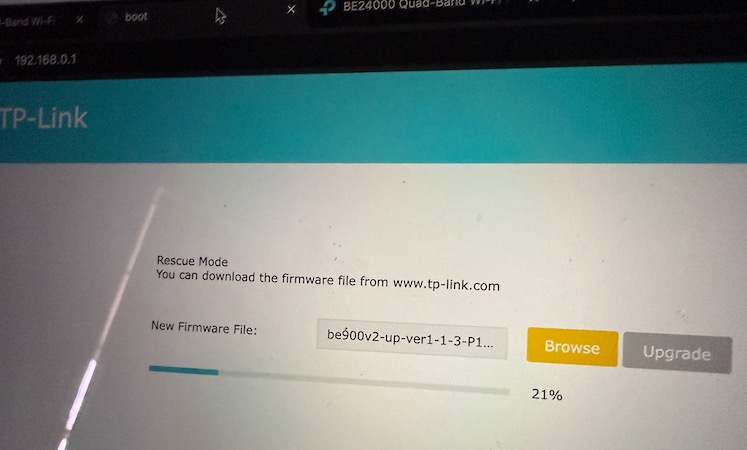
The only thing I’m unhappy about BE900 is why we are still unable to log in even after a factory reset. A factory reset should allow the user to start fresh and have the opportunity to set everything up again from the beginning.
I didn’t expect this situation when I wanted to upgrade my old router, and it’s been quite frustrating.
Maybe i should get a BE800, cheaper and maybe dont have issue like BE900
- Copy Link
- Report Inappropriate Content
I think it’s time for me to share a final update on this post.
I received the replacement BE900 and set it up very carefully, keeping my fingers crossed the entire time.
And finally—finally—I was able to log in to the BE900 admin webpage via 192.168.0.1! After that, I followed the instructions to factory reset and add devices:
- I added the BE550 as a satellite router via EasyMesh with no issues.
- I then added the RE655BE as an EasyMesh extender, again with no issues.
Everything seems to be working normally now, and I can access the BE900 admin webpage at any time via 192.168.0.1.
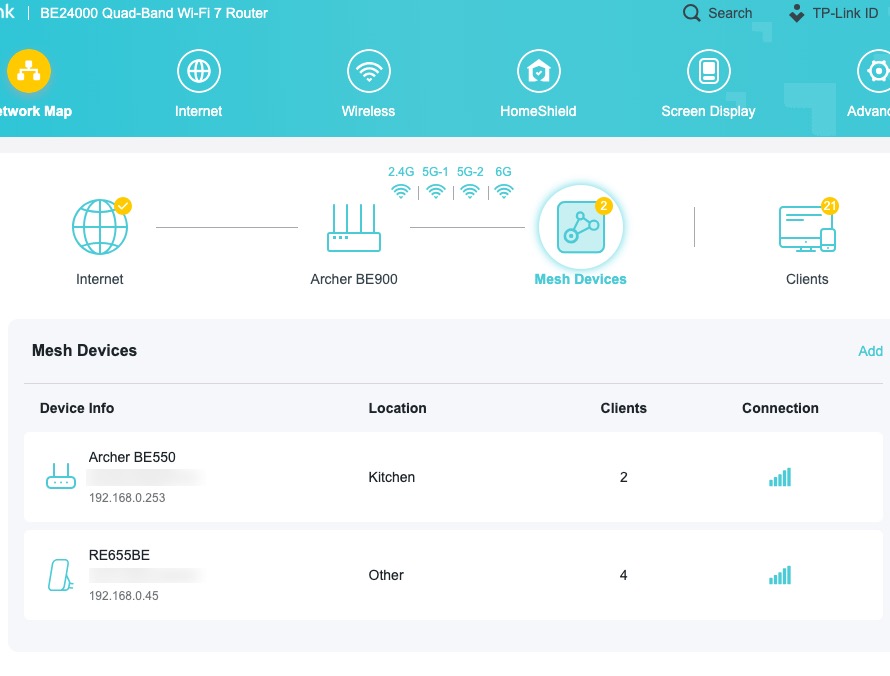
The only difference I can think of between this setup and the previous one is that I did not use a TP-Link ID or TP-Link Cloud Service this time. While I’m not entirely sure, I feel this may have prevented the "lock binding" issue I described earlier.
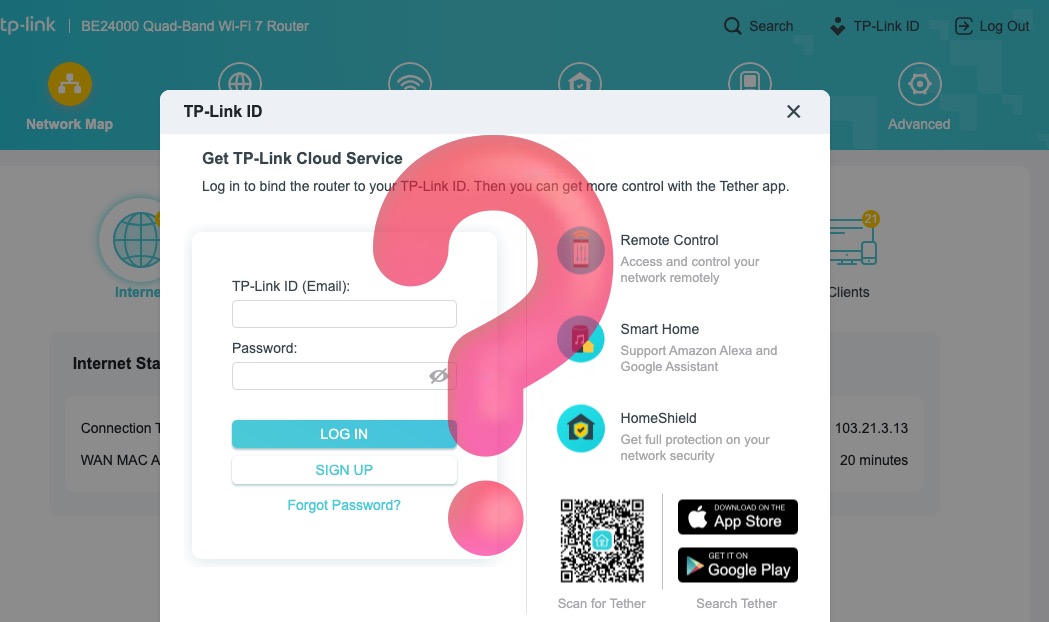
I’ll also be cautious when using the Tether app, as I’m unsure if it might bind something to the cloud that could persist, even after a factory reset.
- Copy Link
- Report Inappropriate Content


Hi, thanks for posting question here.
It is a pity that most troubleshooting methods failed to help you.
It is more suggested to contact local technical support or retailer to confirm warranty.
You may provide your troubleshooting steps here as an evidence.
Thank you for your cooperation and patience.
Best regards.
- Copy Link
- Report Inappropriate Content
Information
Helpful: 0
Views: 2989
Replies: 15
Voters 0
No one has voted for it yet.