
Massive Bufferbloat Issues on VX800 (Upload) +250ms – Any Fix or Feedback Yet?
Massive Bufferbloat Issues on VX800 (Upload) +250ms – Any Fix or Feedback Yet?

Hey everyone,
I'm experiencing a serious issue with the new VX800 and was wondering if anyone else has found a solution – or at least received any feedback from the manufacturer.
I have a DE Telekom DSL connection (50/20 Mbit), I recently switched to the VX800, and while the hardware seems great overall, I'm running into massive bufferbloat on the upload using Ethernet or WIFI – hitting up to 240 ms loaded.
What’s strange is that my old DSL router Archer VR2100v, on the exact same line (no special QoS settings), had only about 70 ms upload bufferbloat. Both routers sync at the same speeds (50/20 Mbit), yet the VX800 performs significantly worse +240 ms
This is really frustrating for online gaming and video calls. And unfortunately, the VX800 offers no options and yes, I’m already on the latest firmware (See below)
I’m hoping a future update will fix this issue. The hardware clearly has potential, but the lack of control over bufferbloat makes it hard to recommend.
Has anyone received a response from the manufacturer or ISP regarding this issue? Any workaround or official statement would be appreciated!
Thanks in advance!
Here some Infos:
Old Router Archer VR2100v 3 Years Old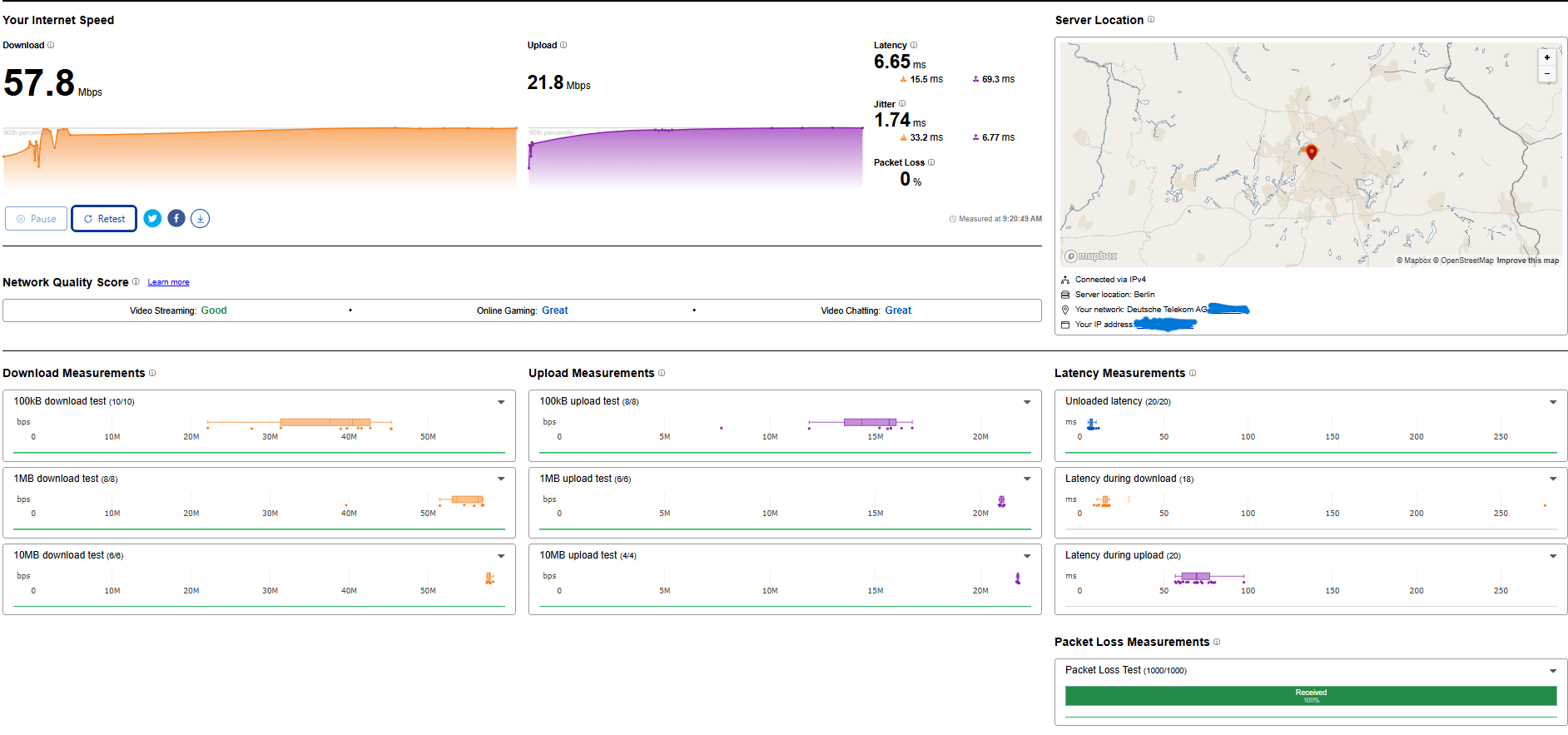
Firmwareversion:
1.18.0 0.9.1 v009e.0 Build 241018 Rel.43535n
Hardwareversion:
Archer VR2100v v1 00000000
Letzte Version:
1.18.0 0.9.1 v009e.0 Build 241018 Rel.43535n
New Router: VX800 1 month Old

Firmwareversion:
0.9.0 3.0.0 v603c.0 Build 240926 Rel.39238n
Hardwareversion:
VX800v v1.0 00000000
Seriennummer:
224A5H4000791
Letzte Version:
0.9.0 3.0.0 v603c.0 Build 240926 Rel.39238n
- Copy Link
- Subscribe
- Bookmark
- Report Inappropriate Content

Thanks for pointing that out!
Yes, you're right – the average (mean) latency is bad enough, but the maximum upload latency spikes up to 700 ms, which makes pretty much unusable under load.
I’ve installed the latest firmware (Build 250312), but sadly no improvement so far. I will check it through https://fescoonlinebil.pk
- Copy Link
- Report Inappropriate Content

@Sheen_watson According to this (https://community.tp-link.com/en/home/threads/topic/854476?replyId=1658956) the bufferbloat issue was fixed. Can you or anyone reading this verify if it's actually the case?
- Copy Link
- Report Inappropriate Content
Update and Solution about the +250ms Bufferbloat Issue with the VX800v (Status: 15 March 2026)
I am the original user who created this thread, and I wanted to give an update about what happened since then and how I finally solved the problem.
1. Support and Firmware Updates
On 09 July 2025, about two months after my original post, I received an email from the engineering team.
They reduced my bufferbloat from over +250 ms to about +110 ms using a beta firmware that was specially adjusted for my device (VX800v)
This did not solve the problem completely, but it improved it.
Later, on 12 December 2025, I received another exclusive firmware update (version 800.0.16) from the engineering team.
This update included a latency optimization for the DSL modem inside the router.
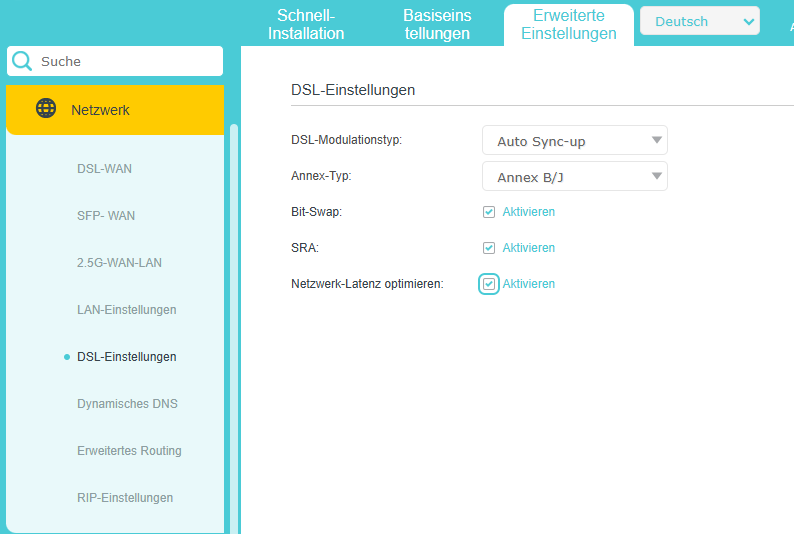
Result:
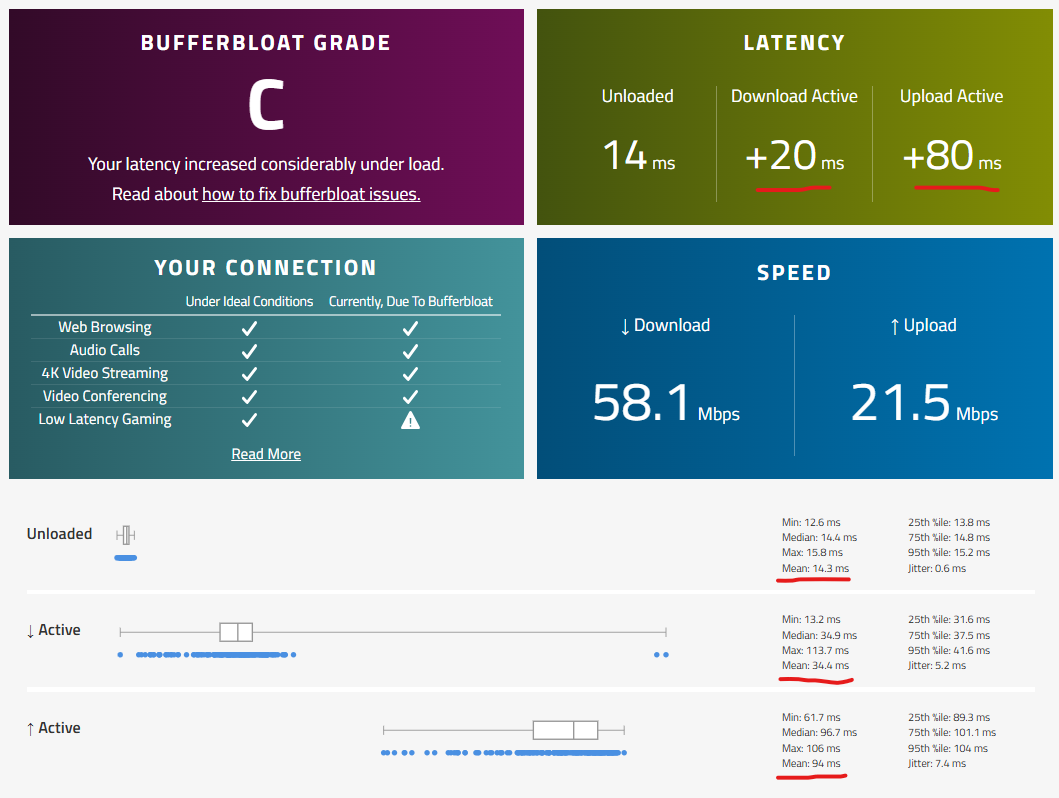
Before: about 150–250 ms Bufferbloat, After the update: about 100 ms
This is definitely an improvement, and I want to thank the engineering team for their help and testing.
The technical support also told me: "These adjustments are the result of extensive testing to achieve the best possible outcome."
In other words, it is unlikely that the latency will improve further than this.
2. My Own Tests
Because I was still not satisfied, I decided to look for my own solution.
Test with an External DSL Modem
First, I wanted to check if the DSL modem inside the VX800v might be the problem.
So I: disabled the modem inside the VX800v and used a separate DSL bridge modem
Result:
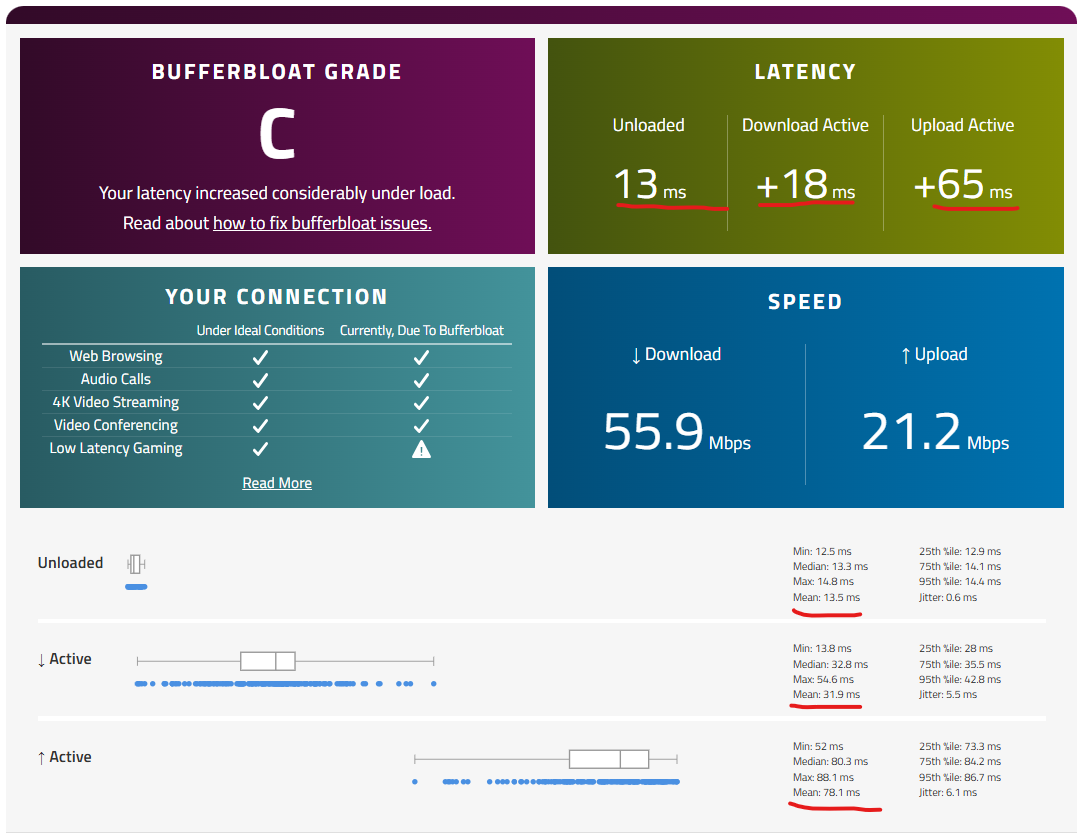
The latency dropped from 100 ms to about 80 ms. this is about 20ms improvement.
This showed that the problem is not only the modem, but also the router software.
3. Switching to an OpenWrt Router
After that, I bought a router that supports OpenWrt.
I installed: OpenWrt 24.10.5
With the correct settings I was able to completely remove bufferbloat.
No bufferbloat, Stable latency And Gaming, video, and uploads at the same time without ping spikes 🎮
4. Final Result
I was only able to fully solve the problem by using:
a separate DSL modem
and an OpenWrt router
Now the bufferbloat is completely gone and the connection is stable.
- Copy Link
- Report Inappropriate Content
@ssss2
No, the bufferbloat issue is still present and has not been resolved by TP-Link yet. Several users, including myself, are still experiencing significant upload bufferbloat on Tp-Links Routers. The solution/workaround is mentioned further down in this thread.
- Copy Link
- Report Inappropriate Content
Information
Helpful: 1
Views: 2723
Replies: 14
Voters 1