
Future Time Machine Support on TP-Link Routers (macOS 27 Compatibility)

Hi there,
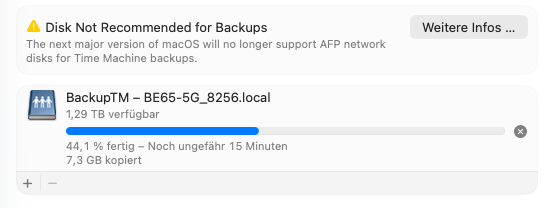
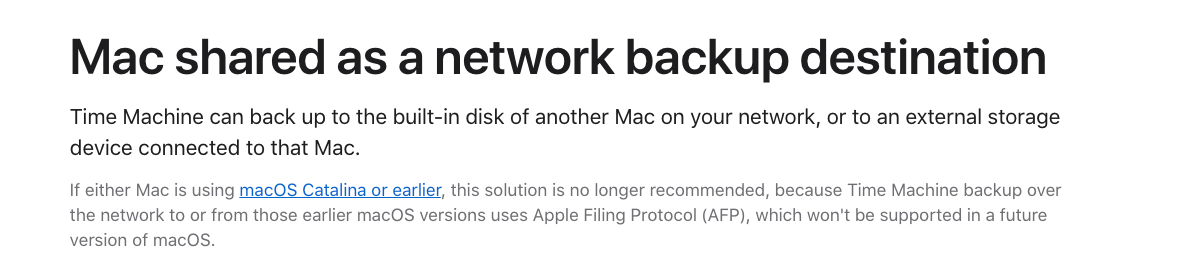
I just noticed that with the latest macOS 26 Tahoe beta, Apple has announced that AFP network volumes will no longer be supported for Time Machine backups starting with macOS 27.
Since I primarily use my Deco BE65 for Time Machine backups, I wanted to ask if there are any plans to support this functionality in the future – for example, by improving SMB support for Time Machine.
Currently, no TP-Link routers support the APFS file format required for Time Machine disks, and formats like exFAT or NTFS aren’t compatible with Time Machine over SMB either. So simply switching to SMB doesn’t work unless the router is explicitly designed to support Time Machine via SMB with a compatible backend (e.g., sparsebundle support and proper service advertisement).
Or maybe I’m just missing something – I haven’t found any additional Time Machine-specific settings in the Deco app besides the simple on/off toggle.
I’ve attached some screenshots from the current beta for context.
Thanks in advance and best regards!
- Copy Link
- Subscribe
- Bookmark
- Report Inappropriate Content
@foolishd If I had to guess the issue is with all tp-link hardware and there's probably no need to chase for a specific one. If and when they'll fix it I'm guessing it'll be for all. But could be wrong :)
- Copy Link
- Report Inappropriate Content
- Copy Link
- Report Inappropriate Content
Yes, what I meant was if you had existing backups on the same USB stick connected via tp-link prior to upgrading MacOS, then you just get a warning (for now).
Any new devices you setup won't work.
- Copy Link
- Report Inappropriate Content

Same here.
Been trying to get it to work for several days. Tried all kinds of ways but no success.
Drive mounts, but time machine is locked to the drive when I direct connected it to prepare it.
There has got to be a much simpler way to get time machine to see the drive on the network as viable as the drive direct attached.
I guess I'm October TP-LINK started working on that, but here we are in Feb'26 and no support.
What's the holdup? Is this that difficult?
- Copy Link
- Report Inappropriate Content
Yes, if one had a disk connected to TP before macOS update, it would be ExFAT and backup can continue with warning. But anyone buying TP as an upgrade from Apple Airport, even if existing backup exists on disk, it would be based on APFS and TP can't use it. It would be a great update if TP can read APFS disks because this allows logical drives and thus allows Time Machine (when it's fixed in the future) to backup multiple Macs to same physical disk space shared by multiple logical volumes (each volume for different Mac on the network).
TP being able to read APFS disks is a separate but related issue. I hope TP fixes both of those things, by making the routers able to read APFS and making connected discs available to Time Machine over SMB.
- Copy Link
- Report Inappropriate Content
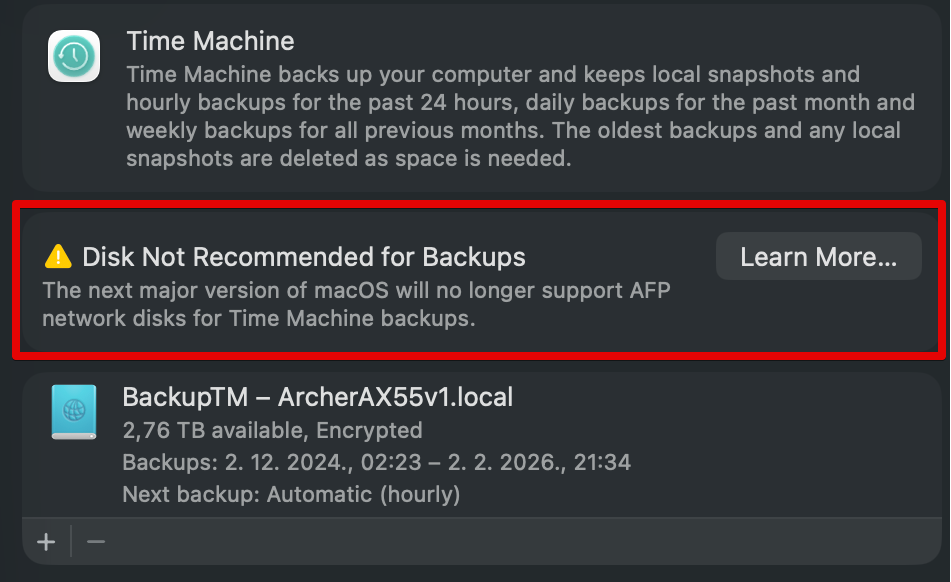
I have a macOS 26.2 and Archer AX55 with an external drive connected to it.
Using Time Machine for backups.
This is one of the reasons I bought Archer AX55 in the first place, to do Time Machine backups.
Now I found out that this will not be possible with the next major version of MacOS.
Please fix this.
- Copy Link
- Report Inappropriate Content
I'm curious about how TP is seeing the backup and doing it (even with warning). I assume you had started this backup before macOS 26, and disk is formatted as ExFAT, right? In this case, yes, you would be able to continue backups but with a warning. You're fortunate still.. people who bought TP after installing macos 26 and had airport before can't even use their existing backups or start new one!
- Copy Link
- Report Inappropriate Content
- Copy Link
- Report Inappropriate Content
Any chance this is still being revisted?
- Copy Link
- Report Inappropriate Content
@C-Link I have the same problem with Deco BE85 and it is very annoying.
Any updates on the progress?
- Copy Link
- Report Inappropriate Content
Information
Helpful: 33
Views: 29503
Replies: 65
Voters 33


















