
Cloud User 2FA Missing for Google Authenticator App Setup

This thread has been locked for further replies. You can start a new thread to share your ideas or ask questions.

Cloud User 2FA Missing for Google Authenticator App Setup

This thread has been locked for further replies. You can start a new thread to share your ideas or ask questions.

Cloud User 2FA Missing for Google Authenticator App Setup
2025-06-16 06:17:02 - last edited 2025-06-17 08:06:36
Hardware Version:
Firmware Version: 5.15.24.15

Cloud User 2FA Missing for Google Authenticator App Setup


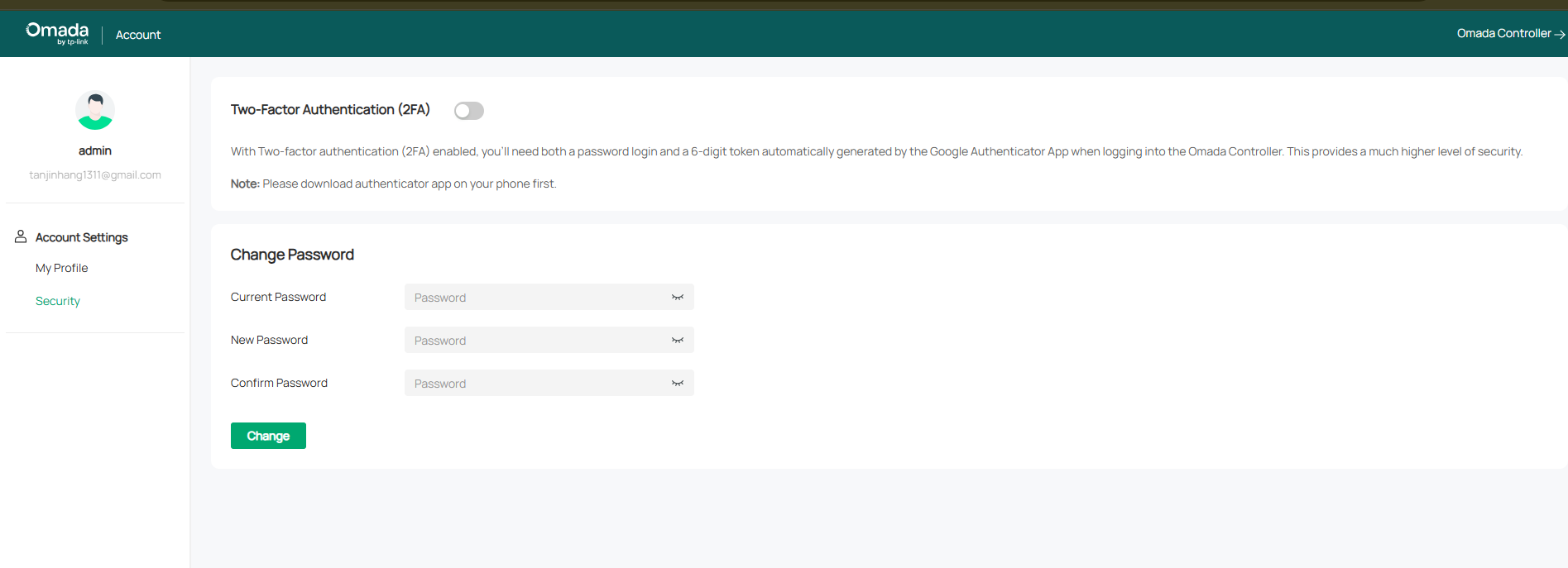
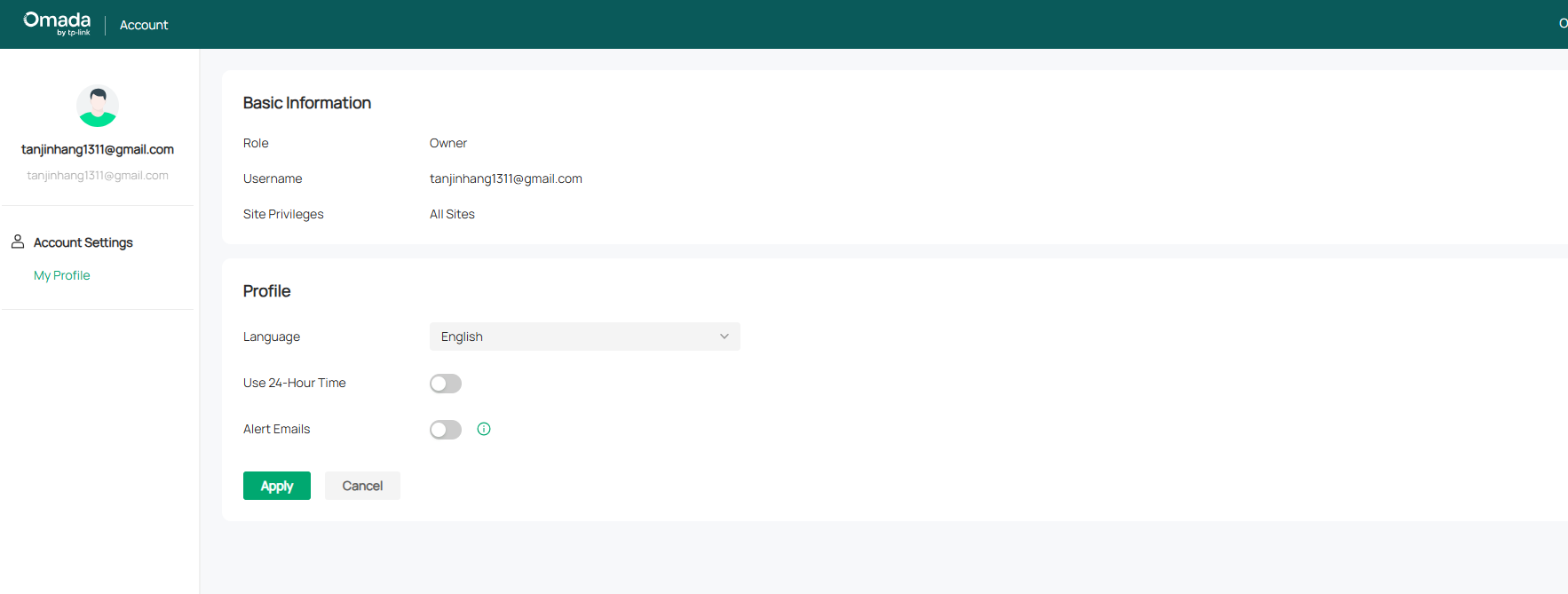
Hi, am I know where to setup the Google Authenticator App because local user can do it at the Account Security->Security but Cloud only have user information. For cloud user it is missing. The first image is local while second one is cloud user that missed the security page. May I know the another place to setup
  0      
  0      
#1
Options
1 Accepted Solution
Re:Cloud User 2FA Missing for Google Authenticator App Setup-Solution
2025-06-17 08:06:04 - last edited 2025-06-17 08:07:30

Hi  @Tan_Jin_Hang 


This is the expected behavior when accessing the controller locally with cloud account credentials.


To enable 2FA for cloud access, please browse https://omada.tplinkcloud.com/ and log in to your cloud account.

Recommended Solution
  0  
  0  
#2
Options
1 Reply
Re:Cloud User 2FA Missing for Google Authenticator App Setup-Solution
2025-06-17 08:06:04 - last edited 2025-06-17 08:07:30

Hi  @Tan_Jin_Hang 


This is the expected behavior when accessing the controller locally with cloud account credentials.


To enable 2FA for cloud access, please browse https://omada.tplinkcloud.com/ and log in to your cloud account.

Recommended Solution
  0  
  0  
#2
Options
