
Archer C60 after update no NAT options appear and some more
 This thread has been locked for further replies. You can start a new thread to share your ideas or ask questions.
Archer C60 after update no NAT options appear and some more
This thread has been locked for further replies. You can start a new thread to share your ideas or ask questions.
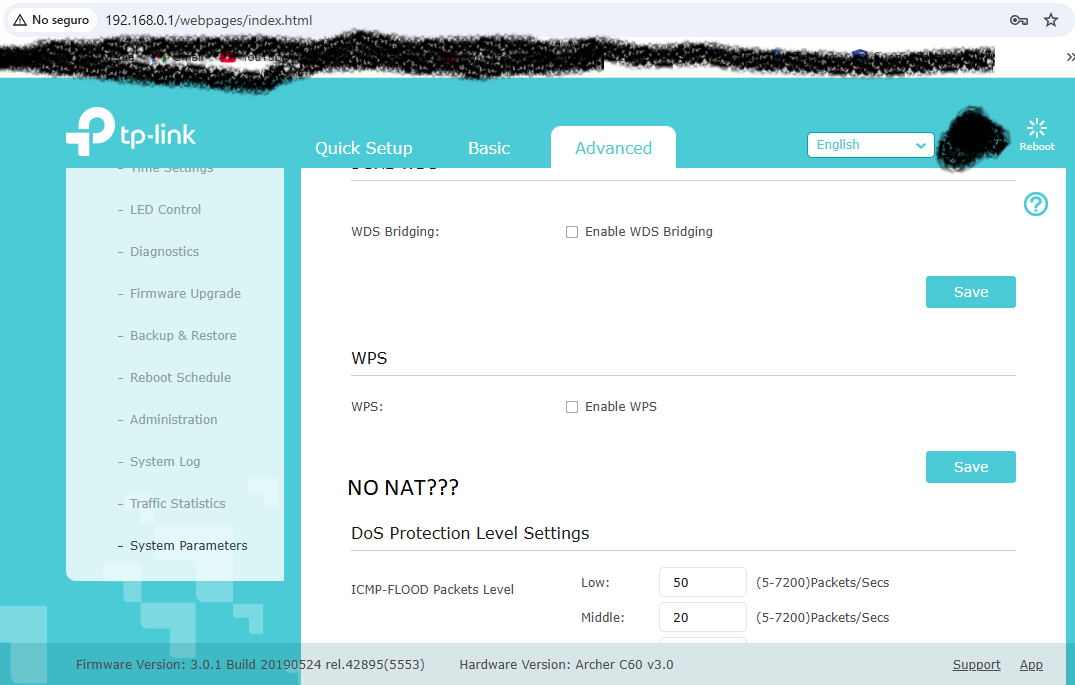
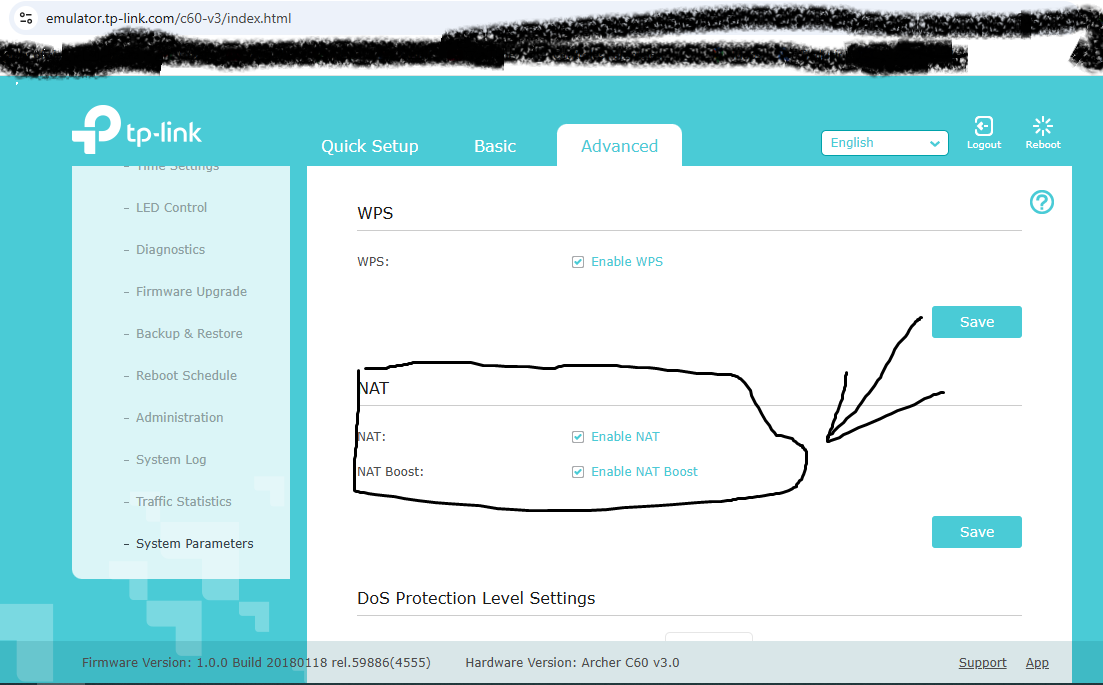
I recently updated my Archer C60 US version after a brick and the NAT options stopped appearing. Is there a way to fix it because it appears in the simulator
- Copy Link
- Subscribe
- Bookmark
- Report Inappropriate Content

Hi@Alamtfm,
Thank you for contacting our community.
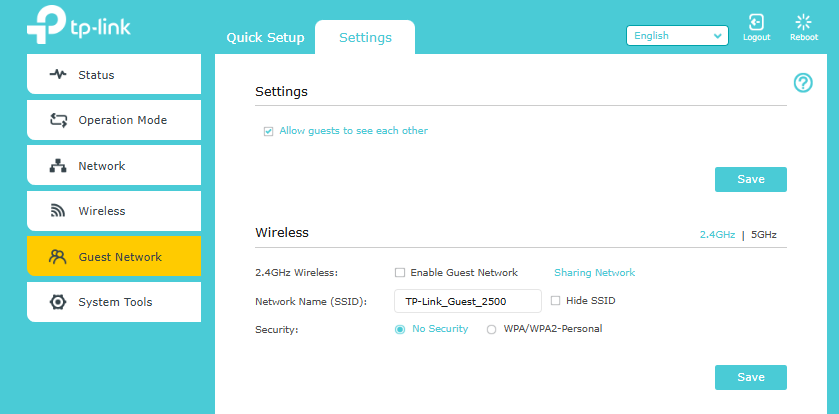
Did you change the operation mode to Access Point mode? This function is not supported in Access point mode, so the NAT forwarding option is not displayed.
- Copy Link
- Report Inappropriate Content
@Joseph-TP It's set as a router — otherwise, I would've gotten an Omada to use as an access point. It doesn't show up anywhere
- Copy Link
- Report Inappropriate Content
Hi@Alamtfm,
Thank you for getting back to me.
Could you please take a screenshot with the Web UI of the Advanced page?
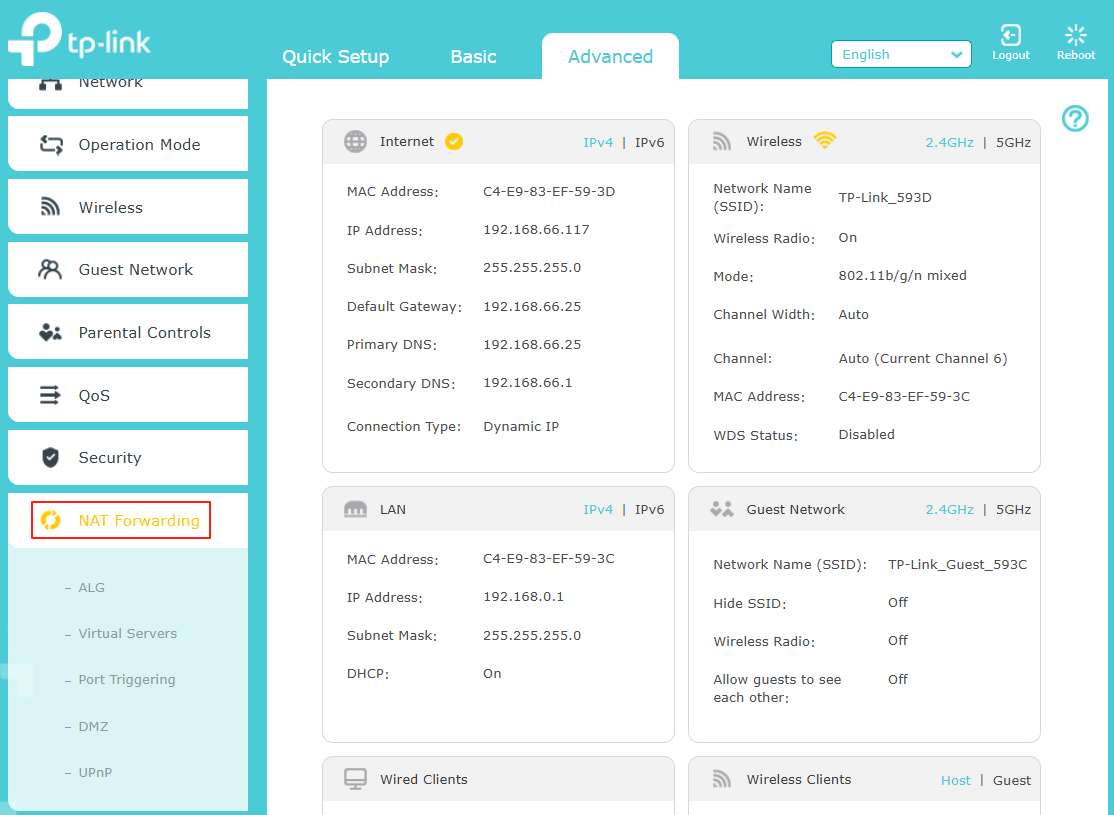
Please update the firmware to the latest version: Archer C60_V3_201231
You can update the firmware by referring to:How to Upgrade the Firmware
- Copy Link
- Report Inappropriate Content
- Copy Link
- Report Inappropriate Content
@Joseph-TP When updating it says that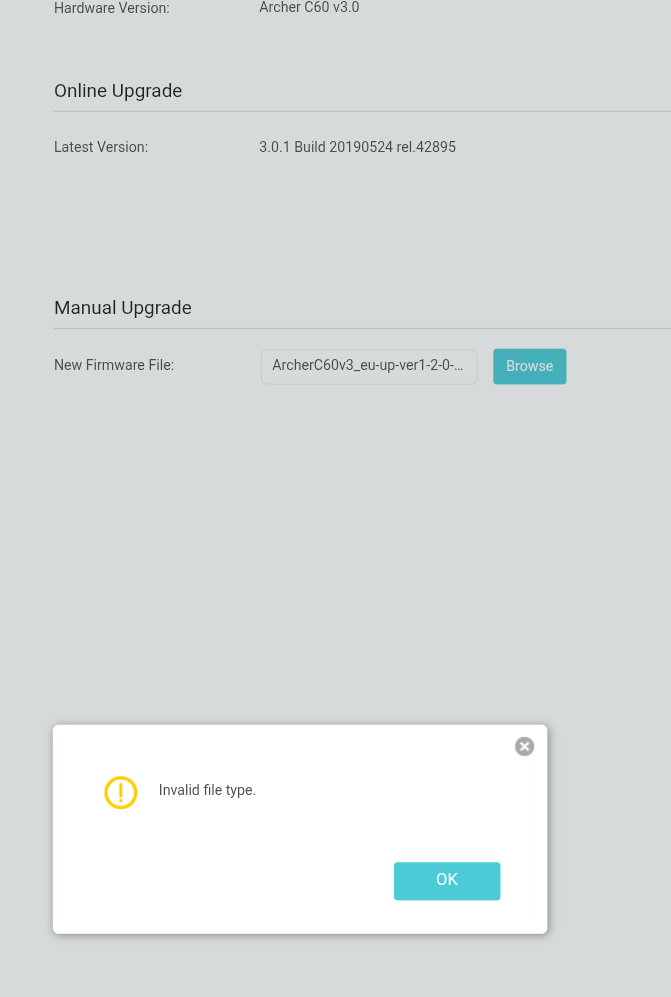
- Copy Link
- Report Inappropriate Content
@Joseph-TP I extracted it from the US zip, check your
- Copy Link
- Report Inappropriate Content
Hi@Alamtfm,
Thanks for your reply.
Did you update the firmware to 3.0.1 Build 20190524 rel.42895(5553) online? Or did you install it through a third-party website? And which region's official website did you manually download the firmware from?
- Copy Link
- Report Inappropriate Content
@Joseph-TP Thanks for Reply.
I downloaded the latest version, as a power outage during an online update resulted in the device becoming bricked.
- Copy Link
- Report Inappropriate Content

Hi@Alamtfm,
I'm sorry to hear that your problem was not solved.
But as Woozle said, the firmware you obtained was not downloaded from the TP-Link official website to get the update. The released firmware versions are 1.0.1 and 1.2.0, not 3.0.1.
Third-party firmware has not been officially tested and certified by us and may not meet the safety and performance standards of our products.
Installing third-party firmware may introduce instability and even damage the device, potentially causing it to freeze or malfunction.
According to your description, the product may malfunction due to an upgrade of the third-party firmware. You need to try to restore to the official firmware yourself before we can continue to provide corresponding technical guidance.
- Copy Link
- Report Inappropriate Content
@Joseph-TP Thanks For Reply
No, the problem happened after that and I can't fix it.
- Copy Link
- Report Inappropriate Content
Information
Helpful: 0
Views: 1611
Replies: 17
Voters 0
No one has voted for it yet.