
RE505x 5ghz problem
 This thread has been locked for further replies. You can start a new thread to share your ideas or ask questions.
RE505x 5ghz problem
This thread has been locked for further replies. You can start a new thread to share your ideas or ask questions.
Hiyas, bit of a weird one with my RE505x (Uk version V1 and the latest firmware) When the 5ghz band is connected from the router to the extender at all it stops Wi-Fi working altogether. All lights on and showing 5ghz and 2.4 connected and shows connected in both the app and the the web link but nope no joy getting internet and connected to either the 2.4 or 5ghz extender SSID (both individually named)
The only way I can get it to work is by going into the high speed settings and selecting 2.4ghz from router to extender and 5ghz from extender to device. Anytime the extender receives a 5ghz signal it just stops working even though everything reports as fine. Reset and rebooted both the extender and router (Virginmedia Hub 5 Wifi 6 capable) quite a few times but nope nothing seems to work.
I've changed the 5ghz to channel 36, 40, 44 and 48 through the router one at a time to see if it was causing a problem. Both bands are named separately (both router bands and extender SSIDs and correctly setup and the extender is within range. Does it seem like the extender itself is knackered? It seems like as soon as the extender receives 5ghz from the router it throws a wobbly but works faultlessly if I completely disable the 5Ghz from router to extender by disabling the auto high speed and manually selecting the 2.4 from router to 5ghz to device. I'm more than likely missing something so obvious though.
No biggie as it works just wondering if it's time to upgrade.
- Copy Link
- Subscribe
- Bookmark
- Report Inappropriate Content


Hello@jzamoras ,
Thanks for contacting our community.
What is the model of your range extender? Is it also the RE505X? And what is the region version of it?
Please try to change the channel and channel width of 5Ghz on the router, please refer to Changing Channel and Channel Width on a TP-Link Router (new logo).
More details, please see TP-Link Extender is not detecting the 5GHz Signal of the Main Router.
Best Regards.
- Copy Link
- Report Inappropriate Content
@Joseph-TP hi, mine is v1.0 US hw version. Firmware is from 2023, pretty old if you ask me.
- Copy Link
- Report Inappropriate Content
Hi @jzamoras ,
Thank you for getting back to me.
Have you been able to try the suggestions in my previous reply? If that doesn't work, I recommend resetting the RE505X and reconfiguring it.
How to reset: With the power on, use a pin to press the reset button for 1 second to reset the extender.
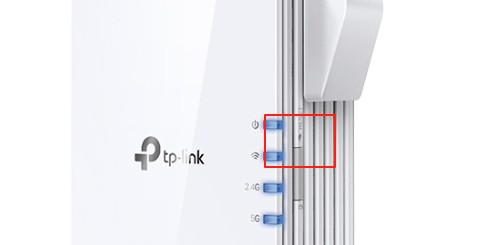
- Copy Link
- Report Inappropriate Content

@DaleAlan Hi! to which firmware version did you update? I am using 1.0.13 Build 20230926 Rel. 181123 and want to update to improve my RE505x. Could you send it to me?
- Copy Link
- Report Inappropriate Content
Thanks for contacting our community.
The latest firmware version of RE505X V1 is 1.0.13 Build 20230926. So the firmware on your RE505X is the latest version.
Is there something wrong with RE505X? Or do you just want to improve the performance of RE505X? Please provide more details.
- Copy Link
- Report Inappropriate Content
Information
Helpful: 1
Views: 3082
Replies: 15
Voters 1
