TP-Link PLC recovery utility

This thread has been locked for further replies. You can start a new thread to share your ideas or ask questions.

TP-Link PLC recovery utility

This thread has been locked for further replies. You can start a new thread to share your ideas or ask questions.

TP-Link PLC recovery utility
2025-07-02 12:43:29 - last edited 2025-07-03 08:17:24
Tags: #Recovery

Hey everyone 🫡


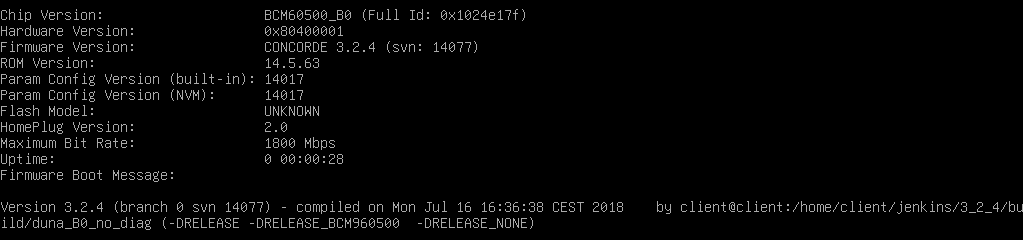
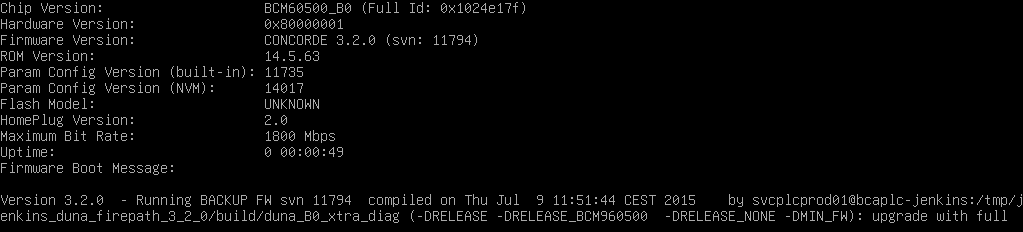
I recently updated all my PLC adapters (TL-PA9025 V4, BCM60500-based) to the latest firmware and while it worked fine for most of them, one was sadly bricked during the update (no LED lit). Using the "pla-util" tool on Debian, I was able to confirm the bad unit is booting using the backup firmware.


A dedicated recovery utility was mentioned a few times here (e.g https://community.tp-link.com/en/home/forum/topic/97844) but unfortunately, the only link available seems to be dead. Any chance someone could share a working link for that recovery utility? 🥺


All the best.
  0      
  0      
#1
Options
1 Accepted Solution
Re:TP-Link PLC recovery utility-Solution
2025-07-03 08:17:00 - last edited 2025-07-03 08:23:03

FWIW, I emailed the "international" and French-speaking hotlines (hoping they'd be able to send me that utility) and while they replied quickly, both were utterly useless: the international support refused to help and asked me to contact the regional hotline. After multiple emails, I was only told that the recovery utility was "old" and no longer "in use" for 7 years now... what a joke.


Anyway, for those who are facing the same issue and can't find the "TP-Link PLC recovery" utility anywhere, I was able to revive my BCM60500-based PLC adapter using the "PLC Management software" developed by Tenda for its own powerline lineup: https://shorturl.at/jgzN2. Unlike tpPLC, it was able to detect the adapter running the backup firmware and allowed me to "upload" a different firmware. After re-applying the firmware found on the TP-Link website, it came back to life and is now working just fine.


Moral of the story: TP-Link products are better supported by software developed by their competitors... that's so ironic 🤣


Cheers.

Recommended Solution
  0  
  0  
#2
Options
1 Reply
Re:TP-Link PLC recovery utility-Solution
2025-07-03 08:17:00 - last edited 2025-07-03 08:23:03

FWIW, I emailed the "international" and French-speaking hotlines (hoping they'd be able to send me that utility) and while they replied quickly, both were utterly useless: the international support refused to help and asked me to contact the regional hotline. After multiple emails, I was only told that the recovery utility was "old" and no longer "in use" for 7 years now... what a joke.


Anyway, for those who are facing the same issue and can't find the "TP-Link PLC recovery" utility anywhere, I was able to revive my BCM60500-based PLC adapter using the "PLC Management software" developed by Tenda for its own powerline lineup: https://shorturl.at/jgzN2. Unlike tpPLC, it was able to detect the adapter running the backup firmware and allowed me to "upload" a different firmware. After re-applying the firmware found on the TP-Link website, it came back to life and is now working just fine.


Moral of the story: TP-Link products are better supported by software developed by their competitors... that's so ironic 🤣


Cheers.

Recommended Solution
  0  
  0  
#2
Options