
I can't connect a wired cable to my extender
 This thread has been locked for further replies. You can start a new thread to share your ideas or ask questions.
Hello, I am a first time user of any extender, I managed to connect it to my main router, works fine both on 2.4G and 5G, wifi works fine, but when I try to plug in my wired DVR to the bottom of my extender nothing happens, no internet to DVR, can't see my DVR in my client list on extender. Cable ok, DHCP enabled on both (I can see the IP set by DHCP on my DVR menu), but no internet to DVR, even put DVR on whitelist but still nothing, can anyone help me with this please ? In the installation guide I have this chapter called "Entertainment Adapter" where it says if your extender has an Ethernet port (checked) it can be used as a wireless adapter to connect any Ethernet-only device such as DVR, just connect it to te port. I did, nothing happens, no connection established. Thank you !
- Copy Link
- Subscribe
- Bookmark
- Report Inappropriate Content


Hello@Sicone ,
Thank you for getting back to me.
Please disable the DHCP server of RE305.
Have you tested other wired devices? Can they work normally with the RE305?
Additionally, please remove the extender and connect the DVR directly to the router for comparison.
- Copy Link
- Report Inappropriate Content
Hello@Sicone ,
May I know if your network topology diagram is as follows:
ISP modem—router )))((( RE305 )))((( client devices
(Note: — stands for wired connection,)))((( stands for wireless connection )
You mentioned 'DHCP enabled on both', do you mean you also enable the DHCP server of the RE305?
Have you tested whether the DVR can function properly when connected directly to the router? What is the model of your DVR? And please check if you need to set up port forwarding for the DVR.
- Copy Link
- Report Inappropriate Content

- Copy Link
- Report Inappropriate Content
Hi@Kundi ,
Thank you for contacting our community.
May I know what the model number of your device is? Please refer to
How to find the model number of your TP-Link device
How to find the hardware version on a TP-Link device
If you cannot configure the TP-Link range extender successfully, please refer to the situations below to troubleshoot: What should I do if I fail to configure the TP-Link Range Extender?
- Copy Link
- Report Inappropriate Content
Hello and thank you for your answer. I will try to attach some pictures to my reply so you can see my topology and DHCP settings as well as my model name and serial nr. .Yes, the DVR is working online fine now with an external cable (running over my office, can't keep it like that for long), but as soon as I plug in the cable from extender, it stops.
The extender is connected wireless to main router and I am using it in Range Extender Mode not Acces Point Mode. 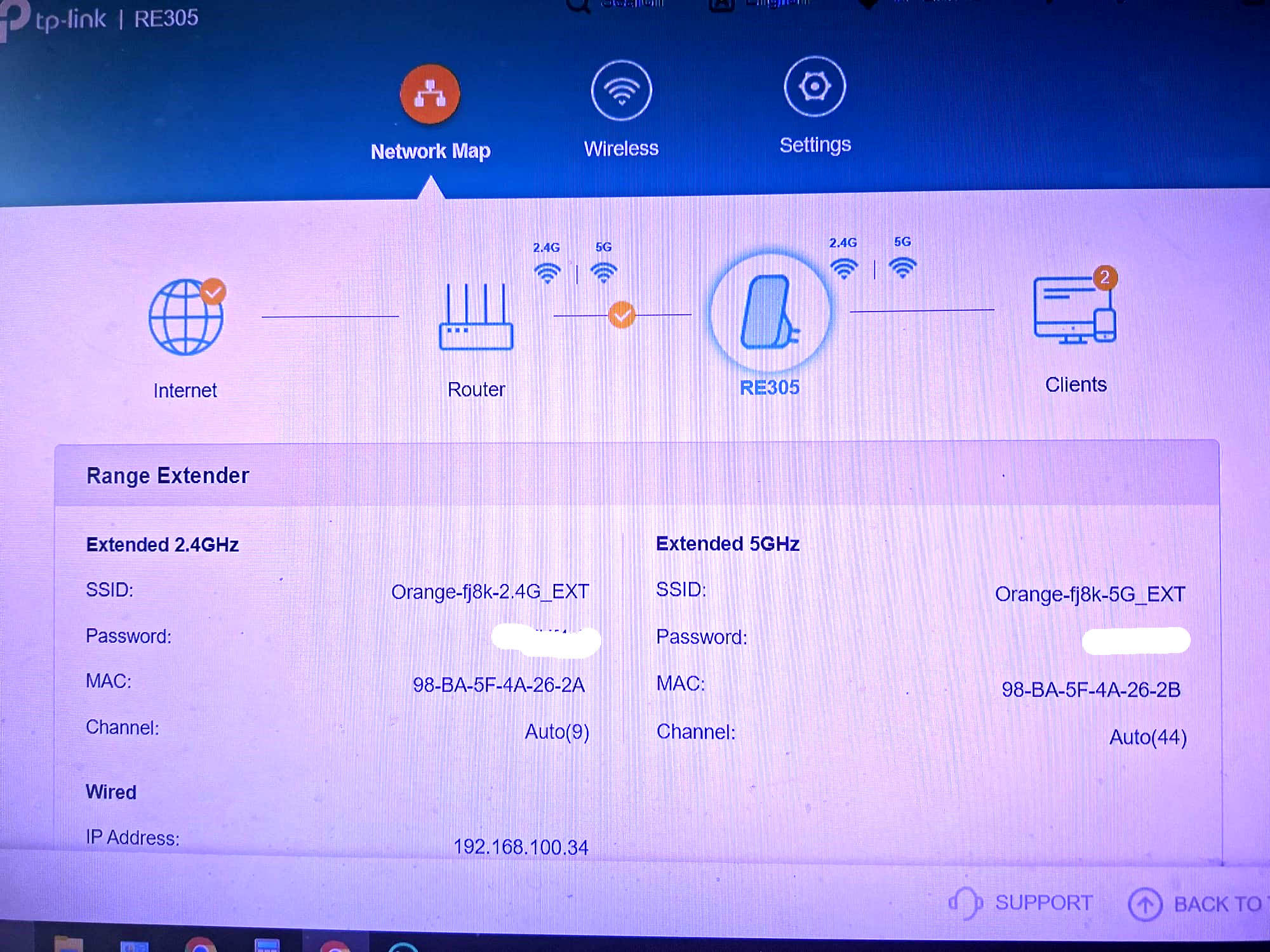
- Copy Link
- Report Inappropriate Content
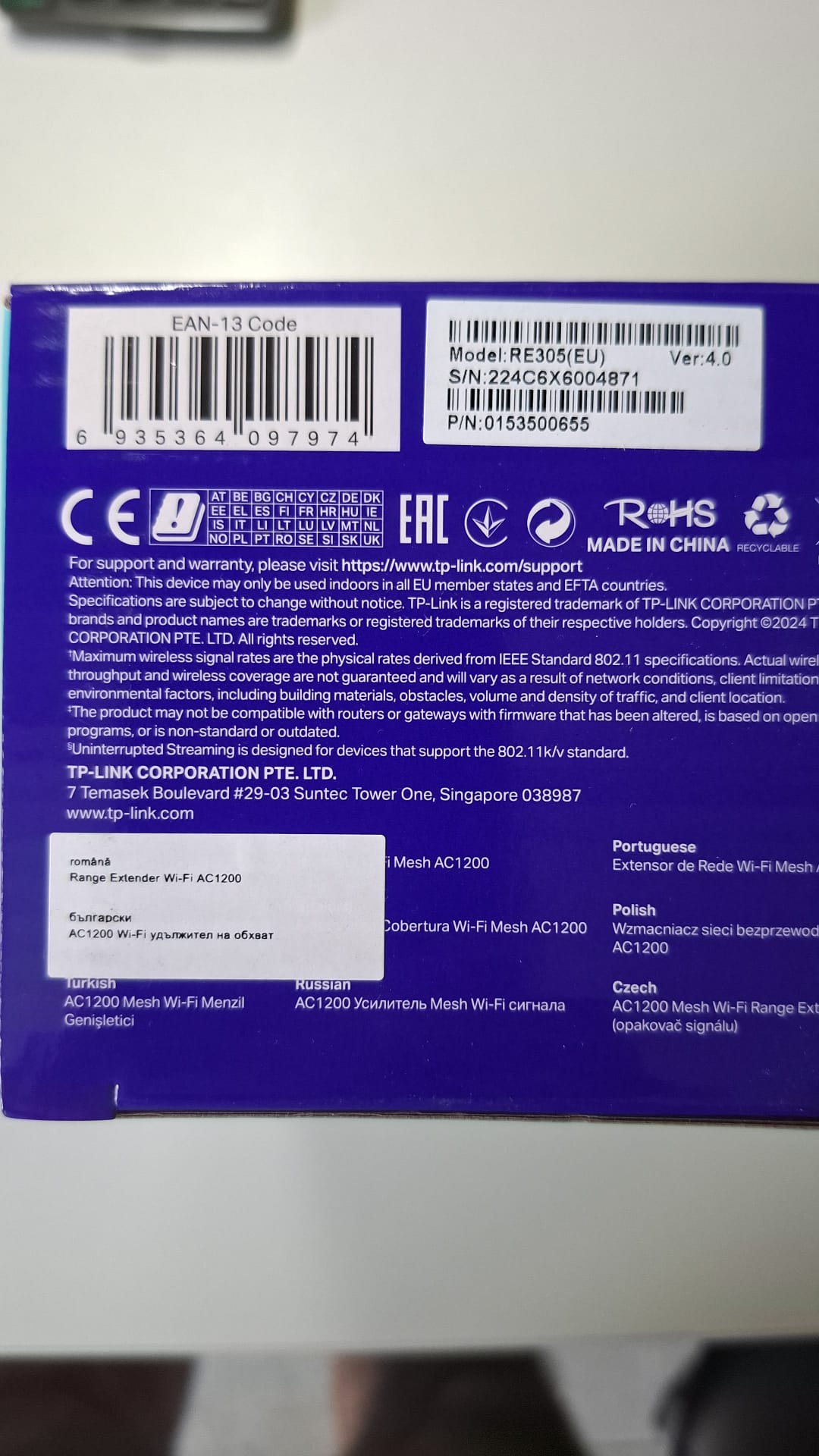
I couldn't load the second picture in my initial reply so I attached it here
- Copy Link
- Report Inappropriate Content
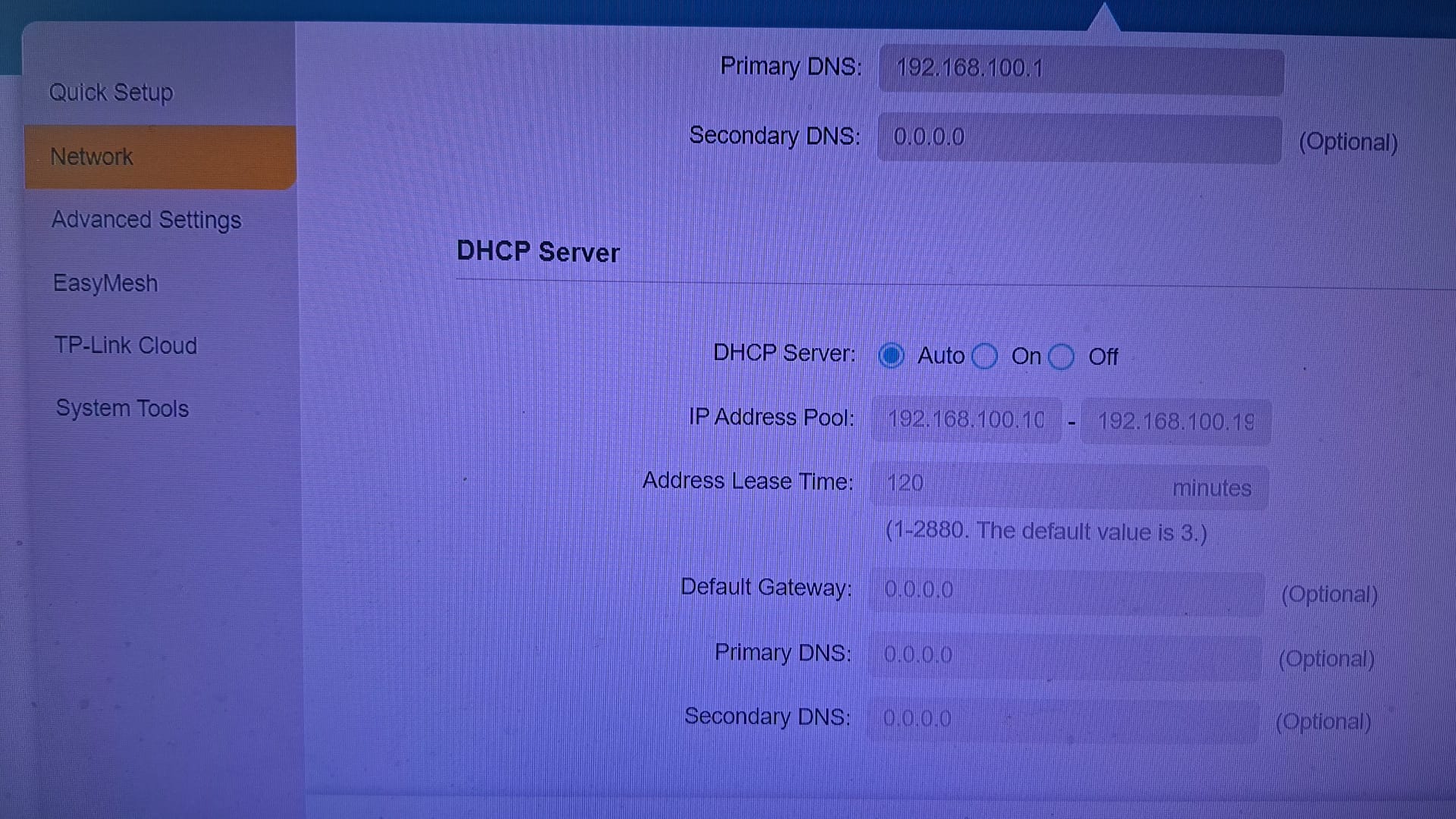
- Copy Link
- Report Inappropriate Content
- Copy Link
- Report Inappropriate Content
Hello@Sicone ,
Thank you for getting back to me.
Please disable the DHCP server of RE305.
Have you tested other wired devices? Can they work normally with the RE305?
Additionally, please remove the extender and connect the DVR directly to the router for comparison.
- Copy Link
- Report Inappropriate Content
Information
Helpful: 0
Views: 575
Replies: 8
Voters 0
No one has voted for it yet.