
AX1500 drops to 100Mbps and won’t go back to gigabit
 This thread has been locked for further replies. You can start a new thread to share your ideas or ask questions.
Hi,
I’m having an issue with my Archer AX1500:
-
When I connect the cable directly from the NBN box to my computer, I get 1000 Mbps speed.
-
When I use this cable to connect the NBN box to the AX1500 WAN port, the Wi-Fi speed starts normal (~1000 Mbps) but drops to 100 Mbps within 30 minutes and never goes back up.
-
LAN ports on the AX1500 are fine — if I connect my computer to the router LAN port, I still get 1000 Mbps.
-
The cable is firmly connected (also tried a new Cat6 cable, same issue).
-
Internet Port Negotiation Speed is set to 1000 Mbps Full Duplex in the settings.
-
Tried rebooting, factory reset, and different cables, but the issue persists.
So it looks like only the WAN port is stuck at 100 Mbps.
Is this a known issue with the AX1500? Any firmware fix or workaround available?
Thanks.
- Copy Link
- Subscribe
- Bookmark
- Report Inappropriate Content


Hi @Alex_19280 ,
Thanks for getting back to me.
Have you tried the Mac clone? If it still doesn't work, please contact local support for further help.
- Copy Link
- Report Inappropriate Content
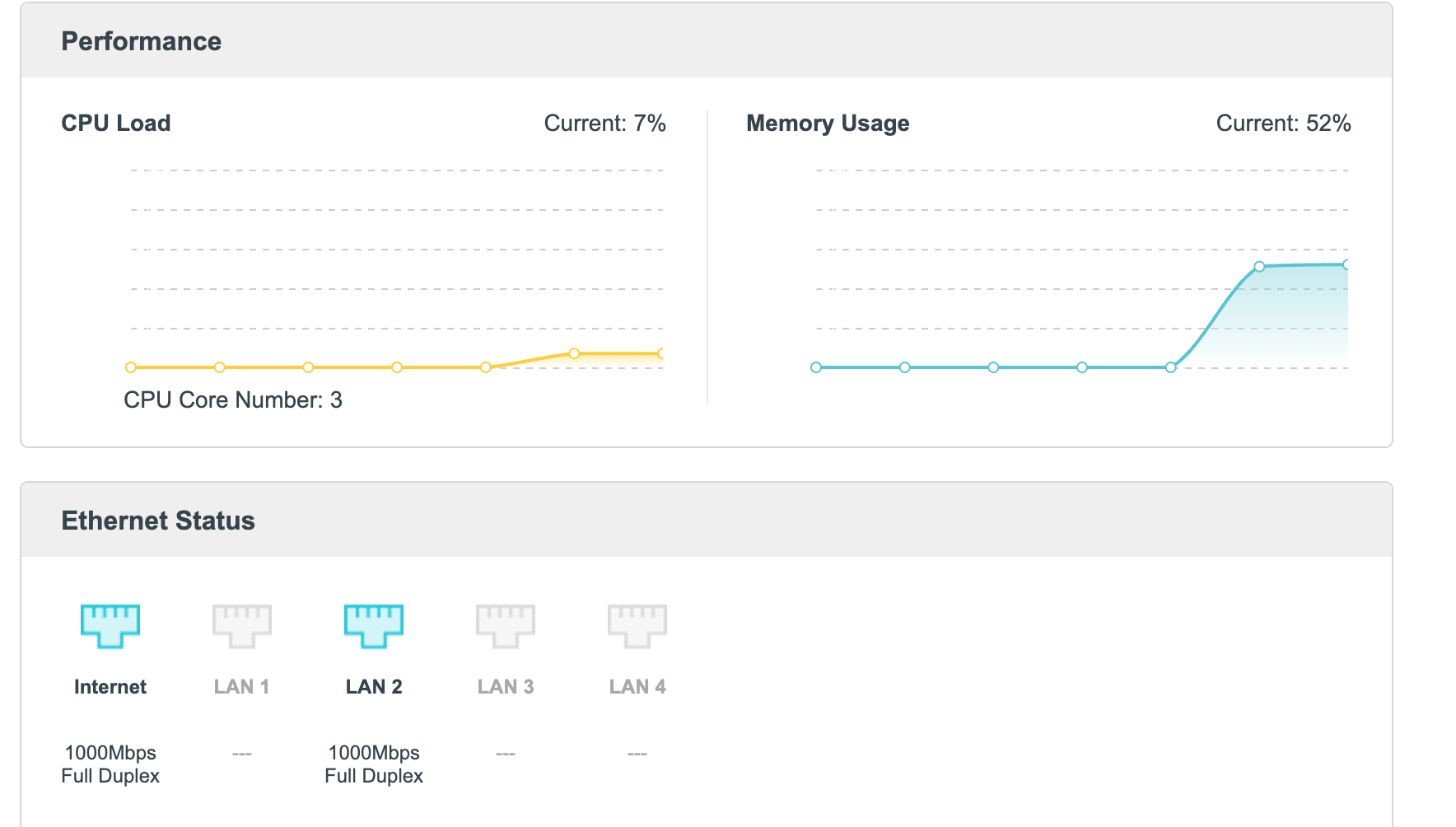
Adding some info
- Copy Link
- Report Inappropriate Content
No matter if I test Wi-Fi right next to the router or far away, the speed is always capped at 100 Mbps.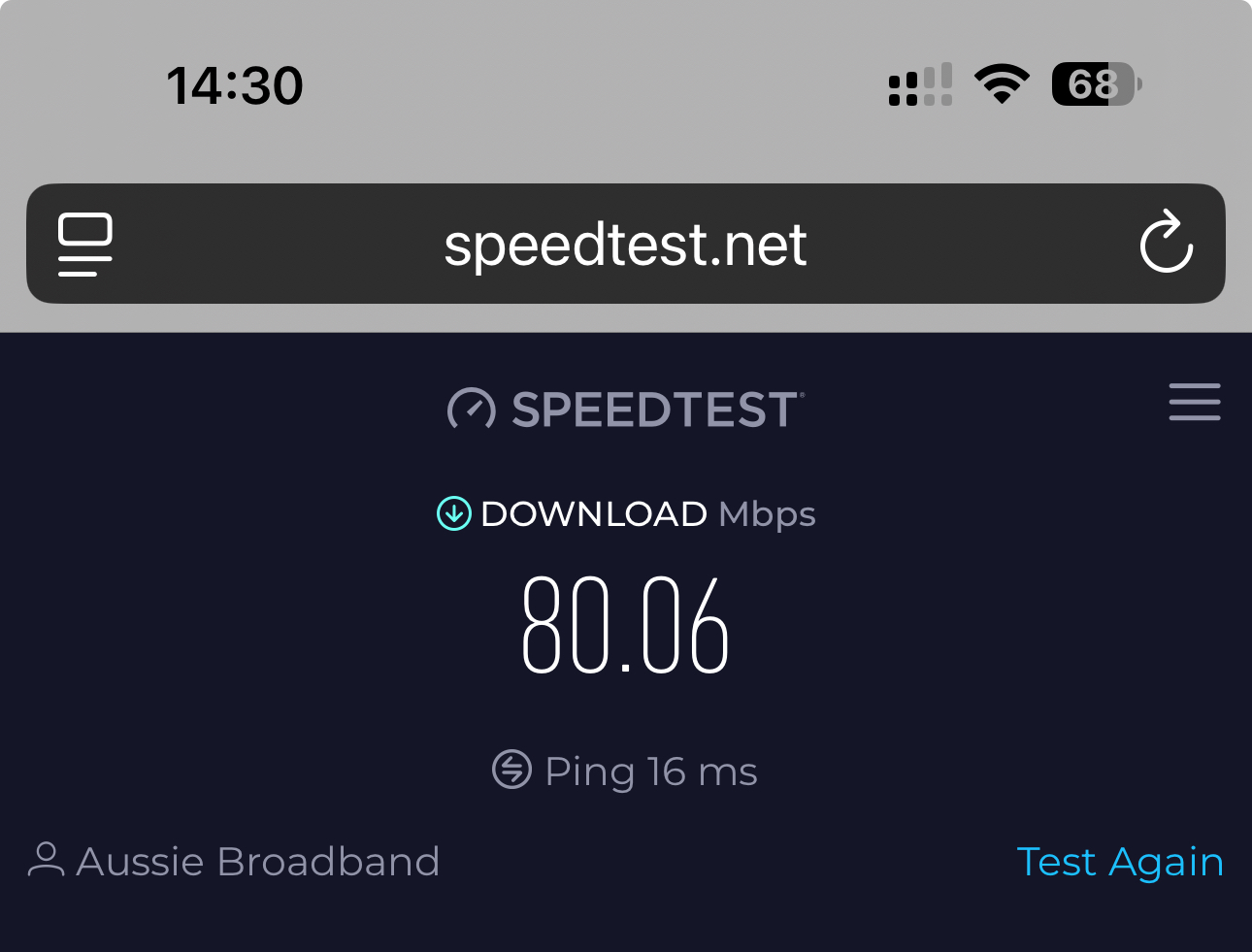
- Copy Link
- Report Inappropriate Content
Hello@Alex_19280 ,
Welcome to our community.
When the internet speed drops, will the WAN speed turn to 100Mbps Full Duplex? At the same time, have you removed the AX1500 and tested the wired speed of the modem on the PC with the same cable?
If the speed is 100Mbps on the modem, please consult the modem's support for help.
If the speed is still 1000Mbps on the modem, please do a Mac clone for AX1500: How do I configure MAC Address Clone on my TP-Link Archer Router?
Best Regards.
- Copy Link
- Report Inappropriate Content
Hi @Joseph-TP ,
Thanks for replying. I tested by connecting my PC directly to the ISP modem with the same cable and got the full 1000Mbps.
On the router, the WAN always shows 1000Mbps Full Duplex even when the internet speed itself is stuck at 100Mbps.
This indicates it’s not an ISP issue, it seems to be the router. BTW, if I do a factory reset on the router, the WAN port speed will start at normal 1000Mbps but drop to 100Mbps within about half an hour. The LAN ports continue to work normally at 1000Mbps, and the WAN status still shows 1000Mbps Full Duplex, but actual Wi-Fi speed remains around 100Mbps.
- Copy Link
- Report Inappropriate Content
Hi @Alex_19280 ,
Thanks for getting back to me.
Have you tried the Mac clone? If it still doesn't work, please contact local support for further help.
- Copy Link
- Report Inappropriate Content
- Copy Link
- Report Inappropriate Content
Very Good!
Please continue to observe the operation of the router.Feel free to contact us if you have any update.
- Copy Link
- Report Inappropriate Content
Hi @Joseph-TP,
I tried MAC clone and the speed temporarily increased, but the Wi-Fi speed dropped back to 100Mbps again after about 30 minutes. Tried a factory reset and also tested with MAC clone, but the same odd speed drop pattern occurred again after about 30 minutes.
I also reached out to my ISP, but they didn’t find anything abnormal on their side. The line and modem port both show 1000Mbps, so the issue seems to be with the router.
- Copy Link
- Report Inappropriate Content
Hi@Alex_19280,
Sorry to hear that. It looks like the WAN port connection is unstable.
Please contact local support for further help.
- Copy Link
- Report Inappropriate Content
Information
Helpful: 0
Views: 938
Replies: 9
Voters 0
No one has voted for it yet.