
BE19000, how disable guest acces, USB / storage sharing

Hi,
In the settings I have disabled USB file sharing, FTP server and Secure Sharing: How to disable guest access, How to edit permissions
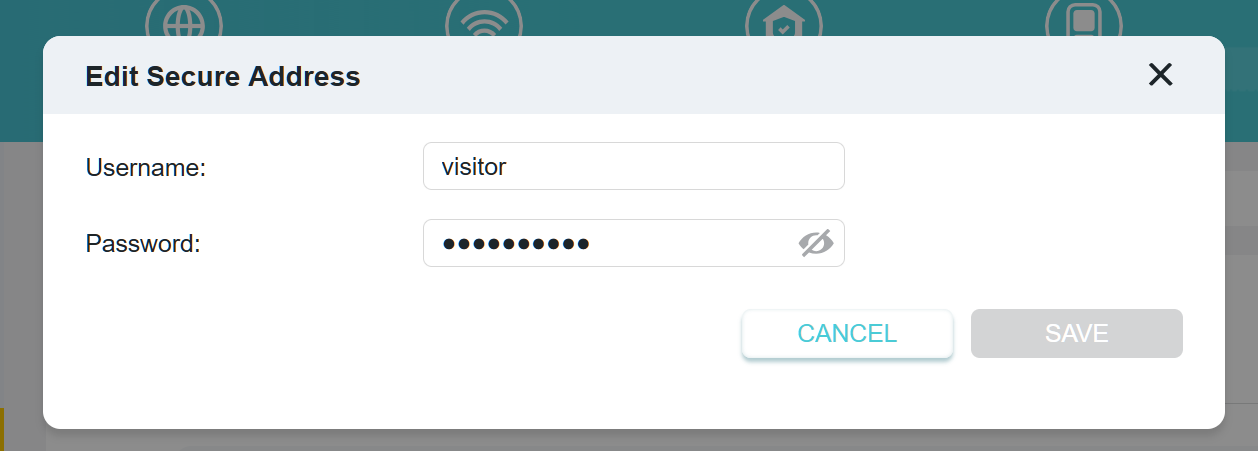
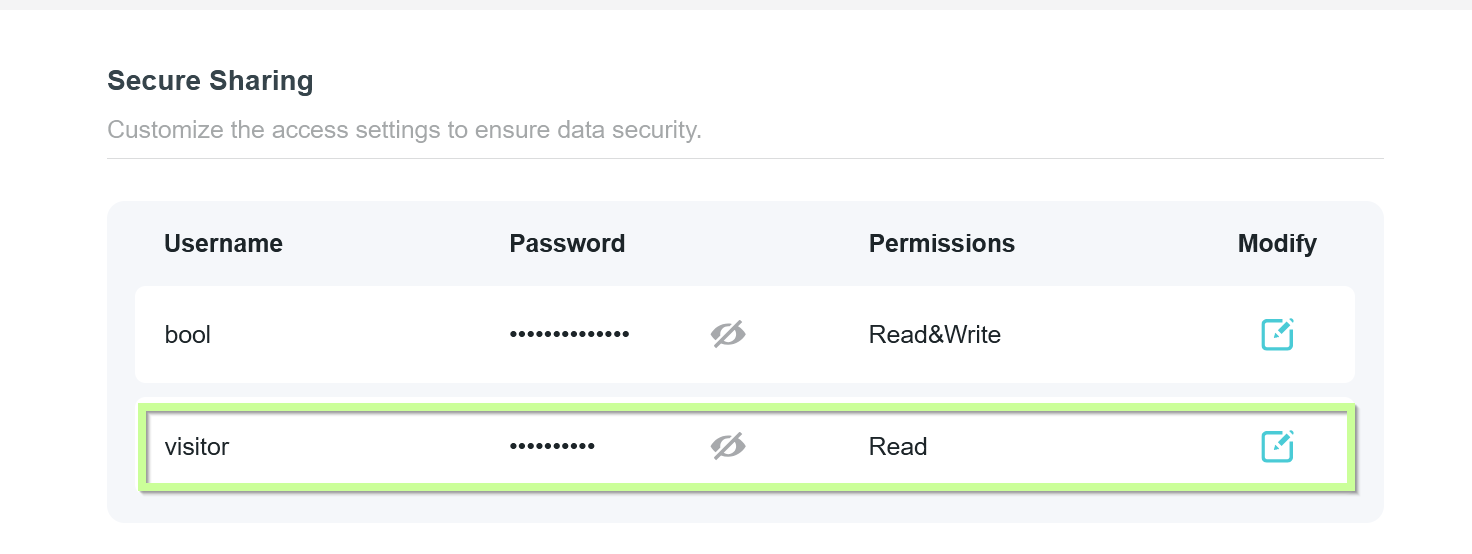
- Copy Link
- Subscribe
- Bookmark
- Report Inappropriate Content


Hello @Axl111 ,
Welcome to our community!
To manage user access and permissions for USB sharing:
1. Disabling Guest Access:
• If you have already disabled USB file sharing, FTP server, and Secure Sharing, guest access to the USB drive should also be disabled, as there will be no shared resources available for guests to access.
• For extra security, ensure that the 'guest' or 'anonymous' account is not enabled in the USB sharing settings.
2. For the Editing Permissions:
- You can Edit new username and password for your drive by going to "USB Storage > Secure Sharing." You can add a total of two user accounts.
- To remove existing accounts also means changing the existing accounts to the one you want to grant access rights to.
- Access permissions cannot currently be changed; instead, the account will be modified based on the existing permissions.
I hope this explanation will not cause misunderstanding again.
I think your request is to add new entries and modify access permissions. Regarding this request, I suggest you start a new thread on the Feature Request board. Other users with similar requests can vote on this as well.
- Copy Link
- Report Inappropriate Content
@Axl111 might be: In the settings I have enabled USB file sharing
- Copy Link
- Report Inappropriate Content
Hello @Axl111 ,
Welcome to our community!
To manage user access and permissions for USB sharing:
1. Disabling Guest Access:
• If you have already disabled USB file sharing, FTP server, and Secure Sharing, guest access to the USB drive should also be disabled, as there will be no shared resources available for guests to access.
• For extra security, ensure that the 'guest' or 'anonymous' account is not enabled in the USB sharing settings.
2. For the Editing Permissions:
- You can Edit new username and password for your drive by going to "USB Storage > Secure Sharing." You can add a total of two user accounts.
- To remove existing accounts also means changing the existing accounts to the one you want to grant access rights to.
- Access permissions cannot currently be changed; instead, the account will be modified based on the existing permissions.
I hope this explanation will not cause misunderstanding again.
I think your request is to add new entries and modify access permissions. Regarding this request, I suggest you start a new thread on the Feature Request board. Other users with similar requests can vote on this as well.
- Copy Link
- Report Inappropriate Content
These two accounts are default. I can't delete them or edit permissions. The only things I can change are the name and password. Is there any way to delete the account or edit permissions?
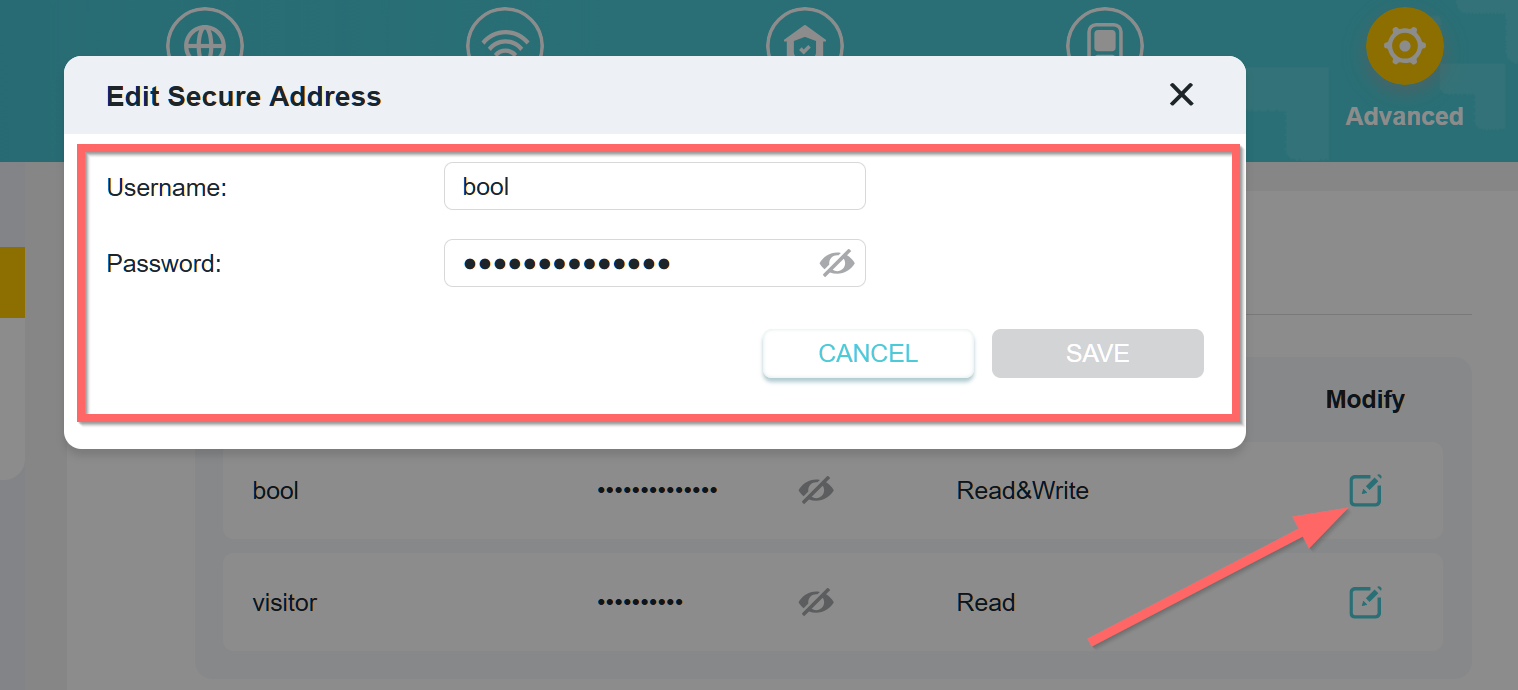
- Copy Link
- Report Inappropriate Content

I also join the question. There is no option to add or remove an smb/ftp user in the router settings. Dear Tp-Link support, how to resolve this issue? Before you recommend the standard steps, ask if you have such an opportunity in the current firmware.
Tp-Link BE800 (Archer BE800 v1.20) 1.2.4 Build 20250414 rel.18315(5553)
- Copy Link
- Report Inappropriate Content
Information
Helpful: 0
Views: 514
Replies: 4
Voters 0
No one has voted for it yet.