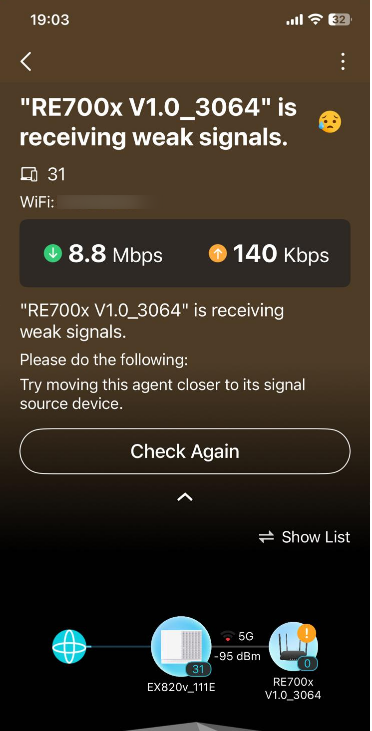
Mesh or Range Extender Which is best ?

Mesh or Range Extender Which is best ?

Mesh or Range Extender Which is best ?
3 weeks ago - last edited 2 weeks ago
Model: RE700X  
Hardware Version: V1
Firmware Version:

Which is best ?

 Have my RE700X configured as a Extender or part of a Mesh Network?


Range Extender  I get both 2.4 and 5 GHz ( lit up on the model) which is a plus. The issue i have is that it generates a new SID with _EXT. So i now have another device to connect to in my list of available networks. The location I have placed this extender is mainly where my Sonos speakers are. 2 Of them keep dropping out of the network as there are some dead spots to my main router. For them to connect to the Extender , i would need to remove them ( i have 6 Sonos devices) from my main SID and add them to the Extender which is a headache


Mesh :Now when i add this RE700X into the MESH Network, it morphes into the SID so i no longer see _Ext in the list of Wireless networks, in fact i dont see it all all ( which is what I expect)  , only the main SID but I have verfied its in the MESH 
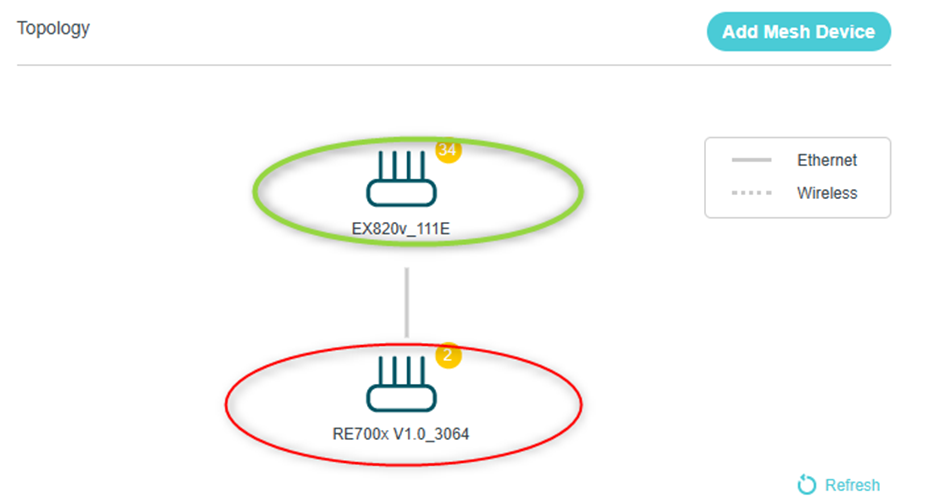
 

SO far so good and it appears to work 

However, I only see 5 GHZ on the RE700x and the 2.4 GHZ is not lit up
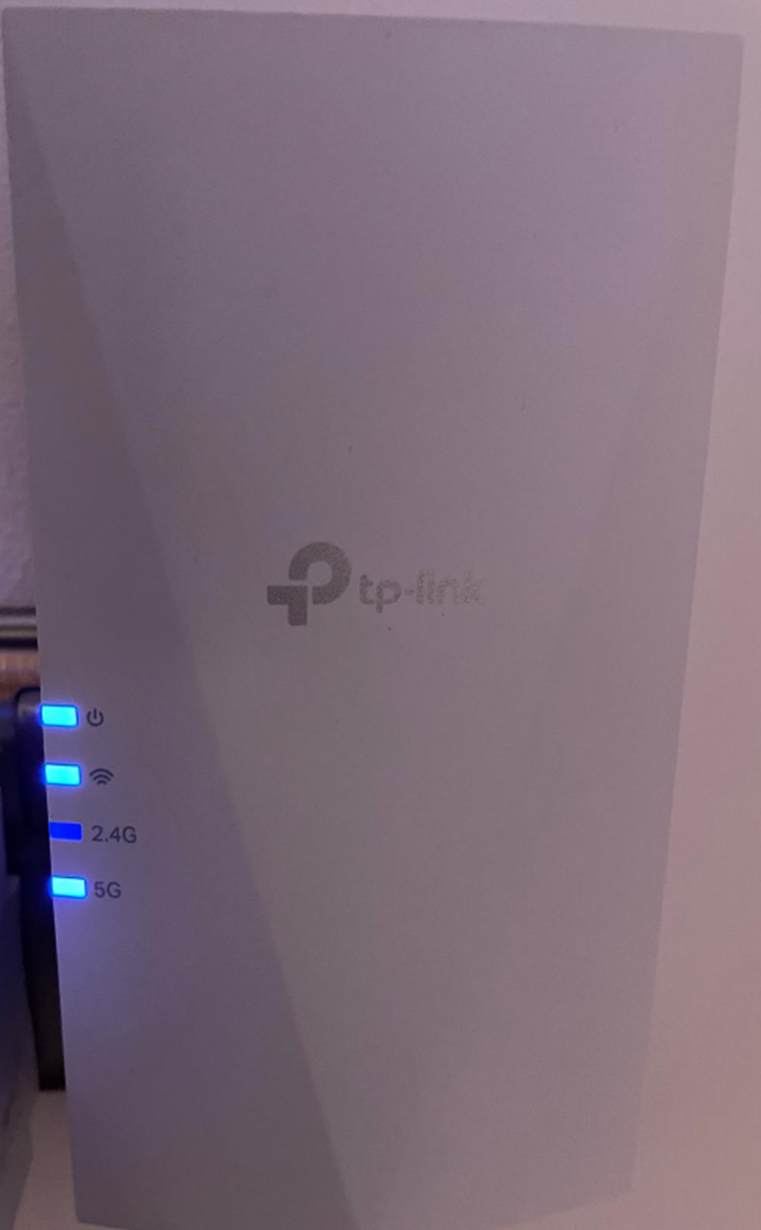
 

is this the expected behaviour when using MESH? Only one Band is selected , either 2.4 GHz or 5.0 GHZ?


Why cant it have both?


I previously had issues where the same device only 2.4Ghz and some devices stopped working ( Ring Doorbell); i have since selected manual channels on the main router for 2.4 and 5.0 GHZ to resolve this instead of Auto


And I also now notice i am getting drop outs on the device where only the power is lit up


Is that normal? I never had drop outs when it was confired as an Extender.

My aim in having a MESH  is to just have one SID ( My Main Router SID) whilst using this extender to improve better network connectivity for my Sonos system so Sonos connects to RE700X but thinks its connected to my Main Router

Can anybody advise on the above and if there is an issue with this Range Extender when configured as MESH?

Thanks


  0      
  0      
#1
Options
1 Accepted Solution
Re:Mesh or Range Extender Which is best ?-Solution
2 weeks ago - last edited 2 weeks ago

  @Joseph-TP 


thanks for the follow up!


I have resolved the issue now, relocated the extender and upgraded the firmware and is much improved!

Recommended Solution
  1  
  1  
#4
Options
3 Reply
Re:Mesh or Range Extender Which is best ?
3 weeks ago

Paedric wrote

Which is best ?

 Have my RE700X configured as a Extender or part of a Mesh Network?


Range Extender  I get both 2.4 and 5 GHz ( lit up on the model) which is a plus. The issue i have is that it generates a new SID with _EXT. So i now have another device to connect to in my list of available networks. The location I have placed this extender is mainly where my Sonos speakers are. 2 Of them keep dropping out of the network as there are some dead spots to my main router. For them to connect to the Extender , i would need to remove them ( i have 6 Sonos devices) from my main SID and add them to the Extender which is a headache


Mesh :Now when i add this RE700X into the MESH Network, it morphes into the SID so i no longer see _Ext in the list of Wireless networks, in fact i dont see it all all ( which is what I expect)  , only the main SID but I have verfied its in the MESH 


SO far so good and it appears to work 

However, I only see 5 GHZ on the RE700x and the 2.4 GHZ is not lit up


is this the expected behaviour when using MESH? Only one Band is selected , either 2.4 GHz or 5.0 GHZ?


Why cant it have both?


I previously had issues where the same device only 2.4Ghz and some devices stopped working ( Ring Doorbell); i have since selected manual channels on the main router for 2.4 and 5.0 GHZ to resolve this instead of Auto
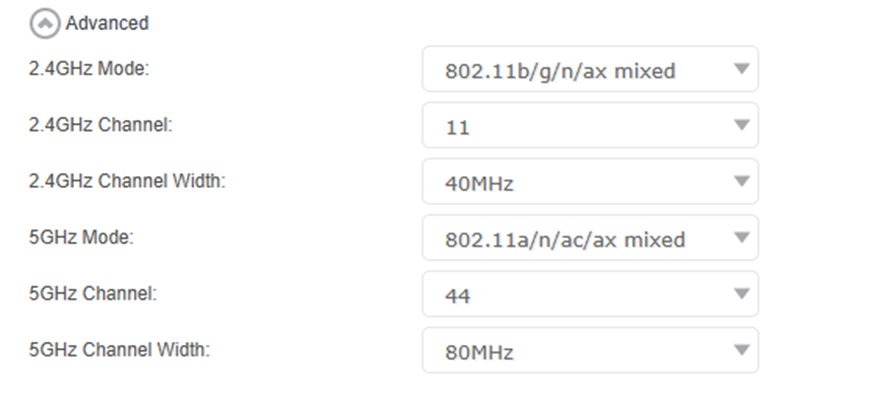


And I also now notice i am getting drop outs on the device where only the power is lit up
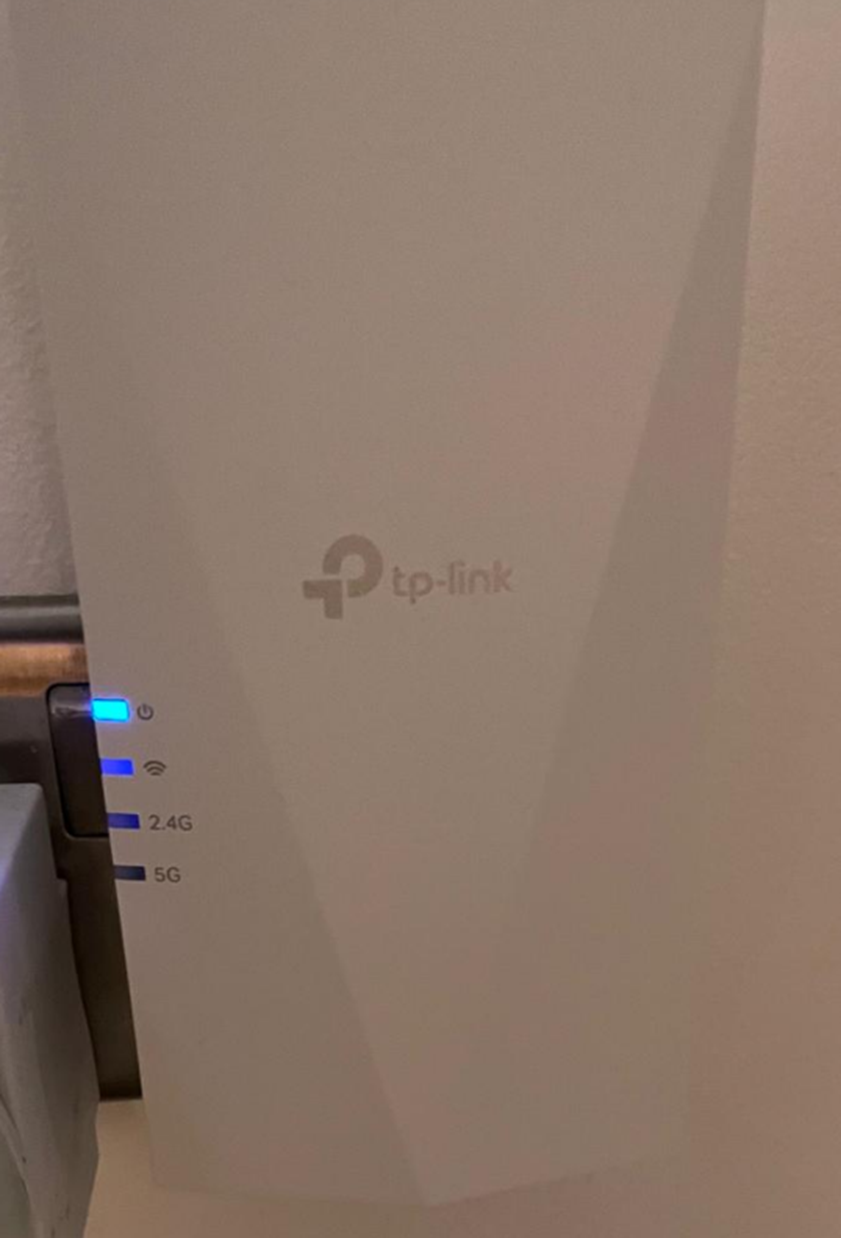
 

Is that normal? I never had drop outs when it was confired as an Extender.

My aim in having a MESH  is to just have one SID ( My Main Router SID) whilst using this extender to improve better network connectivity for my Sonos system so Sonos connects to RE700X but thinks its connected to my Main Router

Can anybody advise on the above and if there is an issue with this Range Extender when configured as MESH?

Thanks



so moved the device into the same room as the router and it's still dropping connection. It's supposed to strengthen the WiFi signal ! Will test putting the channel back to Auto! The firmware is fully updated. 

  0  
  0  
#2
Options
Re:Mesh or Range Extender Which is best ?
2 weeks ago

Hello @Paedric ,

Thanks for contacting our community.


So if you set the RE700X to range extender mode, it can reliably extend the router's wireless network, right? If it's set to EasyMesh Satellite unit mode, its connection becomes unstable, right?


May I know the hardware and firmware version of your main router EX820v? Please tell me your complete topology.

For example, ISP modem—router )))((( client devices

(Note: — stands for wired connection,)))((( stands for wireless connection )


In addition, how far is the router from the RE700X? 

Nice to Meet You in Our TP-Link Community. Check Out the Latest Posts: △Pre-release Firmware for Archer AX50 Introduces New Parental Control Features and Enhancements △Introducing AI QoS: Elevate Your Gaming Experience on the Archer GE800 Gaming Router △Connect TP-Link Archer BE550 to Germany's DS-Lite (Dual Stack Lite) Internet via WAN △Tether KidShield Test Recruitment - Safeguarding Children's Online Experience If you found the post or response helpful, please click Helpful. If an answer solves your problem, click "Recommended Solution" so that others can benefit from it.
  0  
  0  
#3
Options
Re:Mesh or Range Extender Which is best ?-Solution
2 weeks ago - last edited 2 weeks ago

  @Joseph-TP 


thanks for the follow up!


I have resolved the issue now, relocated the extender and upgraded the firmware and is much improved!

Recommended Solution
  1  
  1  
#4
Options