
Abnormal Traffic

Good morning. In the Tether app, I'm concerned to note an UNKNOW in the list of connected clients, which is generating abnormal traffic every day. My router is connected to a carrier modem via WAN-LAN. My 1GB FTTH connection doesn't seem to be slowing down at all, as I still get speeds of around 900Mbps. I can't figure it out, since I can't even trace the MAC address and IP address.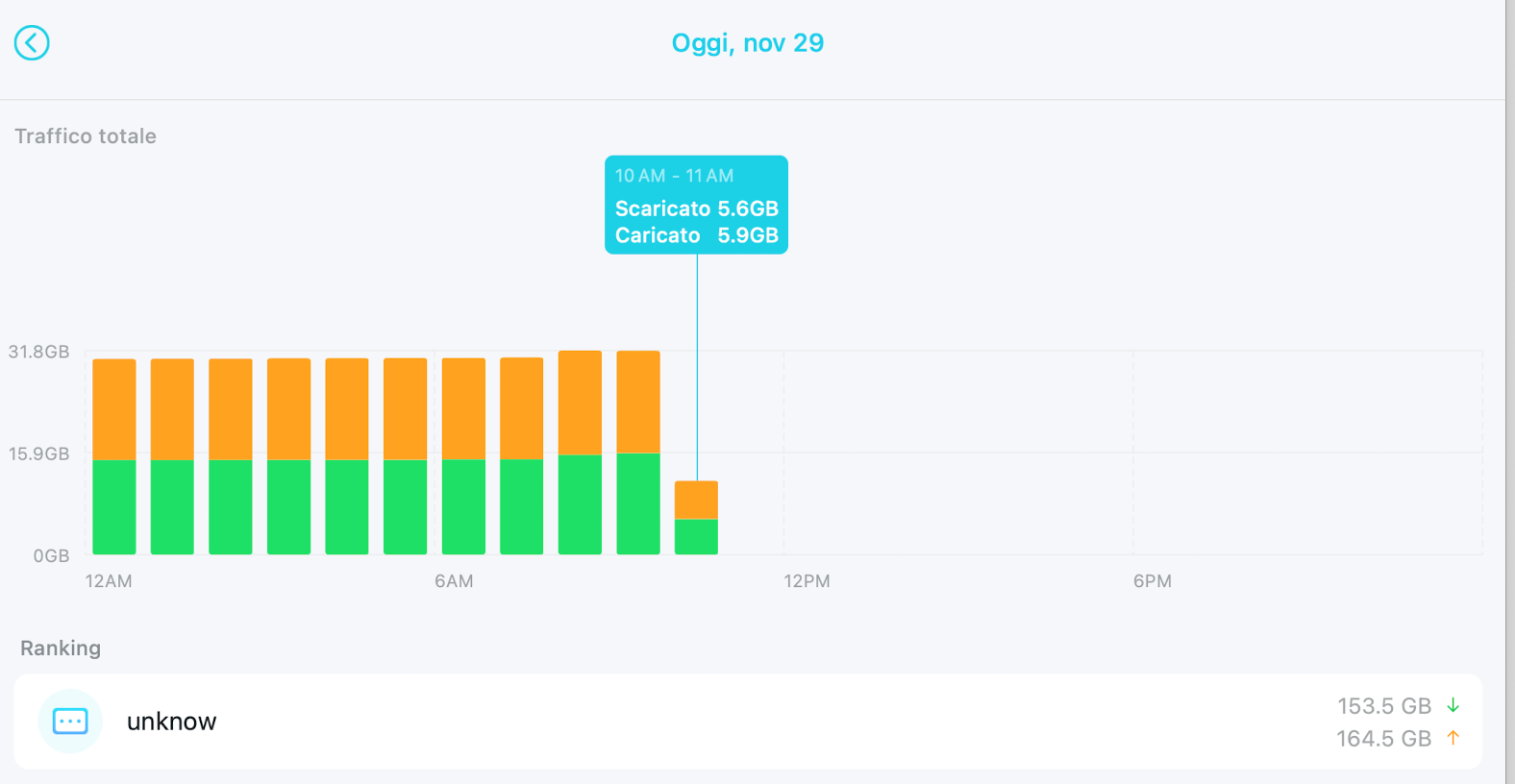
Good morning. In the Tether app, I'm concerned to note an UNKNOW in the list of connected clients, which is generating abnormal traffic every day. My router is connected to a carrier modem via WAN-LAN. My 1GB FTTH connection doesn't seem to be slowing down at all, as I still get speeds of around 900Mbps. I can't figure it out, since I can't even trace the MAC address and IP address.
Can you explain, please?
Thanks
- Copy Link
- Subscribe
- Bookmark
- Report Inappropriate Content


Hello @Gianluca28 ,
Welcome to our community.
Would you mind trying a hard reset for the Archer BE220? Press and hold this button for about 10 seconds until the Power LED blinks to reset the router to its factory default settings.
For the sake of insurance, it's always recommended to save a copy of the router's Backup Config file before a hard reset.
How to create and restore from a backup file on your TP-Link Router
- Copy Link
- Report Inappropriate Content
Hello @Gianluca28 ,
Welcome to our community.
Would you mind trying a hard reset for the Archer BE220? Press and hold this button for about 10 seconds until the Power LED blinks to reset the router to its factory default settings.
For the sake of insurance, it's always recommended to save a copy of the router's Backup Config file before a hard reset.
How to create and restore from a backup file on your TP-Link Router
- Copy Link
- Report Inappropriate Content
I'm seeing something similar in Tether. In my case there are two devices, "unknow" and "network device" that are reporting many terabytes of traffic, but looking at my ISP's usage reports this doesn't seem to be true--I don't have anywhere near that amount of traffic on the days in question.
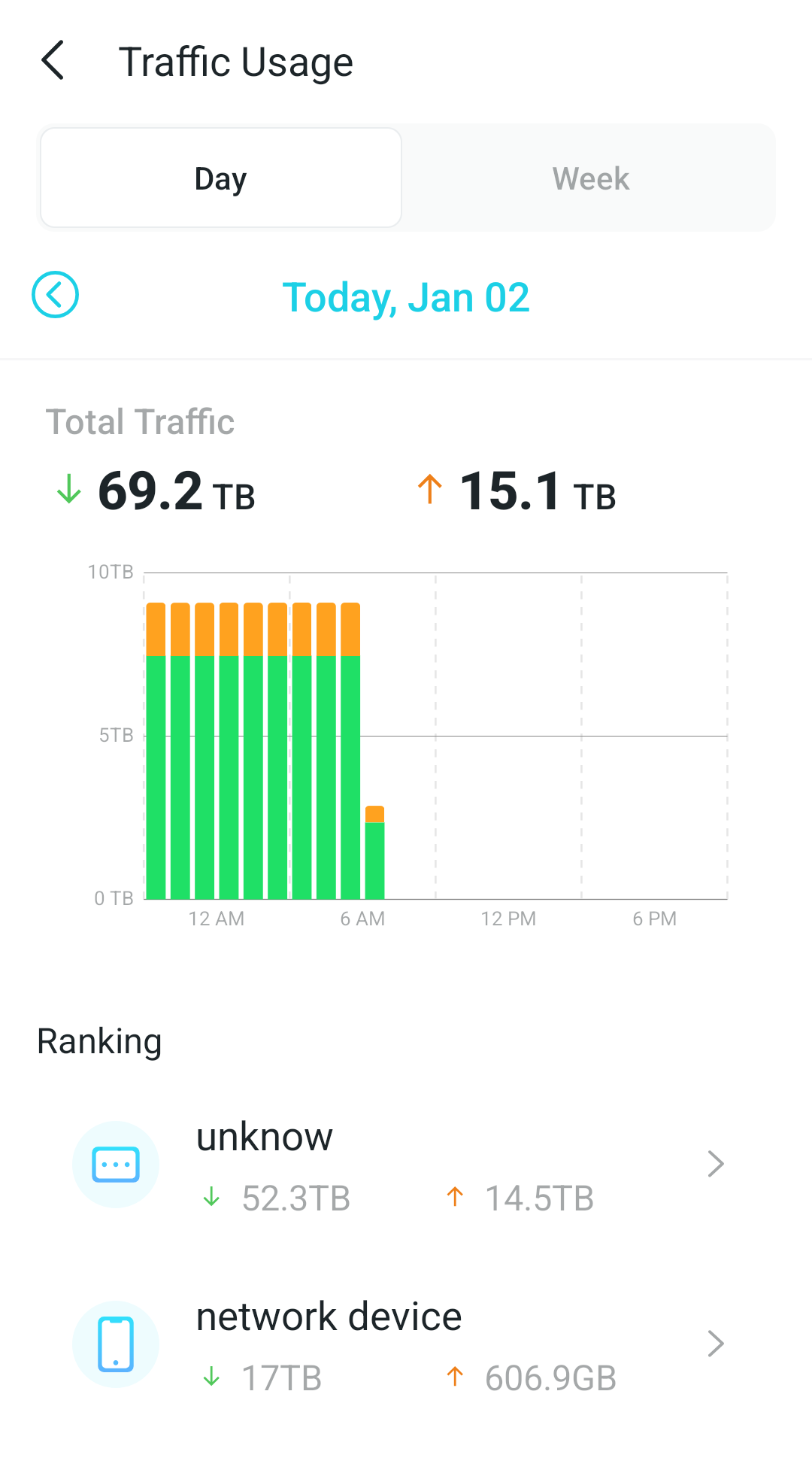
Also, though I can't find "unknow" in the list of clients, that "network device" does show up with some inconsistent metrics. It shows high traffic downloaded/uploaded in the terabyte scale, but below that it reports "total traffic usage" under 3 MB.
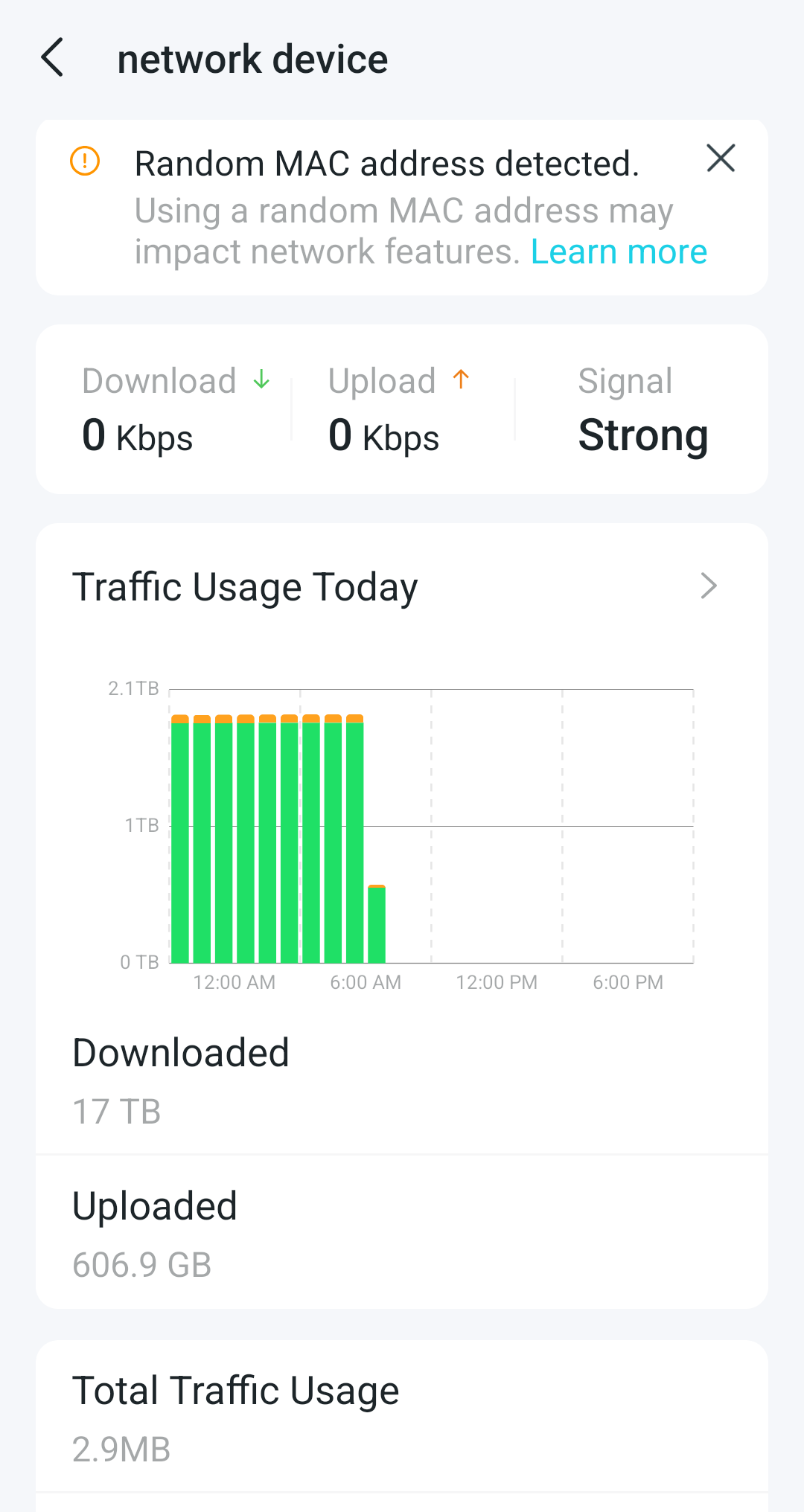
It looks like a glitch in the firmware or app that is reporting a consistent (and very high) amount of traffic every hour for these two clients. This is happening with an Archer BE230 (firmware 1.0.4 build 20250519 rel.47087) and the Android Tether app (version 4.12.124).
- Copy Link
- Report Inappropriate Content
Hello @mttsndrs ,
Welcome to our community.
Have you checked what specific models of these two devices are?
Please try different phones to log in to the Tether App for comparison. If it doesn't help, please save the backup file and App log of the router:
How to create and restore from a backup file on your TP-Link Router
How to collect system log of Tether App
We recommend sending an email to local support email with the following information:
Subject: [Forum Escalation][ID 849800]Abnormal Traffic
Forum Nickname: mttsndrs
Thread URL: https://community.tp-link.com/en/home/forum/topic/849800
Model&Version: Archer BE230-v1-1.0.4
Description:
Any Other Relevant Information: Tether App log file, backup file.
- Copy Link
- Report Inappropriate Content
Thanks @Joseph-TP, that's a good suggestion. I tested it using the Tether app on a different device (an iOS device, since I was testing with Android before) and I do see the same high traffic reported there. It started around midday on Jan 1 and continued until midnight yesterday, Jan 4. Then today that traffic disappeared, the "unknow" and the "network device" are still on the list but not reporting any significant traffic since midnight.
I have no idea what the "unknow" device is since it doesn't appear in the list of clients, but I figured out that the "network device" is a family member's iPhone--which wasn't even in the house for some of the periods of time when that traffic was being reported.
I'll go ahead and send those details to support, thanks for your help!
- Copy Link
- Report Inappropriate Content

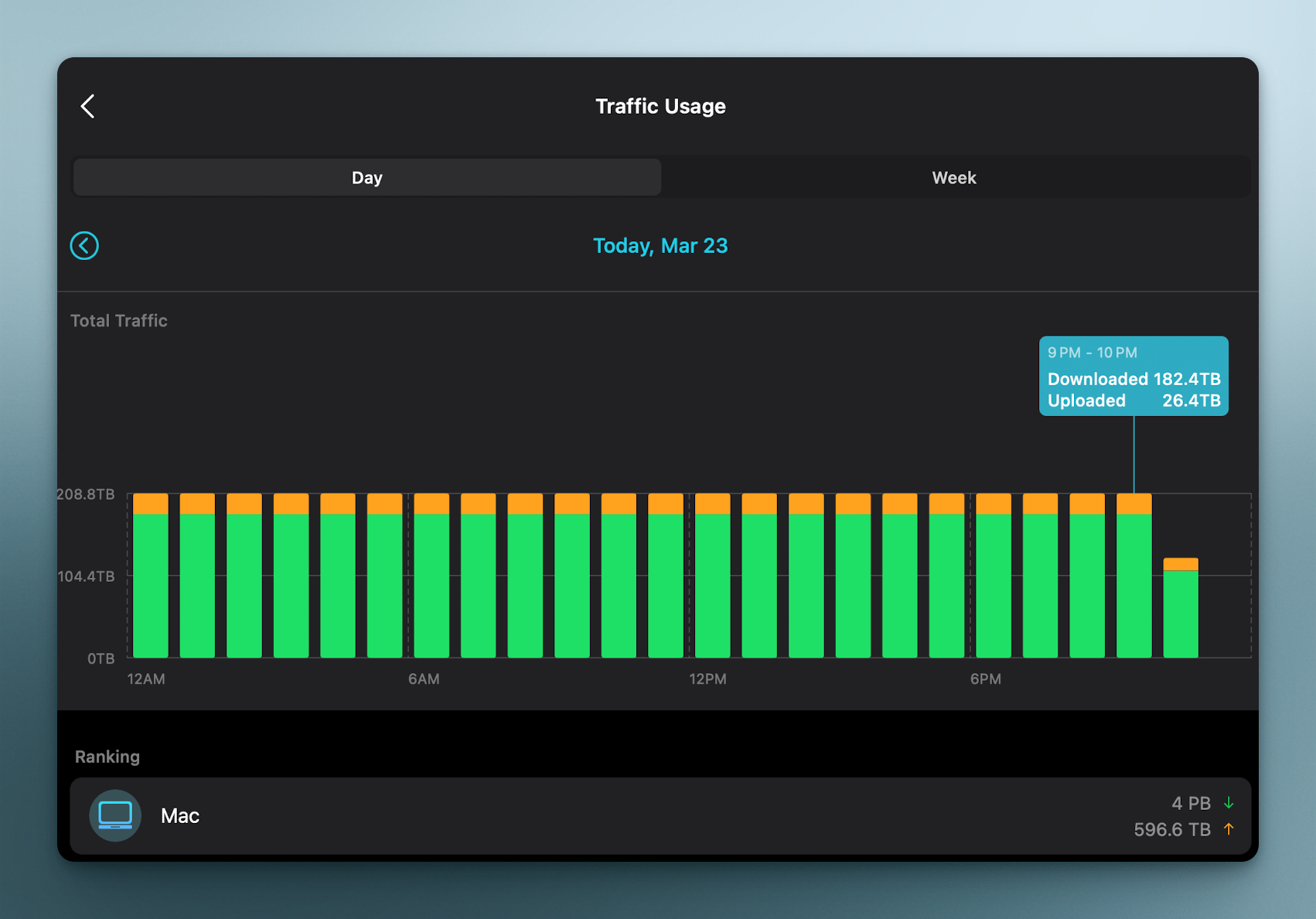
The same thing here. Hard reset didn't help. It went normal after reset like for day or two and here I have this insane "usage" again with the only active 512gb-device.
- Copy Link
- Report Inappropriate Content
Hello @a_regular_user,
Welcome to our community.
May I know the model number of your device? Please refer to
How to find the model number of your TP-Link device
How to find the hardware and firmware version of my TP-Link device
Please confirm the firmware is up to date.
Please try different phones to log in to the App and check whether the error is specific to a particular phone.
- Copy Link
- Report Inappropriate Content
Information
Helpful: 1
Views: 638
Replies: 6
Voters 1
