Can't stream Paramount+ shows

Can't stream Paramount+ shows

Can't stream Paramount+ shows
Yesterday
Model: ER707-M2  
Hardware Version: V1
Firmware Version: 1.3.2 Build 20251009 Rel.61468

Hello Omada Gurus,


I recently upgraded my home network to Omada Wifi7 APs and router (ER707-M2).  I ran into a very strange issue where I can't stream any show from Paramount+ via any device connected to my network.  I can login and access Paramount+ fine, when I click a show it plays the advertisement but as soon as the ad is complete, I get "The video is currently unavailable.  Please try again. Error Code: 3005" from the Paramount app.  I can replicate this 100% of the time. I tried streaming via desktop PCs, mobile app, Roku's, etc. and all exhibit the same error code.  When I use my old router, this problem is eliminated and everything works fine; again, I can replicate this 100% of the time.  In fact, I've tried multiple different routers and they all eliminate this error consistently.  My ER707-M2 router configuration is default and I only changed my DHCP address scheme.  I made sure there is no application or web filtering enabled...I even tried changing firmware versions to see if this fixed the issue but no dice.  Because of this issue, I cannot use this brand new router in my home and is sitting collecting dust until I figure out a solution.  


AI says this error code "signals a video playback interruption or network issue".  My internet pipe is 1Gb up and down.  No ad blockers enabled on the router that I can find.  Restarting modem, network devices, any/all clients makes zero difference.  I'm pulling my hair out. All other streaming apps work fine (HBO Max, Hulu, Netflix, etc.). 


If I can't fix this, I guess I will be returning this unit.  I would love advice from the experts! 

 

  0      
  0      
#1
Options
3 Reply
Re:Can't stream Paramount+ shows
16 hours ago - last edited 16 hours ago

Hi  @Supraholic 


Thank you for posting here.


To understand the situation, please give us the following info:

1. How did you manage the router, with an Omada controller, or via its standalone web interface?

2. Please send us some screenshots of the mentioned DHCP change.

3. What's the Internet connection type of the router? Who is your Internet service provider?

4. Did this issue occur on version 1.2.3?


In the meantime, please try the following and see if it helps:

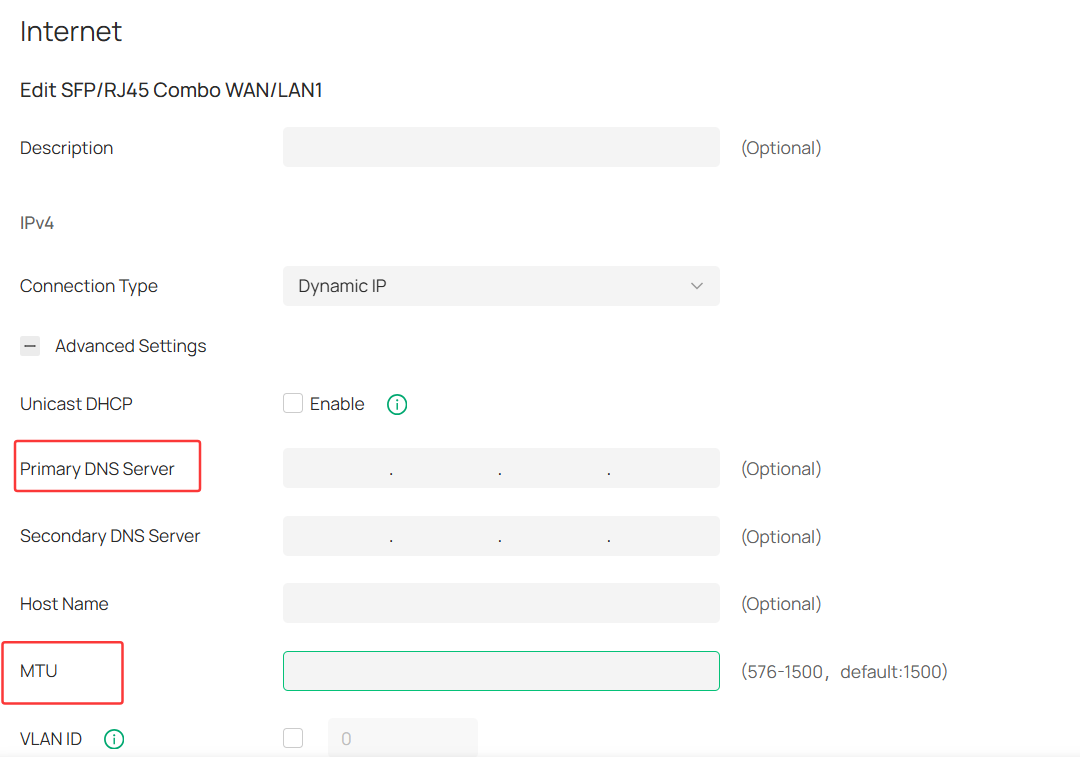
1. Change the DNS server, such as 8.8.8.8;

2. Change the MTU to 1400;

3. Factory reset the router, test with the default settings;


  0  
  0  
#2
Options
Re:Can't stream Paramount+ shows
7 hours ago - last edited 7 hours ago

Hi @Vincent-TP 


Thanks for your prompt response!  Here are the answers to your questions:


1. I manage my network (including router) with the Omada cloud controller...But I've tried all the troubleshooting steps using just local router web management as well, including factory resets in between.

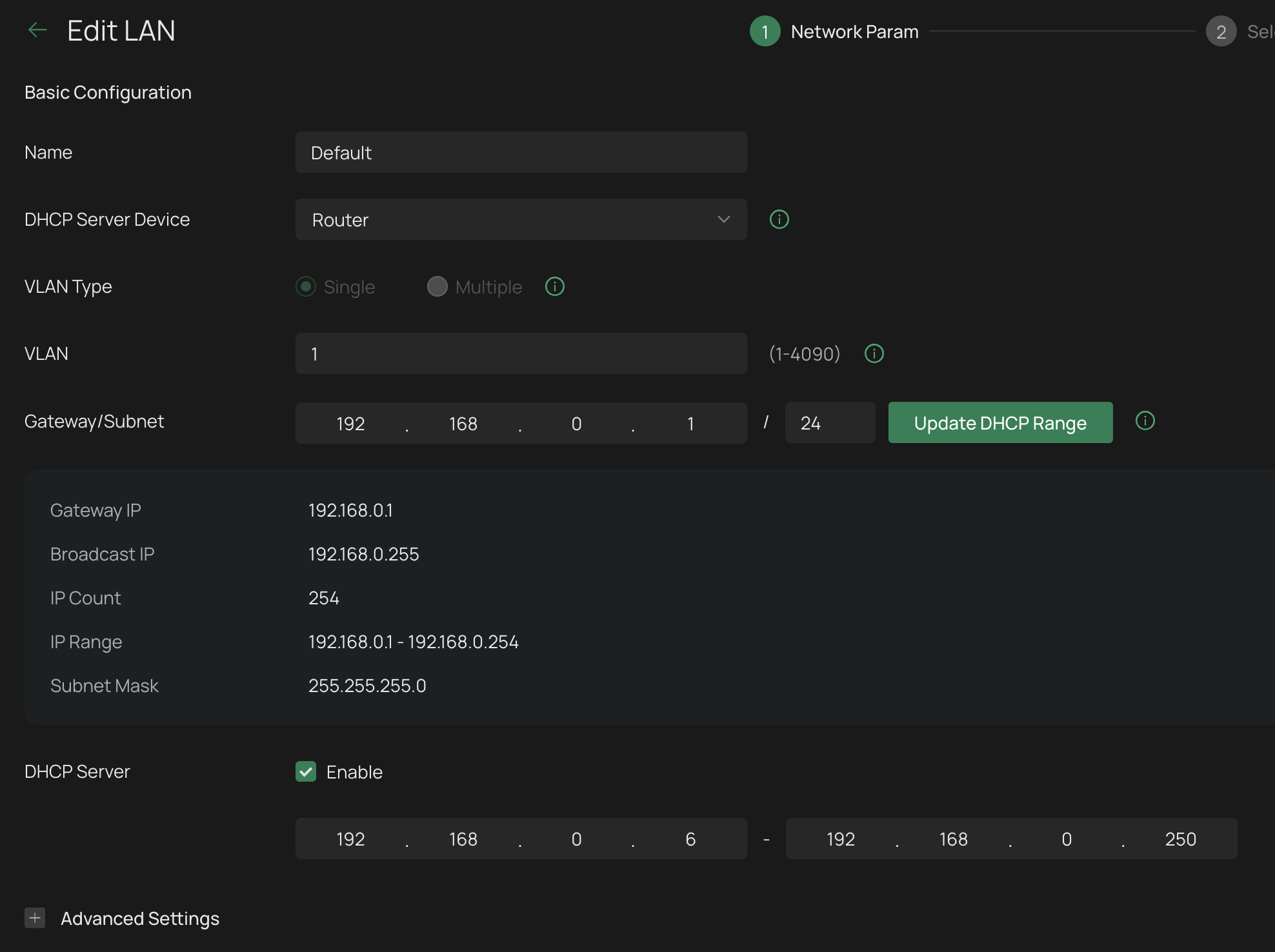
2. Below is a screenshot of my DHCP settings; I simply changed the default DHCP scope from 192.168.0.100 - .199 to 192.168.0.6 to .250

3. The internet connection is provided by Breezeline (Fiber modem) connected via ethernet to the router (port1: 2.5G WAN1).  (I also had Xfinity internet for a short period of time and when testing, this same exact issue occurred with either ISP; therefore I think we can rule out the ISP as the issue.)

4. I can't seem to downgrade to v1.2.3; I get "Upgrade Failed. Please check the upgrade file and try again." when trying to do so via local web management


I tried the settings you recommended...I first set WAN primary DNS to 8.8.8.8 and retested; no change.  I then set MTU to 1400 and retested; no change.  I factory reset the router again and made just these two setting changes; no change.


DHCP Server setting:


Here's another clue...I did some more searching and found this interesting post on Reddit

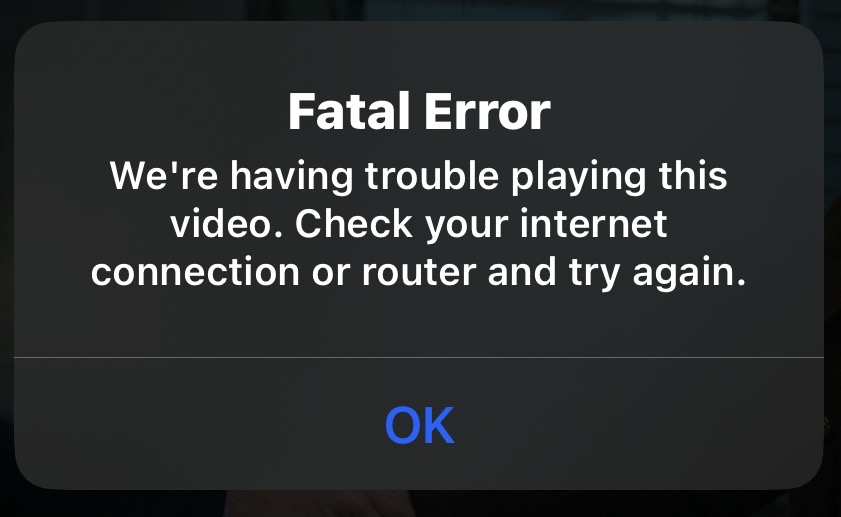
I tried streaming a Paramount+ video via my Chrome web browser on PC using "Incognito mode" and it worked fine!  When trying to stream via normal mode via Chrome the same issue occurs (Error 3005).  There's no "incognito mode" on Roku so this isn't a good solution.  Even when trying to stream via Paramount+ app on my iPhone (via wifi) I get the following error.  When disabling wifi and streaming the same video via cell connection, it plays fine.


From reddit: "This is a server error (3005), for some reason it's balking at the presence of an add blocker. The browser used to access is not relevant afaik. Any ad blocking extension will make paramount not work."  Paramount+ may not be the best streaming source but given that other routers I've tried don't exhibit this issue, something strange is going on.  Is there some type of inherent ad blocker built into the ER707-M2 firmware? Really appreciate any other troubleshooting steps you might have.  Thank you.


  0  
  0  
#3
Options
Re:Can't stream Paramount+ shows
2 hours ago

  @Supraholic 


If you have IDS / IPS enabled, uncheck the DNS option in custom IDS setting profile

  0  
  0  
#4
Options