
The new firmware connection to the OpenVPN server cannot access the router's SMB storage share.

Sorry, English is not my native language; the following is a translation.
When I used Archer BE230 v1.20 firmware version 1.2.1 Build 20250804 rel.79639, I could connect to the router's SMB storage sharing from outside by enabling the OpenVPN server.
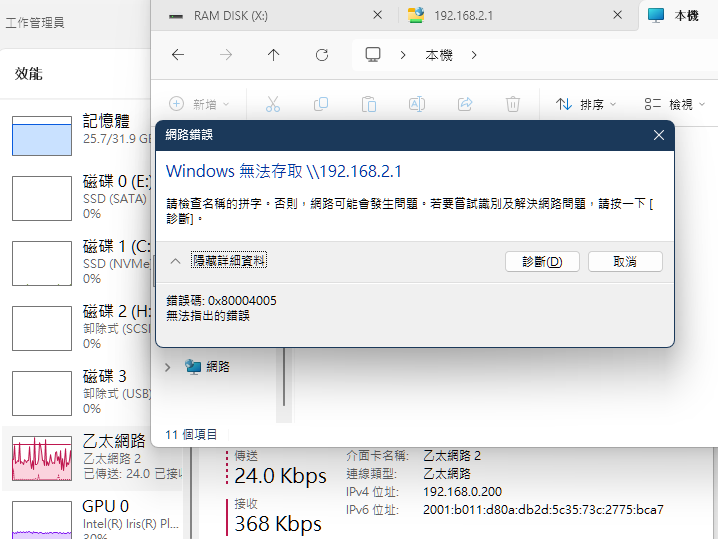
However, after updating to firmware version 1.2.3 Build 20251209 rel.18810, I cannot connect to the router's SMB storage sharing from outside by enabling the OpenVPN server. Using the IP address "\\192.168.X.1\g" and "\\server name" also fails to connect. This happens on both my phone and computer.
My settings are as follows:
Service Type: UDP
Interface Type: TUN
Service Port: 1194
VPN Subnet: 10.8.0.0
Netmask: 255.255.255.0
Client Access: Internet and Home Network
- Copy Link
- Subscribe
- Bookmark
- Report Inappropriate Content


Hi@horng31208 ,
As far as I know, a new firmware has been released. Please update it promptly and verify if the new firmware can fix it.
- Copy Link
- Report Inappropriate Content
Hello @horng31208 ,
Thanks for contacting our community.
Please test the following steps and send back the results:
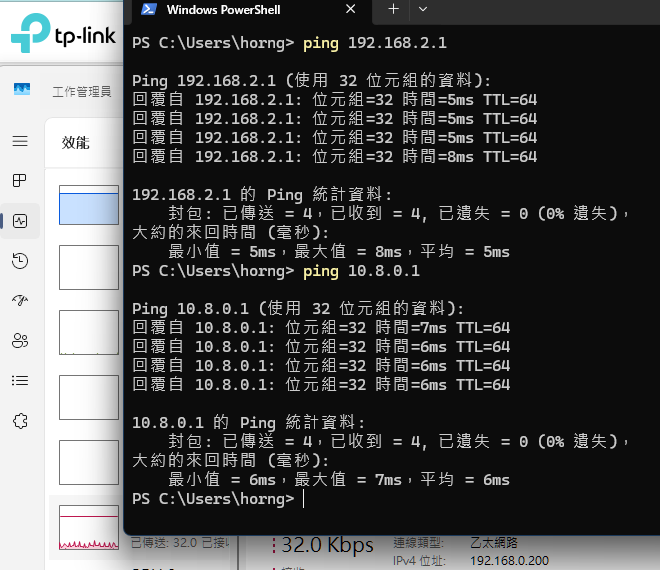
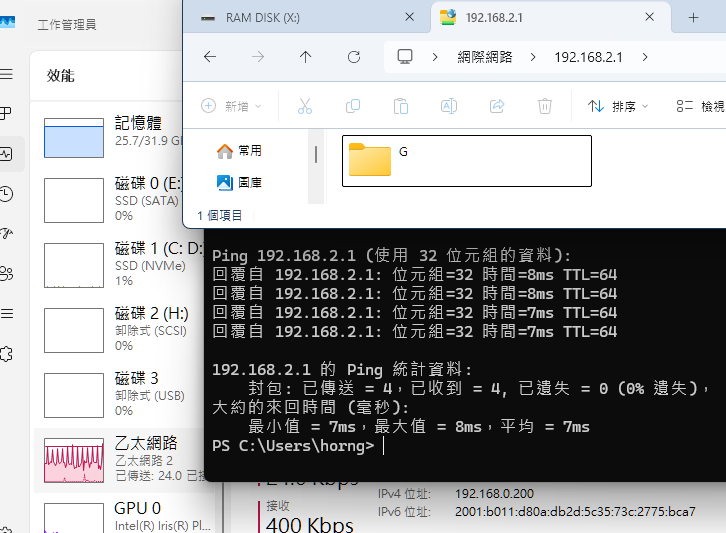
1. It is recommended to confirm whether you can ping the router's LAN IP (e.g., 192.168.0.1) from the VPN client after the VPN server connection is established.
2. Please compare the FTP service test. Specifically, when accessing a USB device, replace the access address with the VPN interface address.
By default settings, the OpenVPN address is 10.8.0.1, and the WireGuard address is 10.5.5.1.
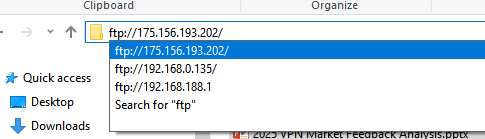
For further analysis, contact Local Support or email the test results, and prioritize upgrading the case accordingly.
You can send emails in the following format:
Subject: [Forum Escalation][ID 852978] The new firmware connection to the OpenVPN server cannot access the router's SMB storage share.
Forum Nickname: horng31208
Thread URL: https://community.tp-link.com/en/home/forum/topic/852978
Model&Version: Archer BE230-v1-1.2.3
Description:
- Copy Link
- Report Inappropriate Content
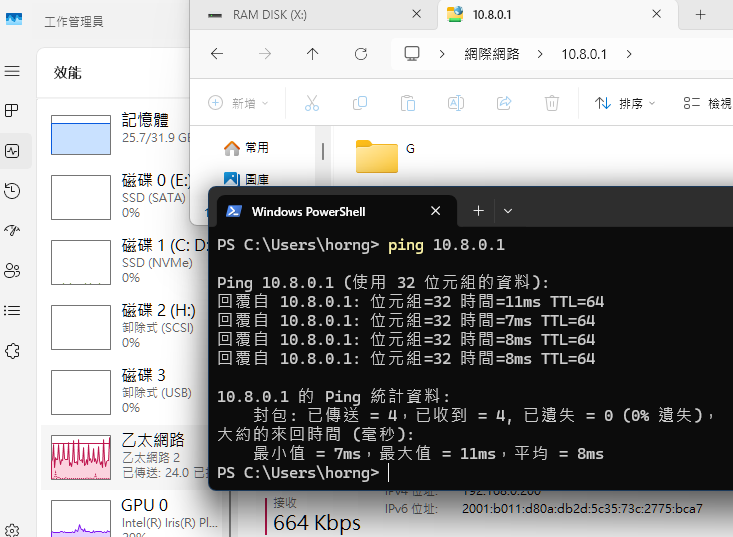
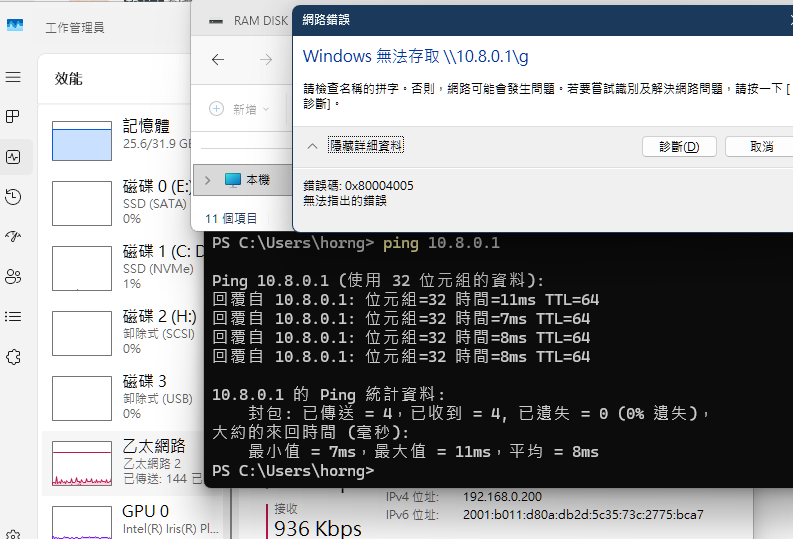
- Copy Link
- Report Inappropriate Content
Hi@horng31208 ,
As far as I know, a new firmware has been released. Please update it promptly and verify if the new firmware can fix it.
- Copy Link
- Report Inappropriate Content
Information
Helpful: 0
Views: 600
Replies: 3
Voters 0
No one has voted for it yet.