
After I reset, I couldn't switch the language in the management interface.

I found that after the update, my AX72 It is very easy to appear CPU 100% of the time.
Therefore, I reset the settings to factory defaults. However, when I tried to change the language of the device management interface to Chinese after the reset, I found that the language was not changed after selecting it. Is there a firmware update that can solve this problem?
- Copy Link
- Subscribe
- Bookmark
- Report Inappropriate Content


Hi@PokoTW ,
Have you compared with the Tether App management page?
If your network usage is not significantly affected, I suggest you continue to monitor the router.
I will also report this to the relevant department to confirm whether any areas need improvement.
Thanks again for your feedback.
- Copy Link
- Report Inappropriate Content
Hello @PokoTW ,
Welcome to our community.
For CPU usage, have you run any high-traffic activity? Or add any new client to the network?
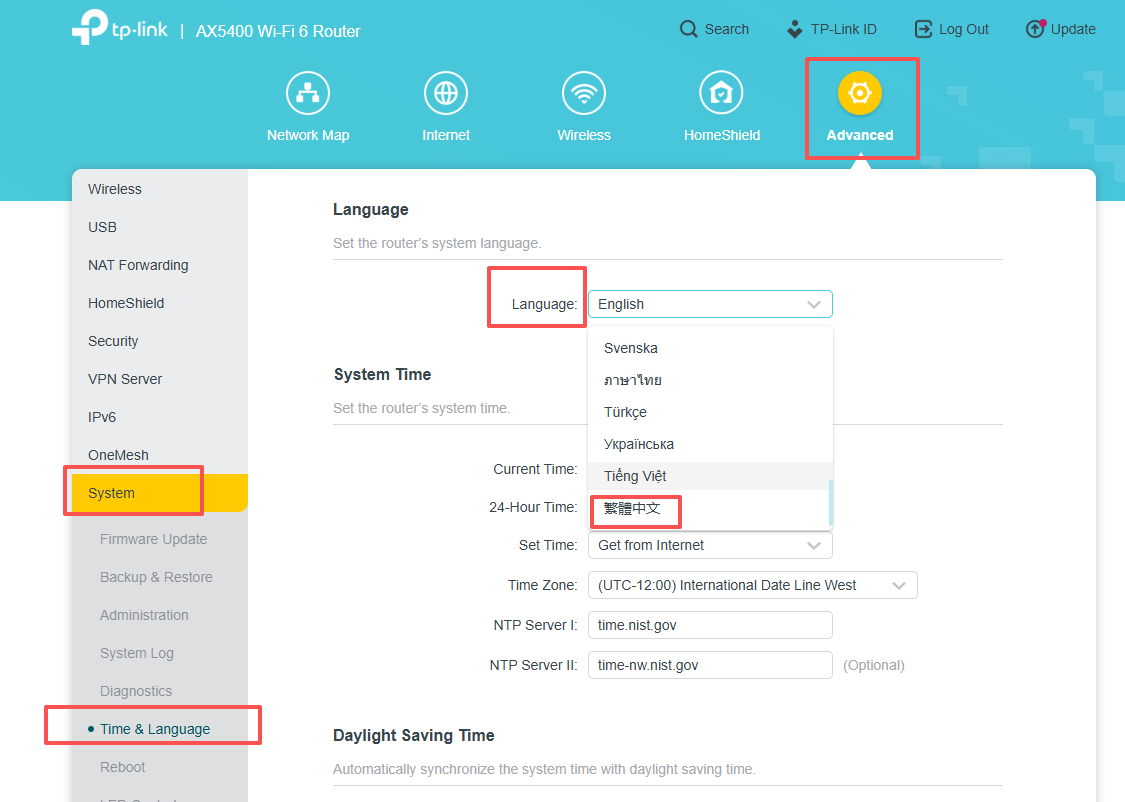
For the language, please go to Advanced->System->Time& Language. The Chinese option should be the last.
- Copy Link
- Report Inappropriate Content
@Joseph-TP Thank you for your reply. The language setting here is working fine, but the language options in the upper right corner are not responding.
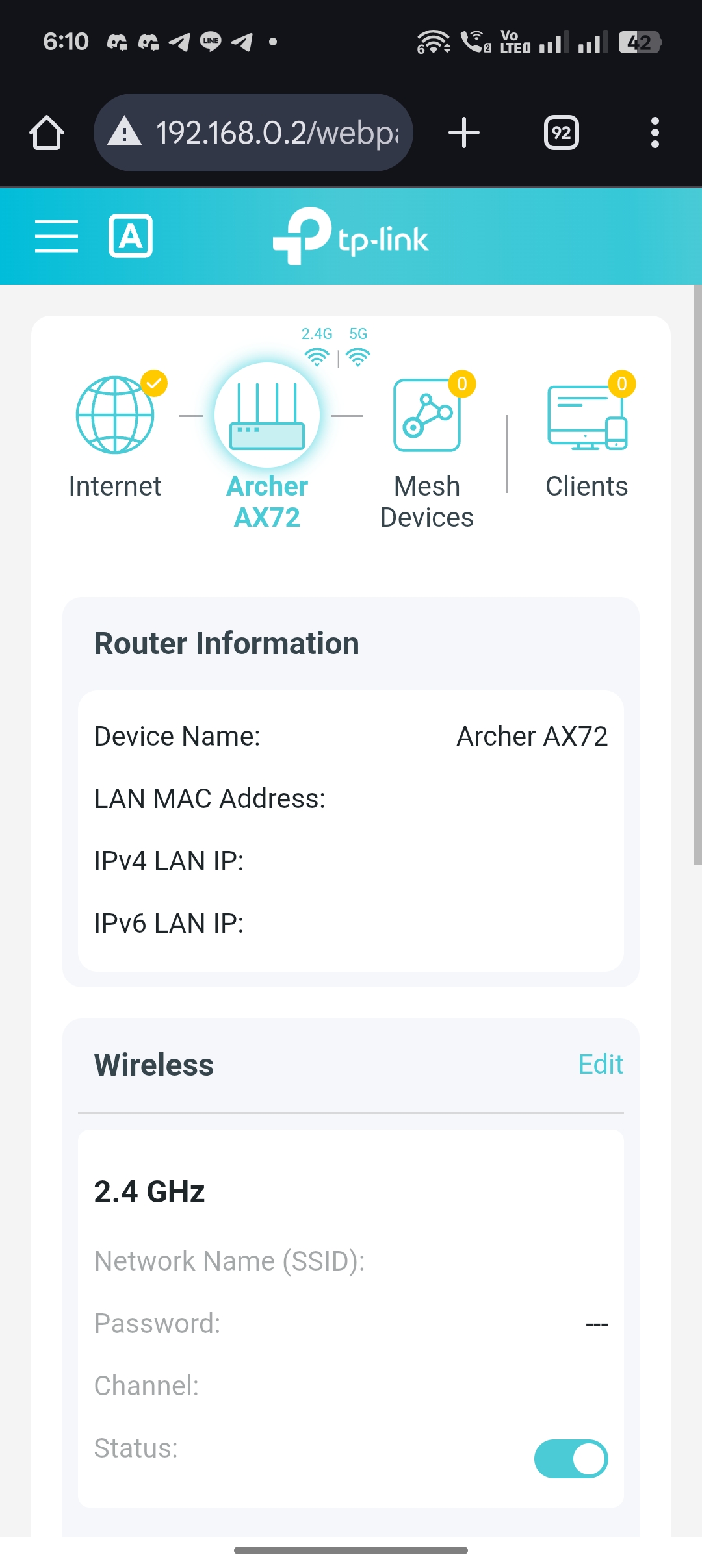
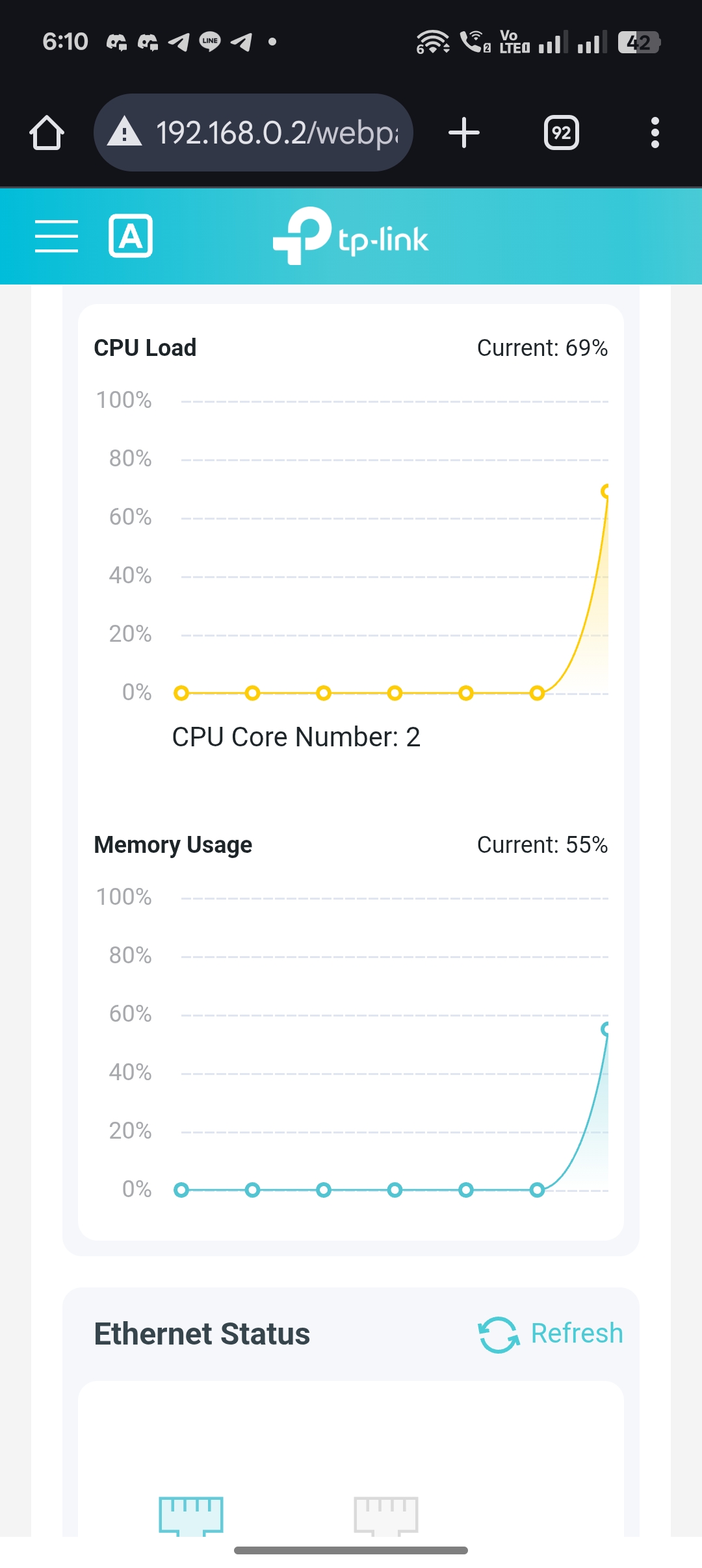
Additionally, I found that the processor speed suddenly spiked when I entered the following screens, and the screen data loaded very slowly.
- Copy Link
- Report Inappropriate Content
Hello @PokoTW ,
Does the CPU usage surge only occur when you try to log in to the router's web interface? Please confirm that you have connected to the router's WiFi, and turn off the mobile data.
After successfully logging into the router's web interface, will CPU usage decrease? Besides this, will internet usage be significantly affected?
- Copy Link
- Report Inappropriate Content
@Joseph-TP Thank you, the language issue has been resolved, and I can switch normally now.
The CPU issue was correct; it only occurred when I tried to log into the router's web interface, and then it would drop again. However, it took longer than previous versions to retrieve device IP information or client details from the webpage.
- Copy Link
- Report Inappropriate Content
Hi@PokoTW ,
Have you compared with the Tether App management page?
If your network usage is not significantly affected, I suggest you continue to monitor the router.
I will also report this to the relevant department to confirm whether any areas need improvement.
Thanks again for your feedback.
- Copy Link
- Report Inappropriate Content
Information
Helpful: 1
Views: 366
Replies: 5
Voters 1