
Warnings in the logs every 30 seconds are driving me crazy
Warnings in the logs every 30 seconds are driving me crazy

Hi
I'm breaking my head over these 2 errors that keep appearing every 30 seconds in my log:
01-05-2026 18:44:18.462 INFO [client-inform-work-group-2] [] c.t.s.o.c.p.c.n(): com.tplink.smb.omada.client.port.cache.n$b: Lan network does not exist, OmadacId: 5c4555ae84bc2b554b180e2ead37c0b3, SiteId: 695bcb5a5fa1f14f446f6b1c, vid:0
AND
01-05-2026 18:46:20.668 WARN [https-jsse-nio-8043-exec-2] [] c.t.s.o.m.p.m.d.o.o(): Osw 30-DE-4B-B0-1E-A9 with omadac 5c4555ae84bc2b554b180e2ead37c0b3 ports or lags is null.
Can you please tell me I'm not going crazy and this is a bug?
My setup is 1 Omada switch (SG2016P v1.20) and 4 AP's (1x EAP723 and 3x EAP725-wall). All on the lastest firmware.
My router/firewall is OPNsense and I don't use any VLANs at all...
I'm running the software controller v6.0.0.25.
I already removed my site completely and started 100% fresh to end with the exact same logs...
Kind regards
Sammy Verdonck
- Copy Link
- Subscribe
- Bookmark
- Report Inappropriate Content
It was also mentioned in ticket TKID241228321 as seen here: https://community.tp-link.com/en/business/forum/topic/717894
- Copy Link
- Report Inappropriate Content

@sammyverdonck - I have the same logs happening regularly in my controller. At this point I am assuming it's a bug that needs to be fixed. I've seen multiple people have that in their logs that they've shared for other reasons.
- Copy Link
- Report Inappropriate Content


Hi @mbentley
Thanks for posting here.
Please share some screenshots of the mentioned logs.
When do these logs first occur? Did you change any settings or update the firmware version for specific devices before that?
- Copy Link
- Report Inappropriate Content
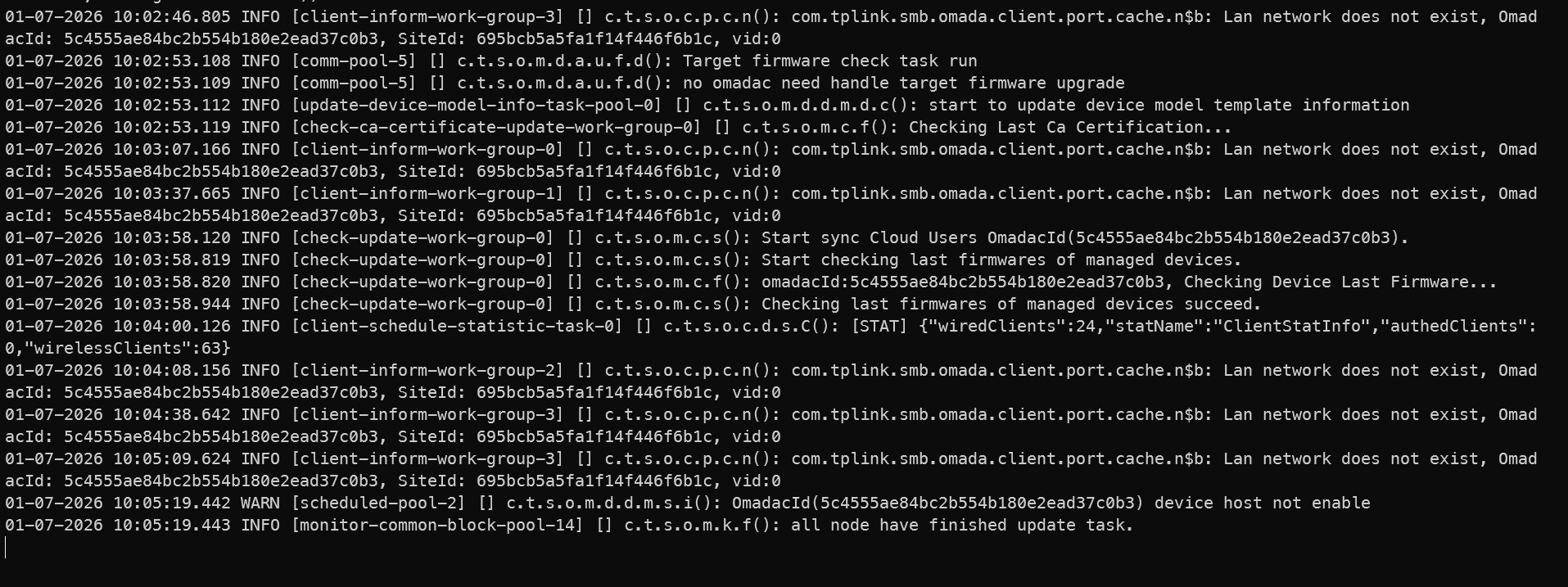
- Copy Link
- Report Inappropriate Content
- Copy Link
- Report Inappropriate Content
Thanks for the quick reply.
This doesn’t look like the controller’s WEB interface. May I ask where this screenshot is from? Have you set up remote logging?
Did these logs show up on the Controller's Logs page?
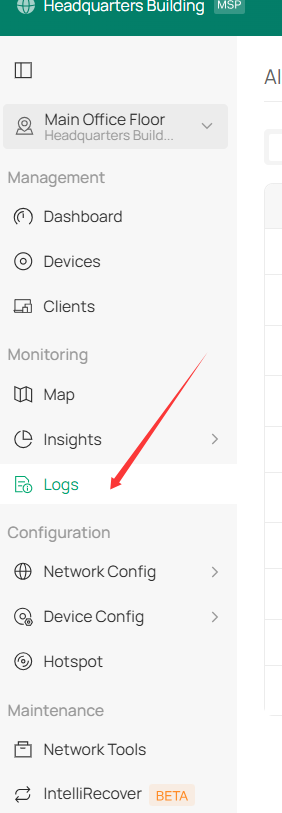
- Copy Link
- Report Inappropriate Content
@Vincent-TP you're correct. These are logs read with
docker logs -f omada-controller
from the docker container from https://github.com/mbentley/docker-omada-controller
- Copy Link
- Report Inappropriate Content
Are these logs showing on the controller's web interface?
For some reason, I can't access the link you shared.
sammyverdonck wrote
@Vincent-TP you're correct. These are logs read with
docker logs -f omada-controller
from the docker container from https://github.com/mbentley/docker-omada-controller
- Copy Link
- Report Inappropriate Content
- Copy Link
- Report Inappropriate Content
Thank you so much for taking the time to post the issue on the TP-Link community!
To better assist you, I've created a support ticket via your registered email address and escalated it to our support engineer to look into the issue. The ticket ID is TKID260112065. Please check your email box and ensure the support email is well received. Thanks!
Once the issue is addressed or resolved, please update this topic thread with your solution to help others who may encounter the same problem as you did.
Many thanks for your excellent cooperation and patience!
- Copy Link
- Report Inappropriate Content
Information
Helpful: 0
Views: 1508
Replies: 14
Voters 0
No one has voted for it yet.