
My AX23 and AX53 router capped at 100 mbps

I find out somethings:
- When I use cables like cat6a, cat7, cat8, the internet port will stuck at 100mps. (All cables are new and also tested well with orther different router)
- When I try to use old cables like cat5e and cat6, the rounter internet port speed will come to 1000 mbps.
So I wonder if the TP-Link AX router cant use with high-end cables?
- Copy Link
- Subscribe
- Bookmark
- Report Inappropriate Content


Hello @EnnnTiii ,
Welcome to our community.
May I know if your network topology diagram is as follows:
ISP modem—AX53—AX23)))((( client devices
(Note: — stands for wired connection,)))((( stands for wireless connection )
What are the firmware and hardware versions of your routers now? Please refer to How to find the hardware and firmware version of my TP-Link device
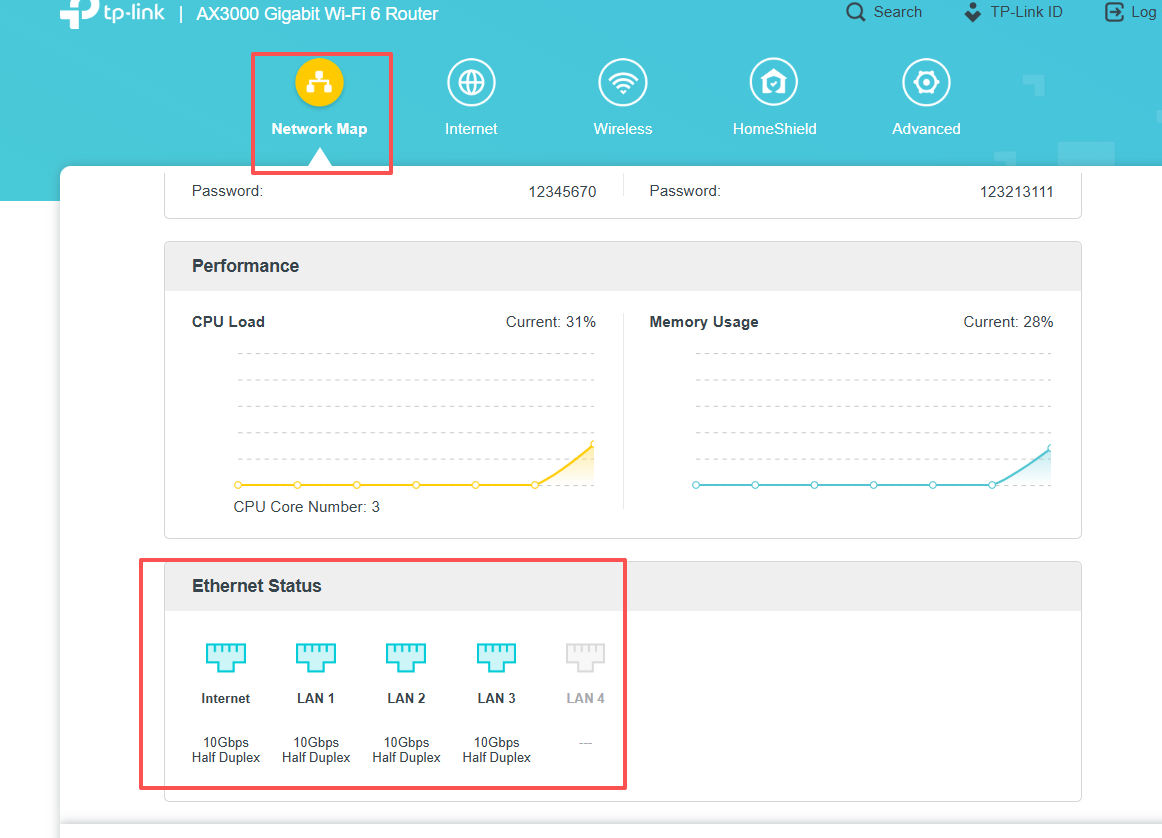
Also, when the speed drops, please check the Ethernet Status on the Network Map(click on Archer AX53) page. Please take a screenshot and send it here.
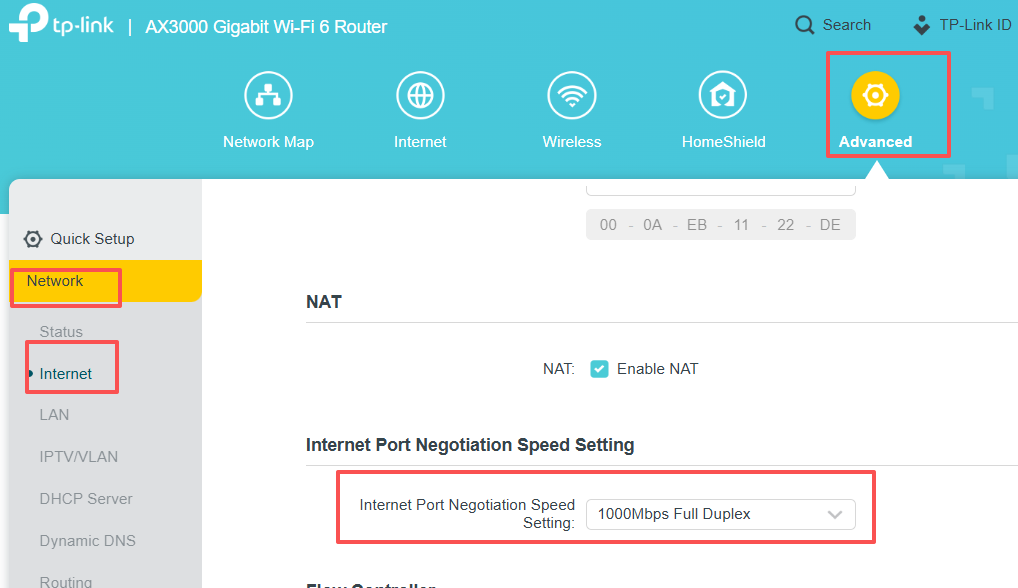
What if you set the Internet Port Negotiation Speed Setting to 1000Mbps Full Duplex? Will it help?
- Copy Link
- Report Inappropriate Content
Hello @EnnnTiii ,
Welcome to our community.
May I know if your network topology diagram is as follows:
ISP modem—AX53—AX23)))((( client devices
(Note: — stands for wired connection,)))((( stands for wireless connection )
What are the firmware and hardware versions of your routers now? Please refer to How to find the hardware and firmware version of my TP-Link device
Also, when the speed drops, please check the Ethernet Status on the Network Map(click on Archer AX53) page. Please take a screenshot and send it here.
What if you set the Internet Port Negotiation Speed Setting to 1000Mbps Full Duplex? Will it help?
- Copy Link
- Report Inappropriate Content
Information
Helpful: 3
Views: 455
Replies: 1
Voters 0
No one has voted for it yet.