
Your account has not been verified. Please accept the invitation and then try again.

Your account has not been verified. Please accept the invitation and then try again.

Your account has not been verified. Please accept the invitation and then try again.
Yesterday - last edited 11 hours ago
Model: OC200  
Hardware Version:
Firmware Version:

It all starts with: when I log in to Omada Cloud with my email address, the site and device list is not correct.


I then log in locally with 192.168.0.xx with this email address (I forgot my OC200 local username).


I thought I unbind and then bind again may fix the issue of Omada Cloud not showing the correct devices.


After I unbind, I cannot log in back to OC200 locally!!!


it said: Your account has not been verified. Please accept the invitation and then try again.


here the email is not real, but same format/pattern as my my actual email.
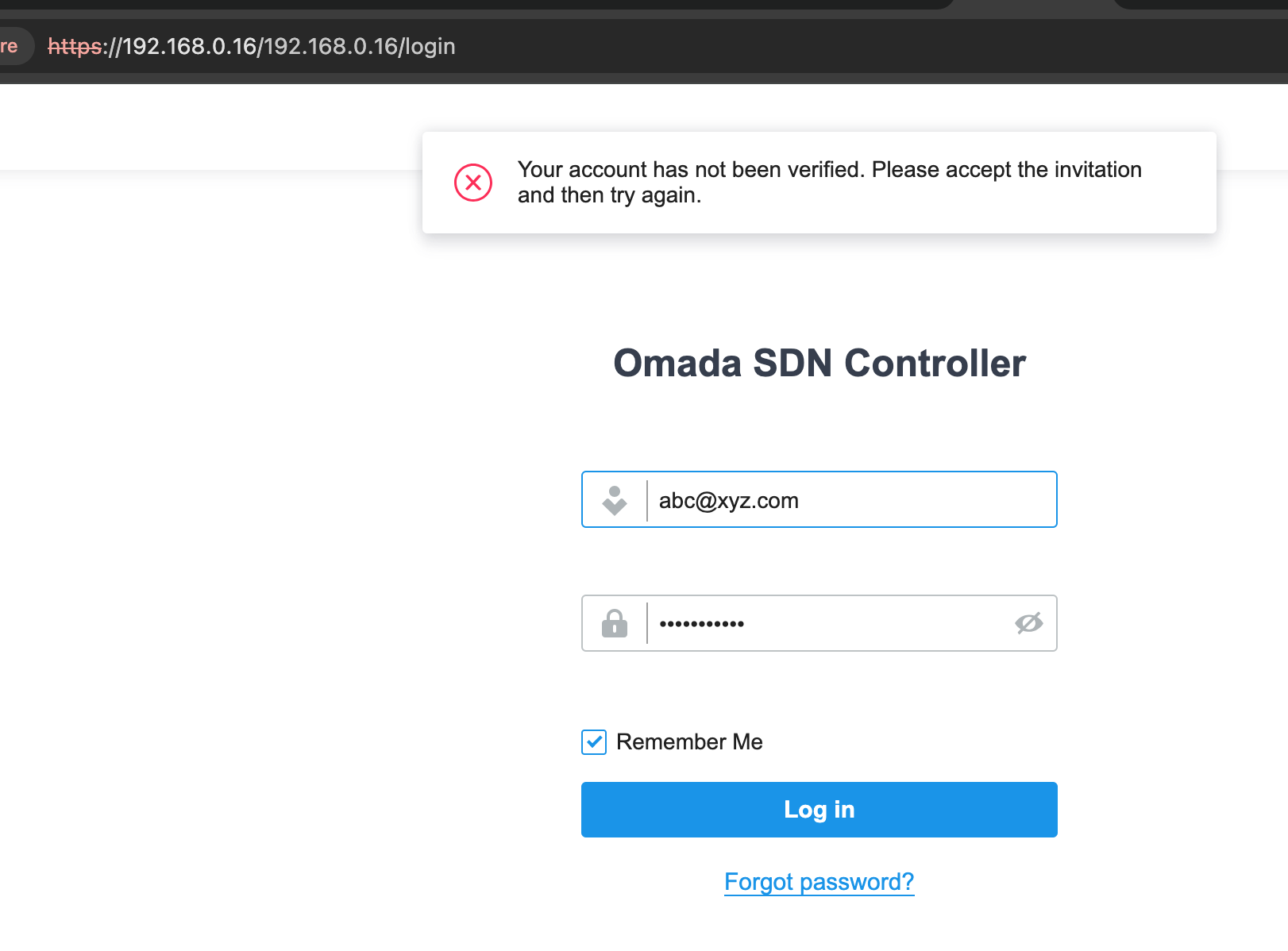


I didn't receive any email.


How do I log back in? 


Thanks,

Miles

  0      
  0      
#1
Options
1 Accepted Solution
Re:Your account has not been verified. Please accept the invitation and then try again.-Solution
11 hours ago - last edited 11 hours ago

Hi  @Miles1980 


Thanks for posting here.

If you can't recall the local account, the only solution is to reset the controller and create a new account to log in. If you have saved the configuration file, you can import it directly—you’ll only need to create a new account.

You have disabled the cloud service, which also means your cloud account—your email—has been disabled. As a result, you can no longer log in with this account. When logging in to the controller with a cloud account, it should not be possible to disable the cloud service, so I’m not sure how you managed to do so.


However, the latest version of the controller prevents this from happening. Based on your login interface, it appears to be an older version. I recommend updating the controller to the latest version for better use.


https://support.omadanetworks.com/en/product/oc200/v1/?resourceType=download

Recommended Solution
  0  
  0  
#3
Options
2 Reply
Re:Your account has not been verified. Please accept the invitation and then try again.
Yesterday

Finally I remembered the login for local OC200 admin.


I then bind to a new created fresh TPLink Cloud ID, then the cloud access to the controller is working all good.


Luckily I remembered the local login. But what if not? So this question still stays open....

  0  
  0  
#2
Options
Re:Your account has not been verified. Please accept the invitation and then try again.-Solution
11 hours ago - last edited 11 hours ago

Hi  @Miles1980 


Thanks for posting here.

If you can't recall the local account, the only solution is to reset the controller and create a new account to log in. If you have saved the configuration file, you can import it directly—you’ll only need to create a new account.

You have disabled the cloud service, which also means your cloud account—your email—has been disabled. As a result, you can no longer log in with this account. When logging in to the controller with a cloud account, it should not be possible to disable the cloud service, so I’m not sure how you managed to do so.


However, the latest version of the controller prevents this from happening. Based on your login interface, it appears to be an older version. I recommend updating the controller to the latest version for better use.


https://support.omadanetworks.com/en/product/oc200/v1/?resourceType=download

Recommended Solution
  0  
  0  
#3
Options
