
TP-Link BE930 - can't print (but can can connect to the printer)

I've upgraded my old TP-Link Archer router to new Archer BE930. I've set up the wifi to be exactly the same and mapped DHCP static leases to be the same as in the old router, so that I don't have to reconfigure my network.
Now my Xerox WorkCentre 6515 usually works without any issues from any device in the network. After the router replacement I can't print to the printer.
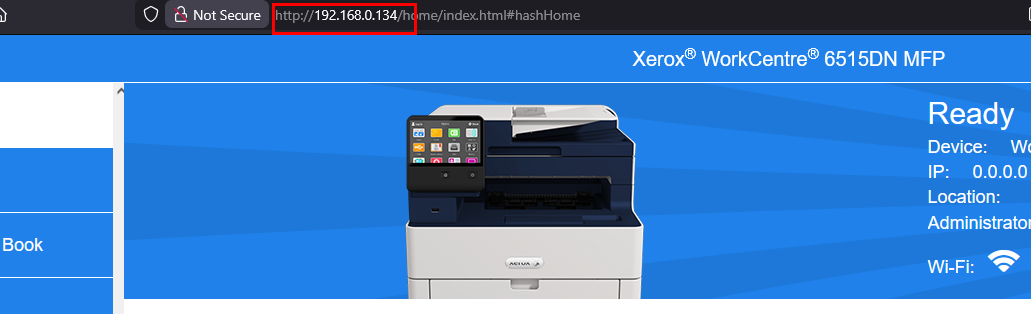
I can connect to printer's web interface via IP-address, I can add printer manually via IP address in Xerox software, I can SCAN from it by using Xerox Software
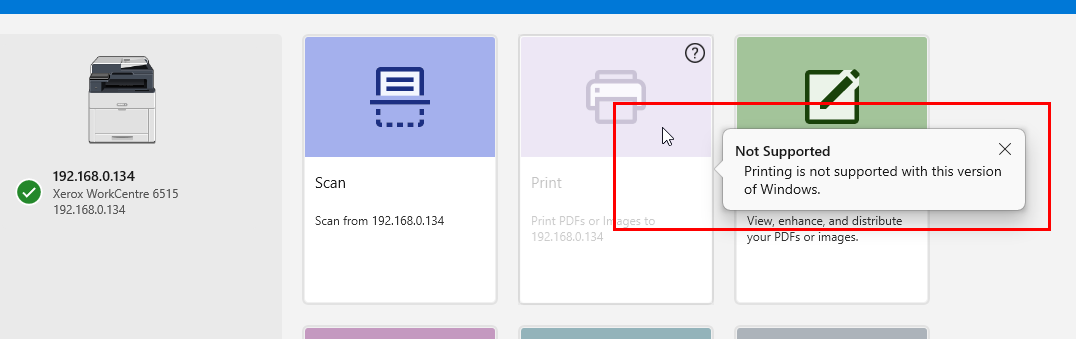
but Windows does not see it as a printer and can't print to it.
Also when I try to start a scan from the printer to upload scanned files to FTP Server (yes, I know!), that upload is blocked. The FTP is up and available, I checked.
So something in the new router is blocking traffic from the printer, but not all traffic. HTTP and scan requests are allowed, but not printing or FTP.
Can't print:
I can reach printer via HTTP:
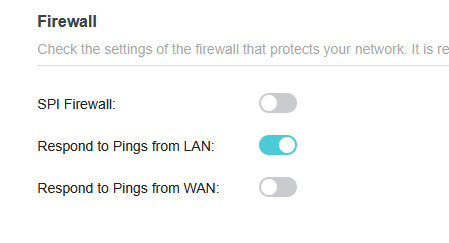
SPI Firewall is turned off on the router:
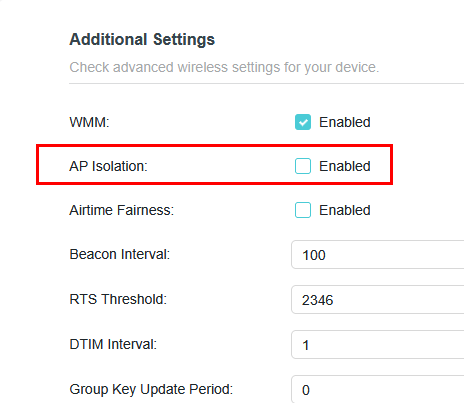
AP Isolation is also off:
What else is causing this in the router?
Many thanks!
Max
- Copy Link
- Subscribe
- Bookmark
- Report Inappropriate Content
Answer found after support team got in touch with me.
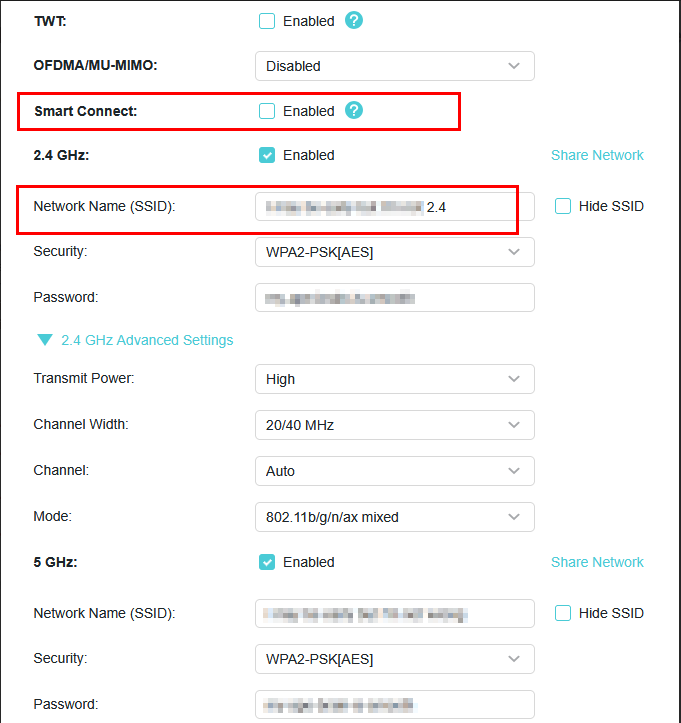
The solution was to disable Smart Connect in WiFi settings and have a separate name for 2.4Ghz network and connect the printer to that network instead of 5GHz one.
- Copy Link
- Report Inappropriate Content


Hello @trailmax ,
Welcome to our community.
May I know your whole network topology? For example:
ISP modem—router )))((( client devices
└──(LAN cable)—Printer
(Note: — stands for wired connection,)))((( stands for wireless connection )
Have you enabled advanced features, like OpenVPN? MLO network?
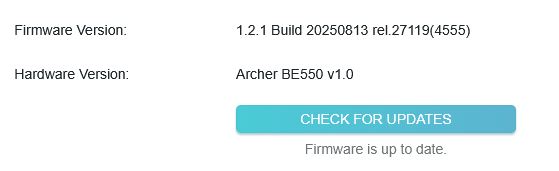
By the way, the 1.2.2 version has been released. You can enable the Auto Update button on the firmware update page, then check for updates.
- Copy Link
- Report Inappropriate Content
@Joseph-TP, thanks for looking into this.
I have just tried auto-update, and there was no new version found.
Here it the topology:
[ISP Modem (192.168.1.1)] ----- (LAN Cable) ----- [(192.168.1.204)TP-Link Router(192.168.0.0/24)] --- (WiFi)--- [Printer (192.168.0.134), other clients].
The TP-Link router is ethernet-cable connected to ISP router/modem. ISP router is using 192.168.1.1/24.
TP-Link router is in routing mode, using 192.168.0.0/24 network. Printer's IP address is fixed, printer is connected via WiFi.
No OpenVPN, enabled MLO Network, but printer is few years old and is connected to 5G WiFi.
Here is how routing table looks:
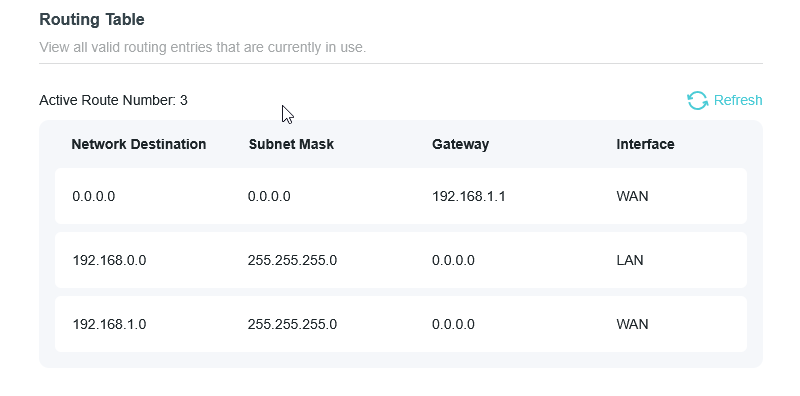
I've not done any changes to it - auto-generated.
I have a PiHole DNS server running and the router's configured to use that as a primary DNS server:
Are you looking to see if anything specific is turned on?
Again, thanks for helping!
- Copy Link
- Report Inappropriate Content
I've just factory-reset the printer, reconnected to the WiFi and it made no difference, so it is not a printer :-(
- Copy Link
- Report Inappropriate Content
Hi @trailmax ,
We would like to escalate your case to the support engineers, and they will follow up on it. If you are willing to conduct further analysis, please check your inbox and respond.
- Copy Link
- Report Inappropriate Content
@Joseph-TP great, thanks a lot. I'm happy to jump on a Teams call to screenshare to debug the issue.
At this point I'm about to swap the router to the old one, as I need my printer.
- Copy Link
- Report Inappropriate Content
Answer found after support team got in touch with me.
The solution was to disable Smart Connect in WiFi settings and have a separate name for 2.4Ghz network and connect the printer to that network instead of 5GHz one.
- Copy Link
- Report Inappropriate Content
I am glad to hear that you finally got the solution.
Please feel free to contact us if you have any further questions.
- Copy Link
- Report Inappropriate Content
Information
Helpful: 0
Views: 567
Replies: 7
Voters 0
No one has voted for it yet.