
Intrusion Prevention System Problem

I bought a brother printer dcp-t730dw last year, around may, and i started having issues with the intrusion prevention system as it shows in the uploaded image and i cant use my printer properly, i thought that in the next firmware update it was about to be solved, but nothing, till today i have this problem, 192.168.0.206 is my printer ip, i will appreciate if you could help me with that, i already tried white listing, mac and binding, but didnt worked.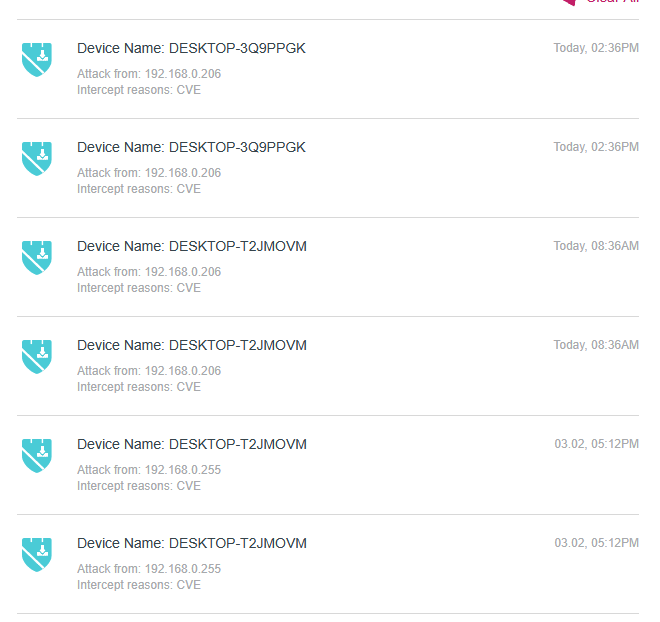
- Copy Link
- Subscribe
- Bookmark
- Report Inappropriate Content

From your screenshot it appears that a device in your LAN is querying your router via SNMP protocol and the router thinks that it's an actual threat.
That's not an actual threat - SNMP (Simple Network Managemnt Protocol) uses a UDP port 161 to gather system information from devices in a network.
And again you have two different devices receiving the same IP address from your router:
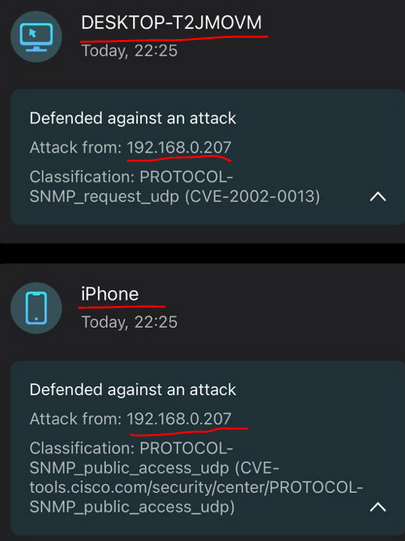
You have to fix you IP addressing scheme, like you did for your printer, so any device would get the same IP address, every time it connects to your router.
Once you did that, you'll see which device is actually causing this issue and whitelist it once and for all.
- Copy Link
- Report Inappropriate Content
Something's wrong with your IP address settings:
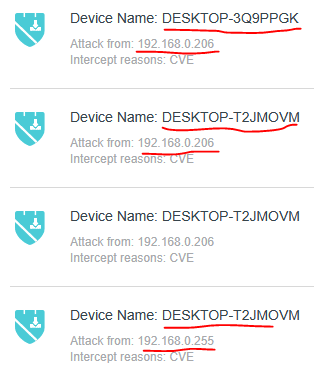
At least two different devices are receiving the same IP address as your printer in question (192.168.0.206).
If you're trying to bind the printer MAC address to a particular IP address use the address reservation feature (not IP & MAC binding) if you've set your printer to receve its IP address by DHCP.
Alternativly you can set the printer with a static IP address ( 192.168.0.206 ) and use DHCP range on your router from 192.168.0.100 to 192.168.0.200 only.
Then whitelist the device with IP address 192.168.0.206 (this should be your printer).
- Copy Link
- Report Inappropriate Content
@terziyski the white list worked this time, this is the only fix for this? im saying that cause im not always at home to set devices to the white list, here is a more detailed info about 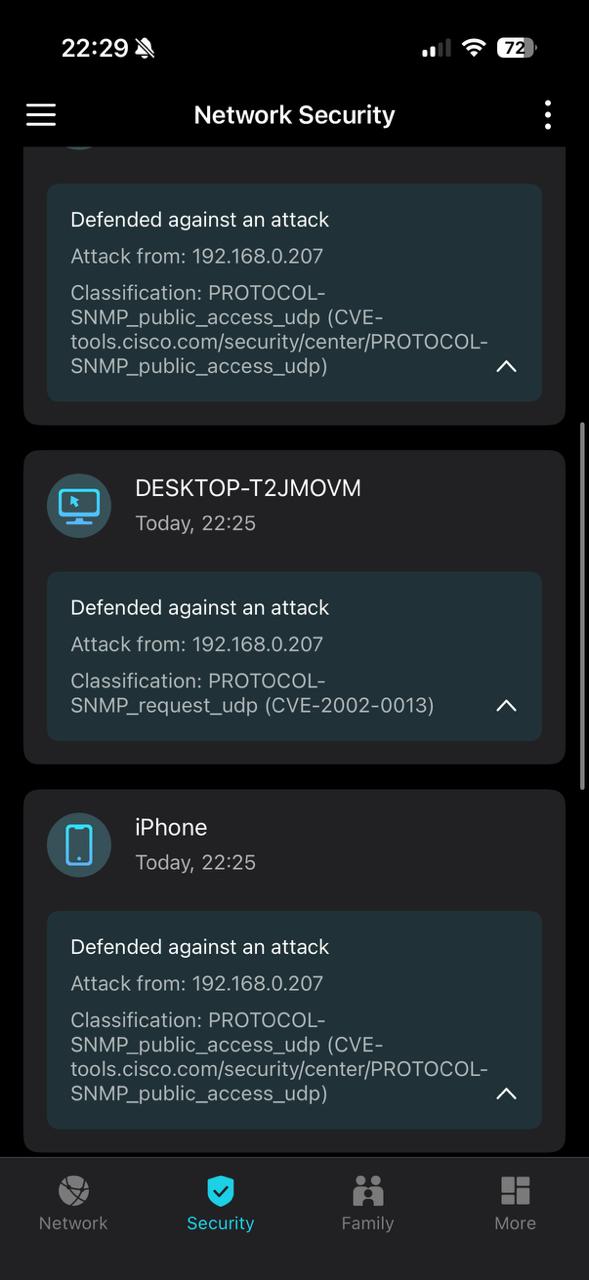
- Copy Link
- Report Inappropriate Content
From your screenshot it appears that a device in your LAN is querying your router via SNMP protocol and the router thinks that it's an actual threat.
That's not an actual threat - SNMP (Simple Network Managemnt Protocol) uses a UDP port 161 to gather system information from devices in a network.
And again you have two different devices receiving the same IP address from your router:
You have to fix you IP addressing scheme, like you did for your printer, so any device would get the same IP address, every time it connects to your router.
Once you did that, you'll see which device is actually causing this issue and whitelist it once and for all.
- Copy Link
- Report Inappropriate Content
@Pablo_Martinez so i checked every device, as the image shows they have unique ips, 192.168.0.38 and 192.168.0.43 respectively, 192.168.0.207 is my printer ip and is set as static, also in the past image it shows as iphone and desktop because those are the devices that im using for the printer in that moment , when i tried to connect using my iphone it showed the message that im receving an attack from 192.168.0.207(my printer), the same for my desktop.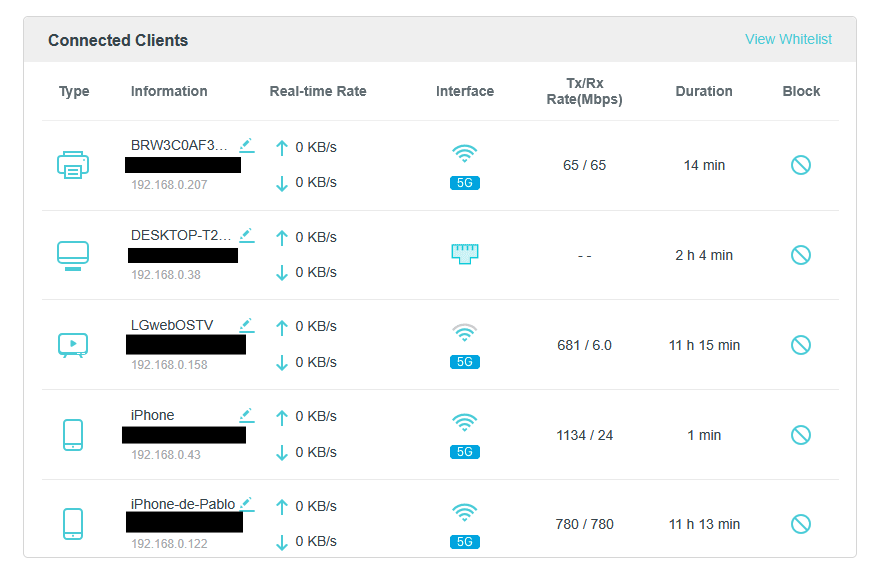
- Copy Link
- Report Inappropriate Content
In your first post you mentioned that 192.168.0.206 is the IP address of your printer.
Can you describe your network topology, e,g, do you have more than one router in your LAN, any ISP modem.router present, etc.
Is there any devices in your LAN which are configured with a static IP addresses ?
Post a screenshot of your router DHCP server settings and DHCP Address Reservation table .
- Copy Link
- Report Inappropriate Content
Information
Helpful: 0
Views: 506
Replies: 5
Voters 0
No one has voted for it yet.