Wired backhaul issue

Hi.
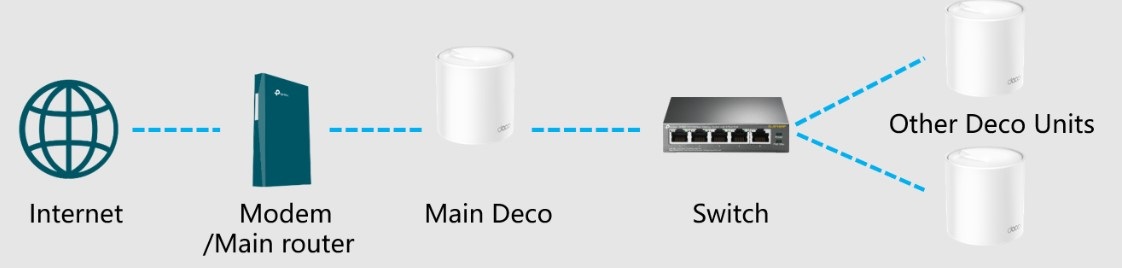
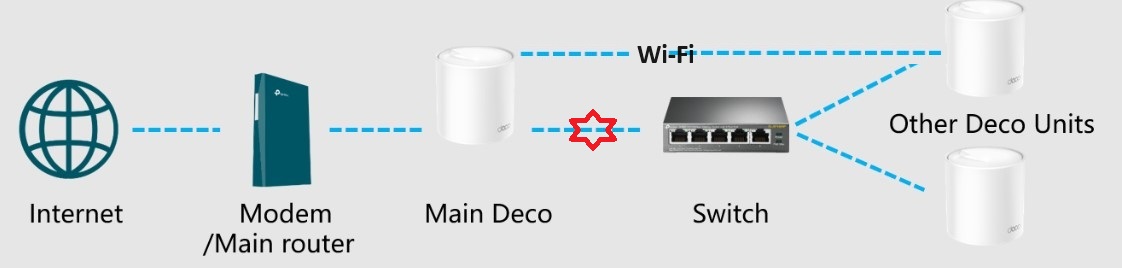
Looking for any input on this one. Got a Deco system installed at my parents. 4 Deco units, all X50 POE and all connected into a wired network so on a wired backhaul. Working perfectly for over 2 years now. Yesterday I noticed in the Deco app that one of the X50s had lost its wired backhaul and was showing as using wireless. Thought a reboot would fix it so rebooted the unit. Came back on and picked up the wired backhaul fine. However, I then noted another one of them was reporting as Wi-Fi. I ended up rebooting all of them but now I can only ever get 3 of the 4 to report as being on the wired backhaul, there is always one that shows as wireless. Decided to remove the units and set them back up but same issue. Also swapped out the POE switch in the loft that’s powering them in case that was an issue. Same thing. No matter what I try only 3 will use the wired backhaul. Out of ideas now as this was working fine but just started this issue yesterday. All the units are on the latest firmware. I think 3 of them are V2's and 1 of them is a V1 if that makes any difference. Thanks.