
Fast Roaming and Beamforming...can cause problems on 2.4ghz

Fast Roaming and Beamforming...can cause problems on 2.4ghz

Fast Roaming and Beamforming...can cause problems on 2.4ghz
12 hours ago
Model: Deco X50  
Hardware Version: V1
Firmware Version: 1.80

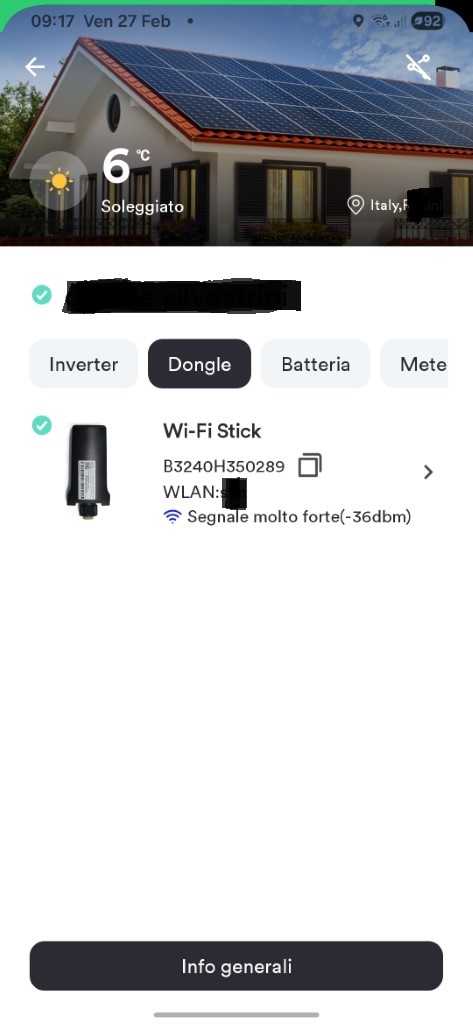
I have a photovoltaic system connected to 2.5ghz wireless via a Wi-Fi dongle, of which I've attached a photo. It often happens that even though the Wi-Fi dongles are connected to the Deco X50 (they're one meter away with no obstacles), they turn off. Therefore, they're theoretically connected but aren't downloading data to check the system's performance. It's as if they don't have an Internet connection. So, to see them again in the system's specific app, I have to restart the main Deco or sometimes just the Deco X50 to which they're connected.

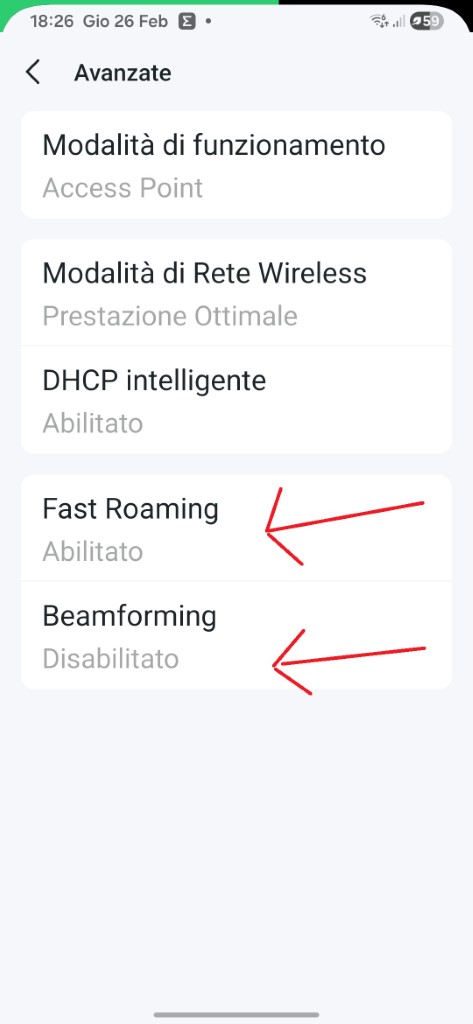
Question: Could the "Fast Roaming" and "Beamforming" Wi-Fi options be causing problems? I've currently disabled Beamforming, and the connection seems to remain stable.
Do you think I should disable both of them, or is there another option I can enable/disable?
Thanks


  0      
  0      
#1
Options
2 Reply
Re:Fast Roaming and Beamforming...can cause problems on 2.4ghz
6 hours ago - last edited 6 hours ago

  @Hispanico 

I have Deco BE65/ 85 wifi and enabling beam forming and fast roaming caused instability issues for me. I do have a lot of connected devices so maybe in other configurations enabling those two features might work well.


If you disable those two features and everything is stable and fast, just leave it at that.

  1  
  1  
#2
Options
Re:Fast Roaming and Beamforming...can cause problems on 2.4ghz
5 hours ago

  @Hispanico thank a lot...so i follow your suggestions and disable these options


Hispa

  0  
  0  
#3
Options
