
MU-MIMO option is not appearing

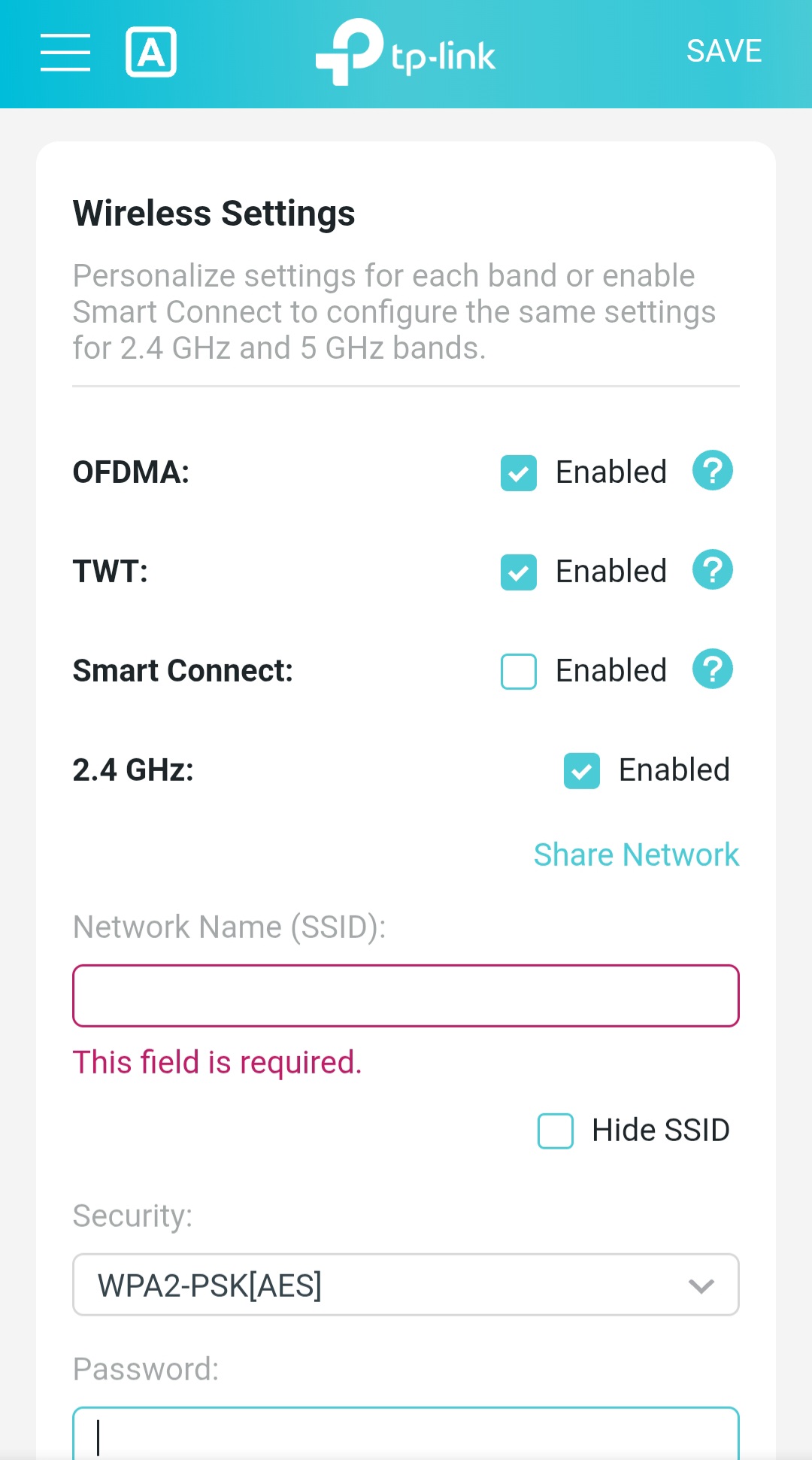
I want to enable MU-MIMO from Wireless Settings tab but I cannot seem to find the option to enable it. Does this router support MU-MIMO?
- Copy Link
- Subscribe
- Bookmark
- Report Inappropriate Content


Hello @AhanafH ,
Welcome to our community.
We have transitioned the MU-MIMO setting from a manual toggle to an automated driver-level management in the recent AX53 update.
As a 2T2R device, the AX53's spatial streams are often fully occupied by modern 2x2 clients to ensure peak speeds, making manual MU-MIMO control redundant. To enhance system stability and streamline the user interface, this feature is now autonomously managed by the wireless driver.
Best Regards.
- Copy Link
- Report Inappropriate Content
Hello @AhanafH ,
Welcome to our community.
We have transitioned the MU-MIMO setting from a manual toggle to an automated driver-level management in the recent AX53 update.
As a 2T2R device, the AX53's spatial streams are often fully occupied by modern 2x2 clients to ensure peak speeds, making manual MU-MIMO control redundant. To enhance system stability and streamline the user interface, this feature is now autonomously managed by the wireless driver.
Best Regards.
- Copy Link
- Report Inappropriate Content
Joseph-TP wrote
Hello @AhanafH ,
Welcome to our community.
We have transitioned the MU-MIMO setting from a manual toggle to an automated driver-level management in the recent AX53 update.
As a 2T2R device, the AX53's spatial streams are often fully occupied by modern 2x2 clients to ensure peak speeds, making manual MU-MIMO control redundant. To enhance system stability and streamline the user interface, this feature is now autonomously managed by the wireless driver.
Best Regards.
Thanks for the reply. A further question, as this is a WiFi 6 supported router, does it support 2x2 MU-MIMO for both 2.4 ghz and 5 ghz individually? And, will a 2x2 WiFi 5 device be able to get MU-MIMO benefit or is it limited to Wifi 6 devices only?
- Copy Link
- Report Inappropriate Content
Information
Helpful: 0
Views: 503
Replies: 2
Voters 0
No one has voted for it yet.