
2.5Gbe negotiation

Hello
RE825E will not negotiate a 2.5gbps link despite switch (instant on) setting port manually or automatically
Where can I change this setting
- Copy Link
- Subscribe
- Bookmark
- Report Inappropriate Content

According to TP-Link's website the RE235BE should definitely support 2.5 Gbps Ethernet.
And it should connect right away at 2500 Mbps when connected to one of the four ports labeled "2.5GbE Ports" on your Aruba switch when set to auto-negotiation. There should be no manual settings needed.
If you haven't done so already, then I suggest you to try with a very short Ethernet cable (like 1.5 or 2 meters) and see whether it connects at 2.5G or not, just to rule out cable quality is an issue here.
- Copy Link
- Report Inappropriate Content
Hi,
Can you please confirm the exact model name of your range extender? I am unable to find a RE825E.
- Copy Link
- Report Inappropriate Content
Apologies,
RB235E, I do not know where 825 came from. I probably had another thing in my head.
https://www.tp-link.com/ca/home-networking/range-extender/re235be/
This is the model.
My switch is a Aruba 1960 12pt 10gbe. The switch is set to auto negotiate. I have tried a port profile for 2.5gbe and it did not connect.
It's possible I don't understand why the link is at 1000 but the port is multigig, but I thought it should be 2500. This is from TPLink's app for wifi diagnostics. It also does this on the web admin portal.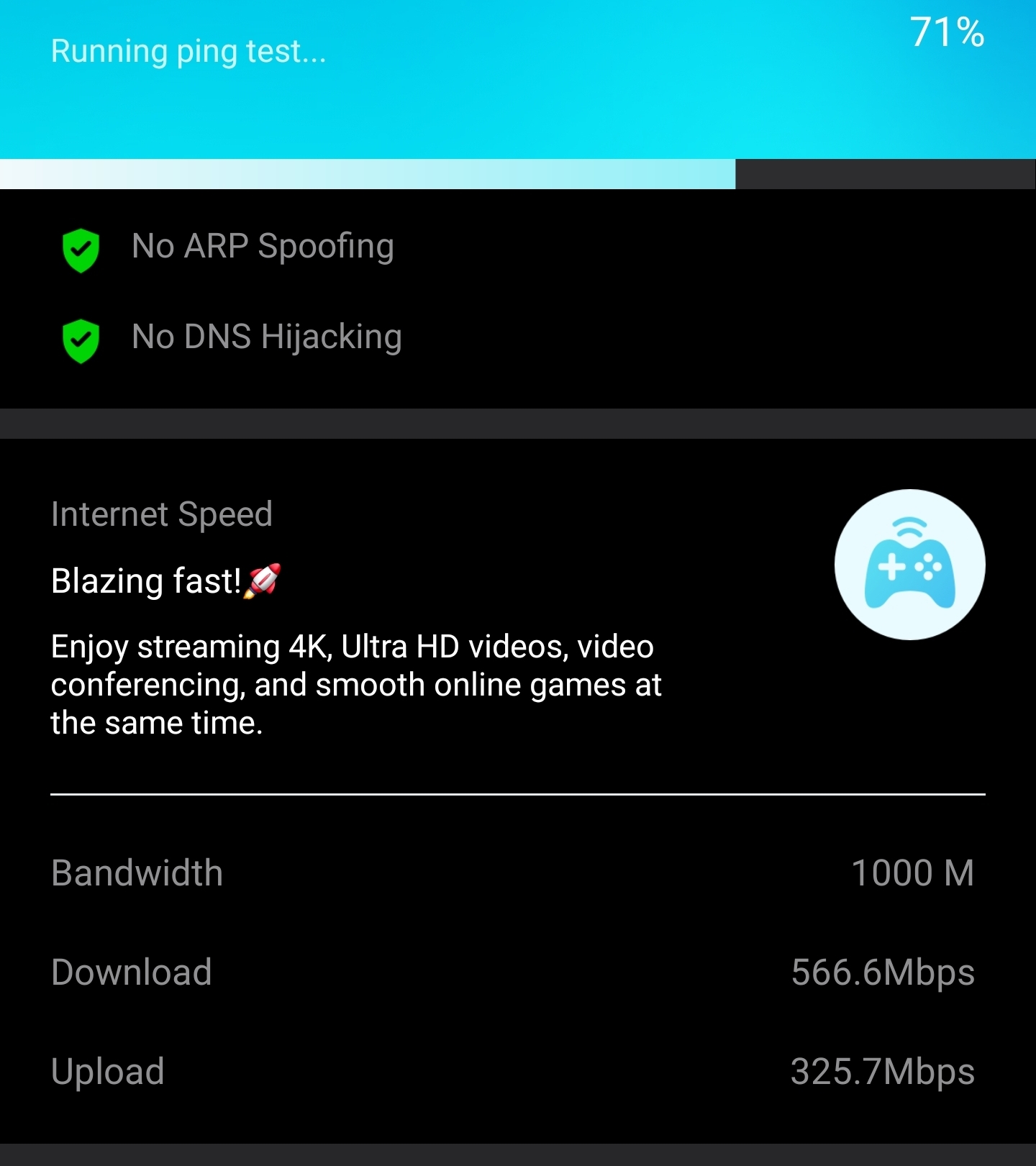
- Copy Link
- Report Inappropriate Content
According to TP-Link's website the RE235BE should definitely support 2.5 Gbps Ethernet.
And it should connect right away at 2500 Mbps when connected to one of the four ports labeled "2.5GbE Ports" on your Aruba switch when set to auto-negotiation. There should be no manual settings needed.
If you haven't done so already, then I suggest you to try with a very short Ethernet cable (like 1.5 or 2 meters) and see whether it connects at 2.5G or not, just to rule out cable quality is an issue here.
- Copy Link
- Report Inappropriate Content
Thank you!!
I was trying to find more info on the 2.5
Gbps ports as there is no physical identification of these ports. This makes so much more sense now.
I do have a rated 6a test cable and the switch is operating perfectly with the 10gbe side devices. Only multigig is an issue. This should help the troubleshooting, and go figure I find an actual manual after I contact the community
😁
- Copy Link
- Report Inappropriate Content
According to HP's specifications of the "1960" series of switches only the SKU "S0F35A" supports 2.5GBase-T and pictures of S0F35A show the four 2.5 GbE ports clearly labeled as such.
https://www.hpe<dot>com/us/en/collaterals/collateral.a50002593enw.html#toc-block4-l1 (replace <dot> with . )
- Copy Link
- Report Inappropriate Content
Information
Helpful: 0
Views: 499
Replies: 5
Voters 0
No one has voted for it yet.