
Bug in Tether App?

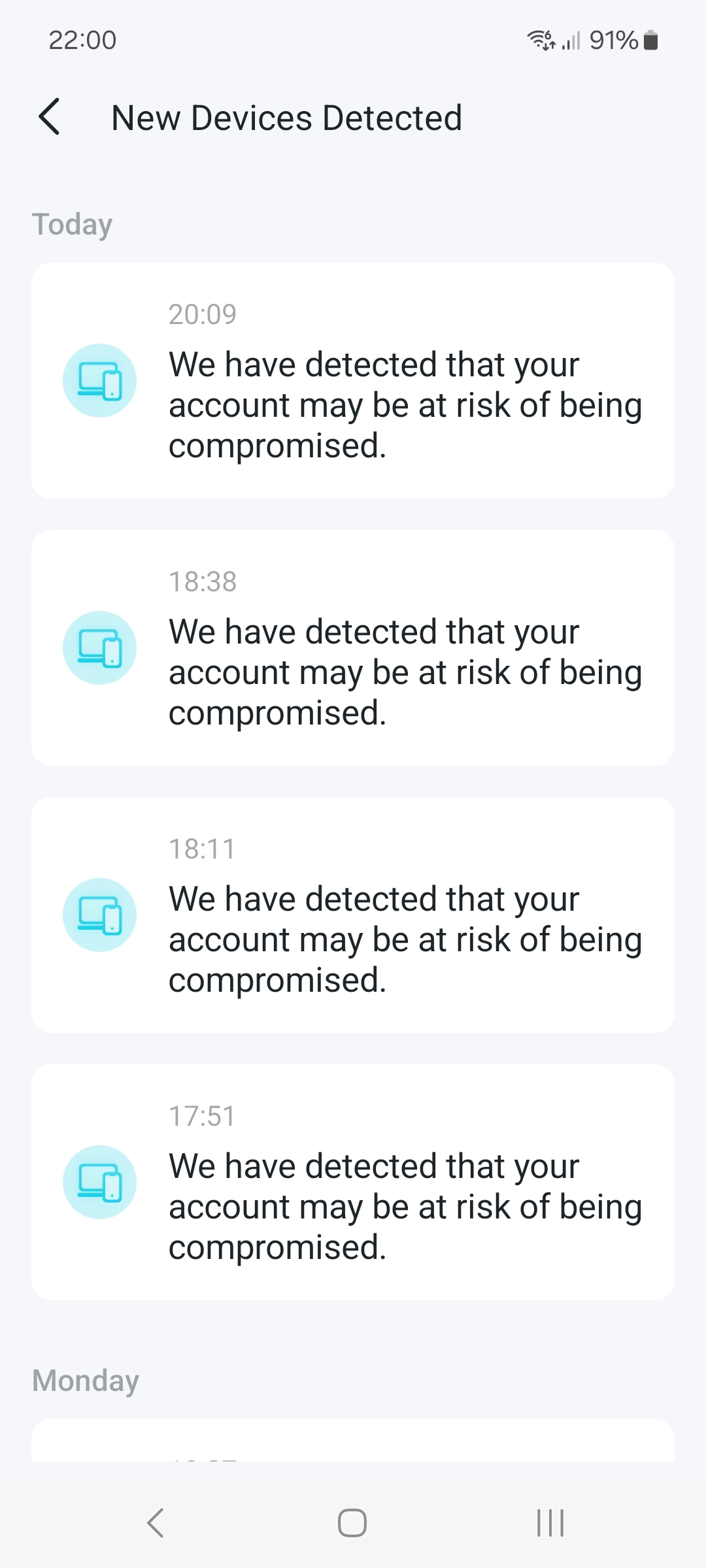
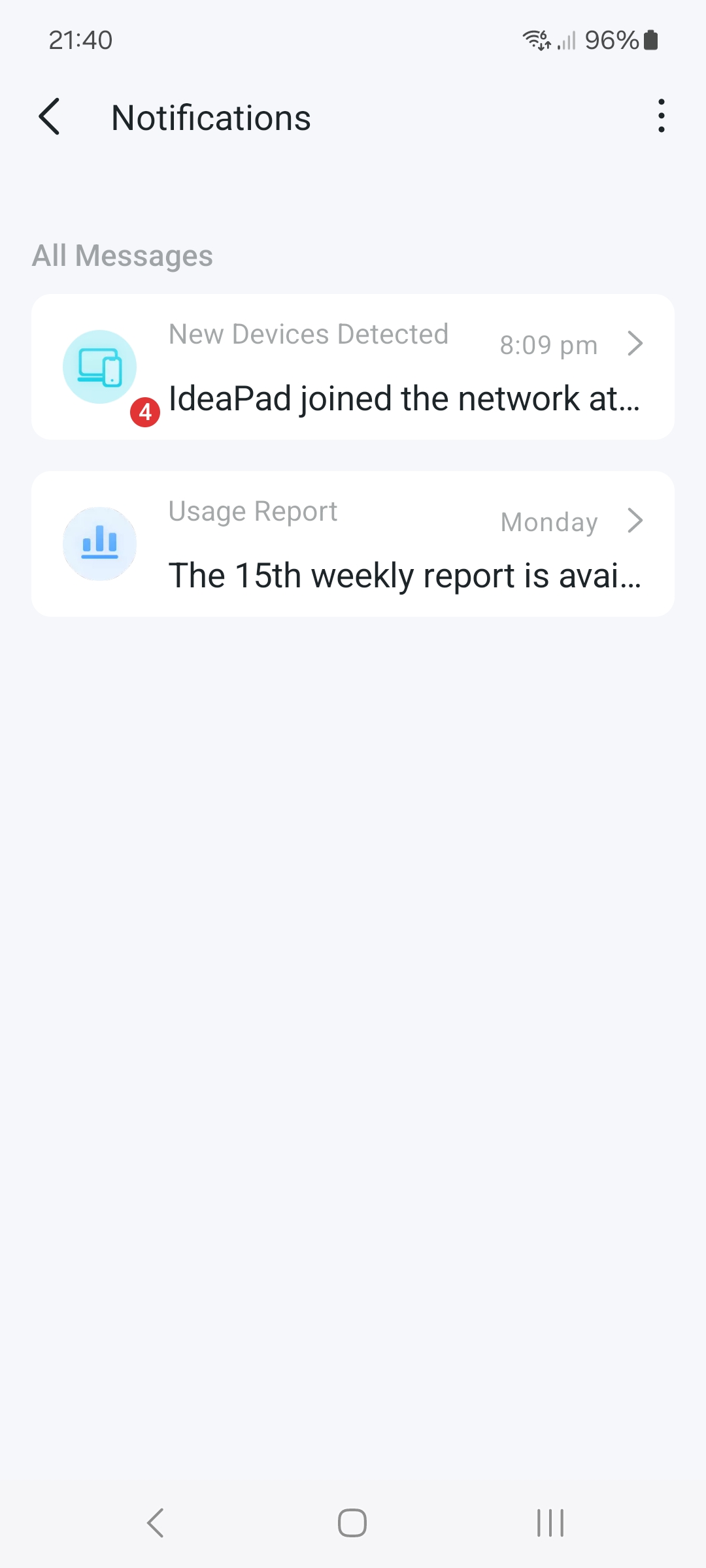
Tether App new device notifications.
Main notification page lists new device added to network.
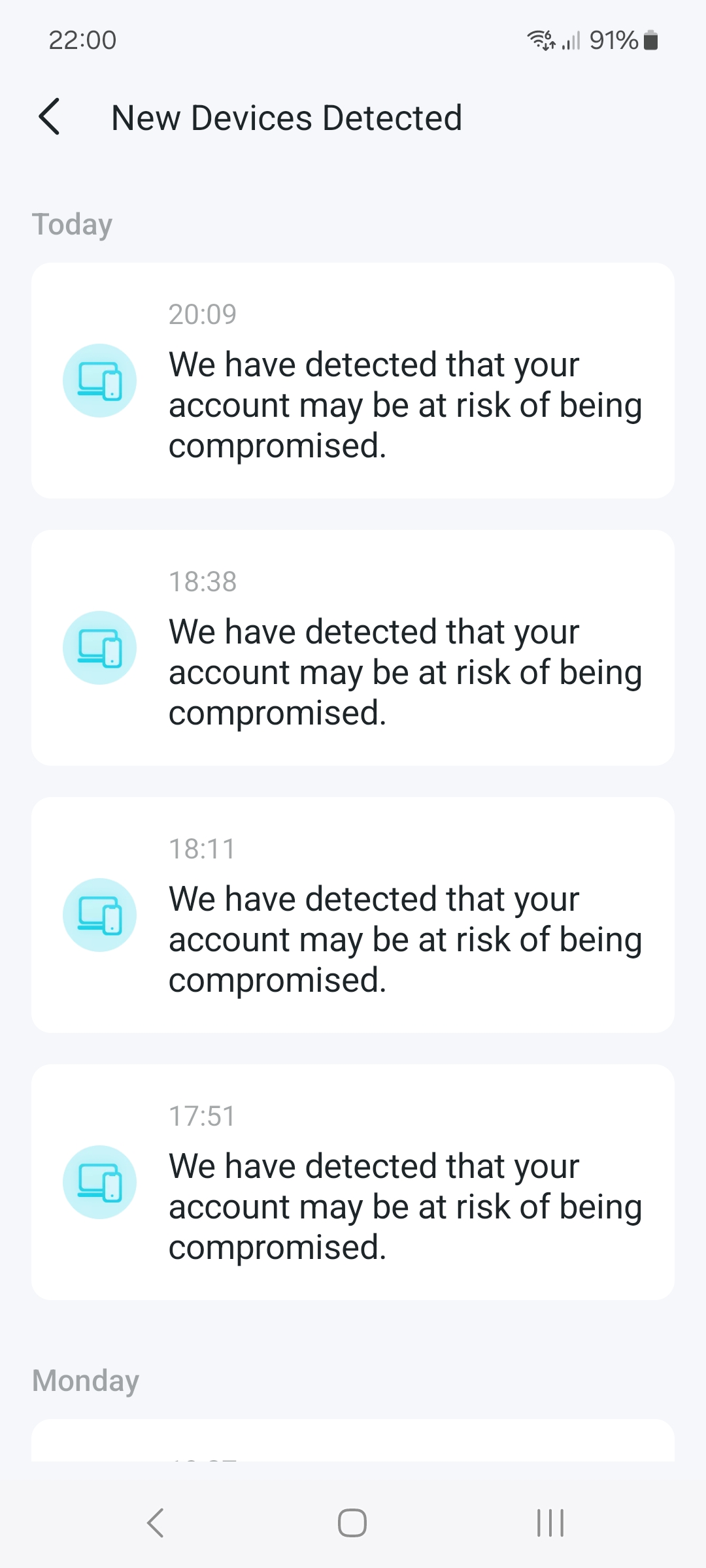
Click on it, and it brings up a list of account risk warnings, instead of device list.
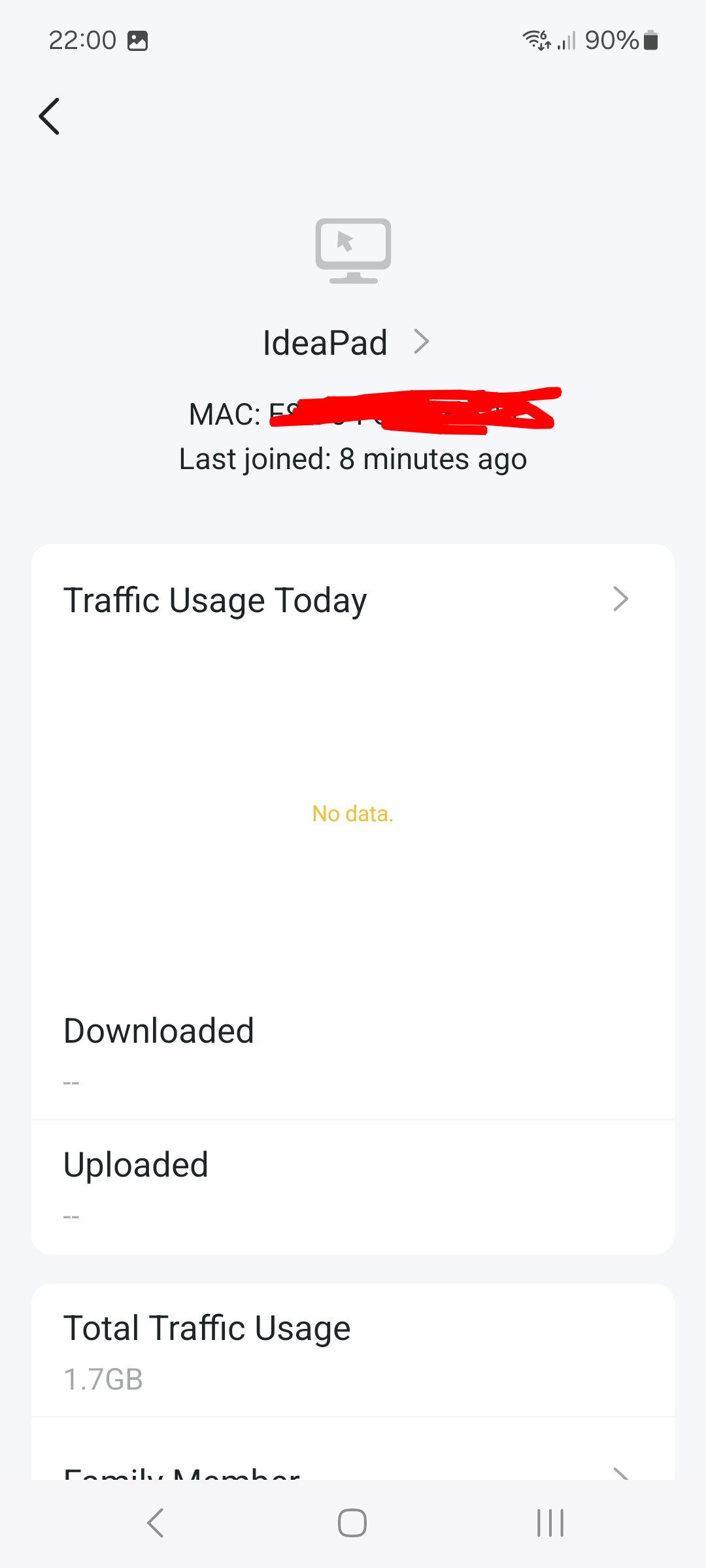
Click on a risk warning and it shows the added device properly again.
Tether App version 4.13.7
- Copy Link
- Subscribe
- Bookmark
- Report Inappropriate Content


Hello @Mark118 ,
Our technical team has identified that this was a display error caused by a translation string bug in a recent App update, in which the "New Device Alert" was incorrectly replaced with "Account Alert" text. Please be assured that your account is NOT at risk and no unauthorized access has occurred.
We will release a fix in the latest Tether App version 4.13.8(828). Please check for the latest Tether App update and update your app via Google Play to resolve this.
Thank you for your patience and for bringing this to our attention.
- Copy Link
- Report Inappropriate Content
Mark118 wrote
Thanks, as soon as the new version is available on Play Store, I'll update and let you know how it goes 🙂
New App version now showing correct information 👍
- Copy Link
- Report Inappropriate Content
Hello @Mark118 ,
Thanks for contacting our community.
May I know if your network topology diagram is as follows:
ISP modem—router )))((( client devices
(Note: — stands for wired connection,)))((( stands for wireless connection )
Have you changed network settings recently? Like adding a new device, updating firmware, or updating the Tether App. Before these changes, was the notification page displaying correctly before these changes?
- Copy Link
- Report Inappropriate Content
ISP FFTC -- BE550 V2 Main -- BE230 V2 Satellite )))((( client devices.
BE550 1.3.1 build 20251229 ref. 52842
BE230 1.3.1 build 20260330 ref. 40420
Busy house with frequent visitor devices joining )))(((.
Only had these routers for a couple of months and have been making/trying lots of network changes.
Tether App is latest version, have not noticed it updating since first download (Android).
Believe, it has always said about account risk?.
Picture examples below
- Copy Link
- Report Inappropriate Content
- Copy Link
- Report Inappropriate Content
- Copy Link
- Report Inappropriate Content
- Copy Link
- Report Inappropriate Content
Hello @Mark118 ,
We would like to escalate your case to the support engineers, and they will follow up on it. If you are willing to conduct further analysis, please check your inbox and respond.
Please save the App log which may help us locate the cause, and send it via email: How to collect the system log of the Tether App
- Copy Link
- Report Inappropriate Content
Hello @Mark118 ,
Our technical team has identified that this was a display error caused by a translation string bug in a recent App update, in which the "New Device Alert" was incorrectly replaced with "Account Alert" text. Please be assured that your account is NOT at risk and no unauthorized access has occurred.
We will release a fix in the latest Tether App version 4.13.8(828). Please check for the latest Tether App update and update your app via Google Play to resolve this.
Thank you for your patience and for bringing this to our attention.
- Copy Link
- Report Inappropriate Content
Thanks, as soon as the new version is available on Play Store, I'll update and let you know how it goes 🙂
- Copy Link
- Report Inappropriate Content
Mark118 wrote
Thanks, as soon as the new version is available on Play Store, I'll update and let you know how it goes 🙂
New App version now showing correct information 👍
- Copy Link
- Report Inappropriate Content
Information
Helpful: 0
Views: 102
Replies: 9
Voters 0
No one has voted for it yet.