
DDNS on Archer C1900

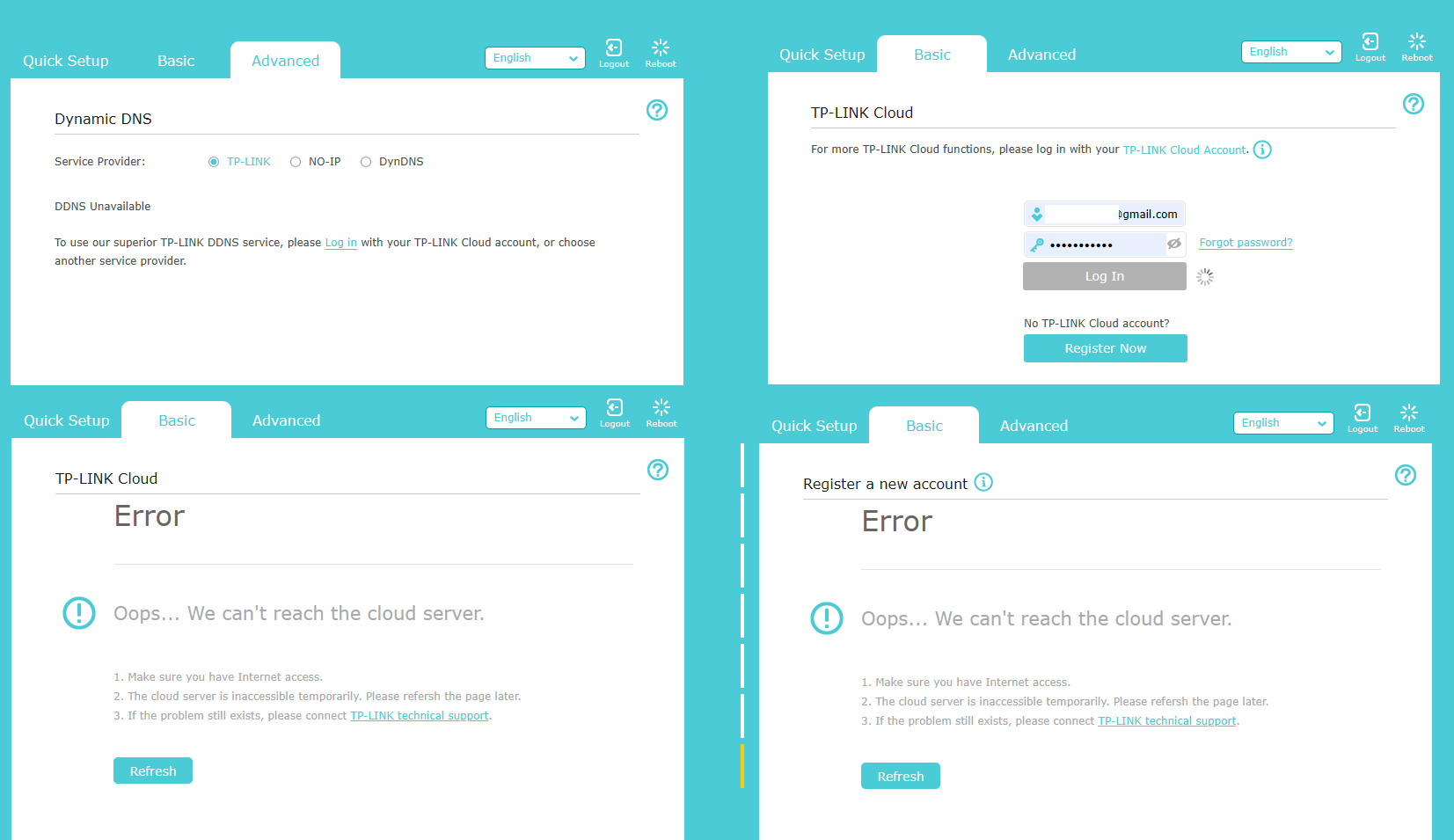
Suddenly DDNS stopped working, the domain name is resolving but settings are not available
- Copy Link
- Subscribe
- Bookmark
- Report Inappropriate Content
Figured out how to fix this — just manually install the firmware (even if there’s no newer version; it can be the one currently installed on the router), and the cloud now works as before.
- Copy Link
- Report Inappropriate Content


Hello @xhunter ,
EDIT:
Please try the following steps for your case:
1) Log in to the web interface of TP-Link router. Please refer to How do I log into the web-based Utility (Management Page) of TP-Link wireless router?
2) Please check whether the system time of TP-Link router is correct by going to Advanced -> System tools -> Time Settings. If necessary, please manually modify the NTP server in time Settings and Google the local NTP server in your own country.
3). Go to Advanced -> Network -> Internet, click on Advanced option in the middle of this page and change DNS server into 8.8.8.8 and 8.8.4.4.
If the steps above don't help, please collect the S/N, LAN MAC and MAC address on the device label, and then contact TP-Link Technical support.
- Copy Link
- Report Inappropriate Content
@Joseph-TP thanks for reply, but the problem is not so common :)
router can't connect to some tplink web services - tplink cloud (settings, register or restore password - you can see that on my screenshots), firmware update also showing same error. All other is working fine. If you can suggest what IP is used by this services - cloud or firmware update - I'll be able to check it availablity from PC (ping\trace), maybe in some way it was blacklisted by my ISP.
- Copy Link
- Report Inappropriate Content
Hello @xhunter ,
Thanks for getting back to us.
I have corrected my original reply. Please try the steps to see if it works.
For more problems about Cloud Service, you can refer to Troubleshooting of TP-Link Cloud Service.
Best Regards.
- Copy Link
- Report Inappropriate Content
Figured out how to fix this — just manually install the firmware (even if there’s no newer version; it can be the one currently installed on the router), and the cloud now works as before.
- Copy Link
- Report Inappropriate Content
Hello @xhunter ,
Thank you for sharing your solution. We will refer to your suggestions in future similar cases.
- Copy Link
- Report Inappropriate Content
Information
Helpful: 0
Views: 232
Replies: 5
Voters 0
No one has voted for it yet.