
Computer speedtest unable to reach 5Gbps with Archer GE550

I upgraded my internet to 5Gbps and got an Archer GE550 V2. I also bought TP-Link TX401 to upgrade my PC to ensure 5Gbps can be supported.
I can got ~4870 Mbps in the speedtest when I connected my computer directly to the modem.

But I only got ~880 Mbps when I connected my computer to the 5 Gbps LAN port on the GE550. I tried with the CAT6A ethernet cable provided with TX401 and got the same result.

Based on the previous test result, I believe that the issue is unrelated to the ISP or the cable.
Could you please advise if any router configurations need to be adjusted, or if there are other underlying issues?
- Copy Link
- Subscribe
- Bookmark
- Report Inappropriate Content
Thank you! It is the problem of "QoS", the speedtest reaches ~2500 Mbps for download and ~4750 Mbps for upload when I turn the QoS off.

Thank you very much for helping me to resolve the problem!
- Copy Link
- Report Inappropriate Content

Click here:
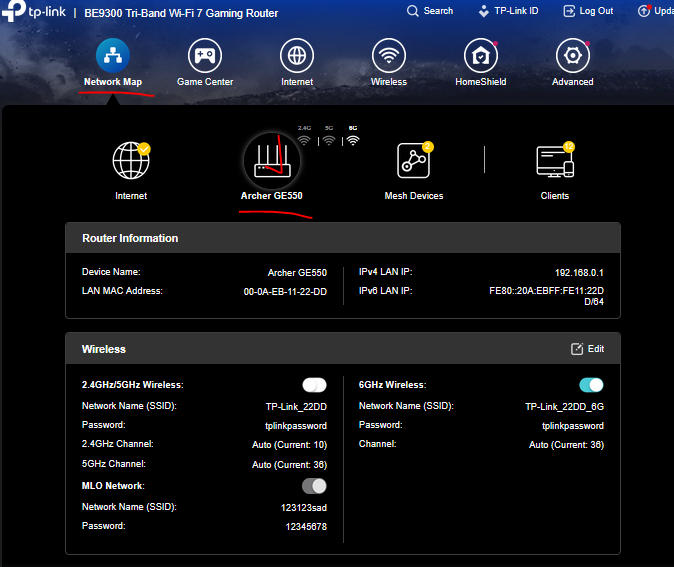
then scroll down and check your GE550 ethernet status / port negotiated speeds:
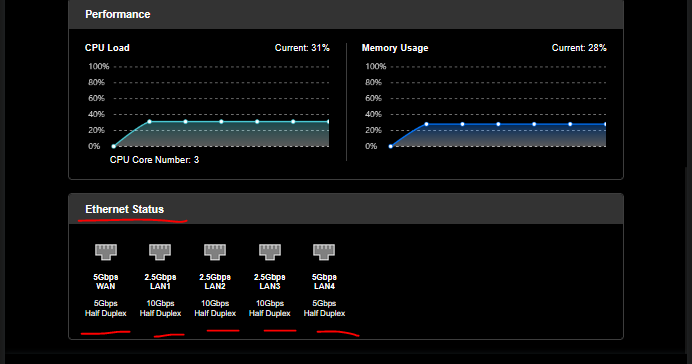
- Copy Link
- Report Inappropriate Content

Hi,
May we know the make and model of your Internet modem?
Not all 10 Gbps Ethernet ports support the intermediate speeds 5 Gbps and 2.5 Gbps. Some 10G networking equipment only supports the grades 10 Gbps / 1 Gbps / 100 Mbps / 10 Mbps.
- Copy Link
- Report Inappropriate Content
Thank you for your reply.
My GE550 ethernet status / port negotiated speeds:
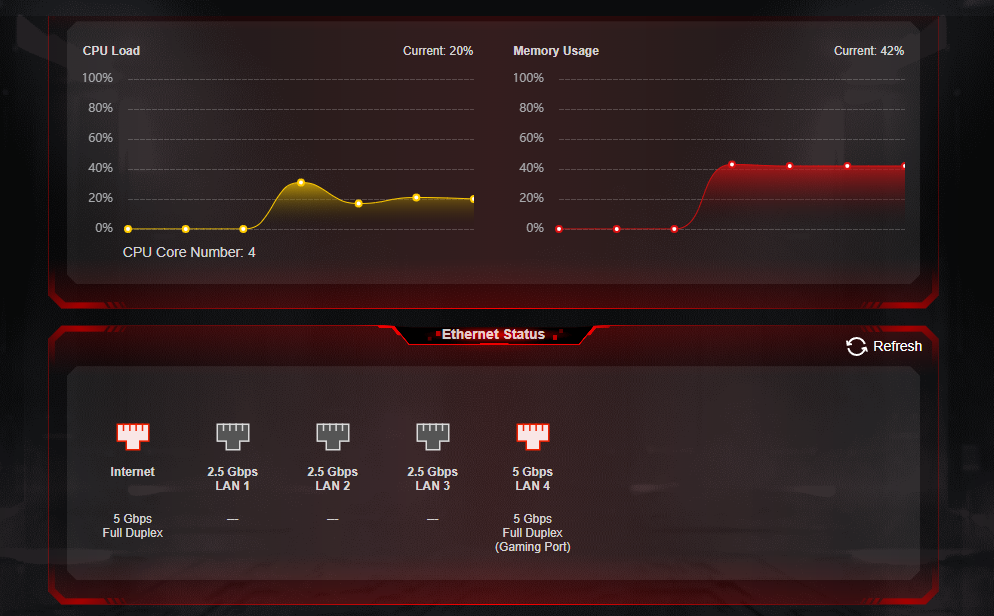
Let me know if you want to know more about my GE550 configuration. Thanks!
- Copy Link
- Report Inappropriate Content
@woozle
Thank you for your reply.
My model of Modem is: Huawei OptiXstar HN8250Ts-20 XGS-PON Terminal
I have tested the internet speed with the router and got 5 Gbps.
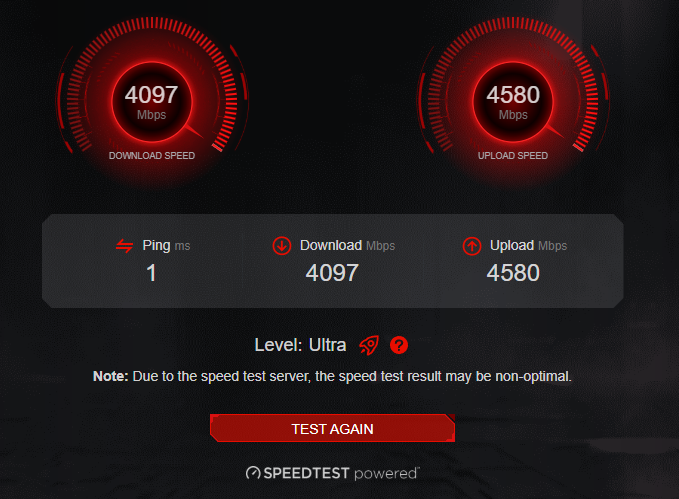
Also, I got 5 Gbps when I connected my computer and modem directly. Therefore, I think my modem should support 5 Gbps.
Let me know if you want more information. Thank you!
- Copy Link
- Report Inappropriate Content
Thanks. Yes, on the one screenshot we can clearly see that the GE550 has negotiated 5 Gbps links to the modem as well as to the TX401. So that is all good.
Have you already tested if the Speedtest on your computer can get up to 2.5 Gbps when the TX401 is connected to one of the GE550's 2.5 Gbps LAN ports?
Also, in case you have any sort of "QoS" activated on the GE550, then switch it off for a test.
- Copy Link
- Report Inappropriate Content
Thank you! It is the problem of "QoS", the speedtest reaches ~2500 Mbps for download and ~4750 Mbps for upload when I turn the QoS off.
Thank you very much for helping me to resolve the problem!
- Copy Link
- Report Inappropriate Content
Information
Helpful: 0
Views: 410
Replies: 6
Voters 0
No one has voted for it yet.