Problem switching from WiFi 7 5 GHz band to WiFi 6 2.5 GHz

Hi,
I am having troubles with this router and my Zenpone 10, which supports WiFi 7. When I am close to the router, the phone connects to WiFi 7 5GHz band, but when I move to the second floor the phone never switches to WiFi 6 2.4 GHz band, it remains connected to WiFi 7 5 GHz with very weak signal and even starts using mobile data. I have to disable and re-enable Wi-Fi to force the switch.
All the other devices in the house use WiFi 6 and work just fine, switching bands quickly when we move between floors. And my Zenpone also used to work fine with my previous WiFi 6 router.
I have both bands using the same SSID (I have also tried with Smart Connect).
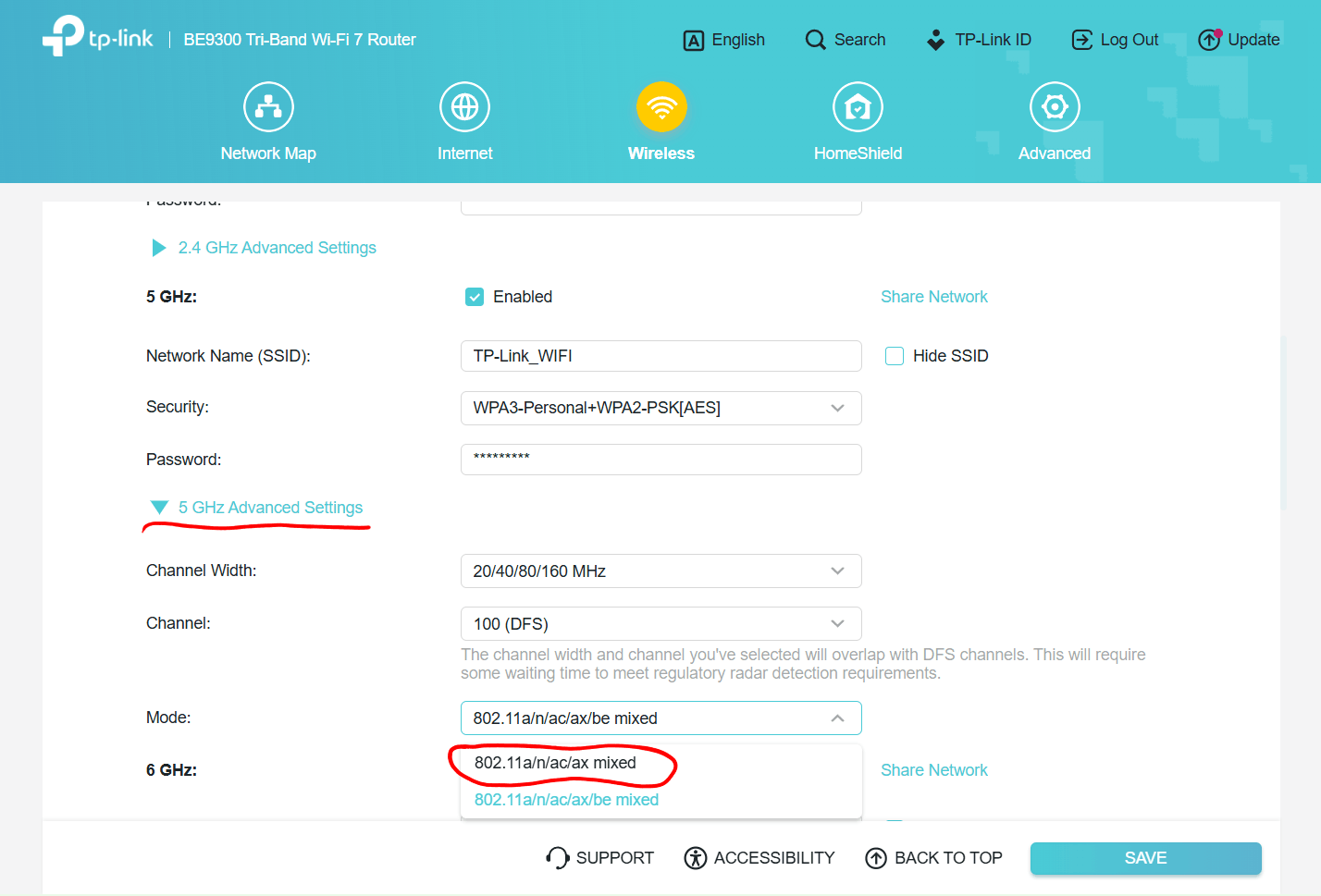
Is there any setting that could help to improve this behavior. Or is there a way to disable WiFi 7 completely?
Thanks.