
teacher tplink
teacher tplink
Posts: 4
Helpful: 0
Solutions: 0
Stories: 0
Registered: 2026-05-08

Friday - last edited Saturday
Posts: 4
Helpful: 0
Solutions: 0
Stories: 0
Registered: 2026-05-08
teacher tplink
Friday - last edited Saturday
Tags:
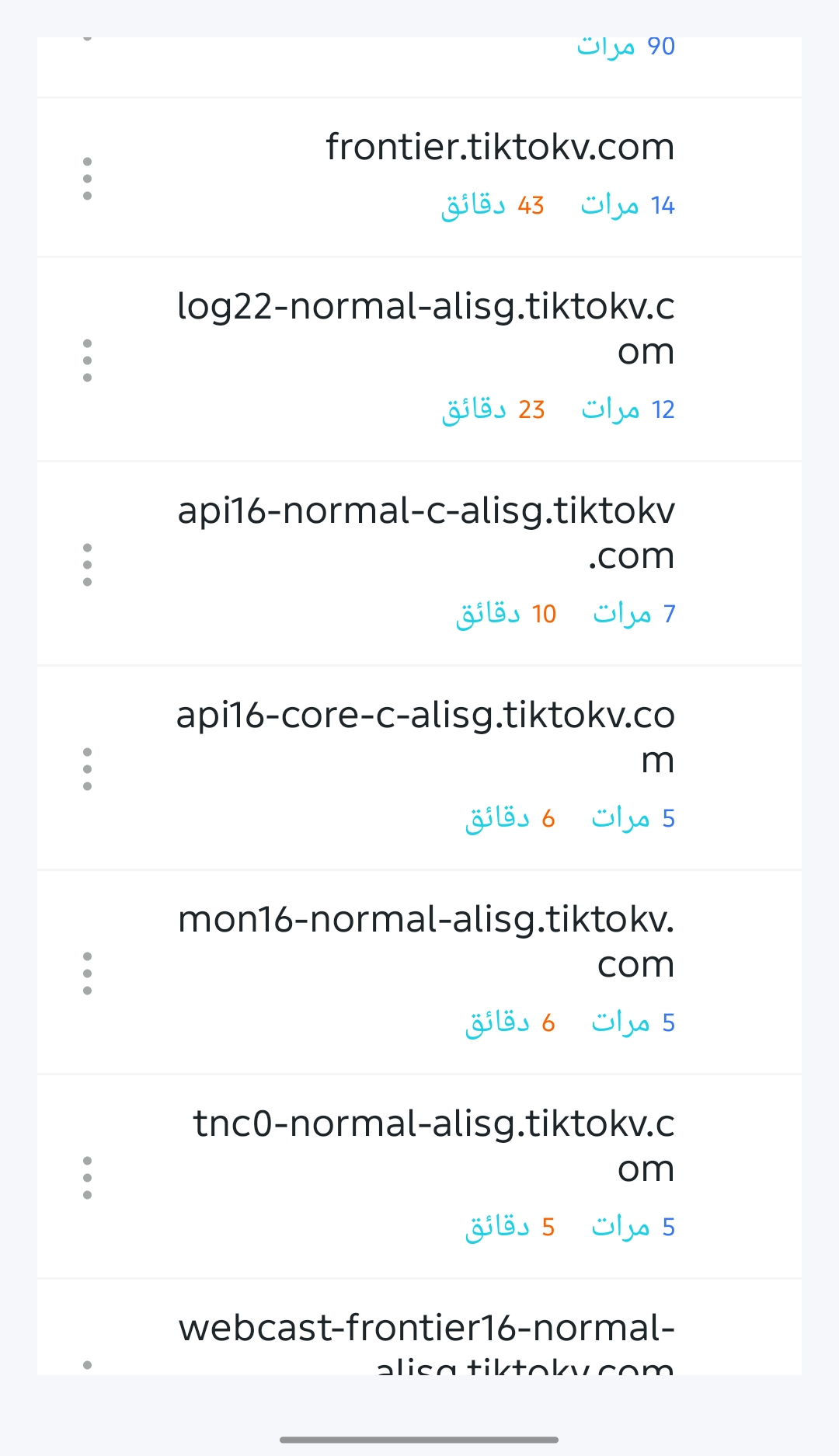
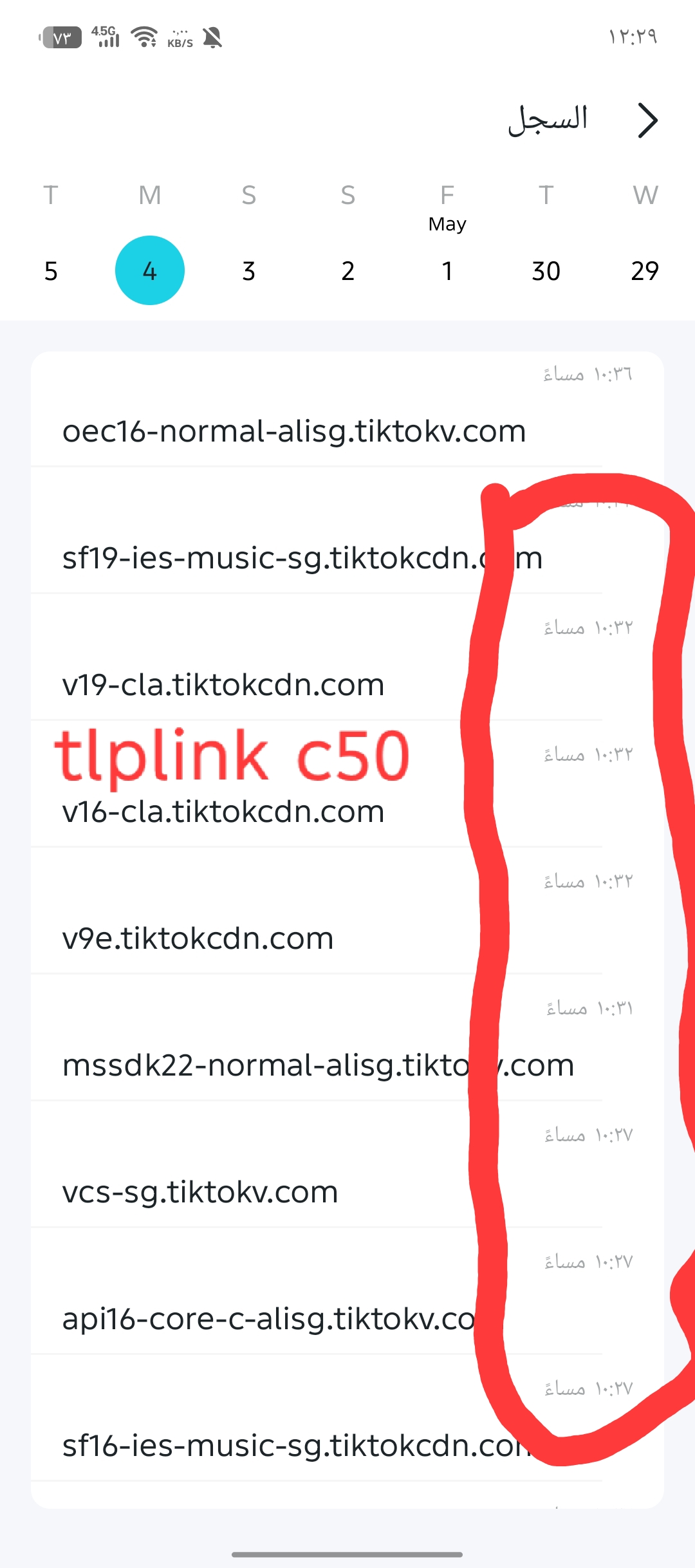
TP-Link's remote management application for parental controls allowed me to see what my children were accessing and browsing, and the time was displayed next to the servers. However, on the AX55 device, the time or clock they were browsing did not appear.
#1
Options
- Copy Link
- Subscribe
- Bookmark
- Report Inappropriate Content
Thread Manage
Module Manage
Announcement Manage
4 Reply

Posts: 6524
Helpful: 474
Solutions: 2514
Stories: 0
Registered: 2024-06-22
Re:teacher tplink
Saturday
Hello @mustafa3322 ,
Welcome to our community.
Looks like you are using the Tether app to monitor your child's browsing activity via parental controls on your AX55 router, and you've noticed that timestamps for specific websites are no longer displayed.
Could you please provide a screenshot of the relevant interface? Was this function working correctly before? Especially when managing through a local network.
Welcome to Our Community!
Get the latest posts:
△New Firmware for Archer GE550/GE650 V1 Introduces AI-QoS, EasyMesh IoT Expansion, and More!
△New Firmware Releases for Archer BE805 V1/BE450 V1 to Support VPN Merge, New ECO Mode, and More!
More posts, please see:
△ Get the Ongoing Pre-release Firmware for Wi-Fi Routers Here— Subscribe for Updates!
Urgent problems with your Wi-Fi Router, Range Extender, or DSL Modem? Please reach out via private Messages or @Joesph-TP in your new thread directly.
Click △ Or ☆Recommended Solution if the post/answer helps.
0
We appreciate your feedback. Feel free to let us know more. Log in to submit feedback.
0
We appreciate your feedback. Feel free to let us know more. Log in to submit feedback.
#2
Options
- Copy Link
- Report Inappropriate Content
Thread Manage
Module Manage
Announcement Manage
Posts: 4
Helpful: 0
Solutions: 0
Stories: 0
Registered: 2026-05-08
Re:teacher tplink
Saturday - last edited Saturday
0
We appreciate your feedback. Feel free to let us know more. Log in to submit feedback.
0
We appreciate your feedback. Feel free to let us know more. Log in to submit feedback.
#4
Options
- Copy Link
- Report Inappropriate Content
Thread Manage
Module Manage
Announcement Manage
Posts: 4
Helpful: 0
Solutions: 0
Stories: 0
Registered: 2026-05-08
Re:teacher tplink
Saturday
For example, when my child logged into the TikTok app, I don't know what time he logged in, unlike on my device. Old c50
0
We appreciate your feedback. Feel free to let us know more. Log in to submit feedback.
0
We appreciate your feedback. Feel free to let us know more. Log in to submit feedback.
#5
Options
- Copy Link
- Report Inappropriate Content
Thread Manage
Module Manage
Announcement Manage
Posts: 4
Helpful: 0
Solutions: 0
Stories: 0
Registered: 2026-05-08
Re:teacher tplink
Saturday
0
We appreciate your feedback. Feel free to let us know more. Log in to submit feedback.
0
We appreciate your feedback. Feel free to let us know more. Log in to submit feedback.
#6
Options
- Copy Link
- Report Inappropriate Content
Thread Manage
Module Manage
Announcement Manage
Posts: 4
Helpful: 0
Solutions: 0
Stories: 0
Registered: 2026-05-08
Friday - last edited Saturday
Posts: 4
Helpful: 0
Solutions: 0
Stories: 0
Registered: 2026-05-08
Information
Helpful: 0
Views: 228
Replies: 4
Voters 0
No one has voted for it yet.
Tags
Report Inappropriate Content
Transfer Module
New message