Archer C7 v4 5GHz WiFi Not Working / Devices Unable to Join

Dear TP-Link Support Team,
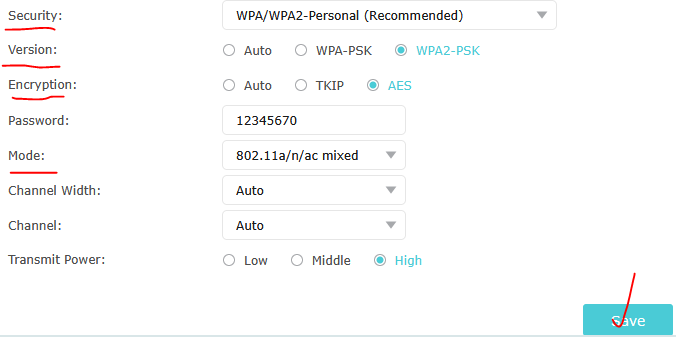
I am facing an issue with my TP-Link Archer C7 v4 router regarding the 5GHz wireless network.
Router Details:
-
Model: Archer C7 v4
-
Firmware Version: 1.0.8 Build 20190411 rel.65590(5553)
Issue:
The 5GHz WiFi network is visible, but no device is able to connect to it. Devices including MacBook and mobile phones show the following error:
“The Wi-Fi network could not be joined.”
Troubleshooting Already Performed:
-
Changed security from WPA/WPA2 to Open network
-
Changed encryption to AES
-
Tested multiple channels including Channel 36
-
Changed channel width settings
-
Rebooted router multiple times
-
Disabled Private Wi-Fi Address on Apple devices
-
Forgot and reconnected the network
-
Tested with multiple devices
-
Factory settings tested partially
Even with no password/security enabled, devices are still unable to join the 5GHz network.
The 2.4GHz network appears to work normally, while the issue only affects the 5GHz band.
I suspect there may be:
-
Firmware-related compatibility issues
-
Corrupted 5GHz wireless configuration
-
Or possible 5GHz hardware/radio failure
Please advise:
-
Whether this is a known firmware issue
-
Recommended stable firmware version for Archer C7 v4
-
Any recovery/reset procedure for the 5GHz radio
-
Whether the hardware may be defective
Thank you.
Best Regards,
Muhammad Afzaal