AC750 Range Extender Cannot Connect to New Router After Moving

I am experiencing an issue with my TP-Link AC750 range extender.
The extender was working perfectly with my previous internet connection and router before I moved to a new home. After moving, I received a new modem/router from my ISP and have been unable to connect the extender to the new Wi-Fi network.
I have tried both setup methods:
- WPS pairing
- Manual setup through the web interface and TP-Link Tether app
Unfortunately, neither method works.
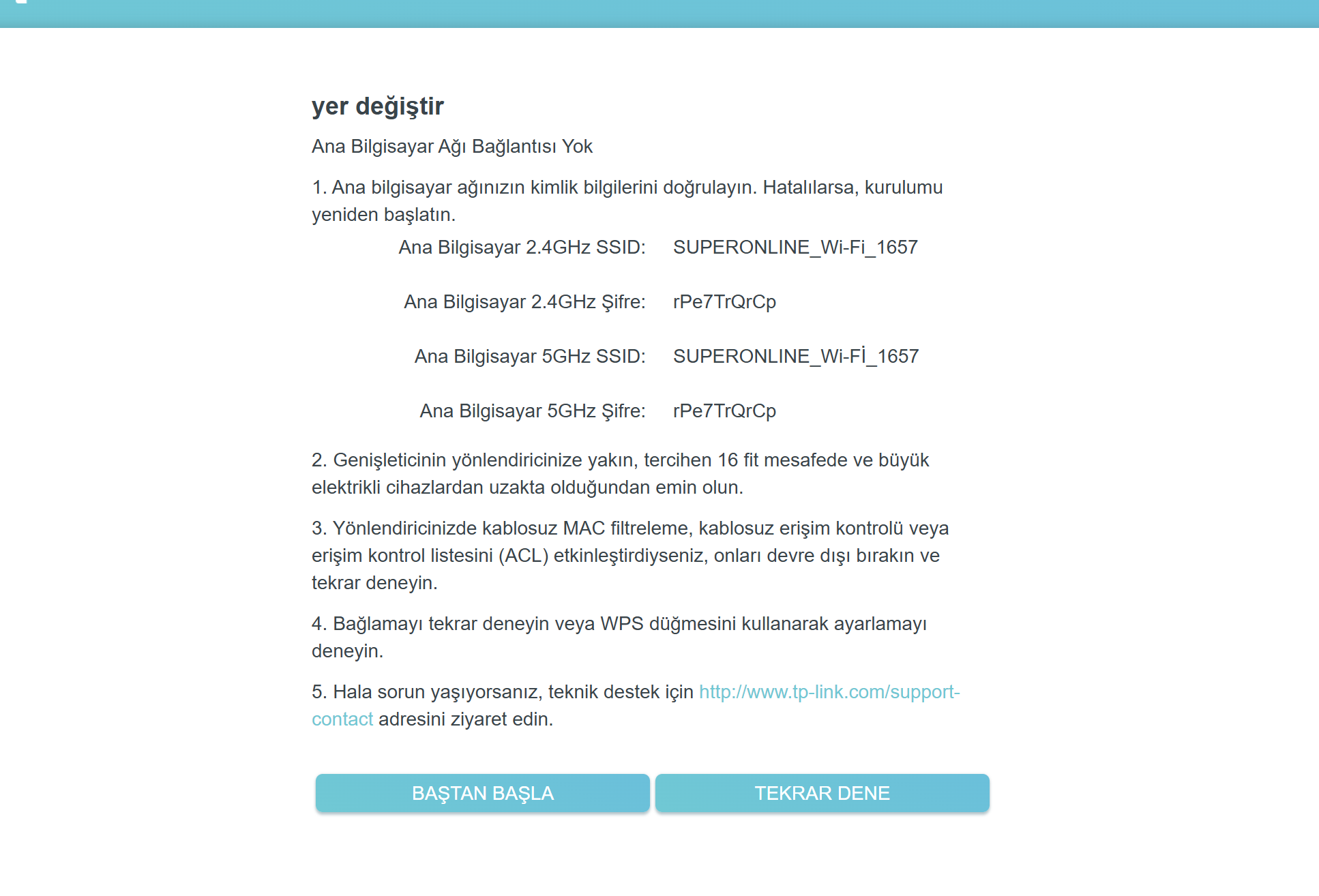
During manual setup, the extender detects my Wi-Fi network correctly, and I enter the correct password. However, at the final step I receive the following error:
"Main Router Connection Failed" / "No Main Router Connection"
The setup page shows the correct SSID and password, but the extender still cannot establish a connection with the router.
Additional information:
- Model: TP-Link AC750 Range Extender
- The device worked normally with my previous router.
- I have already tried resetting the extender to factory settings multiple times.
- I have tried setup via both WPS and manual configuration.
- The extender is placed very close to the router during setup.
- The router broadcasts both 2.4 GHz and 5 GHz networks under the same SSID.
Could you please advise what might be causing this issue and how I can resolve it?
Thank you for your assistance.