
Controller GUI UX Bugs
Controller GUI UX Bugs

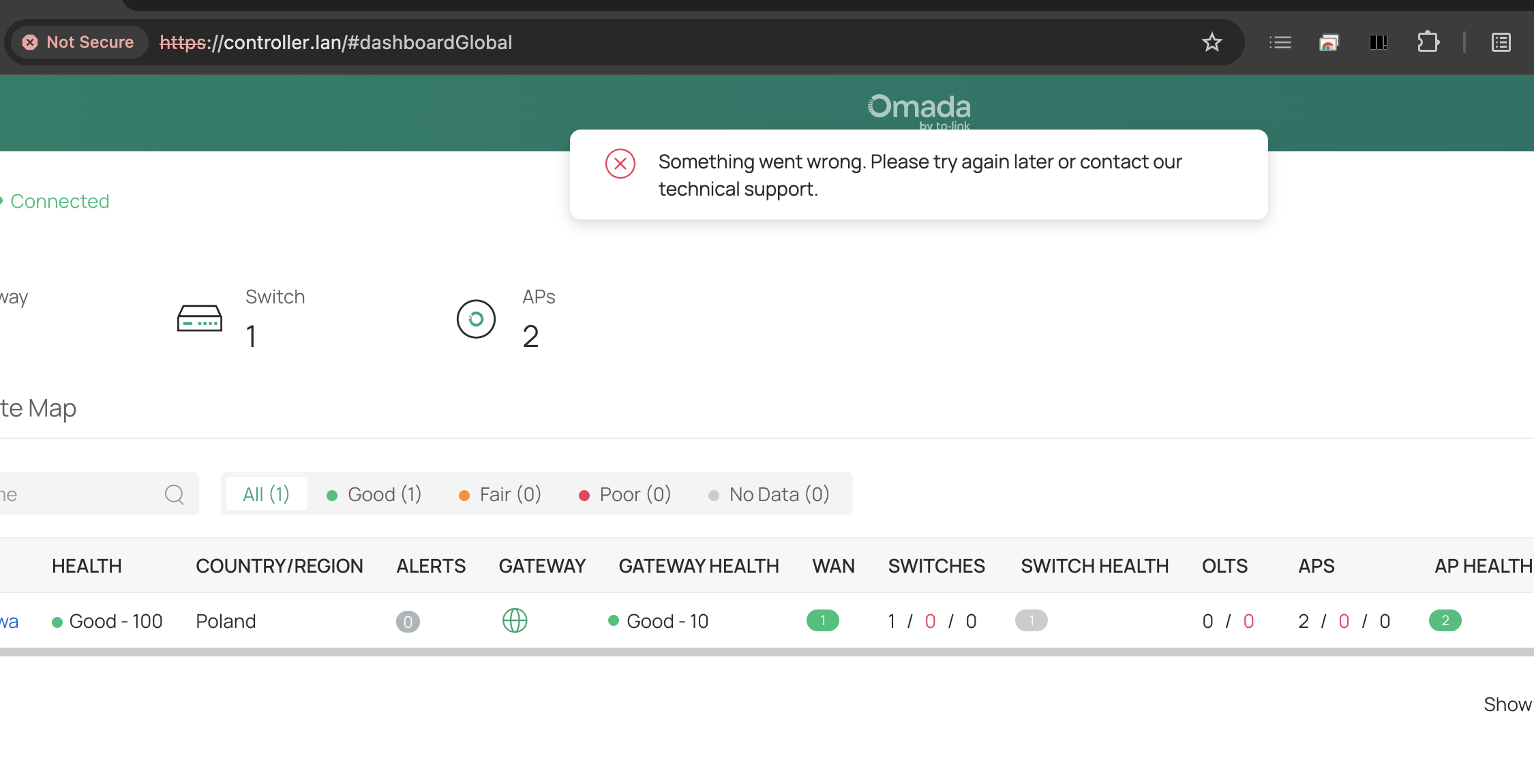
1. Dark Mode does not work with local URLs.
I can't change system/dark mode when browsing controller GUI in local URL without valid SSL.
2. Network Name validation doesn't work at all
Every time I want to create LAN DNS I get mysterious The config uci commit failed. (ErrorCode: gateway_1010).
Finally, I've found the root cause of the issue: network name cannot use separators other than underscores (here: „Private Network” is invalid because uses space separator).
This is a UX bug because VLAN GUI shloudn't allow you to enter invalid network name. Putting aside the fact that spaces should be valid characters anyway (which is strange that they are not).
Another UX bug here is that config error description should say that explicitly (real cause) instead of some ambigiuous ErrorCode: gateway_1010 that says nothing. For screenshots go to Configuring LAN DNS issue.
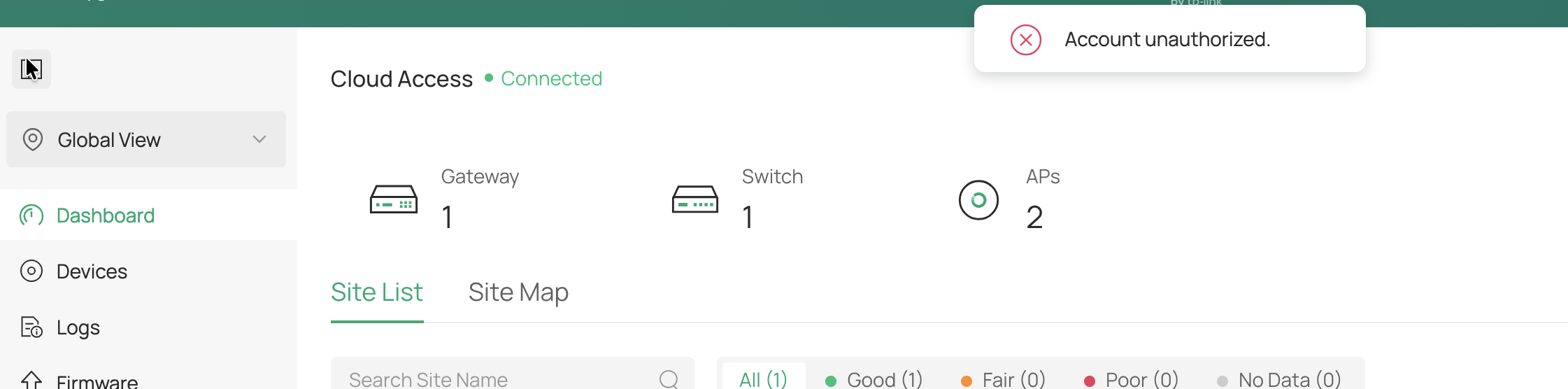
3. Account unauthorized on local URL without SSL
after clicking on minimizing left pane icon (this one is an intergalactic quirk).
- Copy Link
- Subscribe
- Bookmark
- Report Inappropriate Content

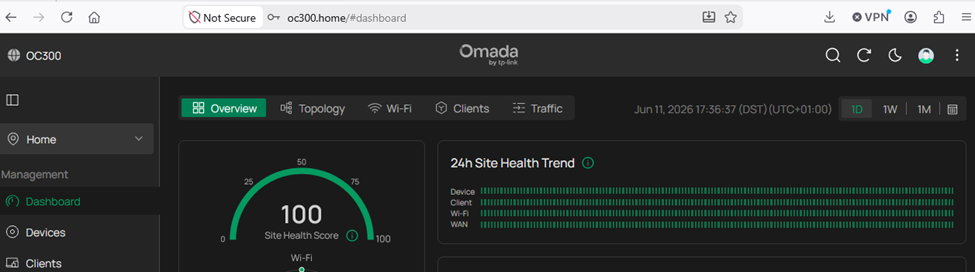
1. Regarding the issue Dark Mode does not work with local URLs. It appears that you have a local browser problem. The OC300 dark mode works fine here (with no SSL certificate) as shown below. Everything is OK using Chrome, Firefox , and Edge.
2. Regarding the issue Network Name validation doesn't work at all, there is a related thread here. There is also mention of the LAN DNS issue in this Reddit thread.
It seems limiting VLAN names to alphanumeric characters and underscores is for avoiding DNS injection risks. Interestingly, after just testing this, spaces in network names are working on my OC300 (with the same firmware as yours) which suggests this is a gateway bug. The latest gateway firmware release notes for my gateway mention a fix for missing rules and invalid LAN DNS configurations, which likely explains this behavior. Perhaps a forum moderator can clarify this.
- Copy Link
- Report Inappropriate Content
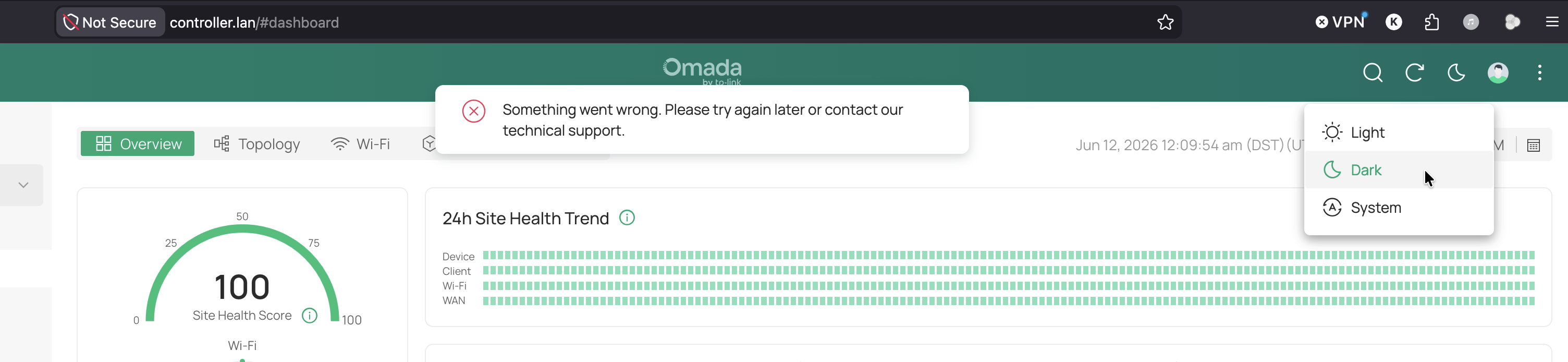
Ad 1. Dark Mode. Under my macOS 26.5.1 (the latest) and Chrome (the latest) as well as Firefox (the latest, screenshot below) and Safari (also the latest) it doesn't work. It's probably connected with Secure Context Policy - I haven't done any deeper investigation as it should work out-of-the-box.
Ad 2. Network Name + LAN DNS. I also have the latest firmware 1.1.0 Build 20251015 Rel.63594 of ER7412-M2 v1.20 that says it just „Added LAN DNS function”, so it might be a teething bug.
- Copy Link
- Report Inappropriate Content
I have found another one...
3. Account unauthorized on local URL without SSL
after clicking on minimizing left pane icon (this one is an intergalactic quirk).
- Copy Link
- Report Inappropriate Content


Hi @KrispPL
Thanks for posting here.
1. Dark Mode does not work with local URLs.
>>Does this happen if you log in to the controller via its IP address, or via the cloud website?
2. Network Name validation doesn't work at all
>>>I believe jra11500 had explained the reason.
Another UX bug here is that config error description should say that explicitly (real cause) instead of some ambigiuous ErrorCode: gateway_1010 that says nothing. For screenshots go to Configuring LAN DNS issue.
I would recommend you casting your vote under the following post:Provide more detail in firmware update error message
3. Account unauthorized on local URL without SSL
>>Does this happen if you log in to the controller via its IP address, or via the cloud website?
What type of account did you use to login?
- Copy Link
- Report Inappropriate Content
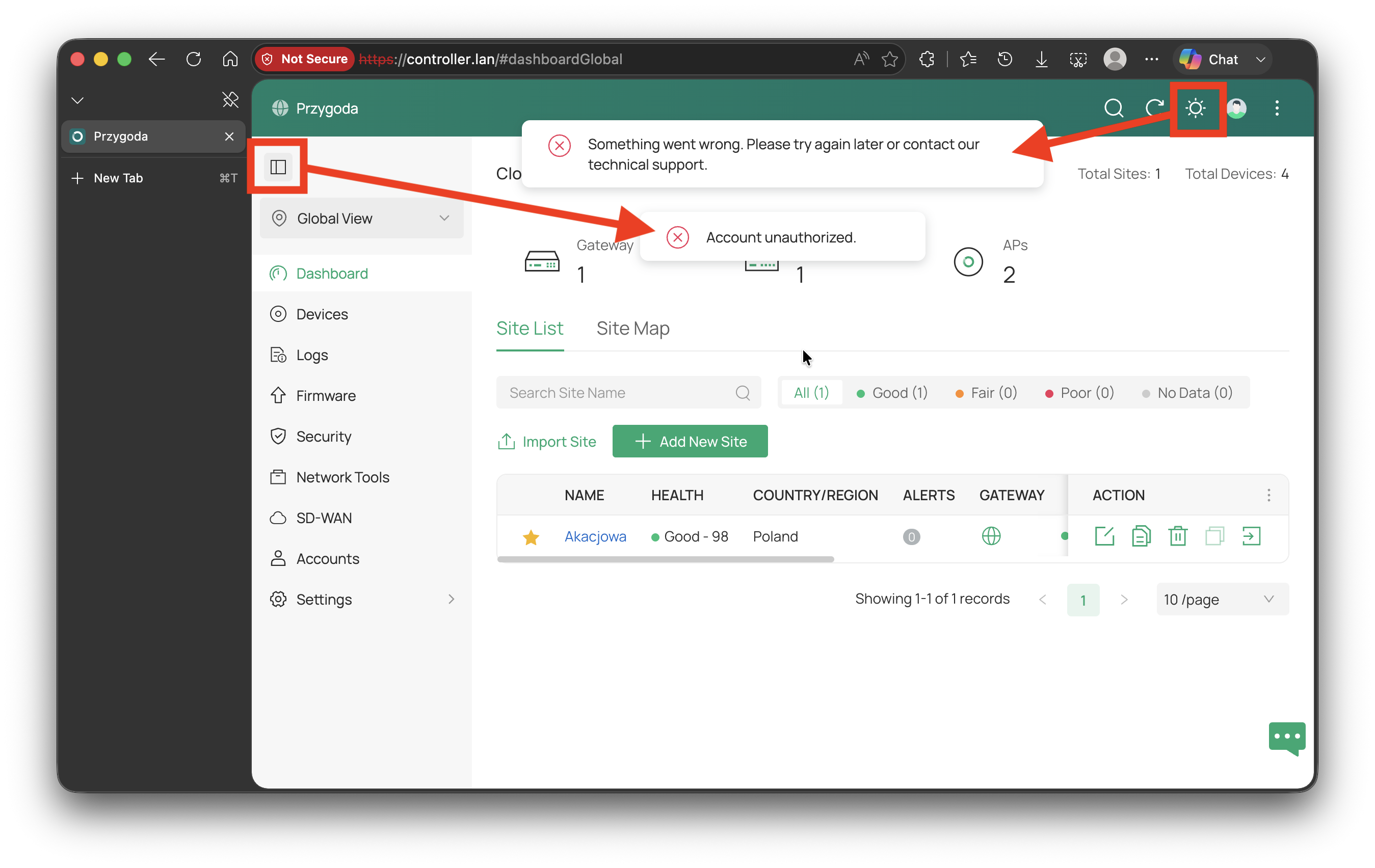
@Vincent-TP Every issue happen when accessing Omada Controller locally (IP or LAN DNS) with self-signed SSL. I always log in using TP-Link ID with 2FA (also while locally accessing OC300 via IP or LAN DNS domain). Tested on macOS 26.5.1, the latest Chrome, Firefox, Safari, Edge. Unfortunately, I can't post video recording here, so I'm dropping another screenshot (this time it's Edge). Both errors can be seen: a) click on dark mode icon (Something went wrong...) and b) click on pane minimizing icon (Account unauthorized). Everything else is working fine.
- Copy Link
- Report Inappropriate Content
Hi @KrispPL
Thanks for the reply.
What's the firmware version of the OC300? Did you mention that? Sorry if I missed it. The latest firmware is 1.34.18 Build 20260506. If you are not using the latest one, please upgrade it.
As a comparison test, could you please log in to the controller via the cloud platform and check whether the same issue persists?
omada.tplinkcloud.com/login#controller
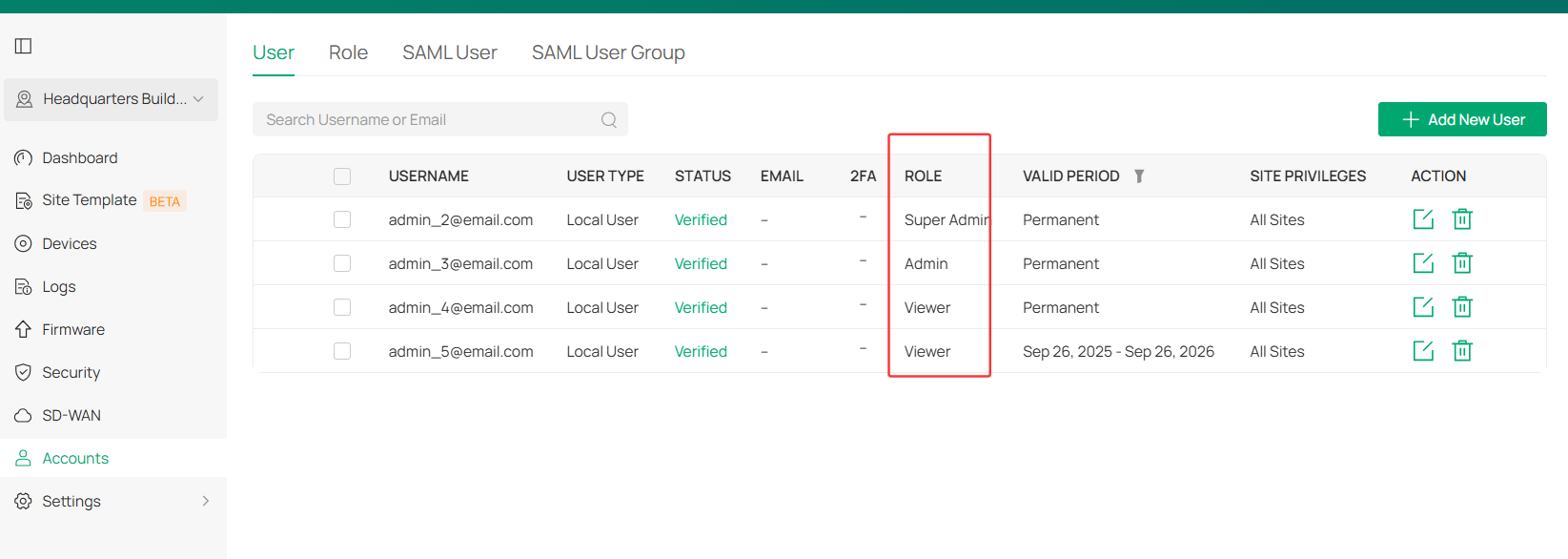
As for the account type, I mean, if it's the master admin account?
- Copy Link
- Report Inappropriate Content
Hi @Vincent-TP
The model is OC300 1.0, firmware version 1.34.18 Build 20260506 Rel.79284.
My account type is CloudUser and Role is Owner with 2FA.
Logging in via omada.tplinkcloud.com cloud with this account works fine.
Logging in via IP or LAN DNS on HTTPS with self-signed SSL has these two issues (everything else works fine).
PS
Logging in with LocalUser type account works fine.
- Copy Link
- Report Inappropriate Content
Hi @KrispPL
Thanks for the reply.
We had received similar feedback before. And it should be fixed by unbinding the cloud account and re-binding it. Below is the guide:
Want to Change Omada Cloud Owner? New Community Configuration Guide Available
Please have a try and let us know the results. Thanks.
KrispPL wrote
Hi @Vincent-TP
The model is OC300 1.0, firmware version 1.34.18 Build 20260506 Rel.79284.
My account type is CloudUser and Role is Owner with 2FA.
Logging in via omada.tplinkcloud.com cloud with this account works fine.
Logging in via IP or LAN DNS on HTTPS with self-signed SSL has these two issues (everything else works fine).
PS
Logging in with LocalUser type account works fine.
- Copy Link
- Report Inappropriate Content
@Vincent-TP Thanks! Unfortunately, simple unbinding and rebinding TP-Link ID didn't fix these issues.
- Copy Link
- Report Inappropriate Content
To better assist you, I've created a support ticket via your registered email address and escalated it to our support engineer to look into the issue. The ticket ID is TKID260645799. Please check your inbox and confirm that the support email was received. Thanks!
Once the issue is resolved, please update this thread with your solution to help others who may encounter the same problem.
Many thanks for your excellent cooperation and patience!
KrispPL wrote
@Vincent-TP Thanks! Unfortunately, simple unbinding and rebinding TP-Link ID didn't fix these issues.
- Copy Link
- Report Inappropriate Content
Information
Helpful: 1
Views: 456
Replies: 11
Voters 1