Connecting Ethernet Backhaul

Connecting Ethernet Backhaul

Connecting Ethernet Backhaul
19 hours ago
Model: Archer GE800  
Hardware Version:
Firmware Version:

Hi there,


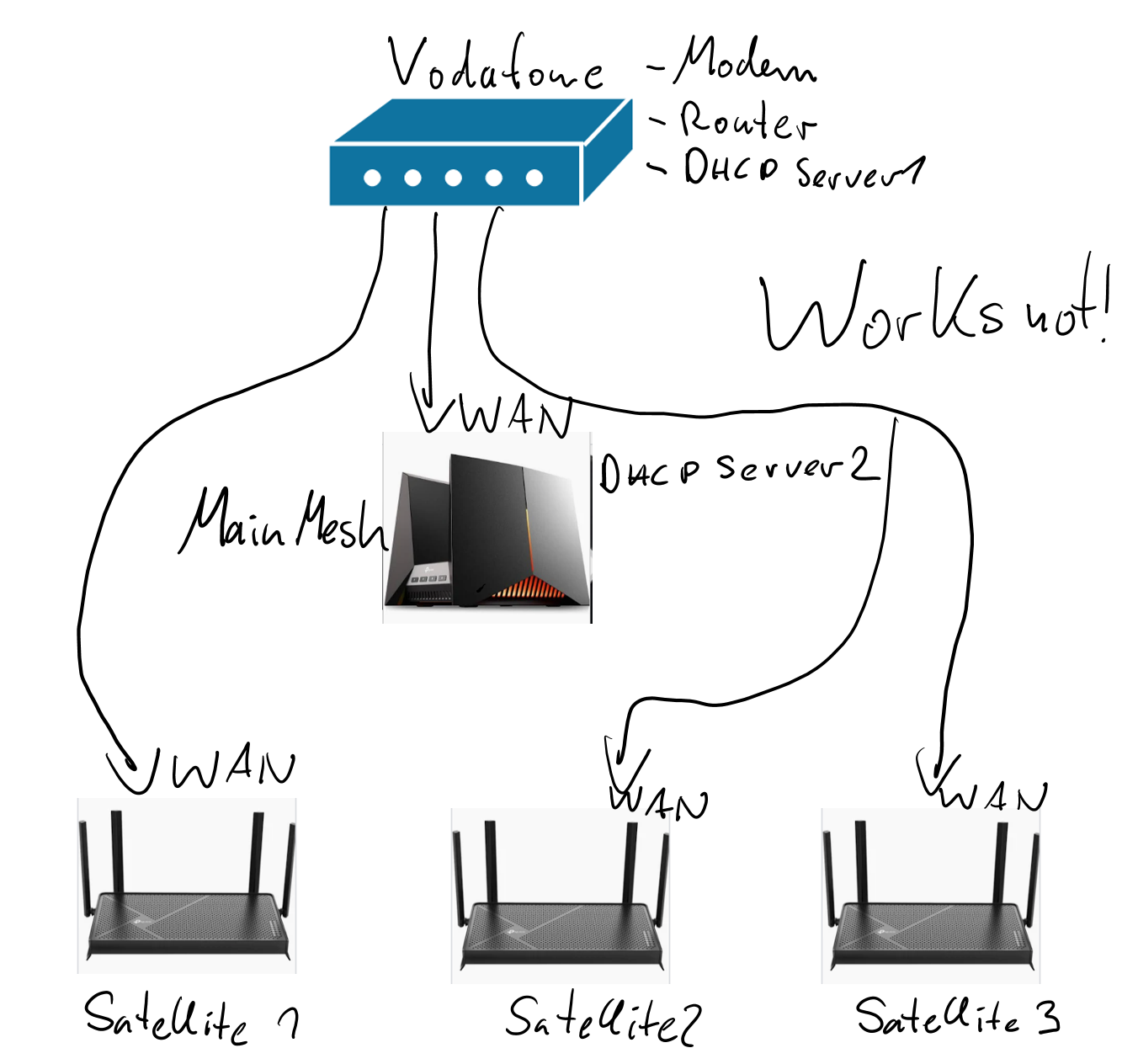
i have a question about the ethernet backhaul connection of my Archer GE800. It works fine when i connect my satellites directly. But it doesn't work if i connect them to the same router as the WAN-Port of my GE800. Could i solve it by setting the router/modem into bridge mode? i painted 3 pictures, one that works, one that works not (what would be better for setting the cables) and one, that i question, if it will work:
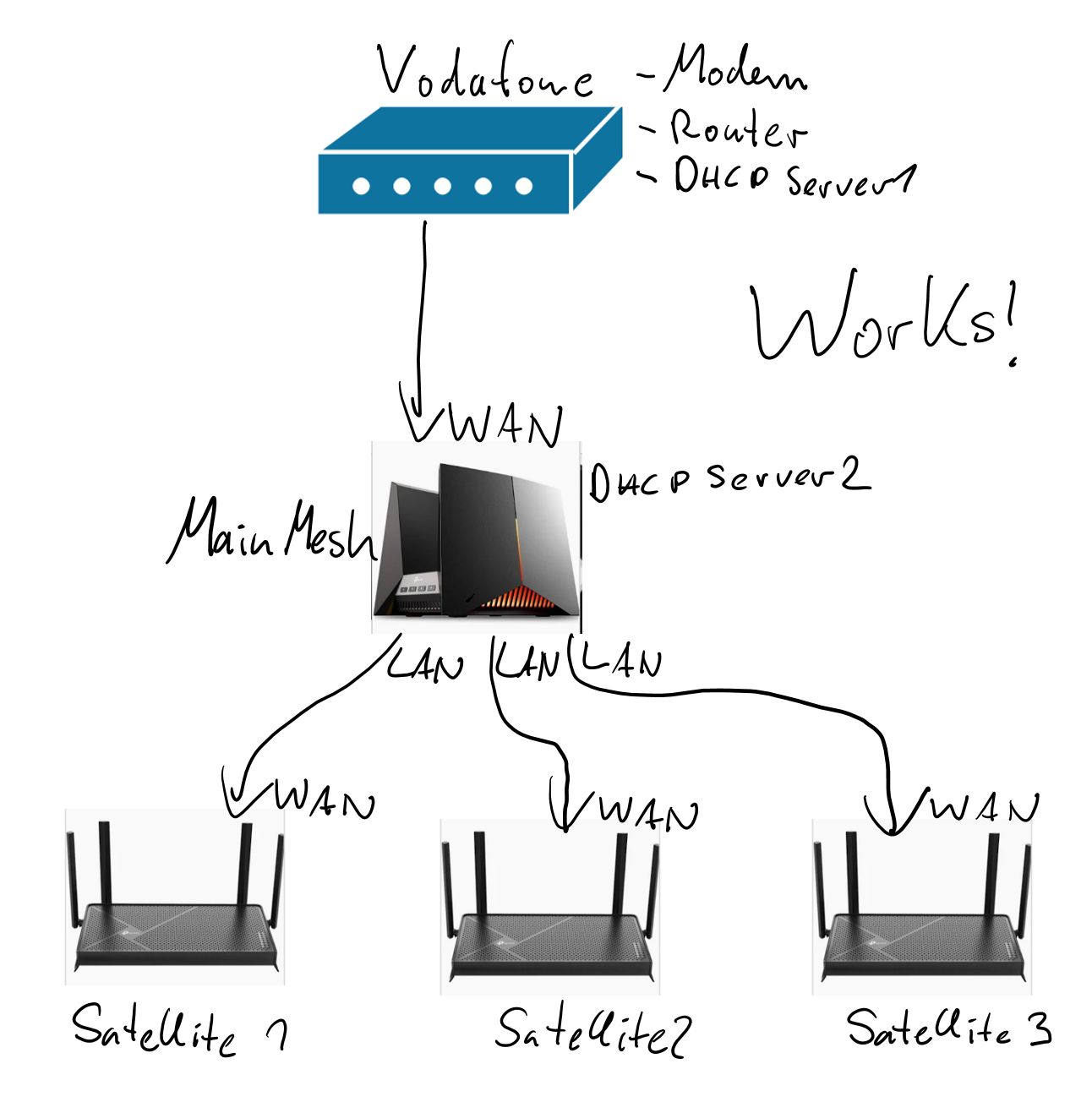
 

works

works not

maybe works?


  0      
  0      
#1
Options
1 Reply
Re:Connecting Ethernet Backhaul
3 hours ago - last edited 3 hours ago

 Hello @Matthias_Q ,

Thanks for contacting our community.


When the GE800 is the only DHCP server, satellite routers need to be connected to its LAN port.

Based on your situation, if the satellite router is directly connected to the modem, since the modem does not provide DHCP in bridged mode, the satellite router may try to assign an IP address through its own DHCP, which could cause a conflict with the GE800's IP pool.


You can refer to Q2 of the General questions about the Ethernet Backhaul feature.


If you want to connect all routers to modem's LAN ports, you can set the modem to the only DHCP server. Then change the GE800 to AP mode. You can still create the EasyMesh network for your routers.

How to add EasyMesh Satellite device when the main router is working in Access Point Mode


  0  
  0  
#2
Options

Information

Helpful: 0

Views: 33

Replies: 1