
Official Release Support Customizing Password and Encryption Type on Range Extenders


Dear TP-Link range extender users,
We are excited to inform you about a significant enhancement made to our range extenders in recent weeks. We are pleased to introduce a new feature that empowers you to personalize the password and encryption type for your extended network. This customization option enables you to further strengthen the security and tailor the network settings according to your preferences.
Having a different password for the extender compared to the router offers several benefits:
Enhanced Security
Using a different password for the extender adds an extra layer of security to your network. It prevents unauthorized access to your network by ensuring that anyone wishing to connect to the extended network needs to enter a separate password.
Access Control
With a unique password for the extender, you have more control over who can access your network. You can provide the router password to trusted users while maintaining a separate password for the extender, allowing you to manage and restrict access as needed.
Flexibility
Different passwords for the router and the extender provide flexibility in granting access rights. You can grant access to guests or temporary users without giving them access to your primary network by sharing the extender's password.
The Supported list:
More models are still in the plan. Please regularly check the official firmware release note for updates!
| Model & Hardware Version | Supported Firmware Version |
|---|---|
| RE815XE_V1 | since factory firmware |
| RE900XD_V1 | 1.0.10 Build 20240411 and later |
| RE815X_V1 | since factory firmware |
| RE700X_V1 | 1.1.3 Build 20230419 and later |
| RE705X_V1 | 1.0.10 Build 20230307 and later |
| RE715X_V1 | 1.0.10 Build 20230307 and later |
| RE605X_V3 | 1.0.10 Build 20230307 and later |
| RE600X_V3 | 1.0.10 Build 20230307 and later |
| TL-WA850RE_V7 | 1.0.13 Build 20240222_Beta Firmware |
How to set up a different password on the range extender?
Here we take RE815XE for example:
1. Log into the web UI per How to log into the web management page of the range extender.
2. Go to Settings>Wireless>Extended Network.
3. Change the SSID, password, and security mode if necessary. Then Click "Save".

With more exciting updates to share with you, We've also implemented the following features alongside the same firmware versions:
Host Wireless Password Detection Alerts
If the configuration is unsuccessful due to an incorrect password, a clear notification will be presented to indicate the issue.

Web Interface Display Optimization
-
Add Wireless Negotiation Rates.
You could view wireless negotiation rates from the extender to the host router, and from Wireless Clients to the extender directly on the web management page. It helps check whether the extender and mobile clients are positioned in optimal places and troubleshoot the network speed issues.
-
Add Physical and Virtual MAC addresses on the clients.
Making it easier to configure the Access Control/MAC Filtering on the Host router.


- Copy Link
- Subscribe
- Bookmark
- Report Inappropriate Content

@David-TP It will very helpful if you give this feature to RE650 v2 too also.
- Copy Link
- Report Inappropriate Content

- Copy Link
- Report Inappropriate Content

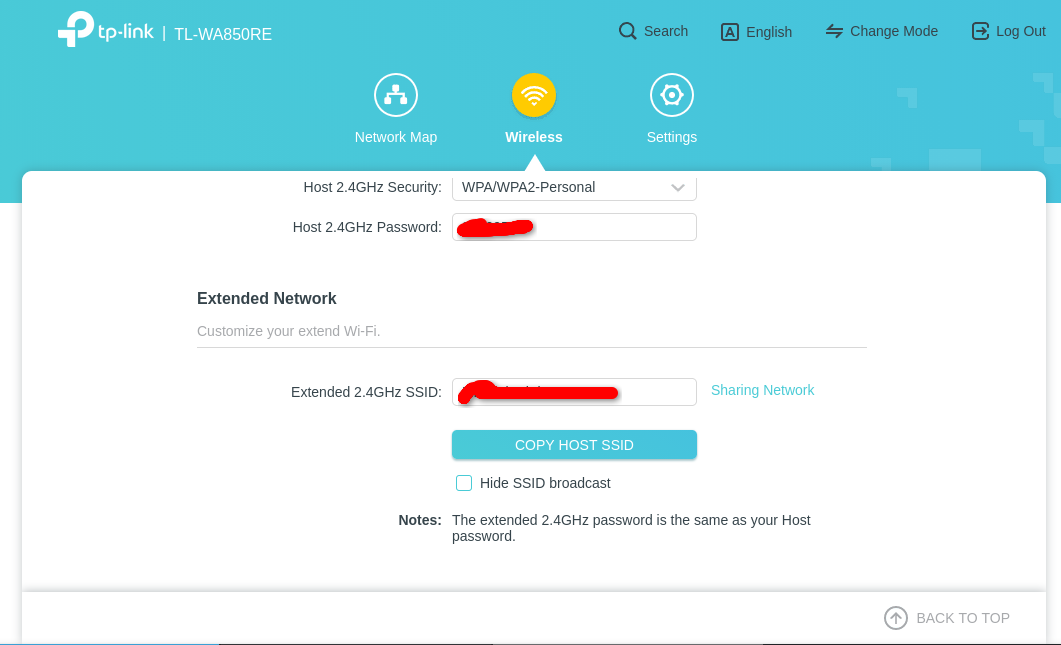
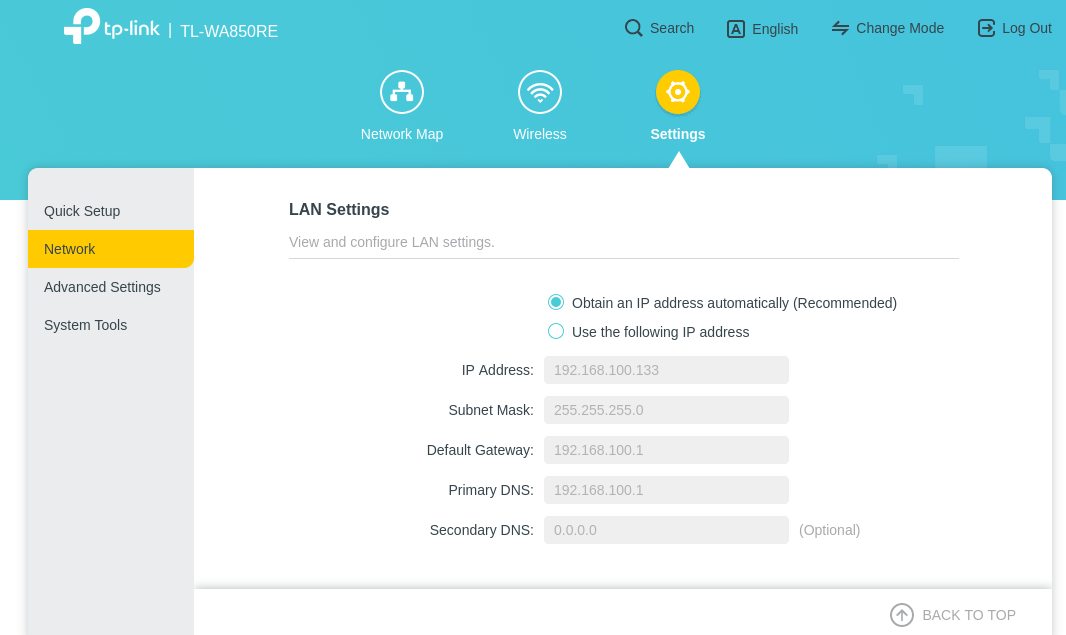
@Joseph-TP I have the TL-WA850RE V7 and just upgraded the firmware, however both in the Web UI and in the Android app I see no option to change the extender's password. I did a factory reset but everything looks the same. I'm attaching screenshots:
- Copy Link
- Report Inappropriate Content
Sorry I don't know why the third picture didn't went through, here it is. Also I should mention I did try the beta version first and then the final firmware, none of which gave me the option to change the password.

- Copy Link
- Report Inappropriate Content

Hi,
According to the table shown in the first post of this thread the feature was supposedly first introduced with firmware version 1.0.13 Build 20240222_Beta.
However, as per the last screenshot you posted your TL-WA850RE V7 is still running a firmware that was "built" three months prior, on 2023-11-15.
Maybe try the version 1.0.20 that is already available. https://www.tp-link.com/en/support/download/tl-wa850re/v7/#Firmware
Although, there have been other users before who said they can't find the password customization feature.
- Copy Link
- Report Inappropriate Content
What seems to be the issue is that the lastest firmware listed at the download page (https://www.tp-link.com/us/support/download/tl-wa850re/#Firmware) is said to have been published on 2024-11-04, but if you download it it's the one from 2023 as you said. I didn't download the one you have linked as I have the US device, not the EU one, and I've read that I should flash the firmware for my location although I am willing to try the EU one if you consider it to be safe. For now I went back to the beta firmware posted at the top of this thread and did a factory reset, but still no option to change the password (there are no submenues in 'network', only the options for LAN and DHCP Server):

- Copy Link
- Report Inappropriate Content
Hello @Radiobuzz ,
Thanks for your feedback.
The tech team has been made aware of your case; they will likely reach out to you via email to continue troubleshooting. Please check your email inbox and confirm.
- Copy Link
- Report Inappropriate Content

How to find pass word for connection
- Copy Link
- Report Inappropriate Content
Hello @Jackbean ,
May I know the model number of your device? Please refer to
How to find the model number of your TP-Link device
How to find the hardware version on a TP-Link device
What password do you want to check? The WiFi password? Or login password of extender's management page?
- Copy Link
- Report Inappropriate Content
Information
Helpful: 0
Views: 27541
Replies: 39
Voters 0
No one has voted for it yet.