
Device not login to tether apps cloud

This thread has been locked for further replies. You can start a new thread to share your ideas or ask questions.

Device not login to tether apps cloud

This thread has been locked for further replies. You can start a new thread to share your ideas or ask questions.

Device not login to tether apps cloud
2025-09-11 17:09:47 - last edited 2025-12-08 01:21:03
Model: XC220-G3v  
Hardware Version: V2
Firmware Version: 1.2.0 0.8.0 v6062.0 Build 220907 Rel.7774n

I am configer my device with cloud also login after this i am trying to connect my to tether app showing some error end not login 

File:
Screenshot_20250911_223230.jpgDownload
  0      
  0      
#1
Options
1 Accepted Solution
Re:Device not login to tether apps cloud-Solution
2025-09-12 02:30:49 - last edited 2025-12-08 01:21:03

Hello@Mohd_Irfan ,

Welcome to our community.


Please note that the XC220-G3v is a Wireless VoIP XPON Router, you can use the Aginet App to manage the XC220-G3v.

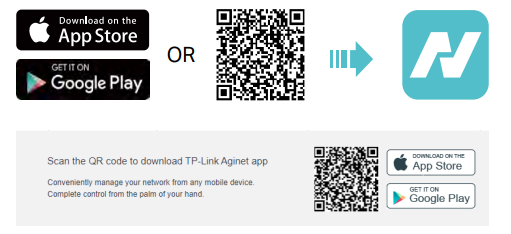
The Aginet app runs on iOS and Android devices, such as smartphones and tablets.  Launch the Apple App Store or Google Play store and search “TP-Link Aginet” or simply scan the QR code to download and install the app.


For more details, please refer to BBA GPON_User Guide.


Welcome to Community! Get the latest posts: △New Firmware for Archer GE550/GE650 V1 Introduces AI-QoS, EasyMesh IoT Expansion, and More! △New Firmware Releases for Archer BE805 V1/BE450 V1 to Support VPN Merge, New ECO Mode, and More! More posts, please see: △ Get the Ongoing Pre-release Firmware for Wi-Fi Routers Here— Subscribe for Updates! Urgent problems with your Wi-Fi Router, Range Extender, or DSL Modem? Please reach out via private Messages or @Joesph-TP in your new thread directly. Click Or ☆Recommended Solution if the post/answer helps.
Recommended Solution
  0  
  0  
#2
Options
1 Reply
Re:Device not login to tether apps cloud-Solution
2025-09-12 02:30:49 - last edited 2025-12-08 01:21:03

Hello@Mohd_Irfan ,

Welcome to our community.


Please note that the XC220-G3v is a Wireless VoIP XPON Router, you can use the Aginet App to manage the XC220-G3v.

The Aginet app runs on iOS and Android devices, such as smartphones and tablets.  Launch the Apple App Store or Google Play store and search “TP-Link Aginet” or simply scan the QR code to download and install the app.


For more details, please refer to BBA GPON_User Guide.


Welcome to Community! Get the latest posts: △New Firmware for Archer GE550/GE650 V1 Introduces AI-QoS, EasyMesh IoT Expansion, and More! △New Firmware Releases for Archer BE805 V1/BE450 V1 to Support VPN Merge, New ECO Mode, and More! More posts, please see: △ Get the Ongoing Pre-release Firmware for Wi-Fi Routers Here— Subscribe for Updates! Urgent problems with your Wi-Fi Router, Range Extender, or DSL Modem? Please reach out via private Messages or @Joesph-TP in your new thread directly. Click Or ☆Recommended Solution if the post/answer helps.
Recommended Solution
  0  
  0  
#2
Options
