
LLDP Topology not correct after Upgrade to 6.24
 This thread has been locked for further replies. You can start a new thread to share your ideas or ask questions.
LLDP Topology not correct after Upgrade to 6.24
This thread has been locked for further replies. You can start a new thread to share your ideas or ask questions.
hi,
it is an software controller, installed was the latest 5.15. version. with the 5.15.x lldp was working fine.
There is an ALE Switch OS6360-P24, thats the Root-Switch. LLDP is configured and it was working fine until i upgraded the controller version 6.24
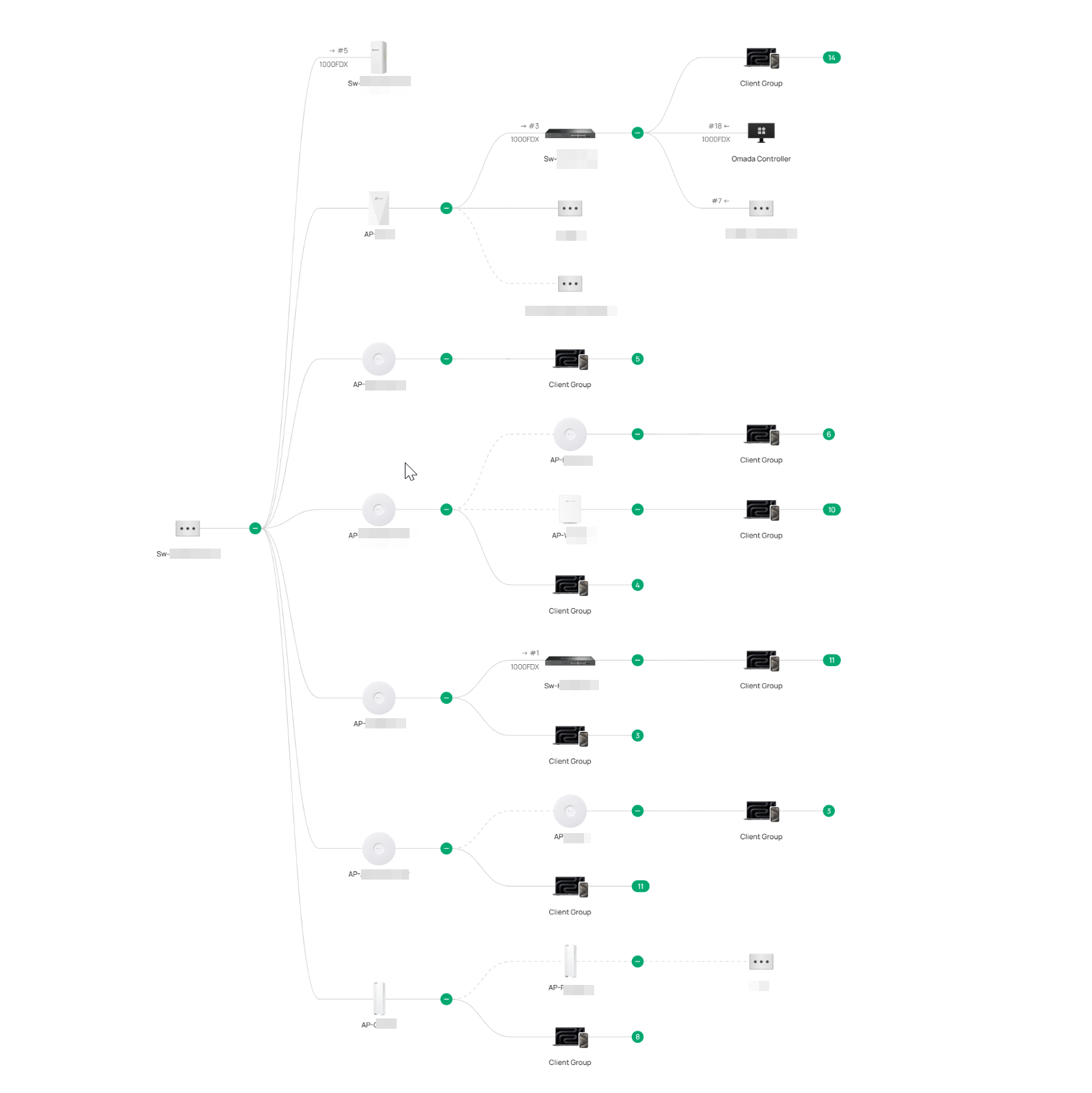
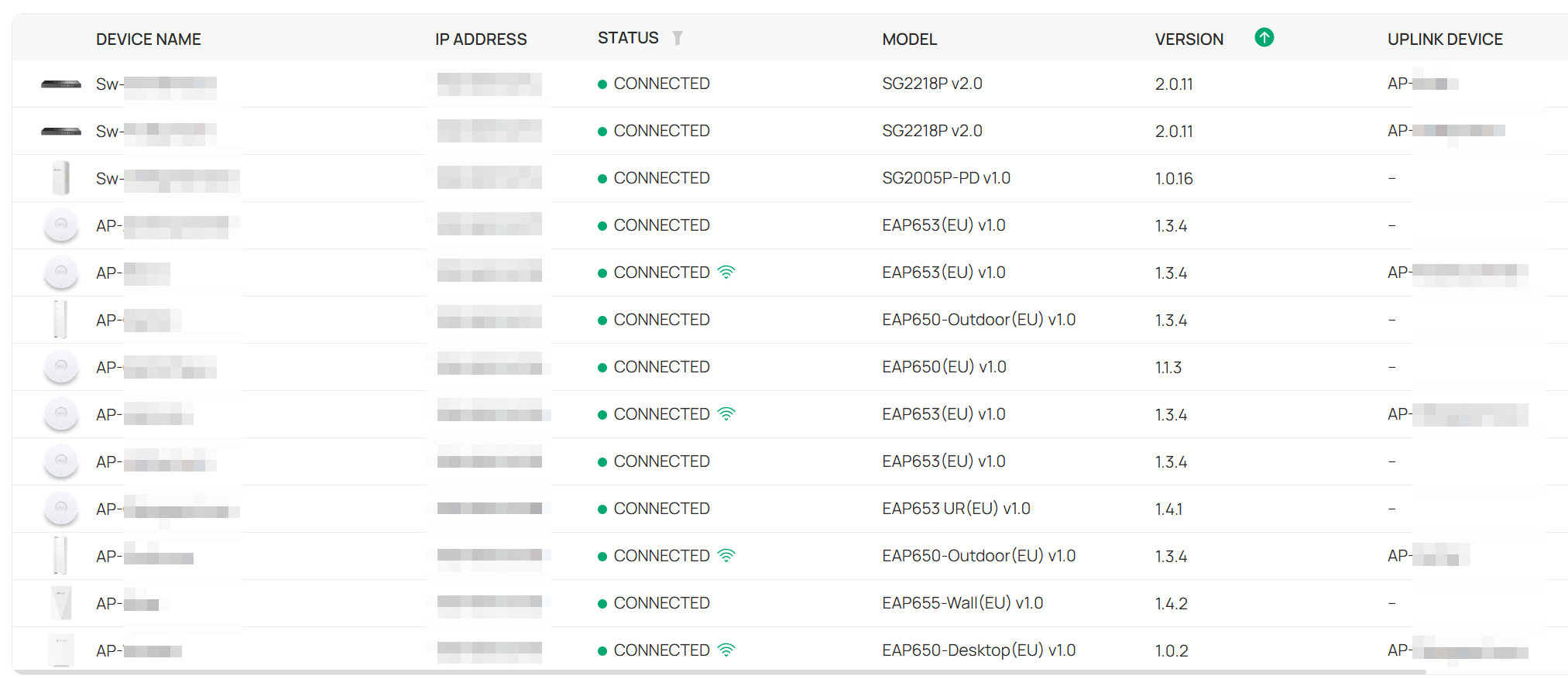
- Copy Link
- Subscribe
- Bookmark
- Report Inappropriate Content
after i disabled the lldp for all AP´s (network config->site settings->eap lldp) my topolgy is ok. after enabling it again, topology is broken. so its something wrong with lldp calculation with the AP´s.
- Copy Link
- Report Inappropriate Content

Thanks for posting here.
Thank you for your feedback. We need to understand how your topology is actually connected. Or do you have a topology from the 5.15.24?
Additionally, could you confirm whether LLDP is enabled on the device? Thank you.
- Copy Link
- Report Inappropriate Content
i confirm lldp ist enabled on all devices. i will send you a pm with a manually created topology map. for now, as you can see the controller calculate the accesspoint as uplink devices. thats ok for the mesh-ap´s but no for the switches.
this is my topology. the dotted line are wifi-mesh.
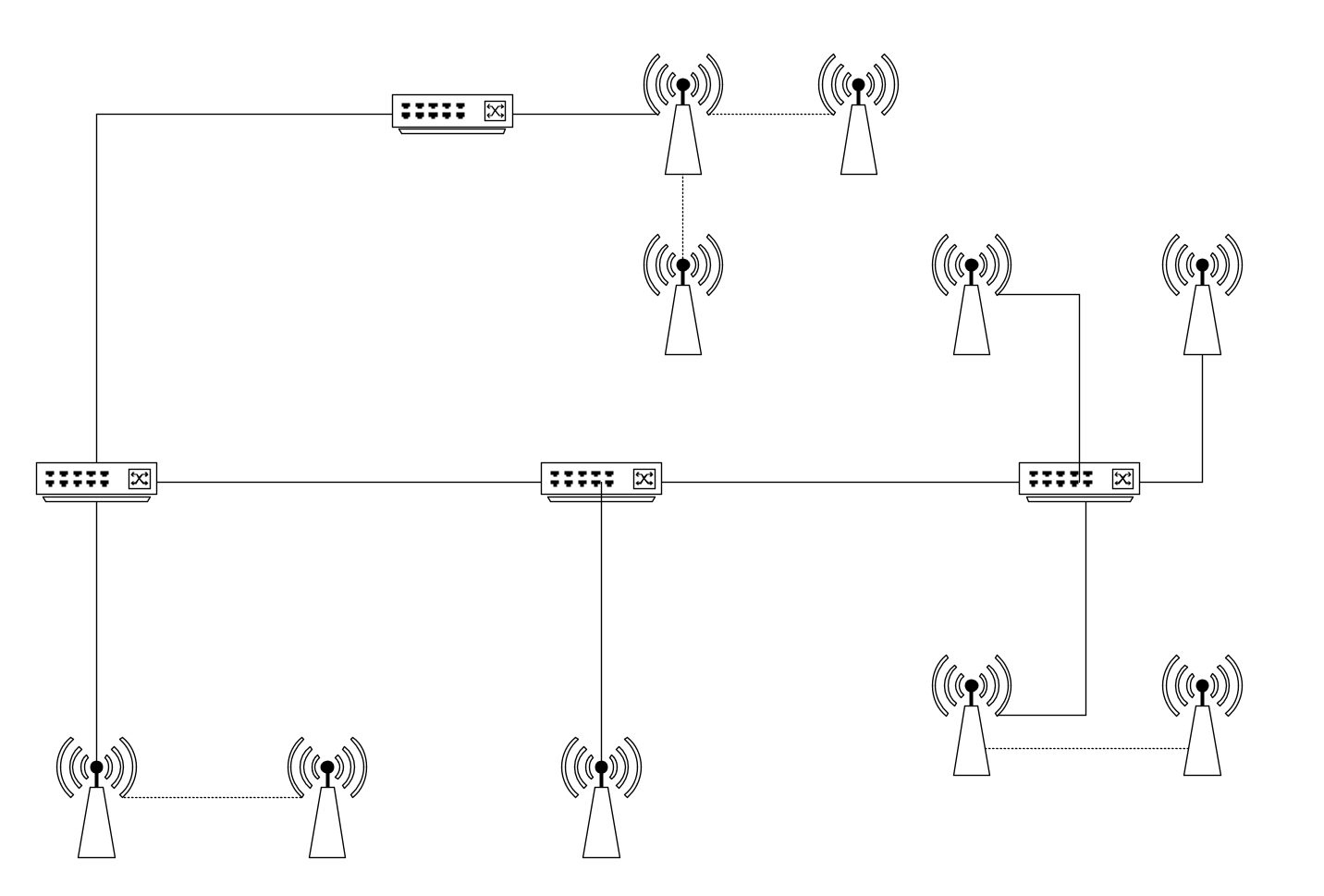
- Copy Link
- Report Inappropriate Content
Thanks for the picture.
Did you try to reboot the system? did it help? Please reboot the devices according to the following order:
router > uplink switch > controller > EAP > mesh EAP
One more question, where is the controller plugged to? the core switch?
- Copy Link
- Report Inappropriate Content
- Copy Link
- Report Inappropriate Content
Thank you so much for taking the time to post the issue on the TP-Link community!
To better assist you, I've created a support ticket via your registered email address and escalated it to our support engineer to look into the issue. The ticket ID is TKID251150341. Please check your email box and ensure the support email is well received. Thanks!
Once the issue is addressed or resolved, please update this topic thread with your solution to help others who may encounter the same problem as you did.
Many thanks for your excellent cooperation and patience!
- Copy Link
- Report Inappropriate Content

How is the behavior these days?
We suspect this may related to the LLDP on the ALE Switch OS6360-P24.
Would you please disable LLDP forwarding for the ALE Switch OS6360-P24 and see if it helps?
- Copy Link
- Report Inappropriate Content

- Copy Link
- Report Inappropriate Content
Thanks for sharing the solution.
Would you please share a screenshot of your topology so we can better understand it? Thanks.
OMADA-tunisia wrote
Same problem with my setup. And no solution even with the latest omada update The only solution I have found is disabling LLDP-MED on the default profile and assign it to access port Keep the "all" profile with LLDP-MED enabled and assign it to uplink port
- Copy Link
- Report Inappropriate Content
after i disabled the lldp for all AP´s (network config->site settings->eap lldp) my topolgy is ok. after enabling it again, topology is broken. so its something wrong with lldp calculation with the AP´s.
- Copy Link
- Report Inappropriate Content
Thanks for sharing and glad to hear that you have found a solution.
This is most likely because there are other devices in your network capable of forwarding LLDP, such as the ALE Switch OS6360-P24 you mentioned.
Can you please help us confirm whether the involved SDN devices are plugged into a third-party device that supports LLDP forwarding?
daniel_hainich wrote
after i disabled the lldp for all AP´s (network config->site settings->eap lldp) my topolgy is ok. after enabling it again, topology is broken. so its something wrong with lldp calculation with the AP´s.
- Copy Link
- Report Inappropriate Content
Information
Helpful: 0
Views: 1592
Replies: 14
Voters 0
No one has voted for it yet.