WAS-110/X-ONU SFP+

WAS-110/X-ONU SFP+

WAS-110/X-ONU SFP+
WAS-110/X-ONU SFP+
Yesterday - last edited 19 hours ago
Model: TL-SG3428X-M2  
Hardware Version: V1
Firmware Version: 1.20.0 Build 20231013 Rel.67516

I am trying to get a WAS-110/X-ONU SFP+ working on a SG3428X-M2 switch. This is to replace my ISP (Virgin Media HUB5x) router - 192.168.0.1.


I have a ER7212PC - 192.168.0.11 controller plugged in to the switch. It is acting as a DHCP server. It does not, currently, own the switch.

The SG3428X-M2 switch is at its default settings with nothing changed other than the logon details and its IP address - 192.168.0.12

I have the WAS-110 plugged in to the SPF+ port. Its management address is 192.168.0.10. I can see and change its setup . It appears to connect to the ISP.

I have a Windows10 PC plugged into the switch at 192.168.0.30. I can ping 10,11 &12 OK.


I am not getting an internet connection on the PC.


The connection works if I use the PC Wi-Fi (192.168.0.2) to connect to the internet via the Virgin router.

My knowledge level of the SG3428X-M2 and of general networking is not high.


Has anyone got this working?


What settings, if any,  do I need in the switch or the PC?


Thanks

Steve

  0      
  0      
#1
Options
1 Accepted Solution
Re: WAS-110/X-ONU SFP+-Solution
19 hours ago - last edited 19 hours ago

  @Compy 

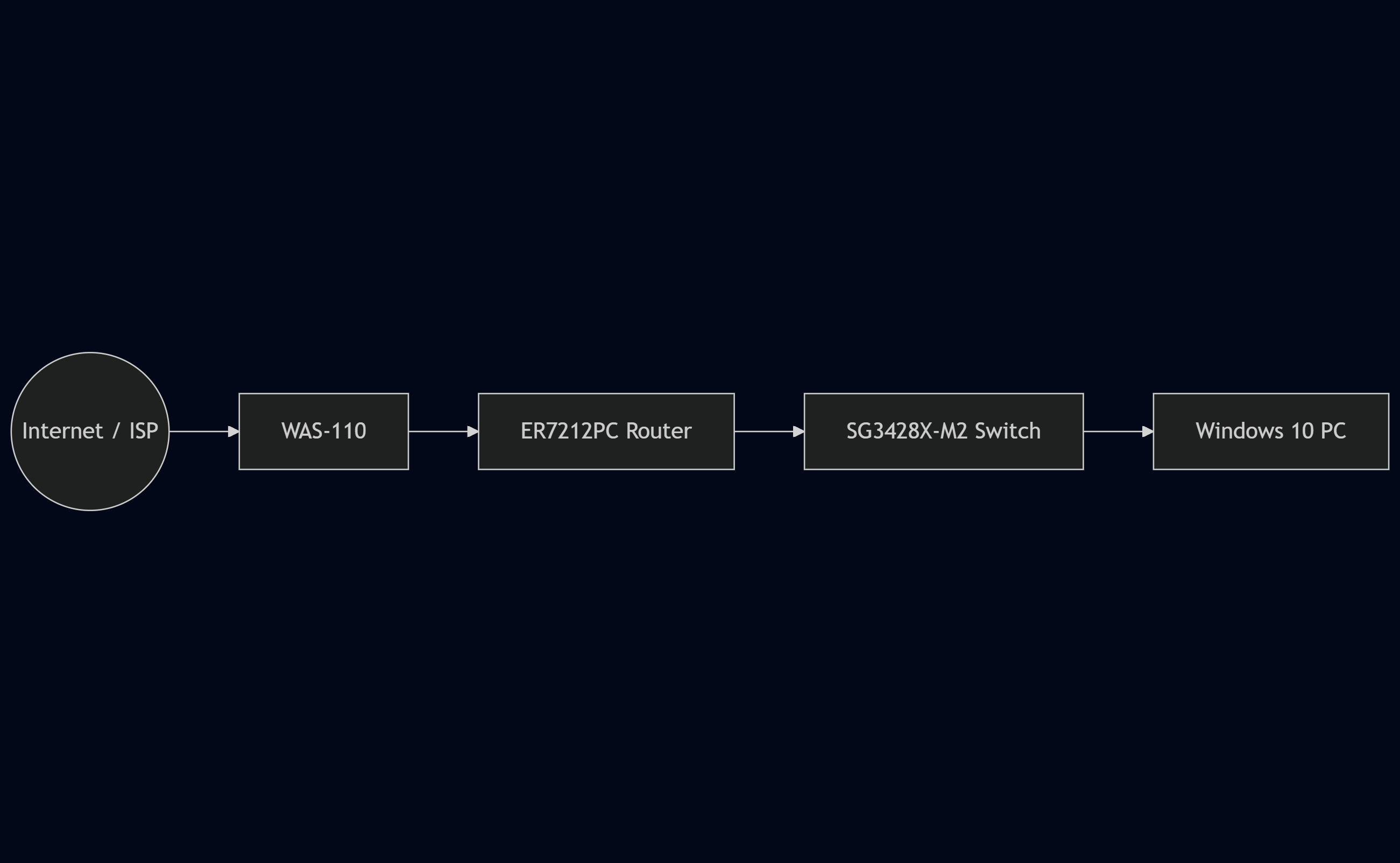
WAS-110 is not a router. You will still need a routing functionality. Recomanded setup : 

Recommended Solution
  0  
  0  
#2
Options
3 Reply
Re: WAS-110/X-ONU SFP+-Solution
19 hours ago - last edited 19 hours ago

  @Compy 

WAS-110 is not a router. You will still need a routing functionality. Recomanded setup : 

Recommended Solution
  0  
  0  
#2
Options
Re: WAS-110/X-ONU SFP+
7 hours ago

  @Hobbs1210 

Hi, Thanks for your quick response.


According to the WAS-110 description. This is what I need:

  • An XGSPON ONU SFP+ Module compatible with the 8311 firmware
  • LC/APC to SC/APC cable
  • A device with a spare SFP+ slot (ie switch, router etc)
  •  

I have been following a guide at fttpprodotcodotuk    

The WAS-110 people have helped me and still are but  have no knowledge of the TP-Link kit, hence I thought someone in here may have done this.


I cannot use the setup up you have shown as the ER7212PC does not have an SFP+ slot only SFP. The WAS-110 needs SFP+. I did try it but although the port status changed I could not ping it or see it on the network.


Is there a way of plugging it into the switch and linking it to the ER7212PC?


Steve


  0  
  0  
#3
Options
Re: WAS-110/X-ONU SFP+
3 hours ago

  @Compy 

To connect the WAS-110 and route its connection to the router’s WAN port through the same switch, the switch must be configured with separate VLANs for WAN and LAN traffic. The WAS-110 and the router’s WAN port are placed on a dedicated WAN VLAN, while the router’s LAN port and all PCs remain on a separate LAN VLAN.


High-Level Steps

1. Create a WAN VLAN on the switch.

2. Create a LAN VLAN on the switch.

3. Assign:

         WAS-110 → WAN VLAN (untagged)

        Router WAN port → WAN VLAN (untagged)

       Router LAN port → LAN VLAN (untagged)

       All PCs → LAN VLAN

4. Ensure no routing or bridging exists between VLANs on the switch.


  0  
  0  
#4
Options