Issue with WAN ports or WAN port management on ER7212PC - redux

Issue with WAN ports or WAN port management on ER7212PC - redux

Issue with WAN ports or WAN port management on ER7212PC - redux
2 weeks ago - last edited a week ago
Model: ER7212PC  
Hardware Version: V1
Firmware Version: 1.3.2 Build 20251015 Rel.76521

I am having the exact same issue as in this thread...


https://community.tp-link.com/en/business/forum/topic/771268


...and was wondering if there was a solution other than a factory reset.  Everything seemed to be working fine, and the older VLANs are acting correctly, but I cannot create any other VLANs because the LAN interface (WAN3) is missing from the options.

  0      
  0      
#1
Options
1 Accepted Solution
Re:Issue with WAN ports or WAN port management on ER7212PC - redux-Solution
2 weeks ago - last edited a week ago

Hi  @rsc2a 


Thanks for posting here.

Is your WAN3 port configured as a LAN port? Are you unable to select this port when creating a VLAN?

What's the firmware version? We have released a new firmware for ER7212PC V2, you may  update it:

ER7212PC V2 (Built-in Omada SDN Controller 6.1) Pre-Release Firmware (Released on 22nd Dec, 2025)


Please also try using a different browser, incognito mode, or restarting the router.

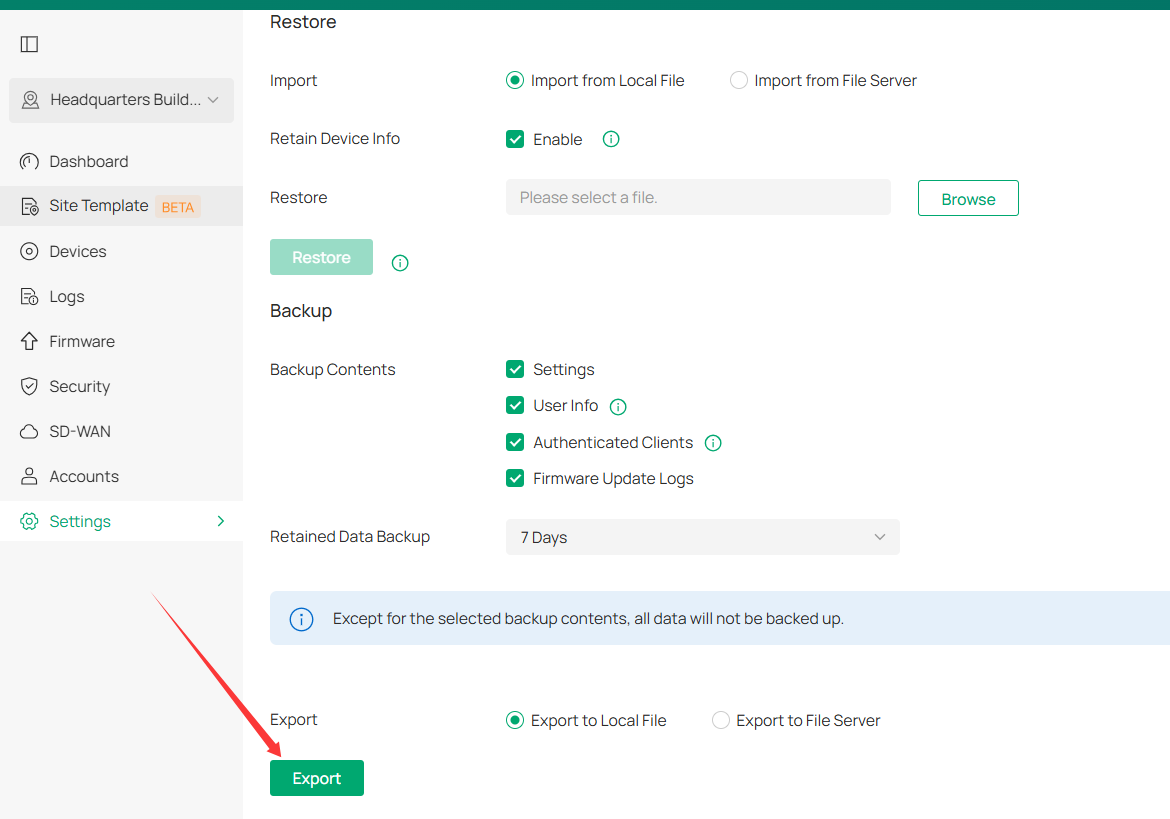
If none of these work, you may indeed need to reset the router. Resetting the router isn't a problem—you can export the configuration file before resetting, which lets you restore the settings with one click.


Recommended Solution
  0  
  0  
#2
Options
1 Reply
Re:Issue with WAN ports or WAN port management on ER7212PC - redux-Solution
2 weeks ago - last edited a week ago

Hi  @rsc2a 


Thanks for posting here.

Is your WAN3 port configured as a LAN port? Are you unable to select this port when creating a VLAN?

What's the firmware version? We have released a new firmware for ER7212PC V2, you may  update it:

ER7212PC V2 (Built-in Omada SDN Controller 6.1) Pre-Release Firmware (Released on 22nd Dec, 2025)


Please also try using a different browser, incognito mode, or restarting the router.

If none of these work, you may indeed need to reset the router. Resetting the router isn't a problem—you can export the configuration file before resetting, which lets you restore the settings with one click.


Recommended Solution
  0  
  0  
#2
Options