
TP link archer AX55 update (newest one)

I have updated my router from the previous version to this new version as it says alot of things have been fixed, then realised this new version for the Archer AX55 resets the router back to factory settings and you have to setup the router as if it came out of the box, not a great start, but also with the new firmware version I am getting 150mbps, but the package I pay for is 1000mbps, my speed test isnt reaching this atall.
The version my router was on was build:
1.4.1 Build 20250821 rel.70686
And this worked a treat with the speed and was getting 800+ on speed.
Can anyone from tp link reach out to me with the old version of firmware for this router as it worked fine before or a new update that allows my speed how it was back to normal, now the new update has decreased my network speed entirely, I cant even play a game of warzone without it lagging 😅 getting each game od 550ms of ping 🤮
Or is there a setting I'm missing and thats why its not back to its original speed.
- Copy Link
- Subscribe
- Bookmark
- Report Inappropriate Content

Hello @GPX ,
Welcome to our community.
Have you also been able to update the router firmware to 1.5.10? What was your previous firmware?
Could you provide screenshots with speedtest results and send them here? The 60 Mbps you mentioned is the router's wired or wireless speed?
- Copy Link
- Report Inappropriate Content
@DanishSweets90 Hi, it was the newest version I updated to, I had the most updated one before the new version.
The speed comes through wired and wireless, also to mention when I restart both routers (the main one and the ax55 which runs via bridge mode) the speed is fine for the first few minutes, but then it limits the speed to 60 mbits download.
- Copy Link
- Report Inappropriate Content
Hi GPX
Yes, this update has done this, as it limits the download speed, maybe not upload, but software wise it has limited the download speed.
Theyre creating a new version for this router, ive sent them my .bin version for the latest release which was 1.5.10, and my speeds have also veen affected.
Just need to wait, as they are testing the software and will send out a stable and working version, as I complained about this
- Copy Link
- Report Inappropriate Content

Hello @GPX ,
Do you mean that you have created an EasyMesh network between the main router and AX55? What is the model of your main router?
Does 60 Mbps refer to the main router's speed or the AX55's? Is it the speed of a wired or wireless connection?
By the way, what is the network connection type of your network? PPPOE or dynamic IP?
If you have enabled the VPN feature, would you mind temporarily disabling it for a try?
- Copy Link
- Report Inappropriate Content
- Copy Link
- Report Inappropriate Content
- Copy Link
- Report Inappropriate Content

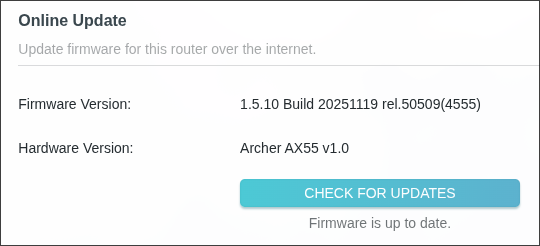
The drop in the internet speed is quite evident from SpeedTest on Google or Ookla. Information and test results below with and without AX55.
TP-Link AX-55:
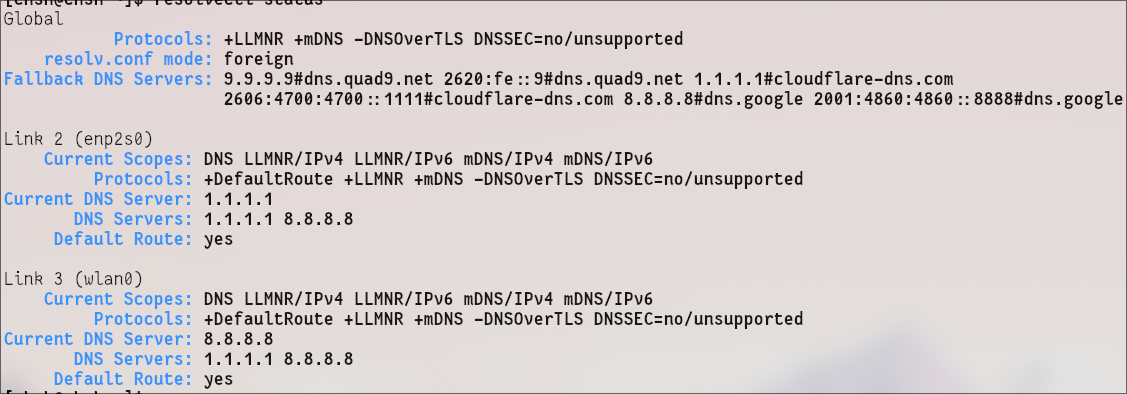
DNS on latest CachyOS desktop:
Only wired network with AX55: Optic cable > Optical Distribution Network (ODN) box > TP-Link AX55 > Desktop computer.
AX55 is used for Wi-Fi 6 and other features that are not present on the ODN box.
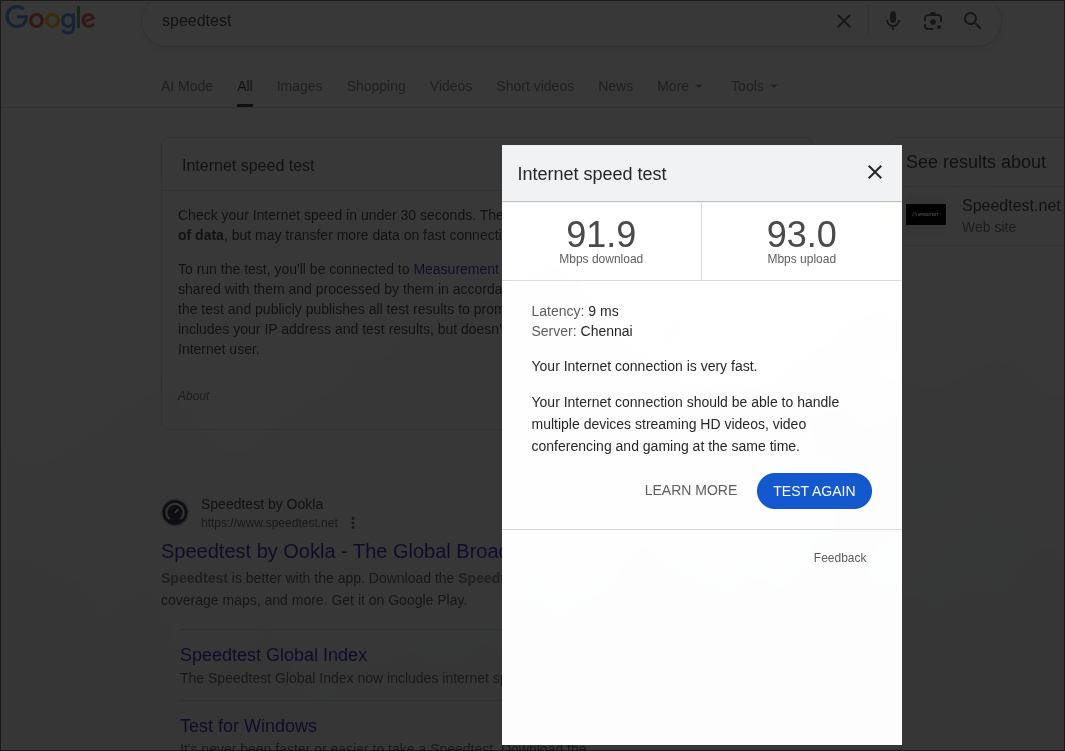
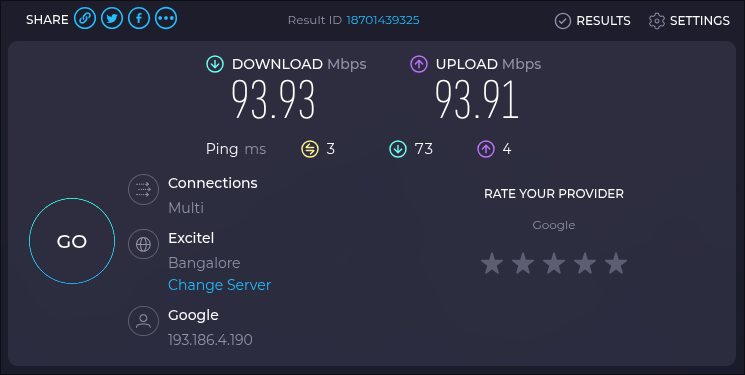
Only wired network without AX55: Optic cable > Optical Distribution Network box > Desktop computer.
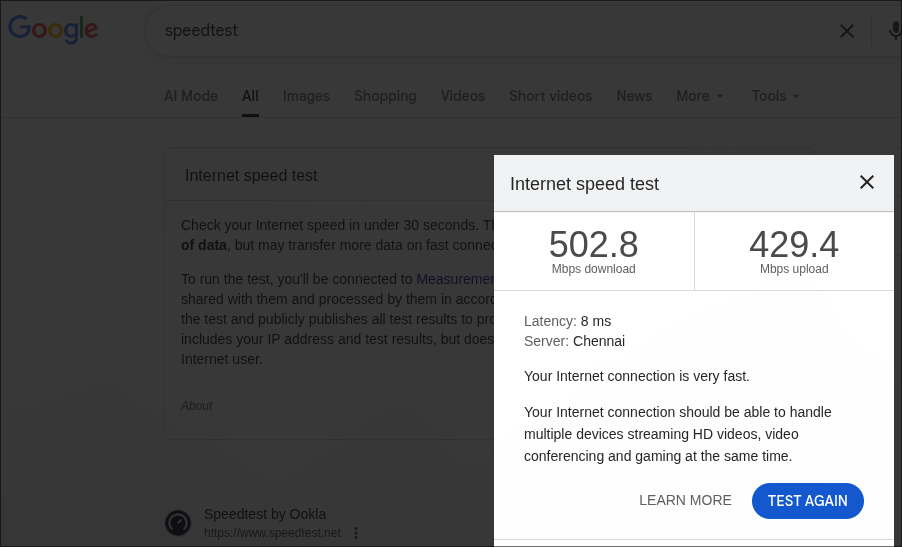
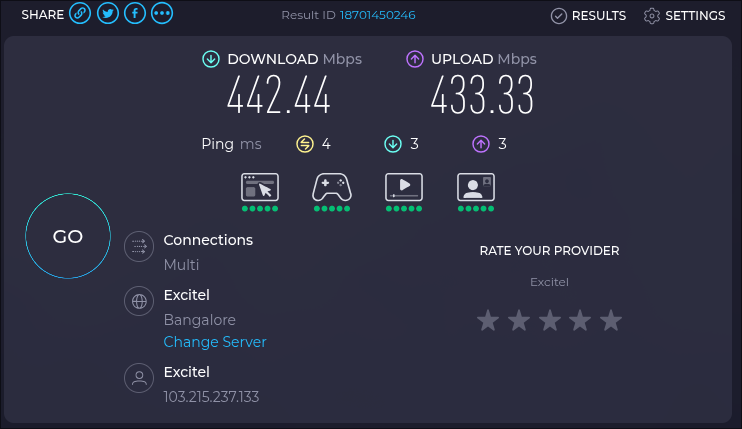
Swapping the Ethernet cable between desktop and AX55 helped to find the slowness easily.
- Copy Link
- Report Inappropriate Content
Hi @Radheshyam & @GPX ,
Thank you both for your details.
It appears that after the firmware update, the wired speed of the Archer AX55 dropped below 100Mbps. This is indeed strange, and we are working to pinpoint the cause as quickly as possible. We need your help to collect the following information:
- Were the cables you were using before and after the firmware update the same?
- What was the specific link speed when the speed dropped? Please refer to the following: How to check the associated/link speed on a wired client. Also, please check the negotiated speed of the LAN port. Go to the Network Map and check the Ethernet Status.
- What was the actual speed before the firmware update? For example, 400Mbps?
- Additionally, who is your ISP? What is your network connection type? For example, PPPoE and Dynamic IP?
I will update this post if there are any developments.
Best Regards.
- Copy Link
- Report Inappropriate Content
For most questions, the answers are in the screenshots as evidence. PPPoE is used on the ODN box.
- Copy Link
- Report Inappropriate Content
Hello @Radheshyam ,
Yes, you provided some test results, but that's not enough to pinpoint the cause of the problem.
Therefore, we still need you to provide the following information. When the speed reduces:
1. What is the specific link speed when the speed drops? Please test it on a PC, referring to the following: How to check the associated/link speed on a wired client.
2. What is the Ethernet Status? Please go to the Network Map -->Archer AX55, slide down the page and check the Ethernet Status.
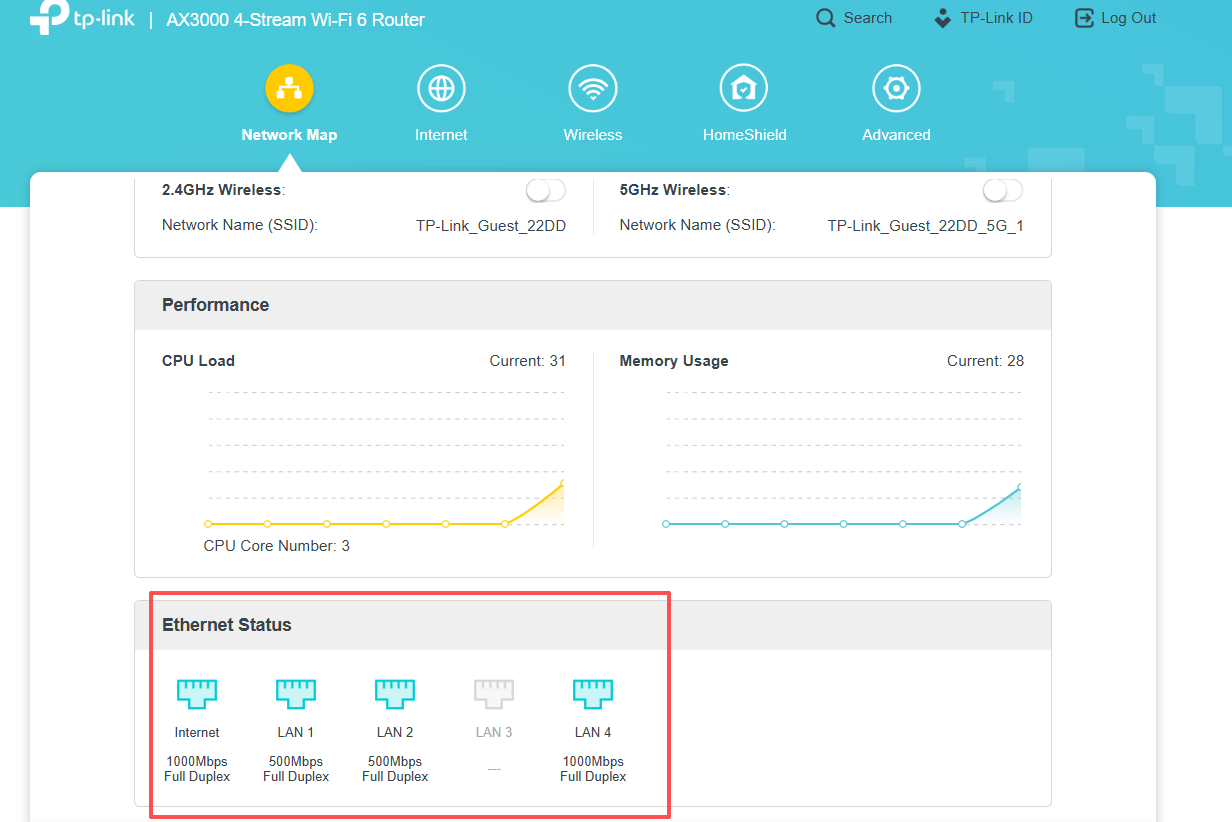
In addition, we would like to escalate your case to the support engineers, and they will follow up on it. If you are willing to conduct further analysis, please check your inbox and respond.
- Copy Link
- Report Inappropriate Content
Information
Helpful: 1
Views: 12226
Replies: 48
Voters 0
No one has voted for it yet.