Deco x50 (1.8.0) NW PROBLEM

Deco x50 (1.8.0) NW PROBLEM

Deco x50 (1.8.0) NW PROBLEM
Yesterday
Model: Deco X50  
Hardware Version: V1
Firmware Version: 1.8.0

Hi,


have a NW of 3 Deco x50s running on the following topology:


Main Deco: 1.4.5 (supporting EasyMesh) connected to wall Ethernet; connected to wall power via Tapo Smart Plug for On/Off Schedule

Satellite_1: 1.4.5 (supporting EasyMesh) connected to wall Ethernet

Satellite_2: 1.8.0 (NOT supporting EasyMesh) NOT connected to wall Ethernet

Operation Mode: Wi-Fi Router

Wireless NW Mode: Optimal Perf

Internet Connection Type: Dynamic IP

Security: WPA2

EasyMesh: Enabled

Fast Roaming: Enabled

Beamforming: Enabled

* I use 3 TP Link AV-1000 Powerline devices: 1 connected to Wi-Fi Modem of ISP; 1 connected to my Notebook and 1 to my printer all with Ethernet cables obviously

** I keep Wi-Fi of ISP's Modem OFF all the time given the Deco NW in place to avoid interference between Deco units and ISP's Wi-Fi Modem


Problems / Questions:


1. When I attempt to connect Satellite_2 (1.8.0 NOT supporting EasyMesh) to wall Ethernet, the NW becomes unstable and the Deco unit becomes very volatile becoming offline and online continuously. How can I resolve this since I'd rather have all 3 units connected to wall Ethernet if possible? Can it be the 'Dynamic IP' Connection Type causing this prob? Or is it only the Main Deco that can / should be connected to wall Ethernet? Should the satellites be removed from wall Ethernet regardless of the topology picked?


2. If the Main Deco as well as the 2 satellites can all be connected to wall Ethernet, should I change the Operation Mode to 'Access Point' instead of 'Wi-Fi Router'?


3. Is 'Optimal Perf' Ok as Wireless NW Mode or should I change it to 'High Capacity'?


4. The Wi-Fi speeds are 7-8x near main Deco, 2-3x near Satellite 1 and 1x near Satellite 2. Is this normal / expected or are they expected to be all similar given Mesh supoort?


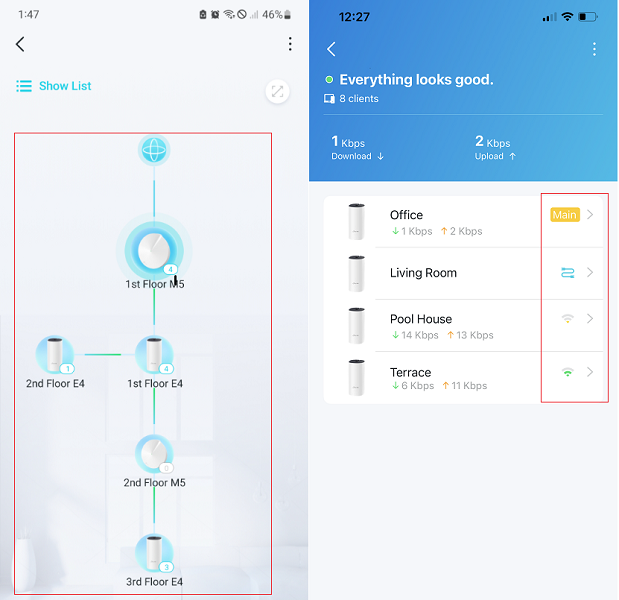
5. Although Satellite_1 (1.4.5 supporting EasyMesh) is connected to wall Ethernet, no cable logo appears on topology map of the Deco app; i.e. it appears exactly as Satellite_2 in terms of its connection to Main Deco. Is this normal / expected and if so, what's the reason for this?


Thanks in advance,


Cenk
  1      
  1      
#1
Options
3 Reply
Re:Deco x50 (1.8.0) NW PROBLEM
19 hours ago

  @CenkANGIN 

Hi, welcome to the community.

We will start with the simple questions:

You can already set Deco into "Access Point" mode now, even with Satellite V1-1.8.0 on WiFi Backhaul.

If there are many 2.4GHz clients, the "High Capacity" mode is recommended.


I think the Ethernet Backhaul didn't work on either of the satellite Deco X50s.

The following speed gap is normal only when both satellite X50s are using WiFi Backhaul.

"The Wi-Fi speeds are 7-8x near main Deco, 2-3x near Satellite 1 and 1x near Satellite 2"


Can I have the model number of the ISP router?

Have you checked the Ethernet structures inside the walls are using Ethernet patch panels or MOCA adapters?

Can I have some screenshots of the network map on the Deco App, such as:

By the way, what are the model numbers of the powerline adapters? all three TL-PA7027Ps(the non-WiFi adapters)?


  0  
  0  
#2
Options
Re:Deco x50 (1.8.0) NW PROBLEM
13 hours ago

  @David-TP 


Hi David,


thx for your reply and guidance.


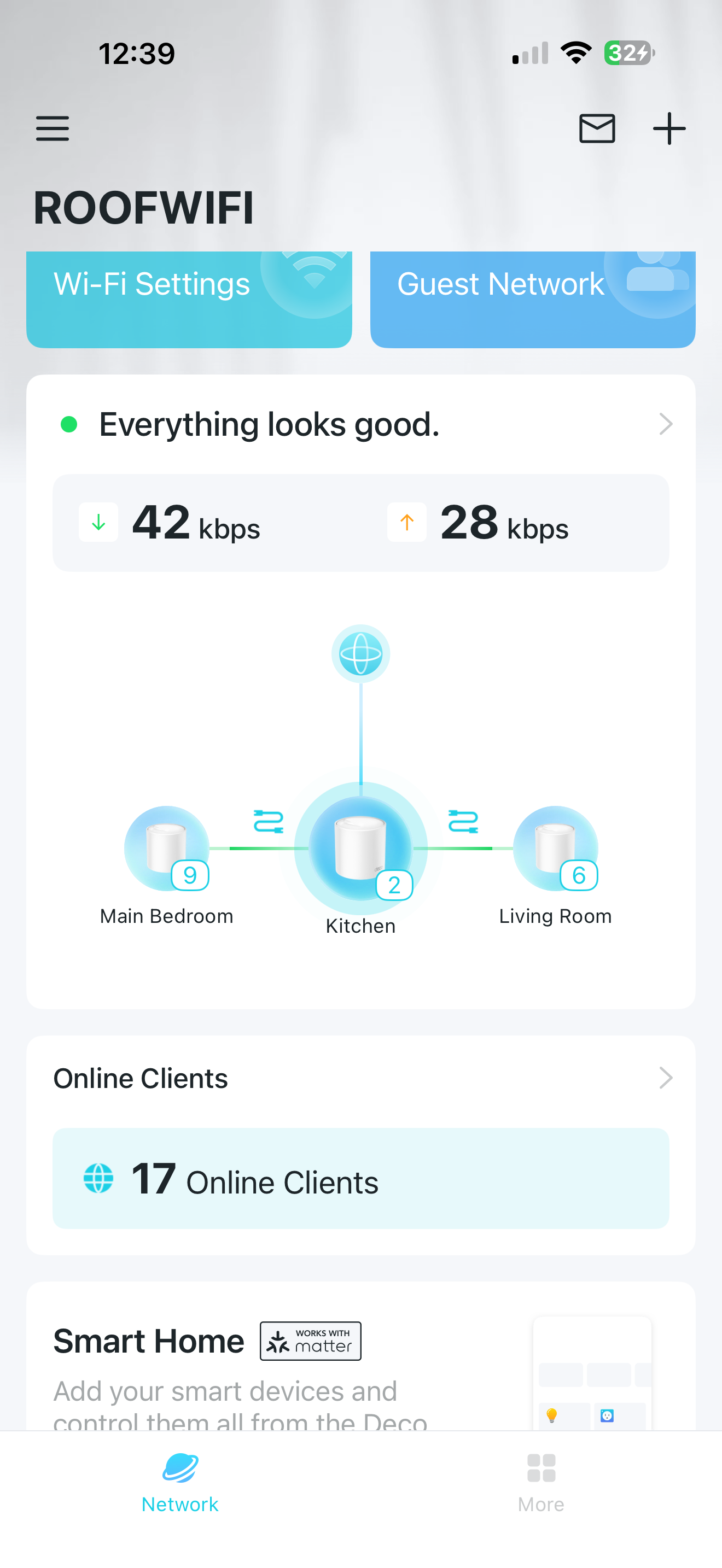
Have switched to 'Access Point', connected all 3 Deco units to Ethernet Backhaul (via Cat8 RJ45), rebooted the ISP Modem, rebooted the Deco NW and everything's working great now with ~700-800 Mbps Wi-Fi Download Speed UNIFORM all over the place ('Wireless NW Mode' automatically switched to 'High Capacity' and cannot choose 'Optimal Performance': a pop-up warning reads ''The device only supports 'High Capacity' mode currently.''). Also, both Satellite Decos now appear as 'wired' to the Main Deco on the Deco app.


As to your questions:


  1. The ISP Router is ZTE ZXHN H3600 WIFI 6 HGW
  2. Have 7 Ethernet Patch Panels on the walls
  3. The Powerline Adapters are 2 sets of 'TP-Link TL-PA7017 KIT, AV1000 Gigabit Powerline' (Non Wi-Fi)
  4. Current topology on Deco app is below.


Guess, my questions are now down to 'Should I continue to keep the WiFi of the ISP Modem 'Off' to avoid any potential interference with the Deco NW's WiFi or can I turn it 'On' too'?


Thanks again and all the best,


Cenk


  1  
  1  
#3
Options
Re:Deco x50 (1.8.0) NW PROBLEM
13 hours ago

  @CenkANGIN 

Excellent! yes

I would recommend keeping the modem router WiFi off.

Best regards.

  0  
  0  
#4
Options