ER7206 VPN Routes

ER7206 VPN Routes

ER7206 VPN Routes
ER7206 VPN Routes
a week ago - last edited a week ago
Model: ER7206 (TL-ER7206)  
Hardware Version: V1
Firmware Version: 1.4.3

Hi,


let me explain, i have 4 VPNs on my network, only 1 of them is connected over TP-Link, the other 3 are connected over Headscale, let me post a little drawing of my network topology
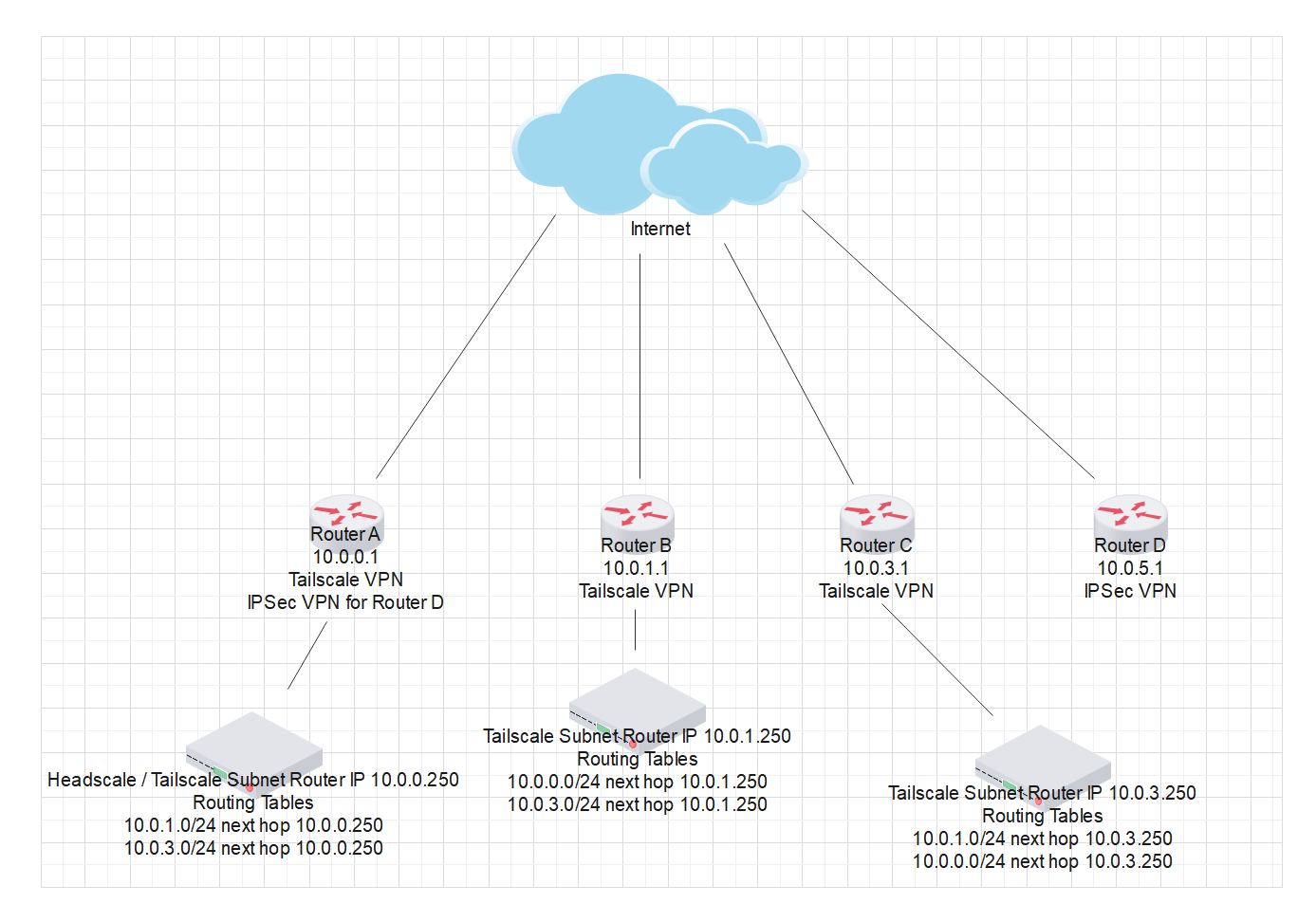
Main router is Router A, this one is the main headquarter, its where the Headscale server is which is the vpn server, Router B, C and D are on different locations, but only Router B and Router C are connected over the Tailscale network, Router D is over TP-Link IPSec VPN.


For each router i have manually created the routes so all 3 networks can communicate with each other, problem is i cant find a way to make all networks communicate with Router D network, only Router A and Router D networks can communicate because they are the ones that have the IPSec VPN between them, but Router B and C cant see Router D at all or vice versa.


I have tried to create routing tables on Router A which is the common ground for all my networks, but cant ping any device from Router B or C to Router D, so any ideas or suggestions i could try would love to hear them because i have run out of things to try


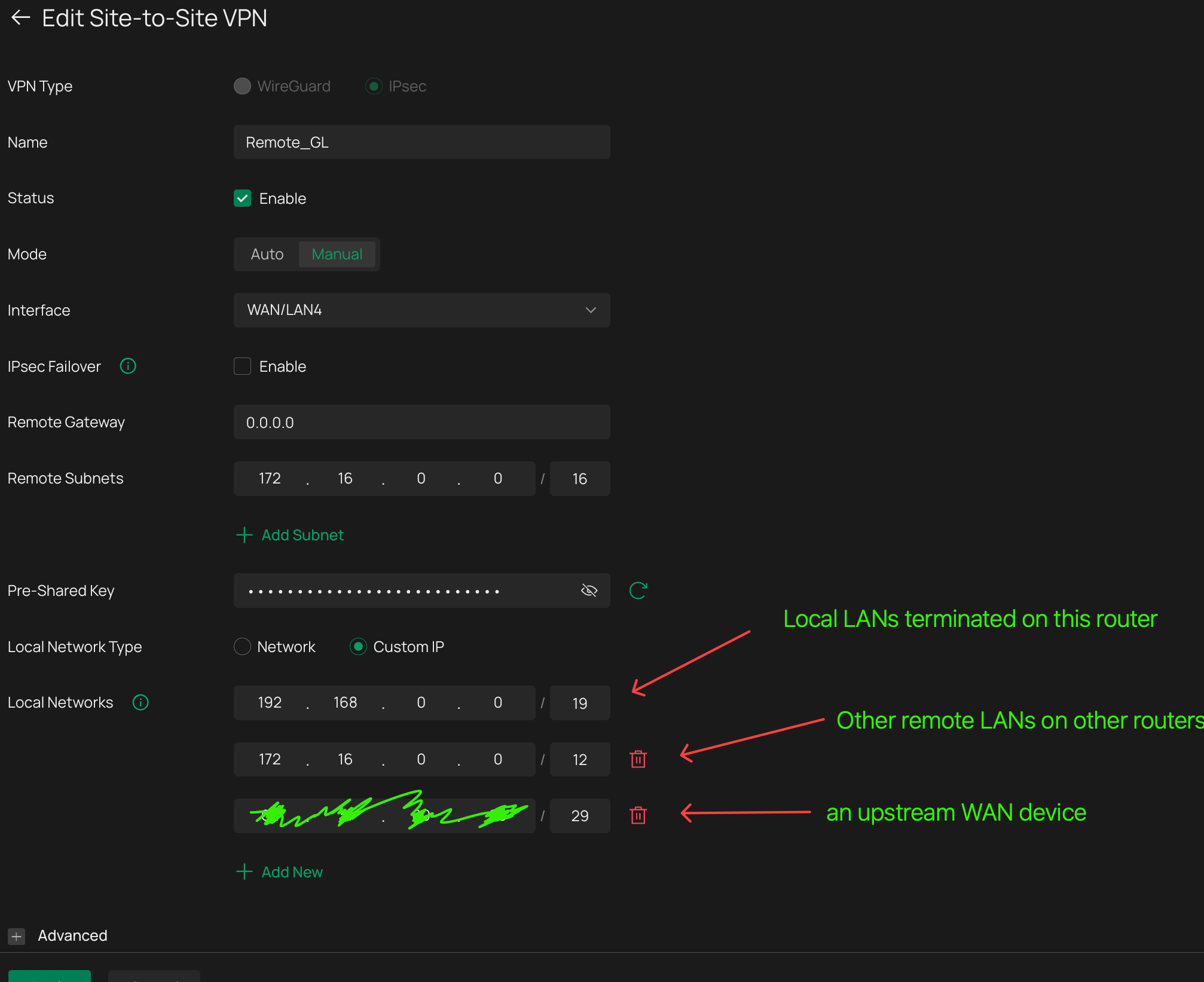
This is the IPSec VPN Status on Router A

And this one is for Router D

 

  0      
  0      
#1
Options
2 Reply
Re:ER7206 VPN Routes
a week ago

Hi  @Javito 

Thanks for posting in our business forum.

May I ask if your Router B and C are both configured as VPN clients connecting to the VPN server, Router A?

You may try to setup IPsec VPN between Router B, C and D as well to establish the connection and access.

Best Regards! >> Omada EAP Firmware Trial Available Here << >> Get the Latest Omada SDN Controller Releases Here << *Try filtering posts on each forum by Label of [Early Access]*
  0  
  0  
#2
Options
Re:ER7206 VPN Routes
Friday

  @Hank21 No they are not, as i said they use Tailscale VPN, thats why i had to manually assign routes for each router, yeah i guess i could set them up to connect to IPSec as well to Router A but id definetly prefer not to, cause i already have a link with Router A and D, i should be able to create routes like iv done with the other routers, but for some reason i cant with like this.


Long time ago, i use to setup l2tp vpn's among all 3 sites using the tplink interface, i also had to manually create routes for all 4 sites to be able to see each other, but i decided to upgrade to IPSec, are u trying to tell me that with IPSec this is not possible?

  0  
  0  
#3
Options