
SG108E VLANs were broken but now fixed for me

Bottom Line Up Front - newer versions of the SG108E will implement VLANs properly. My v2 would not but my v5 works as expected.
Details:
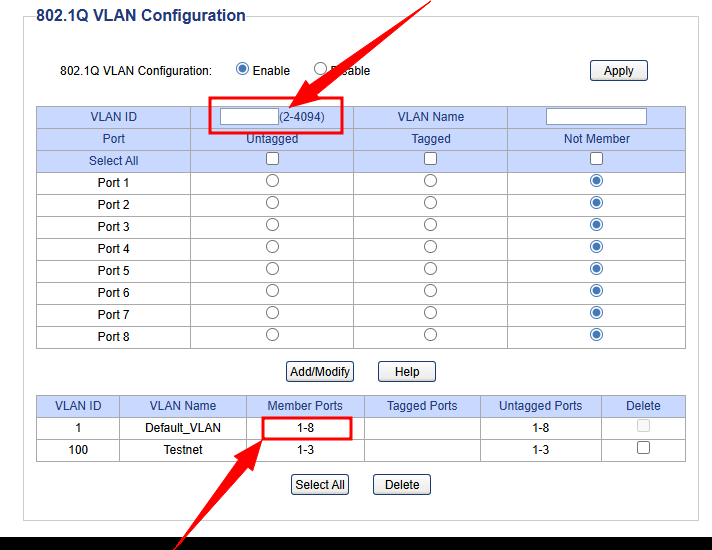
VLANs settings on version 2 of my SG108E did not segregate broadcast domains properly. As I read in other posts, you cannot remove ports in VLAN1 from ANY created VLANs created regardless of what the documentation says on the v2. This limitation allows broadcast and multicast traffic to breach the VLANs.
Here is a screen shot of the web interface on V2:
I had a v5 SG108E and discovered the interface was different and easily allowed removing VLAN1 from the created VLAN.
Note that you can enter VLAN1 into the VLAN ID box. This allowed me to remove VLAN1 ports from my VLAN 100.
Check this out:
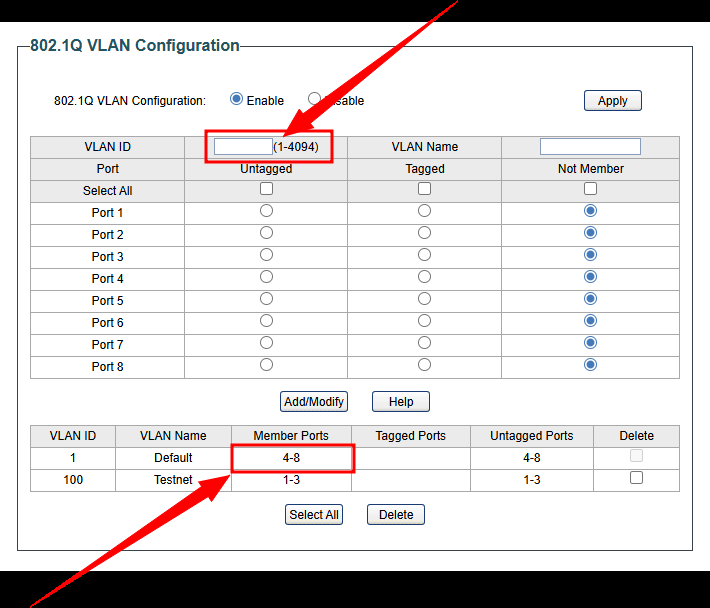
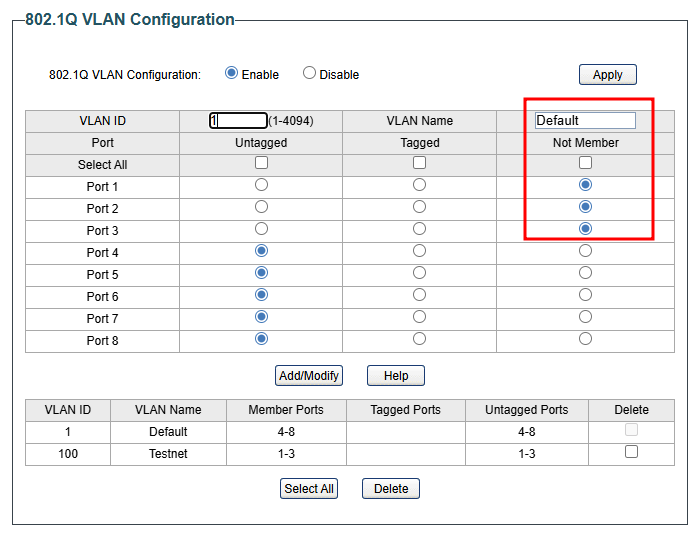
I verified no broadcast or multicast traffic using Wireshark when I switched from the v2 to the v5 sg108e switch.
I also tested using the Easy Smart Configurator App. It did have VLAN1 as a selection for the v2 switch BUT I could not remove VLAN1 from the test VLAN.
Here is the information about both of my switches:
v2

v5

I looked for a way to upgrade the firmware of the v2 but no luck. There may be VLAN1 removal workarounds for the v2 using the PVID that I have not considered but were not obvious to me. If so, please post with screenshots so we can all benefit from the workaround.
I guess TPLink just wants you to replace the switch. I have two of the v2's. Hopefully I'll find a non-VLAN use for them one day.
Hope this helps someone.

